1. Киришүү
Thank you for choosing the Volkano Diamond Series USB Powered Speakers. These speakers are designed to provide a convenient and portable audio solution for your computer or other USB-compatible devices. Please read this manual carefully before using the product to ensure proper operation and to maximize its lifespan.
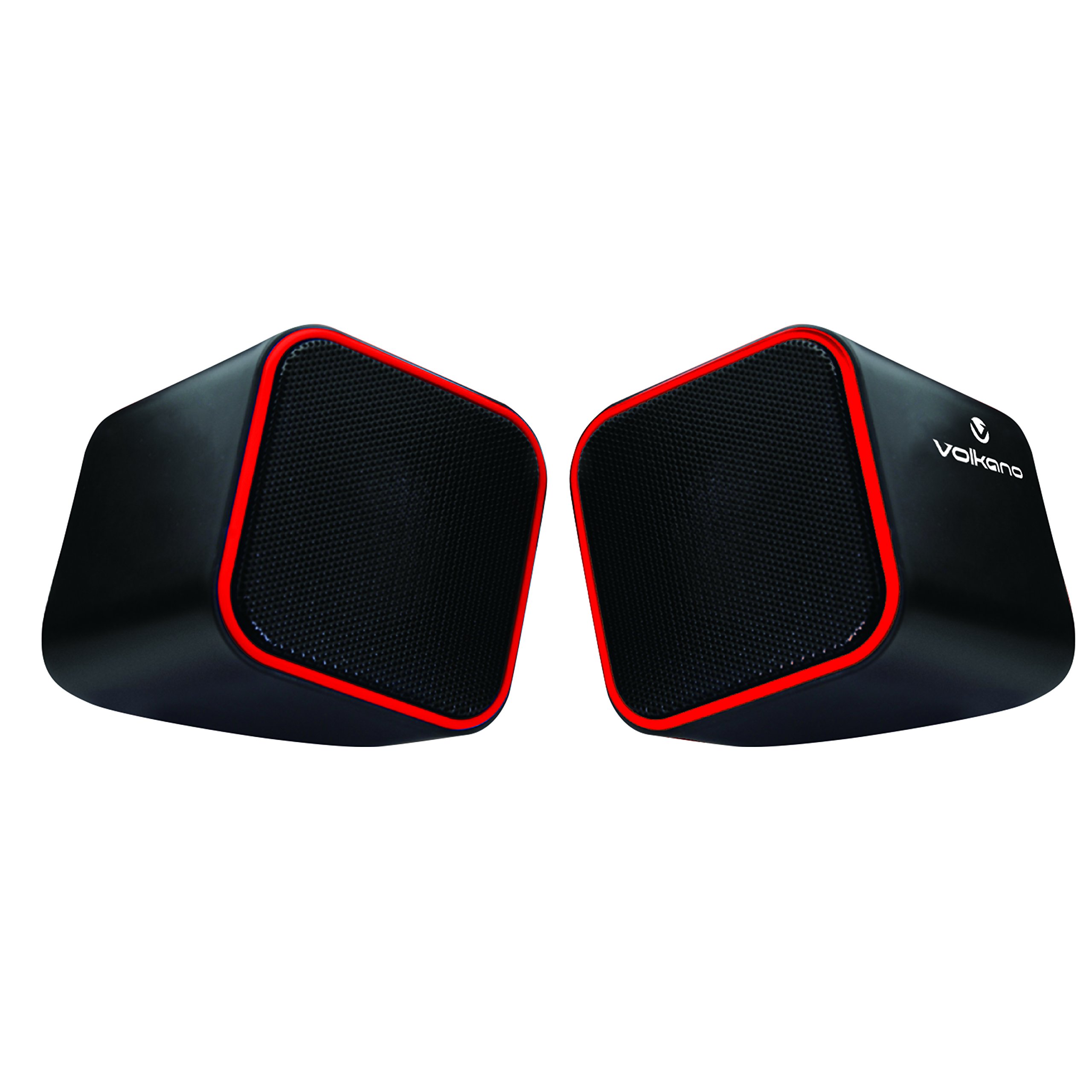
Figure 1: Volkano Diamond Series USB Powered Speakers (Red)
This image displays the Volkano Diamond Series USB Powered Speakers in their red color variant. The speakers feature a compact, cubic design with a mesh grille on the front and a red trim around the edges. The Volkano logo is visible on the side of one speaker.
2. Коопсуздук маалыматы
- Динамиктерди сууга же нымдуулукка дуушар кылбаңыз.
- Ашыкча температурадан же түз күндүн нурунан сактаныңыз.
- Do not attempt to disassemble or modify the speakers. This will void the warranty.
- Балдар жетпеген жерде сактаңыз.
- Кургак, жумшак чүпүрөк менен гана тазалаңыз.
- Ensure proper ventilation around the speakers during use.
3. Пакеттин мазмуну
Сураныч, пакеттин мазмунун текшерип, бардык буюмдар бар экенин текшериңиз:
- 1 x Volkano Diamond Series USB Powered Speakers (Red)
- 1 x Instruction Manual
4. Продукт бүтүп калдыview
The Volkano Diamond Series speakers are designed for simplicity and portability. They feature a compact design and are powered directly via USB, eliminating the need for an external power adapter.

Figure 2: Speaker connections (Note: Product color is Red)
Бул сүрөттө арткы бети көрсөтүлгөн view of the Volkano Diamond Series speakers, highlighting the integrated USB power cable and the 3.5mm audio jack cable. These are the primary connections for both power and audio input.

Figure 3: USB and Audio Cables with Volume Control
This image details the USB power cable, the 3.5mm audio jack, and the inline volume control unit. The volume control allows for easy adjustment of audio output.
5. Орнотуу
Follow these steps to set up your Volkano Diamond Series speakers:
- USB кабелин туташтыруу: Plug the USB-A connector into an available USB port on your computer, laptop, or a compatible USB power adapter. This provides power to the speakers.
- Аудио кабелди туташтырыңыз: Plug the 3.5mm audio jack into the headphone or audio output port of your computer, laptop, smartphone, or other audio source.
- Спикерлер: Place the speakers on a flat, stable surface, ensuring they are positioned for optimal sound delivery.
- Күйгүзүү: The speakers will power on automatically once the USB cable is connected and receiving power.

Figure 4: Speakers connected to a computer (Note: Product color is Red)
This image illustrates the Volkano Diamond Series speakers positioned next to a computer monitor, demonstrating a typical setup. The cables are connected to the computer, ready for audio playback.
6. Иштөө нускамалары
Once connected, operating your Volkano Diamond Series speakers is straightforward:
- Үндү көзөмөлдөө: Use the inline volume control dial on the cable to adjust the speaker's output volume. Turn the dial clockwise to increase volume and counter-clockwise to decrease it.
- Аудио булагынын үнү: You can also control the volume from your connected audio source (e.g., computer's system volume, media player volume).
- Өчүрүү: To turn off the speakers, simply disconnect the USB power cable from its source.
7. Техникалык тейлөө
Proper maintenance ensures the longevity of your speakers:
- Тазалоо: Use a soft, dry, lint-free cloth to wipe the exterior of the speakers. Do not use liquid cleaners, aerosols, or solvents.
- Сактагыч: Узак мөөнөткө колдонулбаганда, динамиктерди күндүн тике тийген нурунан жана өтө температурадан алыс, салкын, кургак жерде сактаңыз.
- Кабельге кам көрүү: Ички зыян келтирбөө үчүн кабелдерди өтө ийип же кысып албаңыз.
8. Кыйынчылыктарды
Эгерде сиз динамиктериңизде көйгөйлөргө туш болсоңуз, төмөнкү жалпы көйгөйлөрдү жана чечимдерди караңыз:
| Көйгөй | Мүмкүн себеп | Чечим |
|---|---|---|
| Динамиктерден үн жок. |
|
|
| Үн бурмаланган же түшүнүксүз. |
|
|
| Speakers not recognized by computer. |
|
|
9. Техникалык шарттар
| Өзгөчөлүк | Деталь |
|---|---|
| Модель аты | Алмаз сериясы |
| Элемент моделинин номери | VB-702-RED |
| Түс | Кызыл |
| Динамик түрү | Мультимедиа |
| Байланыш технологиясы | USB |
| Power Source | Электр зымдары (USB менен) |
| Динамиктин максималдуу чыгаруу күчү | 6 Ватт |
| Аудио чыгаруу режими | Стерео |
| Динамик өлчөмү | 2 дюйм |
| Продукциянын өлчөмдөрү | 15D x 15W x 15H сантиметр |
| Материал | Пластик |
| Өзгөчө өзгөчөлүк | Portable |
| Сунушталган Колдонуулар | Музыкалык оюнчулар үчүн |
10. Кепилдик маалыматы
The Volkano Diamond Series USB Powered Speakers come with a 1 жылдык Чектелген Кепилдик өндүрүүчүдөн. Бул кепилдик кадимки колдонуудагы материалдардагы жана жасалгалоодогу кемчиликтерди камтыйт. Кепилдик дооматтары үчүн сатып алганыңызды тастыктаган документти сактап коюңуз.
For extended coverage, Volkano offers an additional 12-Month extension upon product registration, totaling 24 Months of coverage. Visit the official Volkano webкаттоо чоо-жайы үчүн сайт.
11. Кардарларды колдоо кызматы
Should you have any questions, require assistance, or need to make a warranty claim, please contact Volkano customer support. Your satisfaction is important to us.
- Онлайн колдоо: Visit the official Volkano Page for assistance and to message us directly.
- Кепилдик каттоо: Register your product to extend your warranty coverage.
Note: Specific contact details (e.g., phone number, email) are typically found on the official brand webсайт же продукт таңгак.


