Introduction
This manual provides comprehensive instructions for the installation, operation, maintenance, and troubleshooting of the Golmar EL500/V2PLUS Microprocessor Module. Please read this manual carefully before using the device to ensure proper functionality and safety.
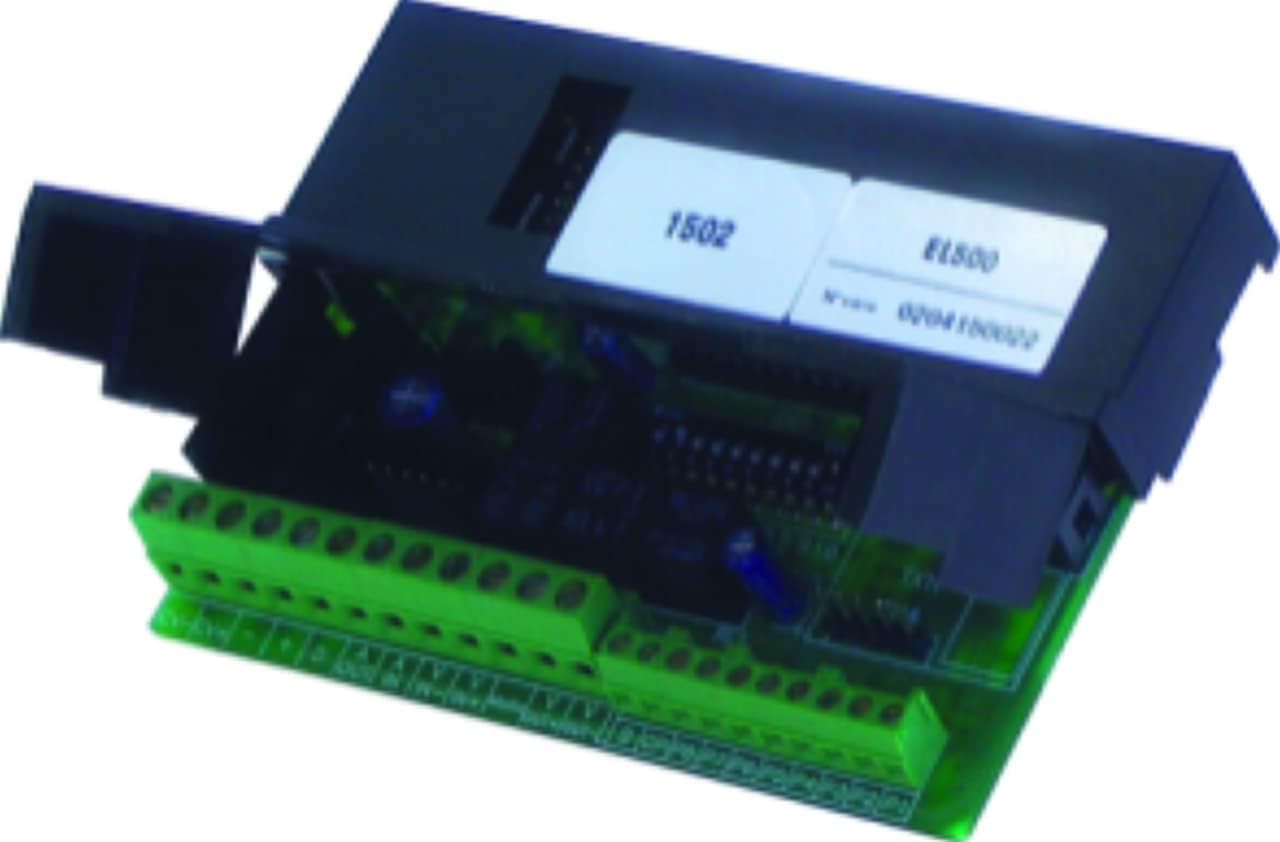
1-сүрөт: The Golmar EL500/V2PLUS Microprocessor Module. This image shows the compact black module with green terminal blocks for connections, indicating its electronic nature and interface points.
Жайгашуу
1. Таңгактан чыгаруу жана текшерүү
- Carefully remove the EL500/V2PLUS module from its packaging.
- Inspect the module for any signs of physical damage. Do not install if damage is observed.
- Таңгактоо тизмесинде саналган бардык компоненттер бар экенин текшериңиз.
2. Монтаждоо
The EL500/V2PLUS module is designed for secure mounting within a control panel or enclosure. Ensure adequate ventilation around the module.
- Mount the module using appropriate screws or DIN rail clips (if applicable) to a stable surface.
- Ensure the mounting location is free from excessive vibration, moisture, and extreme temperatures.
3. Зымдарды туташтыруу
Refer to the wiring diagram provided with your system documentation for specific connection points. Always ensure power is disconnected before making any wiring connections.
- Электр камсыздоо: Connect the appropriate DC power supply to the designated terminals. Observe polarity.
- Киргизүү/чыгарма: Connect system inputs (e.g., sensors, switches) and outputs (e.g., relays, indicators) to their respective terminals.
- Communication Bus: Connect the module to the system's communication bus (e.g., RS-485) if required for network integration.
- Бардык байланыштар коопсуз жана туура изоляцияланганын текшериңиз.
Иштөө нускамалары
1. Баштапкы кубаттуулук
- After all connections are made and verified, apply power to the module.
- Observe the status indicators (LEDs) on the module. Refer to the LED status table in the specifications section for their meaning.
2. Конфигурация
The EL500/V2PLUS module typically requires configuration via a connected control panel or software interface. Consult your system's programming manual for detailed configuration steps.
- Access the module's configuration menu through the main system interface.
- Set parameters such as module address, input types, output functions, and communication settings as per your system requirements.
- Save all configuration changes.
3. Нормалдуу иштөө
Once configured, the module operates autonomously as part of the larger system. It processes inputs and controls outputs according to its programmed logic.
- Monitor system status indicators to confirm proper operation.
- Ensure connected devices (sensors, actuators) are functioning correctly.
Техникалык тейлөө
The Golmar EL500/V2PLUS Microprocessor Module is designed for low maintenance. However, periodic checks are recommended to ensure optimal performance and longevity.
- Визуалдык текшерүү: Periodically inspect the module for dust accumulation, loose connections, or signs of overheating.
- Тазалоо: Зарыл болсо, модулдун сыртын жумшак, кургак чүпүрөк менен акырын тазалаңыз. Суюк тазалагычтарды же эриткичтерди колдонбоңуз.
- Программалык камсыздоонун жаңыртуулары: Өндүрүүчүнү текшериңиз webжеткиликтүү болгон микропрограммалык камсыздоонун жаңыртуулары үчүн сайтына кириңиз. Жаңыртуу процедуралары үчүн берилген көрсөтмөлөрдү кылдаттык менен аткарыңыз.
- Экологиялык шарттар: Иштөө чөйрөсү белгиленген температуранын жана нымдуулуктун чегинде сакталышын камсыз кылыңыз.
Проблемаларды чечүү
This section provides solutions to common issues you might encounter with the EL500/V2PLUS module. For more complex problems, contact technical support.
| Көйгөй | Мүмкүн себеп | Чечим |
|---|---|---|
| Модуль күйбөй жатат (диоддор жок) | Электр менен камсыздоо жок; туура эмес зымдар; бузук электр менен камсыздоо. | Электр туташууларын жана камсыздоонун көлөмүн текшериңизtagд. Зымдардын полярдуулугун текшериңиз. Электр менен камсыздоону сыноо. |
| Байланыш каталары | Incorrect communication settings; loose bus wiring; bus termination issues. | Verify module address and communication parameters. Check bus wiring and termination resistors. |
| Inputs not responding | Incorrect input wiring; faulty sensor; incorrect configuration. | Check input wiring. Test the sensor. Verify input type configuration in the system. |
| Outputs not activating | Incorrect output wiring; faulty actuator; incorrect configuration. | Check output wiring. Test the actuator. Verify output function configuration in the system. |
Техникалык шарттар
- Модел: Golmar EL500/V2PLUS
- Түрү: Microprocessor Module
- Өндүрүүчү: Голмар
- Салмагы: Болжол менен 500 г
- Өлчөмдөрү: Так өлчөмдөр үчүн продукттун техникалык паспортун караңыз.
- Электр камсыздоо: (Specific voltage/current details usually found in datasheet)
- Иштөө температурасы: (Specific range usually found in datasheet)
- Байланыш: (e.g., RS-485, dedicated bus)
- Киргизүүлөр/чыгыштар: (Number and type of I/O points)
Note: Detailed technical specifications, including exact voltage requirements, current draw, and environmental limits, are available in the official product datasheet provided by Golmar.
Кепилдик жана колдоо
Кепилдик маалымат
Golmar products typically come with a standard manufacturer's warranty. The duration and terms of the warranty may vary by region and product. Please refer to the warranty card included with your purchase or visit the official Golmar webтолук кепилдик маалымат алуу үчүн сайт.
- Кепилдик дооматтар үчүн сатып алганыңыздын далилин сактаңыз.
- The warranty generally covers defects in materials and workmanship under normal use.
- Damage caused by improper installation, misuse, or unauthorized modifications is typically not covered.
Техникалык колдоо
For technical assistance, troubleshooting beyond this manual, or inquiries regarding repairs, please contact Golmar's customer support.
- Webсайт: Visit the official Golmar webколдоо ресурстары, көп берилүүчү суроолор жана байланыш формалары үчүн сайт.
- Байланыш маалыматы: Specific phone numbers or email addresses for technical support can usually be found on the Golmar webсайтында же продуктунун таңгагында.
- When contacting support, have your product model (EL500/V2PLUS) and a description of the issue ready.


