1. Киришүү
The HyperX Cloud Pro Gaming Headset is engineered for serious console and PC gamers, offering superior comfort and audio performance. Featuring a durable aluminum frame, memory foam ear cushions, and 53mm drivers, this headset delivers crystal clear highs, mids, and lows. The convenient in-line audio control provides easy access to volume adjustments and microphone muting, ensuring an immersive gaming experience.
2. Пакеттин мазмуну
- HyperX Cloud Pro Gaming Headset
- Чууну жокко чыгаруучу микрофон
- In-line Audio Control Box
- PC Extension Cable (2M) with Stereo and Mic Plugs
- Ташуу баштыгы

Image: All components included with the HyperX Cloud Pro Gaming Headset.
3. Продукт бүтүп калдыview
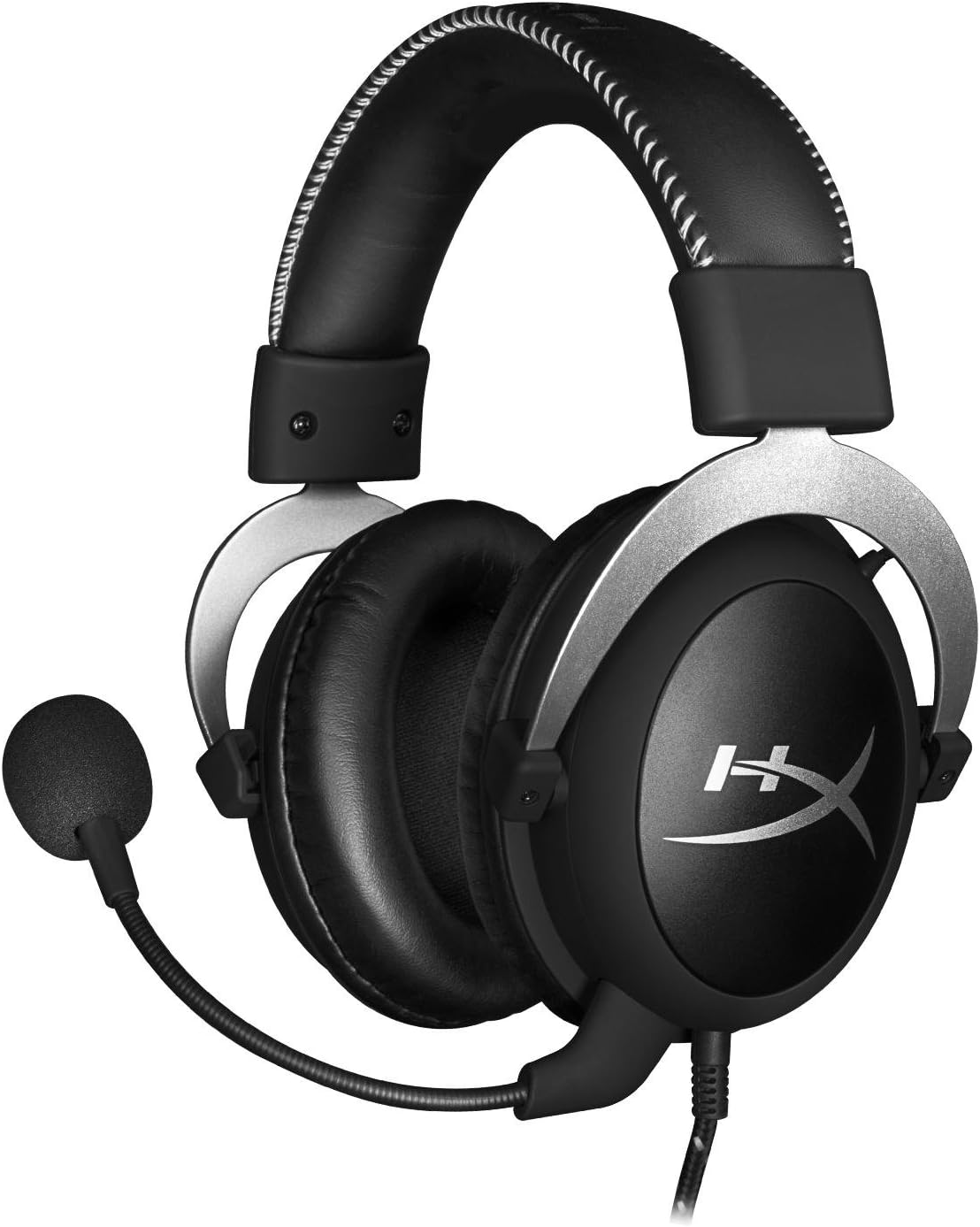
Фронт view of the headset with microphone.
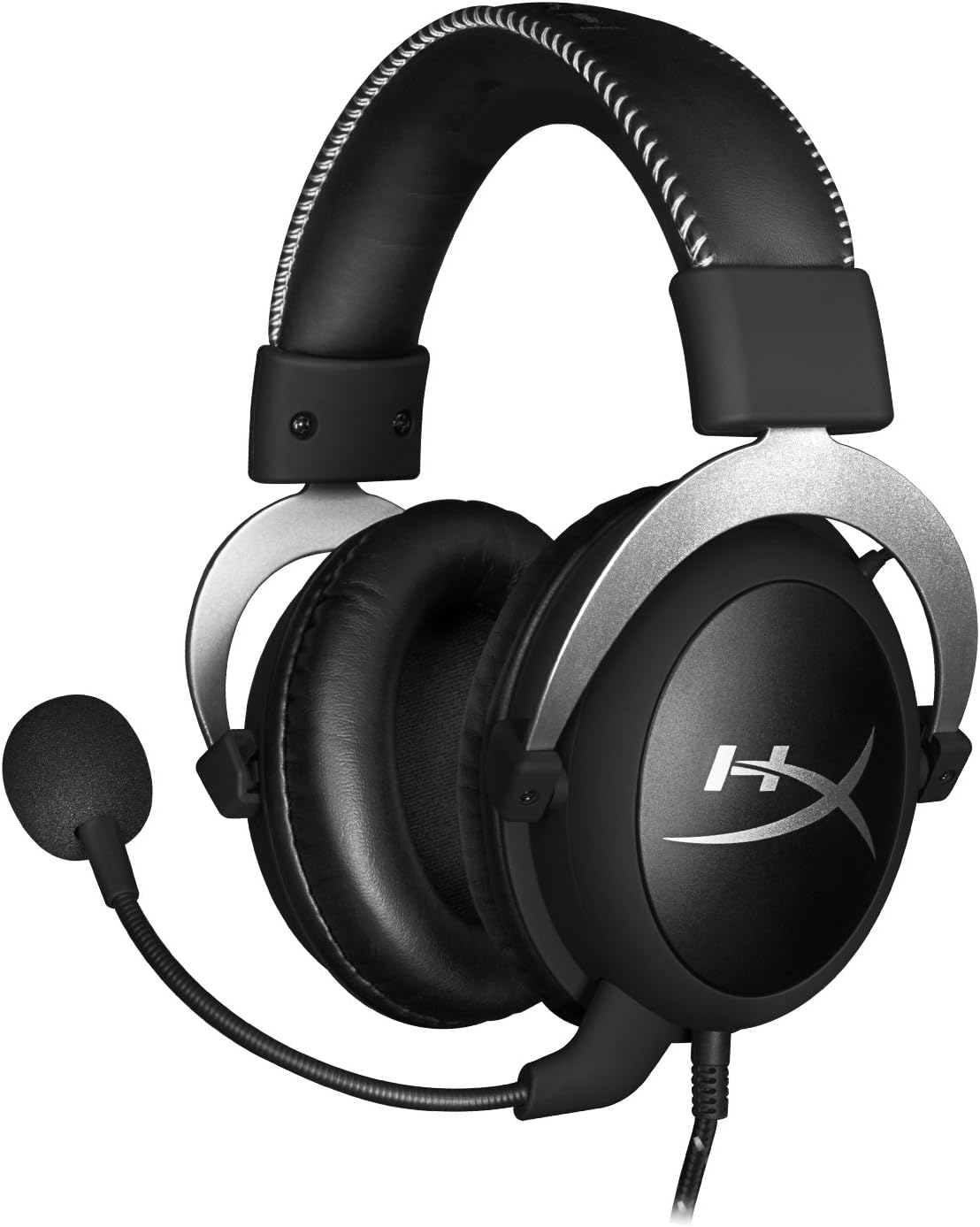
Side view гарнитуранын.

Headset folded flat for storage.

Жогорку view of the headband.
Негизги компоненттер:
- Баш боосу: Padded with leatherette for comfort during extended use.
- Кулак чөйчөктөрү: Over-ear design with memory foam cushions, providing passive noise isolation.
- Алынуучу микрофон: Flexible, noise-cancelling microphone for clear communication.
- In-line Audio Control: Integrated unit on the cable for volume adjustment and microphone mute.
4. Орнотуу жана туташуу
4.1 Компьютерге туташуу
- Connect the headset's 3.5mm plug to the in-line audio control box.
- Attach the PC extension cable to the in-line audio control box.
- Plug the green audio jack of the extension cable into your PC's audio output (headphone) port.
- Plug the pink microphone jack of the extension cable into your PC's microphone input port.
- Ensure the detachable microphone is securely inserted into the headset's microphone port.
4.2 Console Connection (PS4, Xbox One, Wii U)
- Connect the headset's 3.5mm plug directly into your console controller's 3.5mm port.
- Ensure the detachable microphone is securely inserted into the headset's microphone port.
- Adjust audio settings on your console as needed to route chat and game audio through the headset.
4.3 Мобилдик түзмөктүн туташуусу
- Connect the headset's 3.5mm plug directly into your mobile device's 3.5mm audio jack.
- The microphone can be attached for calls or detached if not needed.

Image: In-line audio control unit.
5. Иштөө нускамалары
5.1 Үндү башкаруу
The in-line audio control features a rotary volume wheel. Rotate the wheel upwards to increase volume and downwards to decrease volume. This adjusts the headset's output volume independently of your device's master volume.
5.2 Микрофонду үнсүз кылуу
A switch on the in-line audio control allows you to quickly mute or unmute the microphone. Slide the switch to the 'Mute' position to disable the microphone, and slide it back to enable it. This is useful for privacy or when you do not wish your voice to be transmitted.
6. Техникалык тейлөө жана кам көрүү
- Тазалоо: Гарнитураны жумшак, кургак чүпүрөк менен сүртүңүз. Кулак жаздыкчалары үчүн бир азamp кездемени колдонсо болот, бирок колдонуудан мурун алардын толугу менен кургак экенин текшериңиз. Катуу химиялык заттардан же абразивдүү тазалоочу каражаттардан алыс болуңуз.
- Сактагыч: When not in use, store the headset in the provided carrying pouch to protect it from dust and scratches. Avoid extreme temperatures and humidity.
- Кабельге кам көрүү: Do not excessively bend or pull the cables. Store them neatly to prevent tangling and damage.
7. Кыйынчылыктарды
| Маселе | Мүмкүн себеп | Чечим |
|---|---|---|
| Гарнитурадан аудио жок | Incorrect connection; Volume too low; Device audio settings. | Ensure all cables are securely connected. Increase volume using the in-line control and device settings. Verify audio output settings on your PC/console. |
| Микрофон иштебей жатат | Microphone muted; Incorrect connection; Device microphone settings. | Check the microphone mute switch on the in-line control. Ensure the microphone is fully inserted. Verify microphone input settings on your PC/console. |
| Үн сапаты начар / Статикалык | Loose connection; Interference; Damaged cable. | Reconnect all cables. Test on another device to rule out interference. If issues persist, the cable may be damaged. |
| Гарнитура ыңгайсыз | Туура эмес ылайыктуу. | Adjust the headband for a comfortable fit. The memory foam ear cushions are designed for extended comfort. |
8. Техникалык шарттар
- Модель аты: HyperX Cloud Pro Gaming Headset - Silver - with In-Line Audio Control
- Модель номери: HX-HSCL-SR/NA
- Байланыш: Зымдуу (3.5 мм уяча)
- Айдоочулар: 53мм динамикалык айдоочулар
- Жыштык жообу: 15 Гц - 25 кГц
- Материал: Foam, Aluminum, Leather
- Элемент Салмагы: 0.6 килограмм (1.32 фунт)
- Шайкеш түзмөктөр: PS5, PS4, Xbox One, Wii U, Mac, Mobile Devices, PC
- Башкаруу түрү: Үндү башкаруу, микрофонду өчүрүү
- Ызы-чууну көзөмөлдөө: Активдүү ызы-чууну жокко чыгаруу (микрофон)
9. Кепилдик жана колдоо
The HyperX Cloud Pro Gaming Headset is backed by a 2 жылдык кепилдик. For technical support or warranty claims, please contact HyperX customer service. You can also refer to the official Колдонуучунун колдонмосу (PDF) кошумча маалымат үчүн.


