1. Киришүү
Thank you for choosing the 2BOOM HPBT500K Wireless Headphone System. This manual provides essential information for the proper setup, operation, and maintenance of your new headphones. Please read it thoroughly before use to ensure optimal performance and longevity of the product.
The HPBT500K headphones offer a wireless audio experience with a built-in microphone for hands-free calling, enhanced bass sound, and comfortable wear.
2. Кутуда эмне бар
- 2BOOM HPBT500K Wireless Headphone
- USB заряддоо кабели
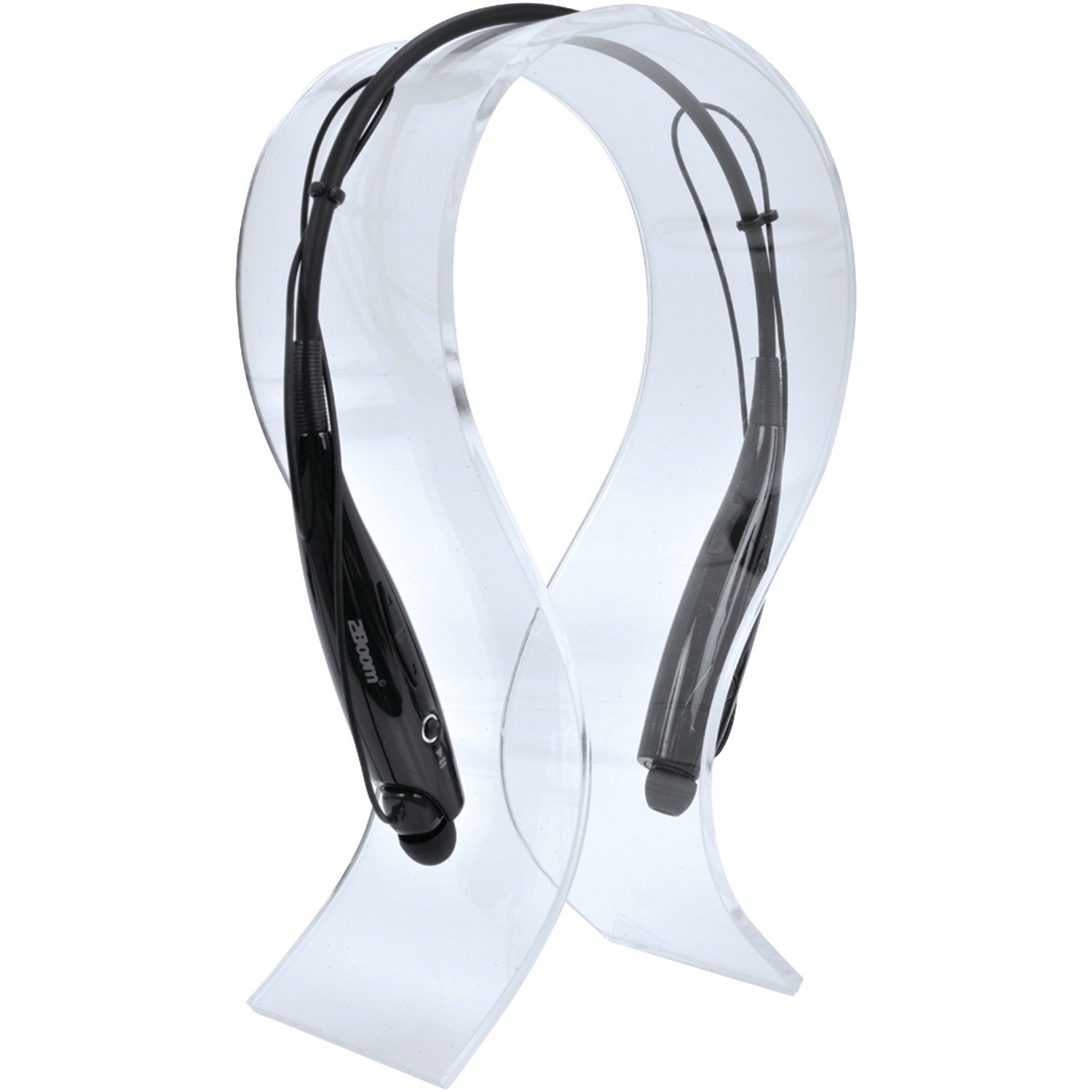
Image: The 2BOOM HPBT500K Wireless Headphone, showcasing анын дизайны.
Image: The included USB charging cable for the headphones.
3. Продукт бүтүп калдыview
Familiarize yourself with the various parts and controls of your HPBT500K headphones.

Сүрөт: каптал view of the 2BOOM HPBT500K Wireless Headphone, highlighting control buttons and ports.
Башкаруу каражаттары жана көрсөткүчтөр:
- Кубат баскычы: Кулакчындарды күйгүзүү/өчүрүү жана жупташтыруу үчүн колдонулат.
- Үндү жогорулатуу/Кийинки трек: Үнүн жогорулатат же кийинки ырга өткөрүп жиберет.
- Үнүн азайтуу/Мурунку трек: Үнүн азайтат же мурунку ырга өтөт.
- Көп функциялуу баскыч (MFB): Play/Pause, Answer/End Call.
- Микрофон: Handsfree байланыш үчүн.
- LED көрсөткүчү: Кубат абалын, жупташтыруу режимин жана кубаттоо абалын көрсөтөт.
- Микро USB кубаттоочу порт: Заряддоо кабелин туташтыруу үчүн.
4. Наушниктерди заряддоо
Before first use, fully charge your headphones. A full charge typically takes about 2-3 hours.
- Connect the small end of the USB charging cable to the Micro USB charging port on your headphones.
- Connect the larger end of the USB charging cable to a USB power source (e.g., computer USB port, USB wall adapter). Ensure the power source provides DC 5V.
- The LED indicator will illuminate during charging and change color or turn off once charging is complete.
Эскертүү: Do not use chargers with a voltage higher than DC 5V, as this may damage the headphones.
5. Setup and Bluetooth Pairing
Follow these steps to pair your HPBT500K headphones with your Bluetooth-enabled device.
- Күйгүзүү: Press and hold the Power button on the headphones until the LED indicator flashes, usually alternating blue and red, indicating pairing mode.
- Bluetooth иштетүү: On your smartphone, tablet, or other Bluetooth device, go to the Bluetooth settings and ensure Bluetooth is turned on.
- Издөө Түзмөктөр: Your device will scan for available Bluetooth devices.
- Select 'HPBT500K': From the list of found devices, select 'HPBT500K'.
- Жупташтыруу ырастоо: Once paired, the LED indicator on the headphones will typically flash blue slowly or remain solid blue, and your device may confirm the connection.
The operating distance for Bluetooth connectivity is up to 33 feet (10 meters) in an open environment. Obstacles may reduce this range.
6. Иштөө нускамалары
Музыка ойнотуу:
- Ойнотуу/тындыруу: Көп функциялуу баскычты (MFB) бир жолу басыңыз.
- Кийинки трек: Үнүн жогорулатуу баскычын басып, кармап туруңуз.
- Мурунку трек: Үндү азайтуу баскычын басып, кармап туруңуз.
- Көлөмү: Үндү жогорулатуу баскычын кыскача басыңыз.
- Үнүн азайтуу: Үндү азайтуу баскычын кыскача басыңыз.
Music playback time is up to 3 hours on a full charge.
Hands Free Чалуу:
- Чакырууга жооп берүү: Press the MFB once when a call comes in.
- Чакырууну аяктоо: Чалуу учурунда MFB баскычын бир жолу басыңыз.
- Чакырууну четке кагуу: Press and hold the MFB for approximately 2 seconds when a call comes in.
- Акыркы номерди кайра терүү: MFBди эки жолу басыңыз.
Talk time is up to 3 hours on a full charge.
7. Техникалык тейлөө
Кулакчындарыңыздын узак убакытка кызмат кылуусун жана оптималдуу иштешин камсыз кылуу үчүн, төмөнкү техникалык тейлөө көрсөтмөлөрүн аткарыңыз:
- Keep the headphones dry. Avoid exposure to moisture, rain, or liquids.
- Кулакчындарды жумшак, кургак чүпүрөк менен тазалаңыз. Катуу химиялык заттарды же абразивдүү тазалоочу каражаттарды колдонбоңуз.
- Кулакчындарды салкын, кургак жерде, өтө жогорку температурадан алыс сактаңыз.
- Кулакчындарды түшүрүүдөн же катуу тийүүдөн сактаныңыз.
- Кулакчындарды бөлүктөргө бөлүүгө же өзгөртүүгө аракет кылбаңыз, анткени бул кепилдикти жокко чыгарат.
8. Кыйынчылыктарды
If you encounter issues with your HPBT500K headphones, refer to the following common problems and solutions:
- Кулакчындар күйбөй жатат:
Наушниктердин толук заряддалганын текшериңиз. Берилген USB кабелин колдонуп, аларды кубат булагына туташтырыңыз. - Түзмөк менен жупташтыруу мүмкүн эмес:
Make sure Bluetooth is enabled on your device and the headphones are in pairing mode (LED flashing blue/red). Move the headphones closer to your device. Try turning both devices off and on again. - Үн жок же үнү төмөн:
Наушниктердин жана туташкан түзмөгүңүздүн үнүнүн деңгээлин текшериңиз. Наушниктердин туура жупташтырылганын текшериңиз. - Үн сапатынын начардыгы же байланыш үзүлүшү:
Ensure there are no obstructions between the headphones and your device. Move closer to your device. Avoid environments with strong Wi-Fi or other wireless interference. - Микрофон иштебей жатат:
Ensure the headphones are properly connected and selected as the audio input device on your phone/computer.
9. Техникалык шарттар
| Өзгөчөлүк | Спецификация |
|---|---|
| Bluetooth версиясы | 2.1 + EDR |
| Операциялык аралык | 33 фут (10 метр) чейин |
| Музыканы ойнотуу убактысы | 3 саатка чейин |
| Talk Time | 3 саатка чейин |
| Заряддоо киргизүү Voltage | DC 5V |
| Заряддоо убактысы | Болжол менен 2-3 саат |
| Speaker Output | 2 х 40 мВт |
| Камтылган батарея | 3.7 В, 150 мАч |
| Элемент Салмагы | 113 г |
| Продукциянын өлчөмдөрү (LxWxH) | 23.11 x 16.76 x 3.81 см |
| Камтылган компоненттер | Headphone with charging cable |
| Башкаруу ыкмасы | тийүү |
| Өзгөчөлүктөр | Жеңил, микрофон камтылган |
10. Кепилдик жана колдоо
For warranty information or technical support, please refer to the documentation provided at the time of purchase or contact 2BOOM customer service. Keep your proof of purchase for warranty claims.


