1. Киришүү
This manual provides essential information for the proper setup, operation, and maintenance of your Audster FK-5400 54-Key Electronic Keyboard. Please read this manual thoroughly before using the instrument to ensure optimal performance and longevity.
2. Коопсуздук нускамалары
- Электр камсыздоо: Белгиленген кубат адаптерин гана колдонуңуз. Voltage matches your local power supply. Disconnect the power cord during lightning storms or when unused for extended periods.
- Суу жана ным: Do not expose the keyboard to water or excessive moisture. Avoid placing liquid-filled containers on or near the instrument.
- Вентиляция: Do not block ventilation openings. Ensure adequate airflow around the instrument to prevent overheating.
- Жайгашкан жери: Place the keyboard on a stable, flat surface. Avoid extreme temperatures, direct sunlight, or heat sources.
- Тазалоо: Кургак, жумшак чүпүрөк менен гана тазалаңыз. Абразивдүү тазалоочу каражаттарды же эриткичтерди колдонбоңуз.
- Тейлөө: Аспапты өз алдынча тейлөөгө аракет кылбаңыз. Бардык тейлөө иштерин квалификациялуу адистерге тапшырыңыз.
3. Пакеттин мазмуну
Пакетте бардык буюмдар бар экенин текшериңиз:
- Audster FK-5400 Electronic Keyboard
- Микрофон
- Power Adapter (not explicitly listed but implied by 'Corded Electric')
- Колдонуучунун Колдонмосу (бул документ)

4. Продукт бүтүп калдыview
The Audster FK-5400 is a 54-key electronic keyboard designed for musical exploration. It features an LED display, integrated speakers, and a variety of functions to enhance your playing experience.
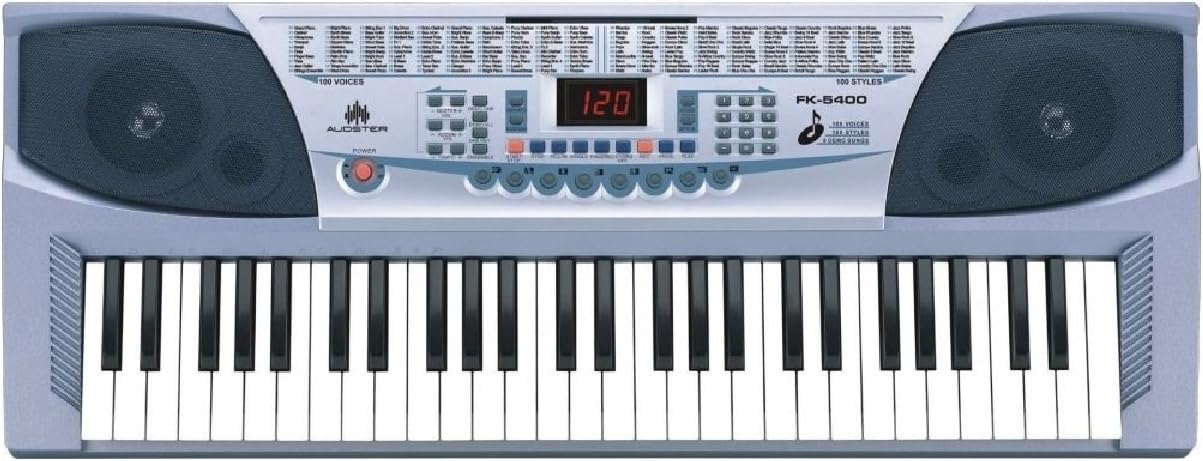
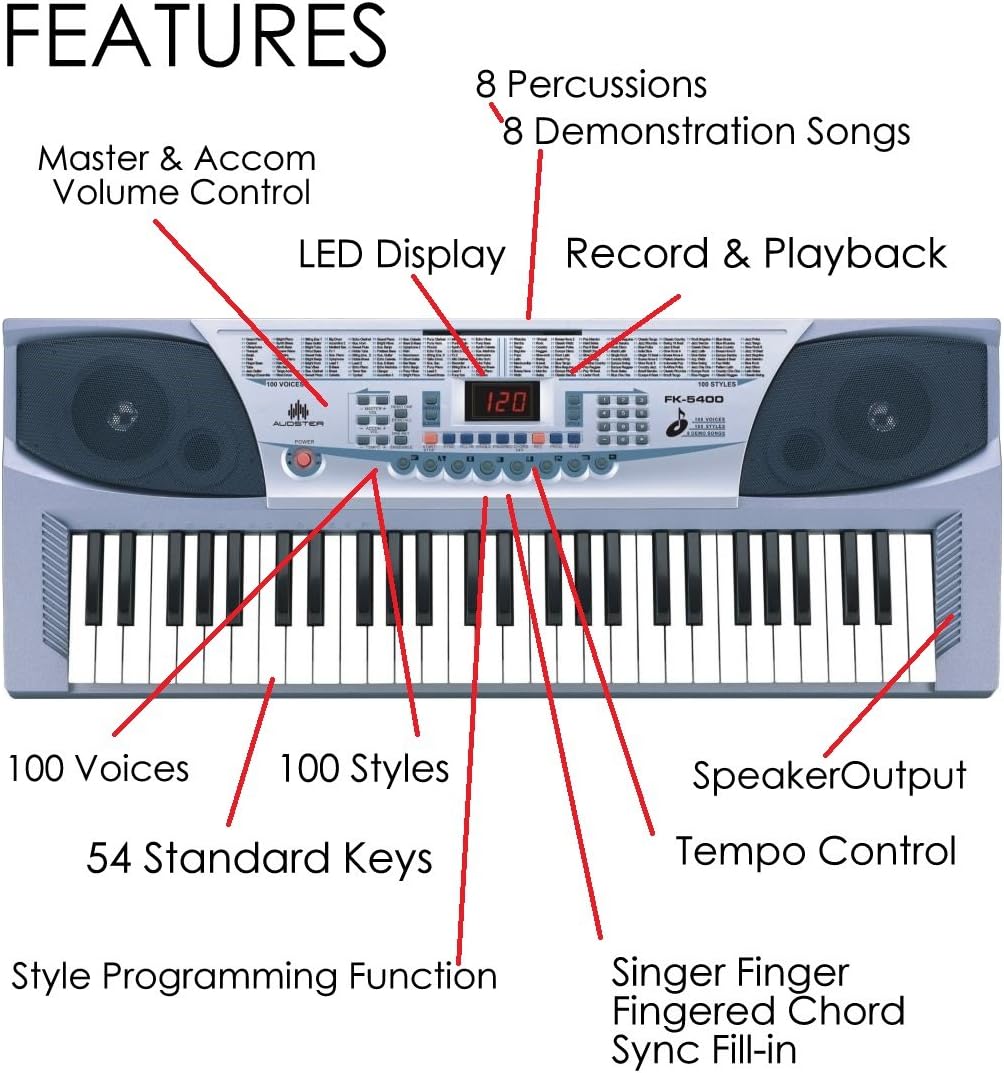
Негизги өзгөчөлүктөрү:
- 54 Standard Piano Keys
- LED дисплей
- 100 Voices (Tones)
- 100 Styles (Rhythms)
- 8 Перкуссиялык үн
- 8 демонстрациялык ырлар
- Master & Accompaniment Volume Control
- Темп башкаруу
- Single Finger / Fingered Chord / Sync / Fill-in Functions
- Style Programming Function
- Record & Playback Function
- One Key / Ensemble / Vibrato / Sustain Effects
- Speaker Output
- Microphone Input and Included Microphone
5. Орнотуу
5.1 Кубат туташтыруу
- Locate the DC IN jack on the back or side of the keyboard.
- Connect the power adapter to the DC IN jack.
- Кубат адаптерин стандарттуу электр розеткасына сайыңыз.
5.2 Микрофон туташуу
The FK-5400 includes a microphone for vocal input.
- Locate the microphone input jack (typically a 3.5mm jack).
- Insert the microphone plug firmly into the jack.
5.3 Headphones Connection
For private practice, you can connect headphones.
- Locate the headphones output jack (3.5mm Jack).
- Plug your headphones into this jack. The internal speakers will typically mute automatically.
6. Иштөө нускамалары
6.1 Күйгүзүү/өчүрүү
басыңыз КҮЧ button to turn the keyboard on or off. The LED display will illuminate when powered on.
6.2 Үндөрдү (үндөрдү) тандоо
The keyboard features 100 different instrument voices.
- колдонуу VOICE selection buttons (e.g., number pad or dedicated up/down buttons) to browse and select a desired voice.
- The selected voice number will be shown on the LED display.
6.3 Selecting Styles (Rhythms)
Choose from 100 accompaniment styles.
- басыңыз СТИЛЬ selection buttons to choose a rhythm.
- басыңыз START/STOP button to begin or end the rhythm.
6.4 Перкуссиялык үн
Access 8 different percussion sounds.
- арналган ПЕРКУССИЯ buttons allow direct access to individual drum sounds.
6.5 демонстрациялык ырлар
The keyboard includes 8 pre-recorded demonstration songs.
- басыңыз DEMO button to play through the demonstration songs.
- Press it again to stop playback or cycle through songs.
6.6 Үндү башкаруу
Adjust the overall volume and accompaniment volume.
- колдонуу МАСТЕР ТОМУ controls to adjust the main output level.
- колдонуу КОМПАНИКТИК ТОЛУК controls to adjust the volume of the selected style.
6.7 Tempo Control
Adjust the speed of rhythms and demonstration songs.
- колдонуу TEMPO UP/DOWN buttons to increase or decrease the tempo.
6.8 Chord Functions
The keyboard supports various chord playing modes.
- Sing Finger аккорды: Play chords by pressing a single key in the chord recognition area.
- Манжалуу аккорд: Play chords by pressing the full chord shape in the chord recognition area.
6.9 Rhythm Control Functions
Enhance your rhythm playback.
- Синхрондоштуруу: Starts the accompaniment when you play a key or chord.
- Толтуруу: Adds a short rhythmic variation to the current style.
6.10 Style Programming Function
Create and store your own rhythm patterns.
- Refer to the specific instructions on the control panel for entering and exiting programming mode, and for saving your custom styles.
6.11 Жазуу жана ойнотуу
Record your performances and play them back.
- басыңыз ЖАЗУУ button to start recording your playing.
- басыңыз ОЙНОО Жазылган аткарууңузду угуу үчүн баскычты басыңыз.
6.12 Эффекттер
Apply various effects to your sound.
- Бир ачкыч: A learning function that allows you to play along with a song by pressing any key.
- Бирге: Adds a richer, fuller sound to your playing.
- Vibrato: Creates a slight, rapid fluctuation in pitch for expressive playing.
- Туруктуу: Lengthens the decay of notes, similar to a piano's sustain pedal.
7. Техникалык тейлөө
7.1 Тазалоо
Клавиатураңыздын көрүнүшүн жана функционалдуулугун сактоо үчүн:
- Бетти жумшак, кургак чүпүрөк менен сүртүңүз.
- өжөр кир үчүн, бир аз гampen the cloth with water and a mild soap, then wipe dry immediately.
- Химиялык тазалагычтарды, момдорду же эриткичтерди колдонуудан алыс болуңуз, анткени алар финишке зыян келтириши мүмкүн.
7.2 Сактоо
Узак мөөнөткө колдонулбаганда:
- Кубат адаптерин ажыратыңыз.
- Store the keyboard in a clean, dry place away from direct sunlight and extreme temperatures.
- Consider covering the keyboard with a dust cover to protect it from dust and debris.
8. Кыйынчылыктарды
If you encounter issues with your Audster FK-5400, refer to the following common problems and solutions:
- Кубат жок:
- Кубат адаптери клавиатурага жана иштеген электр розеткасына бекем туташканын текшериңиз.
- Check if the power button is pressed.
- Үн жок:
- Verify that the Master Volume is turned up.
- Эгерде гарнитуралар туташтырылган болсо, ички динамиктерди иштетүү үчүн аларды ажыратыңыз.
- Үн тандалганын жана үнсүз патчка коюлбаганын текшериңиз.
- Rhythm Not Playing:
- Ensure a style is selected and the START/STOP button has been pressed.
- Check the Accompaniment Volume.
If the problem persists, please contact Audster customer support for assistance.
9. Техникалык шарттар
| Өзгөчөлүк | Спецификация |
|---|---|
| Модель аты | ФК-5400 |
| Ачкычтардын саны | 54 Standard Piano Keys |
| Дисплей | LED дисплей |
| Үндөр | 100 |
| Стилдер | 100 |
| Перкуссиялар | 8 |
| Демонстрация ырлары | 8 |
| Байланыш технологиясы | Көмөкчү |
| Туташтыргыч түрү | 3.5mm Jack (Headphones/Microphone) |
| Power Source | Электр зымдары |
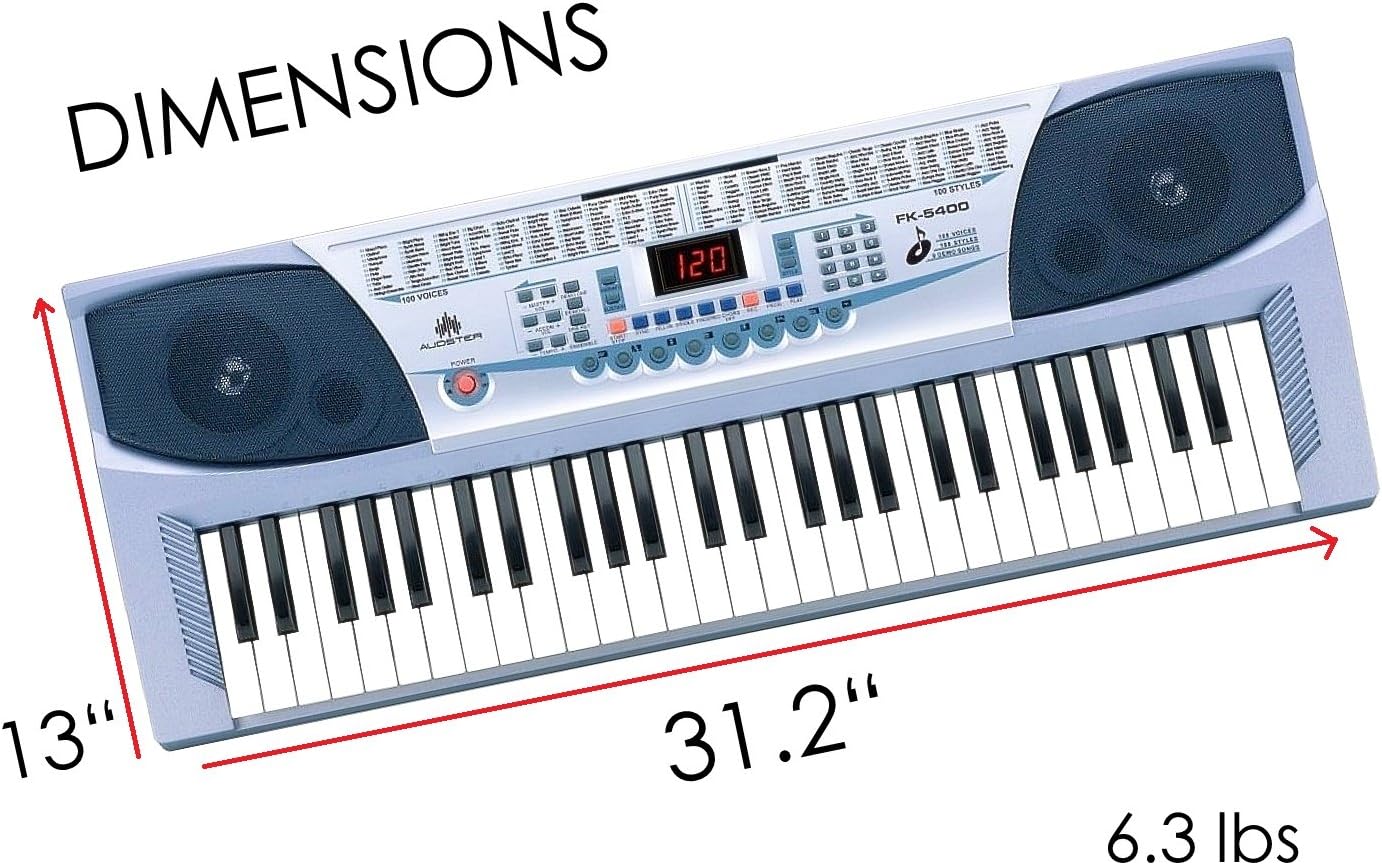
| Элемент Салмагы | 6.34 фунт |
| Пакеттин өлчөмдөрү | 31.25 x 13 x 4.5 дюйм |
| Өндүрүүчү | Audster |
| UPC | 738676655322 |
10. Кепилдик жана колдоо
For warranty information or technical support regarding your Audster FK-5400 Electronic Keyboard, please refer to the warranty card included with your product or visit the official Audster webсайт. Ошондой эле, сиз продукт сатып алынган чекене сатуучу аркылуу кардарларды тейлөө кызматына кайрылсаңыз болот.


