1. Киришүү
The J-Tech Digital Wireless HDMI Extender 1080p (Model: NEW-JTECH-WEX-660) is designed to transmit high-definition audio and video signals wirelessly up to 660 feet (200 meters). This kit includes both a transmitter and a receiver, allowing for flexible placement of your HDMI source and display without the need for long cable runs. It supports full 1080p@60Hz resolution with low latency, making it suitable for live TV, video games, and sports. The system operates over 5GHz Wi-Fi bands and offers selectable frequencies to minimize interference, supporting up to 4 independent transmitter/receiver pairs.
2. Кутуда эмне бар
- 1 x J-Tech Digital Wireless HDMI Transmitter
- 1 x J-Tech Digital Wireless HDMI Receiver
- 2 x DC 12V/1A Power Adapters
- 1 x IR Blaster кабели
- 1 x IR кабыл алуучу кабель
- 1 x User Manual

Image: Contents included in the J-Tech Digital Wireless HDMI Extender package.
3. Продукт бүтүп калдыview
The J-Tech Digital Wireless HDMI Extender system consists of a transmitter unit and a receiver unit, both designed for robust wireless signal transmission.

Сүрөт: алдыңкы view of the J-Tech Digital Wireless HDMI Extender transmitter and receiver units with antennas.
3.1. Өлчөмдөр

Image: Diagram showing the dimensions of the J-Tech Digital Wireless HDMI Extender units: approximately 6.9 inches (17.5 cm) in length, 5.3 inches (13.5 cm) in width, and 3.2 inches (8 cm) in height.
3.2. Interface Ports and Indicators
Both the transmitter and receiver units feature clearly labeled ports and LED indicators for easy setup and monitoring.

Сүрөт: деталдуу view of the interface ports on both the transmitter and receiver. The transmitter includes DC 12V, IR OUT, HDMI INPUT, and HDMI LOOP OUT. The receiver includes DC 12V, IR IN, and HDMI OUTPUT. Both units have Power, Status, and HDMI LED indicators, and a 'Reset Channel' button.
- DC 12V: Кубат киргизүү порту.
- HDMI Input (Transmitter): Connects to your HDMI source device.
- HDMI Loop Out (Transmitter): Allows for a local display connection at the source.
- IR OUT (Transmitter): Connects to the IR Blaster cable to control the source device.
- HDMI Output (Receiver): Connects to your HDMI display device.
- IR IN (Receiver): Connects to the IR Receiver cable to receive IR signals from your remote.
- Кубаттын абалы LED: Кубаттын абалын көрсөтөт.
- HDMI Status LED: Indicates HDMI signal detection.
- Reset Channel Button: Short press to show Channel ID info; press and hold for 3 seconds to change Channel ID.
4. Орнотуу нускамалары
Follow these steps to set up your J-Tech Digital Wireless HDMI Extender:
- Connect your HDMI source device (e.g., cable box, computer, game console) to the HDMI киргизүү HDMI кабелин колдонуп, өткөргүч блогундагы портко туташтырыңыз.
- If you wish to have a local display at the source, connect it to the HDMI Loop Out Өткөргүч блогундагы порт.
- Connect your HDMI display device (e.g., TV, projector) to the HDMI чыгышы port on the Receiver unit using an HDMI cable.
- Connect the included DC 12V/1A power adapters to both the Transmitter and Receiver units and plug them into power outlets.
- For IR remote control functionality, connect the IR Blaster cable to the IR OUT port on the Transmitter and position the IR emitter near the IR sensor of your source device. Connect the IR Receiver cable to the IR IN port on the Receiver and place the IR receiver in a location where it can receive signals from your remote control.
- Ensure both units are powered on. The Power and HDMI status LEDs should illuminate, indicating a successful connection.

Image: Diagram illustrating the wireless connection from a source (laptop) to a transmitter, then wirelessly to a receiver, and finally to an HD TV, demonstrating transmission up to 660 feet.
Видеону орнотуу
Video: An official J-Tech Digital promotional video demonstrating the setup and features of the WEX660 Wireless HDMI Extender.
5. Операция
5.1. Low Latency Performance
The J-Tech Digital Wireless HDMI Extender is engineered for low latency, ensuring a smooth and responsive experience for applications like live TV, video games, and sports. The maximum latency is approximately 200ms (0.20 seconds), which is virtually undetectable for most users.
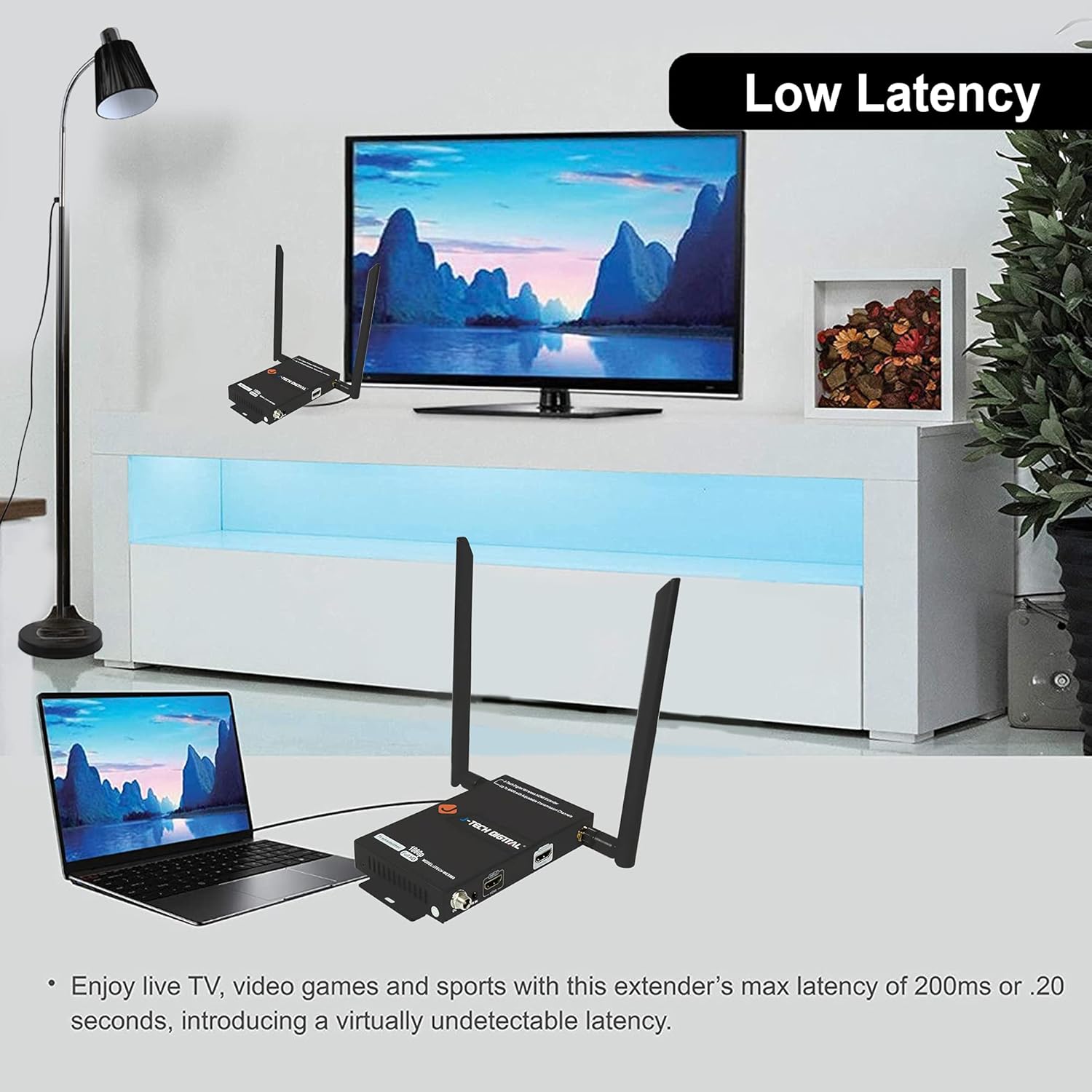
Image: Illustration of the low latency feature, showing a laptop connected to the transmitter and a TV connected to the receiver, with minimal delay in signal transmission.
5.2. Multi-Pair Connection and Channel Selection
This system allows for connecting multiple transmitter and receiver pairs without interference. You can connect up to 4 wireless HDMI extender transmitter & receiver sets. The units operate over 5GHz Wi-Fi bands, and users can select the operating channel to avoid interference from other wireless devices in high-traffic areas. The JTECH-WEX660 also features a web interface for customizing SSID, operating channels, and more advanced settings.

Image: Floor plan diagram demonstrating how one transmitter (TX1) can be paired with up to two receivers (RX1a, RX1b) and how multiple pairs (TX2, RX2a, RX2b) can coexist in different rooms without interference.
- One transmitter can pair with up to two JTECH-WEX660 receivers.
- The transmitter features a local HDMI output port for local display.
- Full HD 1080p transmits up to 660ft wirelessly in an open space.
- The Wireless HDMI Extender supports the setup and adjustment of the operating channel and SSID through a web интерфейс.
6. Техникалык тейлөө
The J-Tech Digital Wireless HDMI Extender is designed for reliable operation with minimal maintenance. To ensure optimal performance and longevity:
- Keep the units in a well-ventilated area to prevent overheating.
- Агрегаттарды экстремалдык температурага, нымдуулукка же тике күн нуруна кабылуудан сактаңыз.
- Clean the exterior of the units with a soft, dry cloth. Do not use liquid or aerosol cleaners.
- Бардык кабелдик байланыштар коопсуз экенин текшериңиз.
7. Кыйынчылыктарды
If you encounter issues with your J-Tech Digital Wireless HDMI Extender, please refer to the following common problems and solutions:
| Көйгөй | Мүмкүн себеп | Чечим |
|---|---|---|
| Дисплейде сигнал жок | Loose HDMI cables, power issues, incorrect channel, interference. | Check all HDMI and power connections. Ensure both units are powered on. Try resetting the channel on both units by holding the 'Reset Channel' button for 3 seconds. Reduce distance or obstacles between units. |
| Intermittent signal or poor quality | Wireless interference, excessive distance, obstacles, low power. | Change the operating channel to avoid interference (via web interface or reset button). Ensure units are within range (660ft line of sight, less with obstacles). Minimize walls or other obstructions. Verify power supply is stable. |
| Инфракызыл алыстан башкаруу пульту иштебей жатат | IR cables not properly connected or positioned. | Ensure the IR Blaster cable is securely connected to the Transmitter's IR OUT and its emitter is directly over the source device's IR sensor. Ensure the IR Receiver cable is securely connected to the Receiver's IR IN and is positioned to receive remote signals. |
| Жупташпаган бирдиктер | Channel mismatch, power cycle needed. | Ensure both transmitter and receiver are on the same channel. Power cycle both units by unplugging and re-plugging them. |
If the problem persists after trying these solutions, please contact J-Tech Digital customer support for further assistance.
8. Техникалык шарттар
| Өзгөчөлүк | Спецификация |
|---|---|
| Продукциянын өлчөмдөрү | 6.9 x 5.3 x 3.2 дюйм |
| Элемент Салмагы | 1.22 фунт |
| Элемент моделинин номери | NEW-JTECH-WEX-660 |
| Зымсыз байланыш стандарты | 802.11ac (5GHz Wi-Fi bands) |
| Туташтыргыч түрү | HDMI |
| Түс | Кара |
| Max Resolution колдоого алынат | 1080p@60Hz |
| Өткөрмө аралык | Up to 660 feet (200 meters) wirelessly |
| Кечигип калуу | Low latency (approx. 200ms) |
| Multi-Pair Support | Up to 4 independent transmitter/receiver pairs |
| IR башкаруу | Колдоого алынган |
9. Кепилдик жана колдоо
All J-Tech Digital Products include a One-Year Manufacturer Warranty. Additionally, free lifetime technical support is available from the J-Tech Digital Customer Support Team, located in Houston, Texas. Support is available Monday through Friday, 9 AM to 6 PM CST.
For detailed contact information, please refer to the J-Tech Digital Seller Page on Amazon or the official user manual PDF provided with your product. You can also access the full user manual online via this link: J-Tech Digital Wireless HDMI Extender User Manual (PDF).


