Introduction
Сатып алганыңыз үчүн рахматasing the ipega PG-9087S Wireless Game Controller. This device is designed to enhance your mobile gaming experience on Android and iOS smartphones and tablets. Please read this manual carefully before use to ensure proper operation and to maximize the lifespan of your controller.
Коопсуздук маалыматы
- Контроллерди өтө жогорку температурага, нымдуулукка же түз күн нуруна дуушар кылбаңыз.
- Көзөмөлдөгүчтү кулап же катуу таасирлерге дуушар кылуудан качыңыз.
- Do not attempt to disassemble or modify the controller. This will void the warranty and may cause damage.
- Keep the controller away from children and pets.
- Берилген же сунушталган заряддоо кабелин гана колдонуңуз.
Пакеттин мазмуну
- ipega PG-9087S Wireless Game Controller
- USB заряддоо кабели
- Колдонуучунун Колдонмосу (бул документ)
Продукт бүттүview

Figure 1: Controller Layout. This image displays the ipega PG-9087S controller with its various buttons and components labeled, including the Left 3D joystick, D-Pad, TURBO button, battery/mode indicators, Home Button, R1/R2, ABXY Action buttons, Right 3D joystick, START, and SELECT buttons.

2-сүрөт: Негизги өзгөчөлүктөр. This image highlights specific design elements: a textured rocker for improved grip, LED red button lights for visibility, scrub and non-slip trigger construction for precise control, and a classic cross key design for the D-Pad.
Негизги өзгөчөлүктөрү:
- Bluetooth 4.0 туташуусу: Ensures stable and high-speed transmission.
- Узарылуучу кол: Accommodates devices with a maximum extending size of 6.2 inches (70-158mm) and a thickness of up to 9mm.
- Эргономикалык дизайн: Provides comfort for extended gaming sessions.
- High Sensitivity Buttons: Designed for quick and accurate responses.
- Custom Function/Button Mapping: Allows users to customize button functions according to personal preferences for various games.
- Көп платформалык колдоо: Compatible with Android 6.0 and above, and iOS devices.
Жайгашуу
1. Контроллерди заряддоо
Before first use, fully charge the controller. Connect the provided USB charging cable to the controller's charging port and to a USB power source (e.g., computer, USB wall adapter). The battery charging indicators (1, 2, 3, 4) will illuminate to show charging status and battery level.
2. Күйгүзүү / Өчүрүү

Figure 3: Power Switch and Connection Methods. This image shows the physical on/off switch located at the bottom of the controller and provides visual instructions for Android and iOS direct connection methods.
- Күйгүзүү үчүн: Locate the power switch (labeled 'switch:on/off' in Figure 3) on the bottom of the controller and slide it to the 'ON' position.
- Өчүрүү үчүн: Кубат которгучун "OFF" абалына жылдырыңыз.
3. Bluetooth Жупташтыруу
The PG-9087S supports direct connection without needing to download a separate application.
- IOS түзмөктөрү үчүн: Башкаргыч өчүрүлгөн учурда, баскычын басып кармап туруңуз Y button + HOME button индикатор жарыгы тез күйгүчө 2 секундага бир убакта.
- Android түзмөктөрү үчүн: Башкаргыч өчүрүлгөн учурда, баскычын басып кармап туруңуз A button + HOME button индикатор жарыгы тез күйгүчө 2 секундага бир убакта.
Once the indicator light flashes, enable Bluetooth on your mobile device and search for "PG-9087S". Select it to pair. The indicator light will become solid once successfully connected.
4. Аппаратты орнотуу
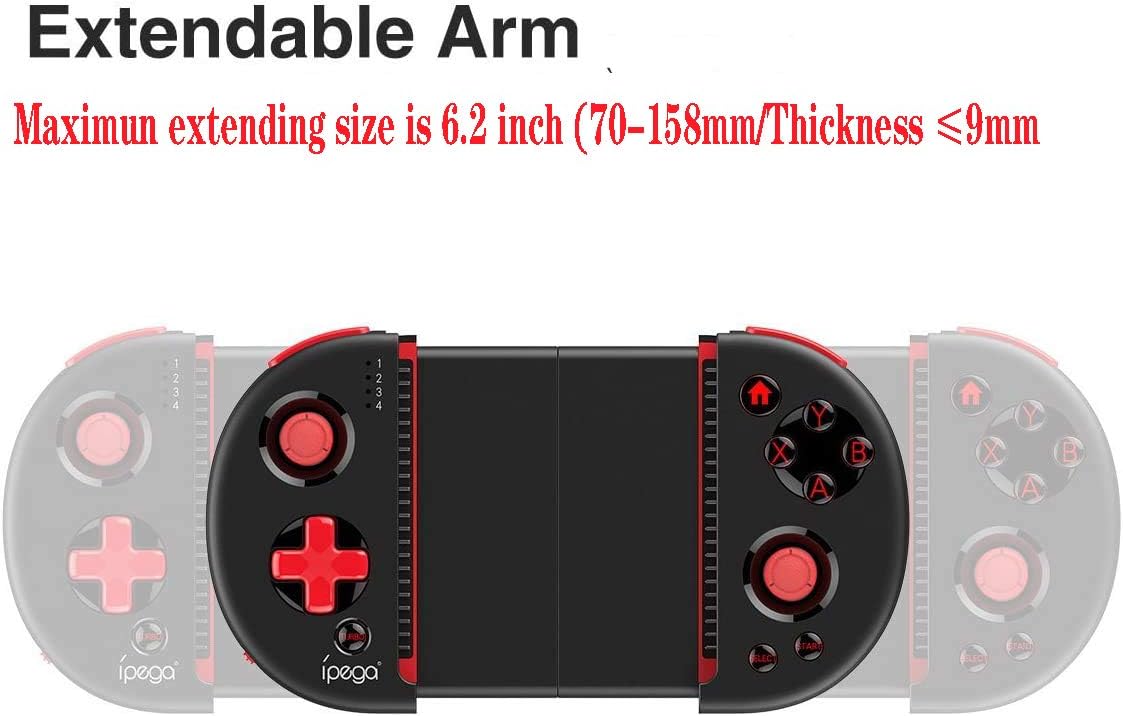
Figure 4: Extendable Arm. This image illustrates the extendable arm feature of the controller, showing its maximum extension size of 6.2 inches (70-158mm) and a maximum device thickness of 9mm.
Gently extend the arms of the controller to fit your smartphone or tablet. Ensure your device is securely seated within the extendable arm. The arm supports devices up to 6.2 inches (158mm) in length and 9mm in thickness.
Иштөө нускамалары
1. Негизги башкаруу элементтери
Refer to Figure 1 for the layout of the buttons and joysticks. The controller features:
- Сол/Оң 3D джойстиктери: Кыймылды так башкаруу жана камераны башкаруу үчүн.
- D-Pad (багыттоочу такта): Багыттуу киргизүү үчүн.
- ABXY Action Buttons: Стандарттуу оюн баскычтары.
- L1/L2/R1/R2 триггерлери: Shoulder buttons and triggers for various in-game actions.
- START/SELECT Buttons: For in-game menu navigation and selections.
- Үй баскычы: Returns to the device's home screen or controller menu.
- TURBO баскычы: Activates rapid-fire functionality for assigned buttons.
2. Баскычтарды картага түшүрүү жана ыңгайлаштыруу
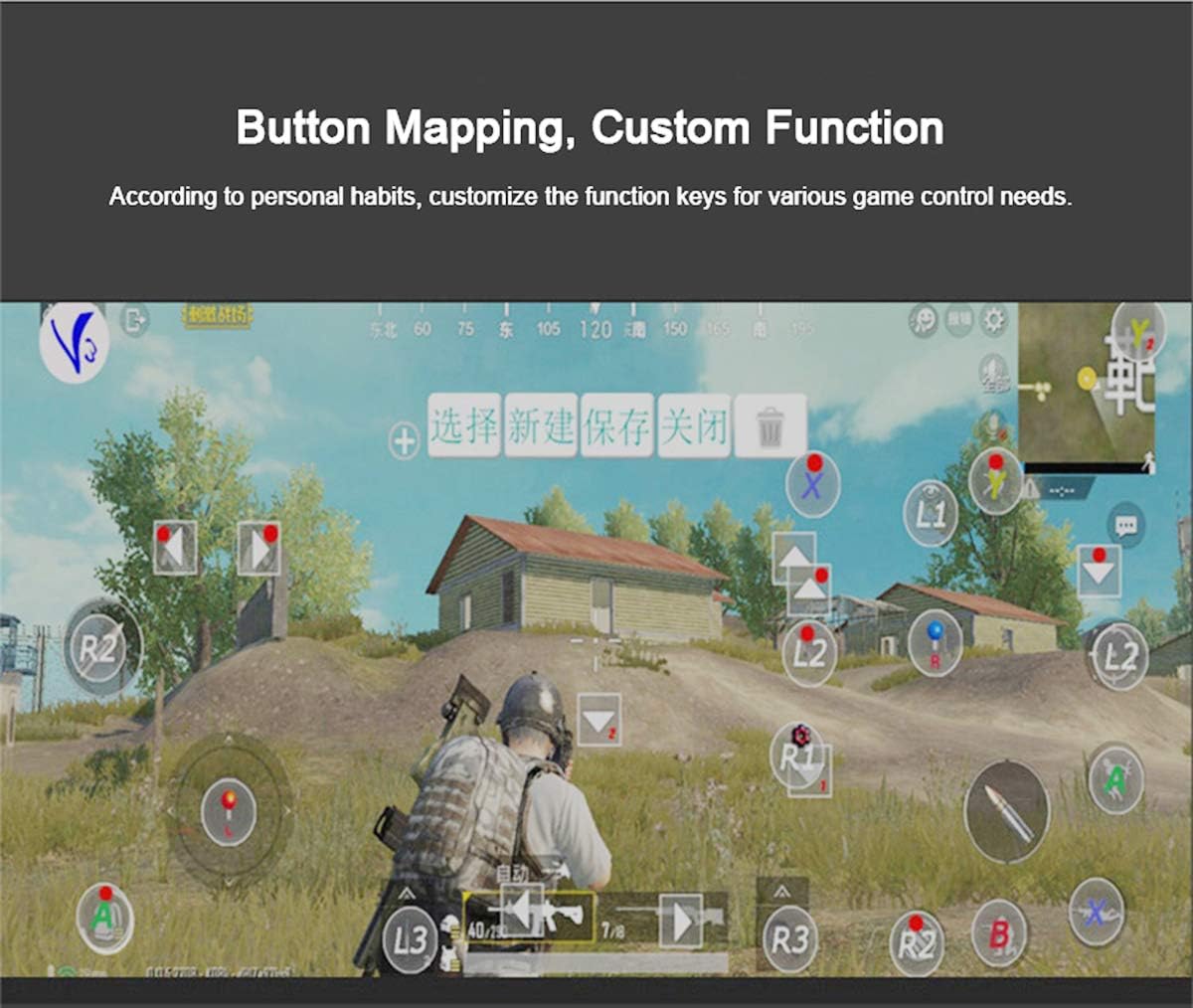
Figure 5: Button Mapping Interface. This image demonstrates the concept of button mapping within a game, allowing users to customize the function keys to suit their individual gaming preferences and needs.
The PG-9087S supports custom function key mapping. This feature allows you to assign specific in-game actions to the controller's buttons according to your personal habits. The method for customizing button functions typically depends on the game or emulator you are using. Refer to the specific game's settings or the emulator's configuration options for detailed instructions on how to remap controls.
3. Screen Orientation Support
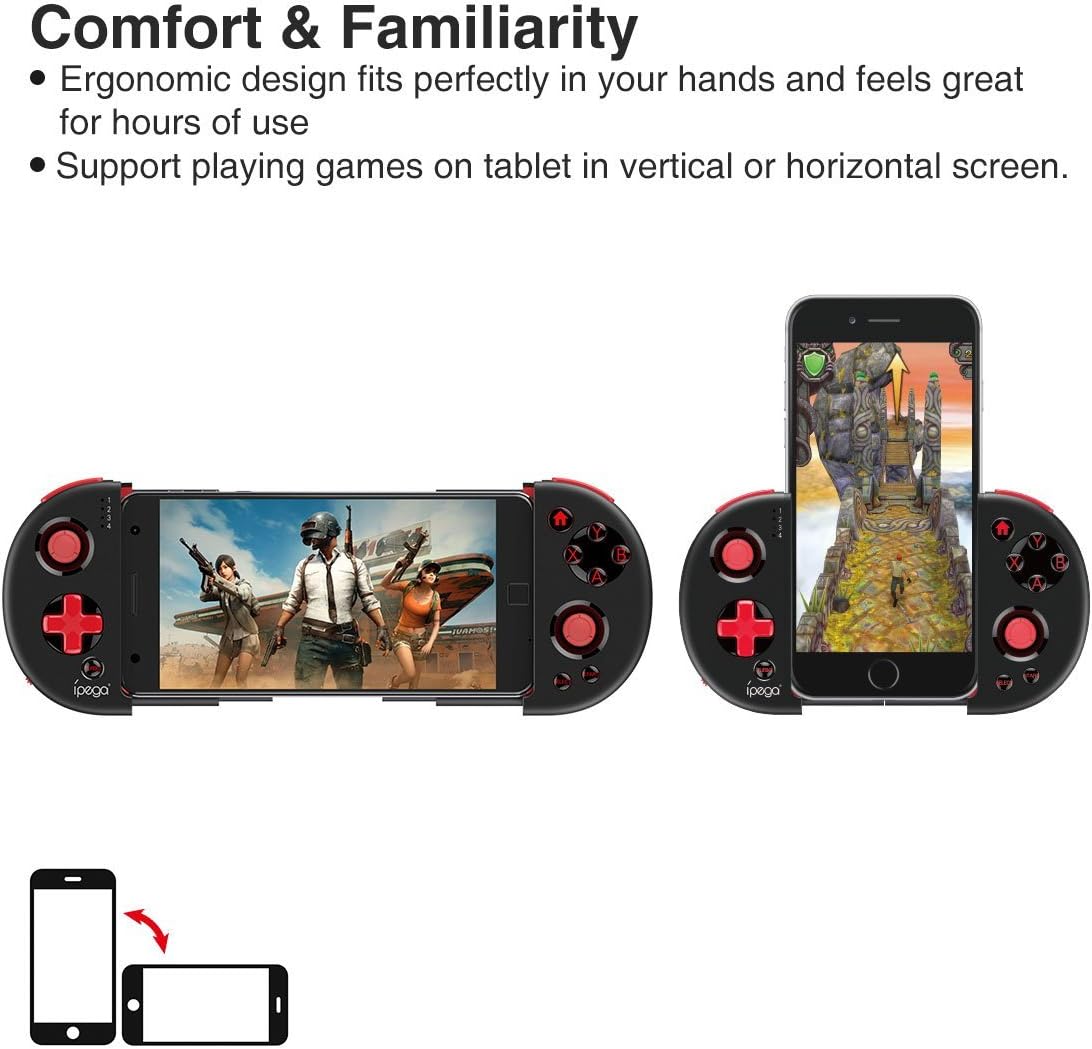
Figure 6: Orientation Support. This image illustrates the controller's ability to support gaming on tablets or smartphones in both vertical (portrait) and horizontal (landscape) screen orientations.
The controller supports playing games on your tablet or smartphone in both vertical (portrait) and horizontal (landscape) screen orientations, providing flexibility for various game types.
Техникалык тейлөө
- Тазалоо: Use a soft, dry cloth to clean the controller. Do not use harsh chemicals or abrasive cleaners.
- Сактагыч: Store the controller in a cool, dry place away from direct sunlight when not in use.
- Батареяга кам көрүү: Батареянын иштөө мөөнөтүн узартуу үчүн, бат-баттан батарейканы толук зарядсыздандырбаңыз. Контроллерди дайыма колдонбосо дагы, үзгүлтүксүз заряддаңыз.
Проблемаларды чечүү
- Контроллер күйбөйт: Ensure the battery is charged. Connect the controller to a power source using the USB cable.
- Controller does not pair with device:
- Ensure the controller is in pairing mode (indicator light flashing rapidly).
- Түзмөгүңүздүн Bluetooth'ун өчүрүп, күйгүзүңүз.
- Bluetooth жөндөөлөрүндө түзмөктү унутуп, кайра жупташтырууга аракет кылыңыз.
- Ensure you are using the correct pairing combination (Y+HOME for iOS, A+HOME for Android).
- Buttons are unresponsive or laggy:
- Контроллердин толук заряддалганын текшериңиз. Батареянын аз заряды анын иштешине таасир этиши мүмкүн.
- Move closer to your device to ensure a strong Bluetooth connection.
- Контроллерди да, мобилдик түзмөгүңүздү да өчүрүп-күйгүзүңүз.
- Check the game's settings to ensure controller input is enabled and correctly configured.
- Device does not fit in the extendable arm: Check the dimensions of your device. The arm supports devices up to 6.2 inches (158mm) in length and 9mm in thickness. Remove any bulky cases from your device.
Техникалык шарттар
| Модел | PG-9087S |
| Бренд | ipega |
| Байланыш технологиясы | Bluetooth 4.0, USB (кубаттоо үчүн) |
| Controller Type | Gamepad, Joystick |
| Шайкеш түзмөктөр | Android (6.0 and above), iOS |
| Батарея | 1 литий-иондук батарейка (талап кылынат) |
| Extendable Arm Max Size | 6.2 дюйм (158мм) |
| Extendable Arm Max Thickness | 9мм |
| Элемент Салмагы | 6.9 унция |
| Түс | Кара |
| Пакеттин өлчөмдөрү | 6.8 x 5.15 x 1.6 дюйм |
Кепилдик жана колдоо
Warranty information for the ipega PG-9087S Wireless Game Controller is typically provided with your purchase or can be found on the manufacturer's official webсайт. Кепилдик дооматтары үчүн сатып алганыңыздын далилин сактап коюңуз.
For technical support or further assistance, please refer to the contact information provided by your retailer or visit the official ipega support channels.


