1. Киришүү
The Bittium Tough Mobile is a high-security, robust 4G/LTE smartphone designed for demanding professional use. It integrates advanced security features with the Android operating system, making it suitable for government agencies, public safety, and other professionals requiring secure and reliable communication.
This manual provides comprehensive instructions for setting up, operating, maintaining, and troubleshooting your Bittium Tough Mobile device.
2. Кутуда эмне бар
Upon unboxing your Bittium Tough Mobile, verify that all components are present:
- 1 x Bittium Tough Mobile Smartphone
- 1 х Батарея
- 1 x Battery Door Cover
- 1 x Wired Stereo Head Set
- 1 x PC Connecting Cable
- 2 x Mains / Wall / Travel Chargers
- 1 x Documentation (User Manual, Quick Start Guide)
- 1 x Interior Retail Packing
- 1 x Retail Box with IMEI Numbers

2.1-сүрөт: Contents of the Bittium Tough Mobile retail box, including the phone, battery, chargers, cables, headset, and documentation.
3. Продукт бүтүп калдыview
3.1 Front and Back Views

3.1-сүрөт: Фронт view of the Bittium Tough Mobile smartphone, showing the display with Google services and standard Android icons.
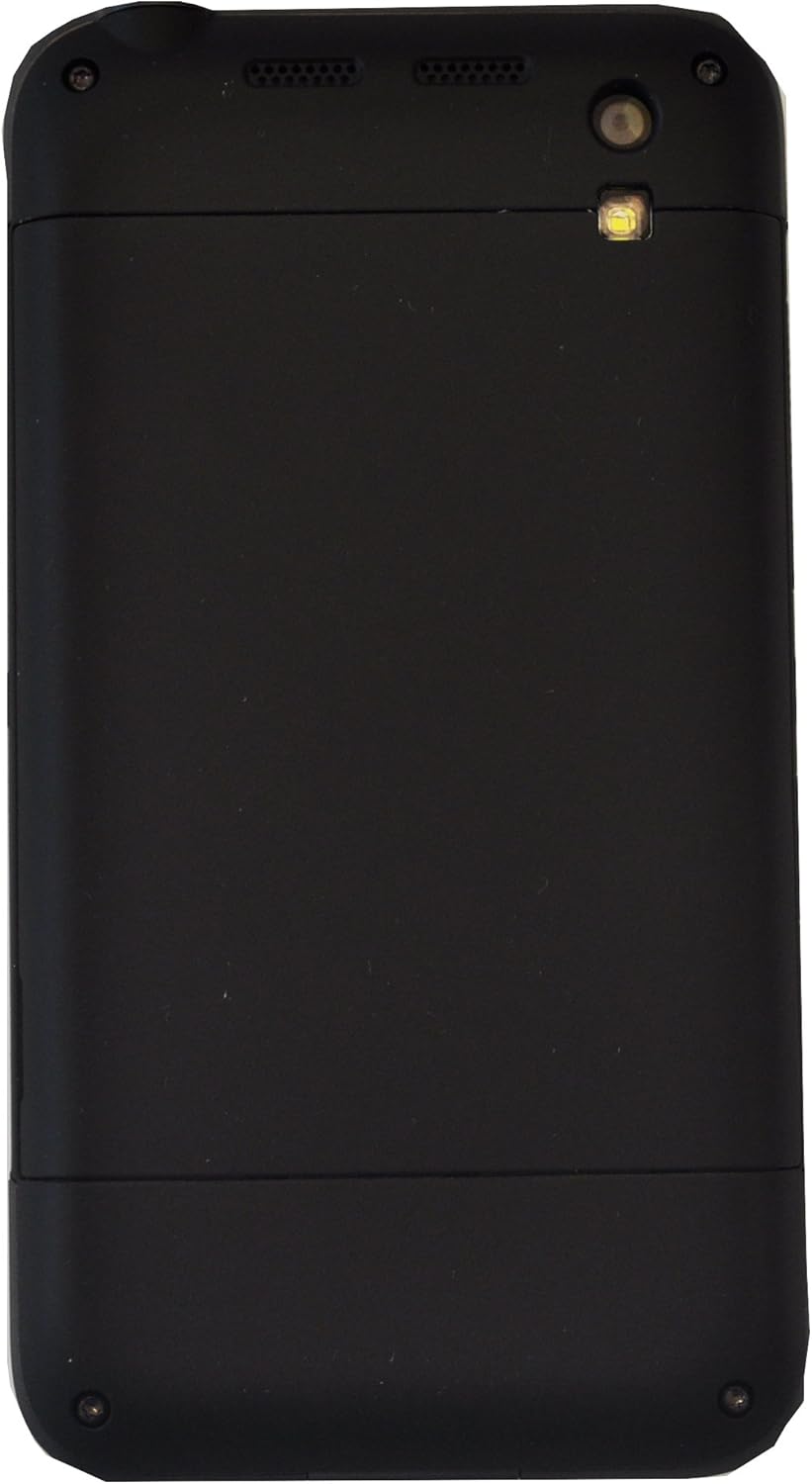
3.2-сүрөт: Артка view of the Bittium Tough Mobile smartphone, featuring a plain black design with the camera lens and LED flash visible at the top.
3.2 Device Components and Ports

3.3-сүрөт: Side view of the Bittium Tough Mobile, highlighting key components such as the earpiece, front camera, speakers, rear camera, LED flash, volume keys, and a programmable button.

3.4-сүрөт: Жогорку жана ылдый views of the Bittium Tough Mobile, indicating the locations of microphones, the USB3 connector, charging pins, the power key, and the headset connector.
4. Орнотуу
4.1 SIM картаны жана батарейканы салуу
- Carefully remove the battery door cover from the back of the device.
- Insert your Micro-SIM card(s) into the designated slot(s). Ensure the SIM card is oriented correctly as indicated on the device. The Bittium Tough Mobile supports Dual-SIM functionality.
- Insert the battery into its compartment, aligning the gold contacts.
- Replace the battery door cover, ensuring it clicks securely into place.
4.2 Баштапкы күйгүзүү жана орнотуу устасы
- Press and hold the Power Key (refer to Figure 3.4) until the Bittium logo appears on the screen.
- Follow the on-screen instructions to complete the initial setup wizard. This includes selecting your language, connecting to a Wi-Fi network, and setting up your Google account.
- For optimal security, ensure you set up a strong screen lock (PIN, pattern, or password) during this process.
5. Аппаратыңызды иштетүү
5.1 Тармактын шайкештиги
The Bittium Tough Mobile is a factory unlocked GSM-only device. It is compatible with the following network frequencies:
- 2G GSM: 850 / 900 / 1800 / 1900 MHz
- 3G: 850(B5) / 900(B8) / 1700(B4) / 1900(B2) / 2100(B1) МГц
- 4G LTE: 700(B13) / 700(B14) / 700(B17) / 800(B20) / 850(B5) / 1700(B4) / 1800(B3) / 1900(B2) / 2600(B7) MHz
Important: This phone WILL NOT WORK with any CDMA Networks such as VERIZON, SPRINT, US CELLULAR. Please verify compatibility with your network provider before use.
5.2 Негизги функциялар
- Күйгүзүү/өчүрүү: Press and hold the Power Key. Select "Power off" from the options.
- Үндү көзөмөлдөө: Use the Volume Keys (refer to Figure 3.3) to adjust media, call, and alarm volumes.
- Экранды кулпулоо/кулпусун ачуу: Briefly press the Power Key to turn the screen on or off. Swipe up or enter your security credentials to unlock.
- Чалууларды жасоо: Open the Phone app, dial the number, and press the call icon.
- Кабарларды жөнөтүү: "Билдирүүлөр" колдонмосун ачыңыз, жаңы сүйлөшүүнү баштаңыз, алуучуну жана билдирүүнү киргизиңиз, андан кийин жөнөтүңүз.
- Wi-Fi'га туташууда: Go to Settings > Network & internet > Wi-Fi. Select your desired network and enter the password if required.
- Bluetooth жупташууда: Go to Settings > Connected devices > Bluetooth. Turn on Bluetooth and select the device you wish to pair with.
6. Техникалык тейлөө
6.1 Аппаратыңызды тазалоо
To clean your Bittium Tough Mobile, use a soft, lint-free cloth. For stubborn marks, slightly dampen the cloth with water. Avoid using harsh chemicals, abrasive cleaners, or aerosol sprays, as these can damage the device's finish and internal components.
The device has an IP67 rating, meaning it is dust tight and can withstand immersion in 1 meter of water for up to 30 minutes. However, it is not recommended for intentional submersion or use in extreme water conditions. Ensure all ports are dry before charging.
6.2 Батареяга кам көрүү
- Use only the original Bittium charger and battery provided with your device.
- Батареяны өтө жогорку температурага (ысык же суук) дуушар кылбаңыз.
- Батареяны тешип, ажыратпаңыз же кыска туташууларга жол бербеңиз.
- If the battery appears damaged or swollen, discontinue use immediately and dispose of it properly according to local regulations.
6.3 Программалык камсыздоо жаңыртуулары
Regularly check for and install software updates to ensure your device has the latest security patches and features. Go to Settings > System > System update to check for available updates.
7. Кыйынчылыктарды
| Көйгөй | Мүмкүн себеп | Чечим |
|---|---|---|
| Түзмөк күйбөйт. | Battery is drained or not properly inserted. | Charge the device for at least 30 minutes. Ensure the battery is correctly seated. |
| Тармакка туташпай жатат. | Incorrect SIM card insertion, out of network coverage, or incompatible network. | Re-insert SIM card. Move to an area with better signal. Verify network compatibility (GSM only). |
| Экран жооп бербей жатат. | Убактылуу программалык ката. | Perform a forced restart by holding the Power Key for approximately 10-15 seconds. |
| Батарея бат эле түгөнөт. | Too many apps running in background, high screen brightness, or poor signal. | Close unused apps. Reduce screen brightness. Disable Wi-Fi/Bluetooth when not in use. |
If you encounter issues not listed here or if the suggested solutions do not resolve your problem, please contact Bittium customer support.
8. Техникалык шарттар
| Өзгөчөлүк | Деталь |
|---|---|
| Модель аты | Bittium Tough Mobile |
| Операция системасы | Google Android |
| Дисплей | 5 Inches Full HD LCD (1920 x 1080 resolution) |
| Эстутум (RAM) | 2 GB LPDDR3 PoP |
| Storage (Internal) | 32 ГБ eMMC |
| Өлчөмдөрү (HxWxD) | 141мм x 75.5мм x 13.5мм |
| Салмагы | 180 грамм (6.3 унция) |
| Зымсыз технологиялар | Wi-Fi 802.11 a/b/g/n/ac, Bluetooth 4.0, NFC |
| Уюлдук технология | LTE (GSM Only, Dual-SIM) |
| Туруктуулук рейтинги | IP67, MIL-STD-810G |
| Аудио Jack | Наушник уячасы жок |
| Түс | Кара |
9. Кепилдик жана колдоо
For warranty information, please refer to the documentation included in your product packaging or visit the official Bittium website. Bittium provides support for its products to ensure optimal performance and user satisfaction.
If you require technical assistance, have questions about your device, or need to report an issue, please contact Bittium customer support through their official channels. Details for support can typically be found on the Bittium webсайтында же камтылган документтерде.


