Introduction
Thank you for choosing the ORICO 120W 10-Port USB Charging Station. This device is designed to efficiently charge up to ten USB-powered devices simultaneously, providing an organized and convenient charging solution for your home or office. Please read this manual carefully to ensure proper setup and operation.
Негизги өзгөчөлүктөрү
- 10 USB порту: Charge up to ten devices concurrently.
- 120W жалпы чыгаруу: камсыз кылат ample power for fast charging multiple devices.
- Акылдуу заряддоо технологиясы: Built-in smart chip automatically recognizes and delivers optimal output for each connected device, ensuring maximum charging speed.
- Интегралдык муздаткыч желдеткич: Features an internal cooling fan and air duct design to dissipate heat, maintaining optimal operating temperature. The fan activates at ≥65°C and the unit automatically shuts down if the temperature reaches 100°C to protect devices.
- Туруктуу курулуш: Made from industrial fireproof PC material, resistant to 750℃.
- Уюштурулган дизайн: Thick, undetachable partitions keep devices upright and organized, reducing clutter.
- Жалпы шайкештик: Supports a wide range of USB-powered devices including iPhones, iPads, Samsung Galaxy phones, Android smartphones, tablets, power banks, cameras, speakers, and headsets.
Орнотуу нускамалары
- Аппаратты таңгактан чыгаруу: Carefully remove the ORICO 10-Port USB Charging Station and its power cord from the packaging.
Video: Unboxing the ORICO 10-Port USB Charging Station. The video shows the charging station and its power cord being removed from the box.
- Туташуу кубаты: Insert the provided power cord into the power input port located at the back of the charging station.

Сүрөт: Арткы view of the charging station, highlighting the power input and on/off switch.
- Розеткага сайыңыз: Plug the other end of the power cord into a standard 100-240V AC power outlet.
- Күйгүзүү: Press the power button located on the back of the charging station. The LED indicator light on the front will illuminate, indicating the unit is powered on and ready for use.
Иштөө нускамалары
- Жайгаштыруу түзмөктөрү: Insert your smartphones, tablets, or other USB-powered devices into the designated slots on the charging station. The slots are designed to hold devices upright for easy access and organization.

Image: The charging station with various devices placed in its slots, illustrating its organizational function.
- Кубаттоочу кабелдерди туташтыруу: Connect your device's USB charging cable to one of the 10 USB-A ports on the front of the charging station, and then connect the other end to your device.
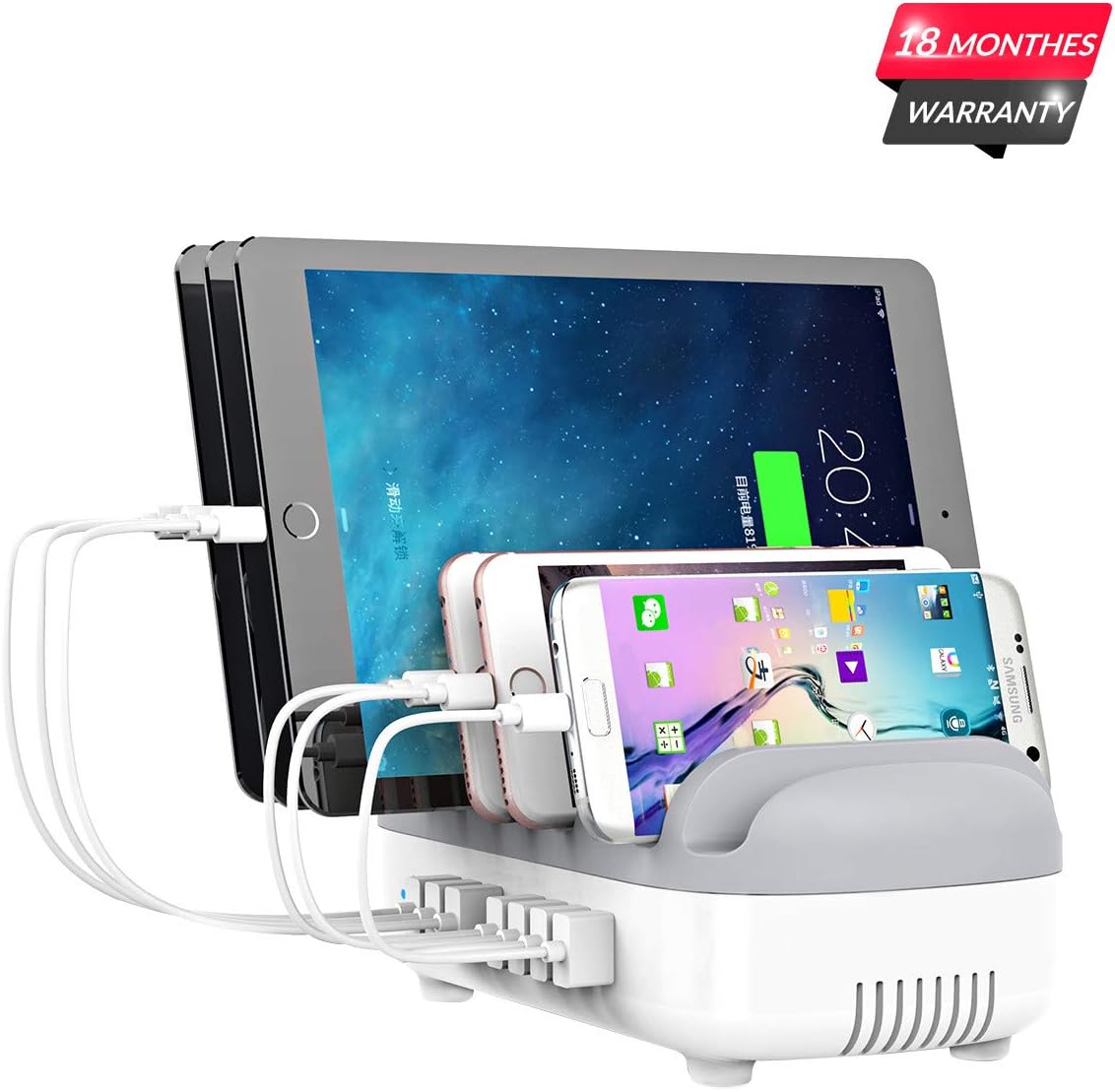
Image: A close-up of the charging station showing USB cables connected to devices, demonstrating the charging process.
- Акылдуу заряддоо: The charging station will automatically detect your device and deliver the optimal charging current up to 2.4A per port, with a total output of 120W.
Video: Demonstrates the ORICO 10-Port USB Charging Station in use, highlighting its smart charging capabilities and ability to charge multiple devices simultaneously.
- Кубаттоо абалы: Monitor your device's screen for its charging status. The charging station does not have individual charging indicator lights per port.
Техникалык тейлөө жана кам көрүү
- Тазалоо: Disconnect the charging station from the power outlet before cleaning. Use a soft, dry cloth to wipe the surface. Do not use liquid cleaners or aerosols.
- Жылуулук таркатылышы: The internal cooling fan helps manage the device's temperature. Ensure the ventilation holes on the sides and bottom are not obstructed to allow for proper airflow. The fan activates when the internal temperature reaches 65°C or higher.

Image: A visual representation of the charging station's cooling system, detailing how the internal fan and ventilation work to maintain temperature.
- Автоматтык түрдө өчүрүү: For safety, the charging station is equipped with an automatic shut-off feature that activates if the internal temperature reaches 100°C to prevent damage to the unit and connected devices.
- Сактагыч: When not in use for extended periods, unplug the charging station and store it in a cool, dry place.
Проблемаларды чечүү
- Түзмөк кубатталбай жатат:
- Ensure the charging station is properly plugged into a power outlet and the power button is pressed (LED indicator should be on).
- Check if the USB cable is securely connected to both the charging station and your device.
- Try a different USB port on the charging station.
- Test with a different USB cable, as faulty cables can prevent charging.
- Verify that your device is compatible with USB-A charging.
- Жай кубаттоо:
- Ensure you are using high-quality charging cables that can support optimal charging rates. Low-quality or damaged cables can limit charging speed.
- While the station provides smart charging, some devices may have specific fast-charging protocols that are not universally supported by all USB-A ports.
- Devices Not Fitting in Slots:
- The slots are designed to accommodate most devices. If a device with a bulky case does not fit, it may need to be removed from its case or placed outside the slot while charging.
- Ашыкча ысып кетүү/автоматтык түрдө өчүрүү:
- If the unit shuts off, it indicates an internal temperature exceeding 100°C. Unplug all devices and the power cord, allow the unit to cool down for at least 30 minutes.
- Ensure adequate ventilation around the charging station. Do not place it in an enclosed space or cover the ventilation holes.
Техникалык шарттар
| Өзгөчөлүк | Деталь |
|---|---|
| Модель номери | DUK-10P |
| Продукциянын өлчөмдөрү | 9.37 x 3.54 x 5.12 дюйм |
| Элемент Салмагы | 2.59 фунт |
| Жалпы USB порттору | 10 |
| Ватtage | 120 ватт |
| Киргизүү көлөмүtage | 100-240 вольт (AC) |
| Output per Port | Up to 5V/2.4A (Smart Recognition) |
| Материал | Industrial Fireproof PC |
| Муздатуу системасы | Internal Cooling Fan, Air Duct Design |
| Коопсуздук өзгөчөлүктөрү | Overcharging, surges, overheating, short circuit, overload protection, automatic shut-off at 100°C |
Кепилдик жана колдоо
The ORICO 120W 10-Port USB Charging Station comes with an 18-month warranty from the date of purchase. For technical support, warranty claims, or further assistance, please contact ORICO customer service through the official webсайт же сатуучу.