Introduction
Thank you for choosing the Nulaxy KM20 Bluetooth FM Transmitter. This device allows you to stream music and make hands-free calls through your car's FM radio. It also features a voltmeter to monitor your car battery and a USB charging port. Please read this manual carefully before using the product to ensure proper operation and safety.
Коопсуздук маалыматы
- Do not operate the device while driving. Always ensure your vehicle is stationary before making adjustments.
- Аппаратты суудан, нымдан жана экстремалдык температурадан алыс кармаңыз.
- Түзмөктү өз алдынча бөлүктөргө бөлбөңүз же оңдоого аракет кылбаңыз. Бул кепилдикти жокко чыгарат.
- Түзмөктүн унаанын тамеки күйгүзгүч розеткасына бекем сайылганын текшериңиз.
- Avoid prolonged exposure to direct sunlight, which may damage the LCD screen.
Пакеттин мазмуну
- Nulaxy KM20 Bluetooth FM өткөргүч
- User Manual
- Auxiliary Audio Cable (if included in your package)
Продукт бүттүview

This image displays the Nulaxy KM20 Bluetooth FM Transmitter with various parts labeled for easy identification. Key components include the Display, TF Card slot, Frequency adjustment buttons (CH- / CH+), Mode button, Previous/Volume Down button, Play/Pause button, Next/Volume Up button, Phone button (for calls), USB Read Port, Aux input, and Charge Port.
- 1. Дисплей: Shows FM frequency, Bluetooth status, song information, and car battery voltage.
- 2. TF Card Slot: MicroSD картадан түз музыка ойнотуу үчүн.
- 3. CH- / CH+ Buttons: Short press to change FM frequency; long press for previous/next track.
- 4. Mode баскычы: Switches between Bluetooth, TF Card, and Aux input modes.
- 5. Ойнотуу/Тындыруу баскычы: Музыка ойнотууну көзөмөлдөйт.
- 6. Phone Button: Answers/ends calls, redials last number.
- 7. USB Read Port: USB флеш-дисктен музыка ойнотуу үчүн.
- 8. Aux киргизүү: 3.5 мм аудио кабели аркылуу тышкы аудио түзмөктөрдү туташтыруу үчүн.
- 9. Charge Port (5V/2.1A): Мобилдик түзмөктөрдү кубаттоо үчүн.
Жайгашуу
- 1. Плагин: Insert the Nulaxy KM20 into your car's cigarette lighter socket. The device will power on automatically and display the car battery voltage for a few seconds before showing the FM frequency.

Figure 2: Device Installation
This image shows the Nulaxy KM20 Bluetooth FM Transmitter securely plugged into a car's 12V power outlet, ready for operation. - 2. Adjust Angle: The flexible gooseneck allows you to adjust the device to a comfortable viewing and operating angle.
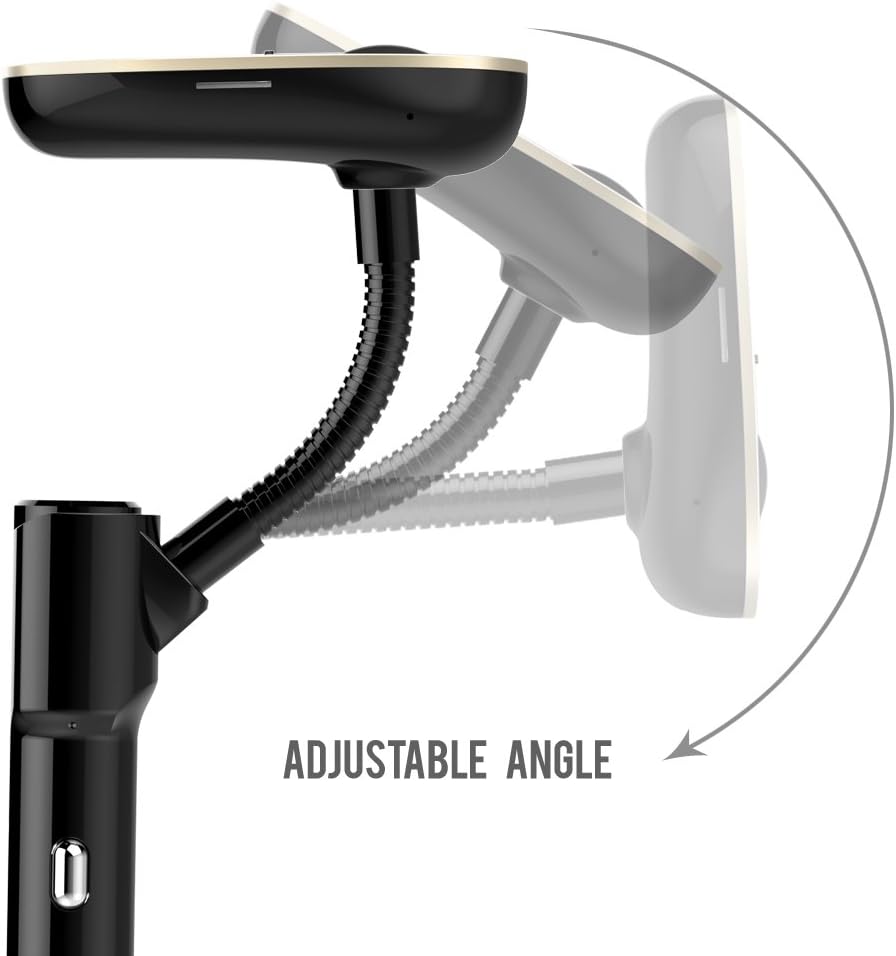
Figure 3: Adjustable Angle Feature
This image demonstrates the adjustable angle of the Nulaxy KM20, highlighting its flexible design for optimal positioning in the car. - 3. Set FM Frequency:
- Tune your car's FM radio to an empty frequency (one with no static or existing radio station).
- On the KM20, press the "CH-" or "CH+" buttons to match the FM frequency on the device with your car's radio. For best audio quality, choose a frequency that is completely clear.
Иштөө нускамалары
Bluetooth Жупташтыруу
- Ensure the KM20 is powered on and in Bluetooth mode (indicated by a Bluetooth icon on the display). If not, press the "MODE" button to switch.
- Мобилдик түзмөгүңүздө Bluetooth иштетип, жеткиликтүү түзмөктөрдү издеңиз.
- Select "KM20" from the list of devices to pair. Once connected, the display will show "Bluetooth KM20 Connected".
- You can now stream audio from your mobile device to your car's speakers via the FM radio.
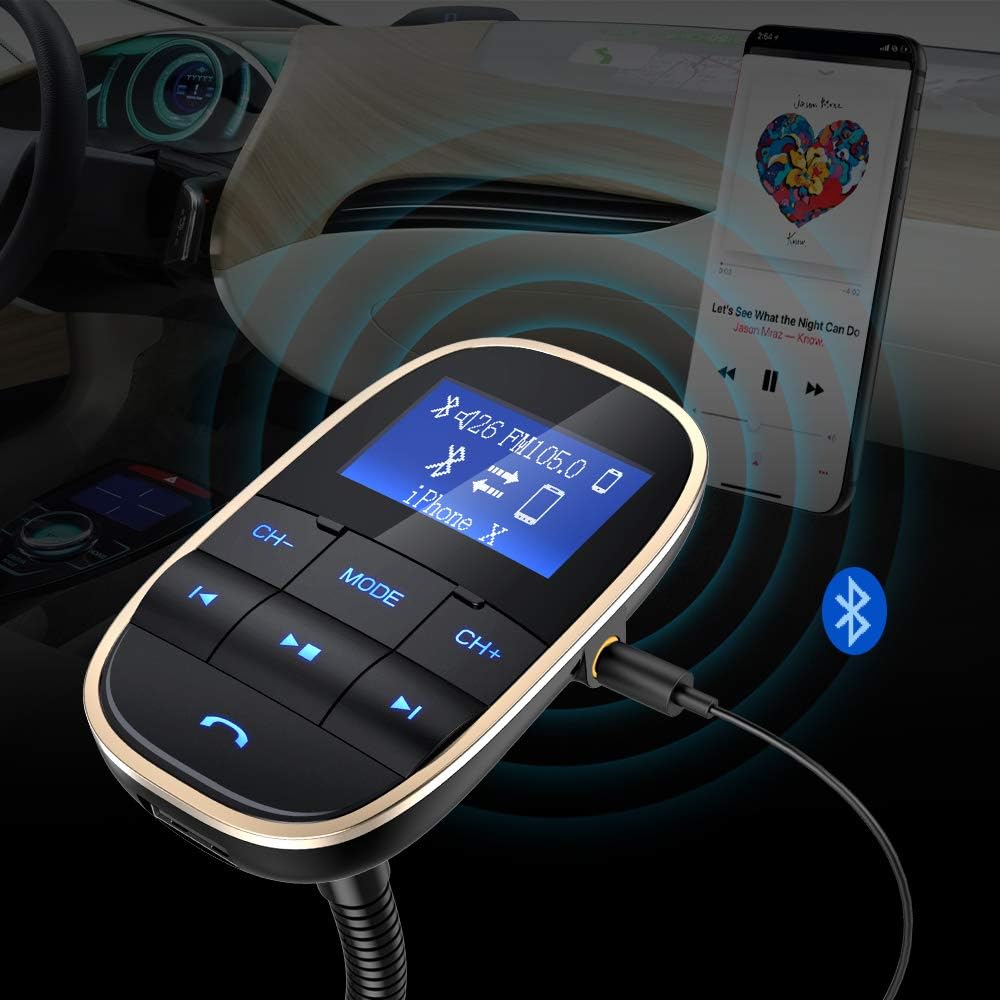
This image illustrates the Nulaxy KM20's ability to connect to a smartphone via Bluetooth for wireless audio streaming and also shows an auxiliary cable connection for wired audio input.
Музыканы ойнотуу
The KM20 supports multiple music playback sources:
- Bluetooth: Once paired, play music directly from your phone. Use the Play/Pause, Previous, and Next buttons on the KM20 to control playback.
- TF картасы: Insert a MicroSD card (up to 32GB, FAT32 format) loaded with MP3/WMA/WAV/FLAC files into the TF card slot. The device will automatically switch to TF card mode and begin playing.
- USB Flash Drive: Insert a USB flash drive (up to 32GB, FAT32 format) loaded with MP3/WMA/WAV/FLAC files into the USB Read Port. The device will automatically switch to USB mode and begin playing.
- Aux Киргизүү: Connect your audio device (e.g., MP3 player) to the KM20's Aux input using a 3.5mm audio cable. Press the "MODE" button to switch to Aux mode.
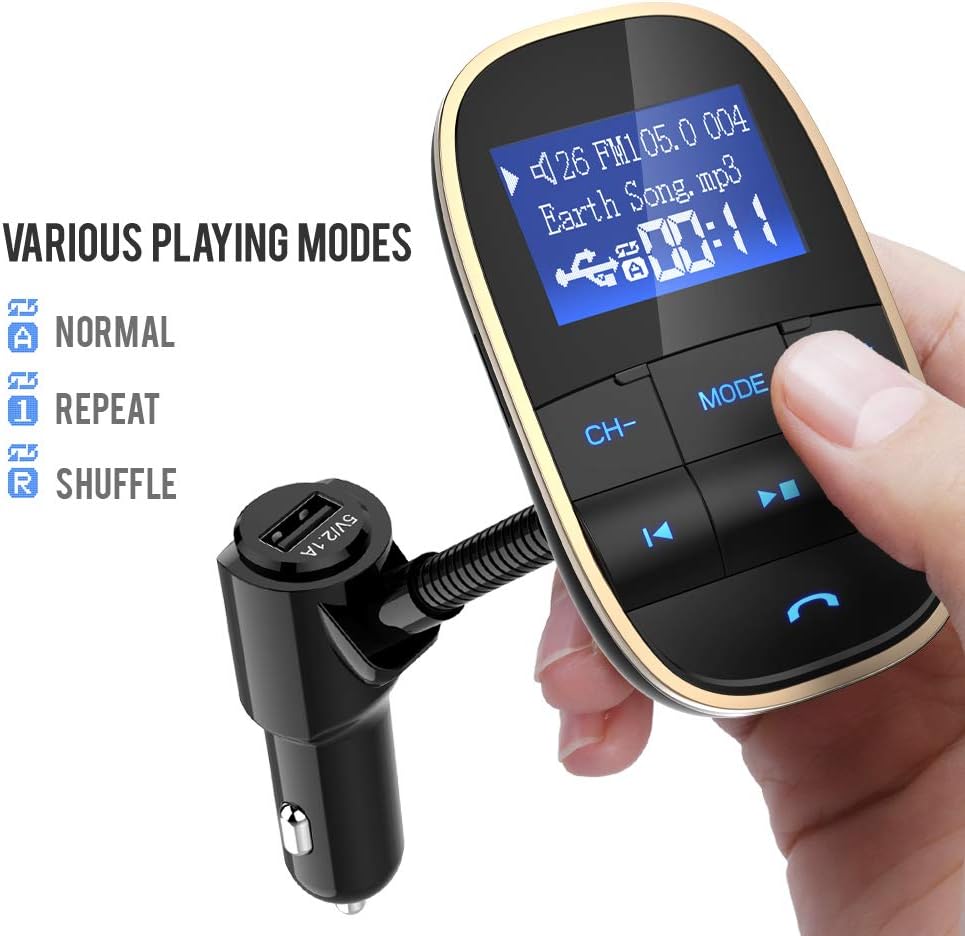
This image highlights the Nulaxy KM20's versatility, displaying options for Normal, Repeat, and Shuffle playback modes, indicating its capability to handle various audio sources.
Hands-Free Чалуу
- Чакырууга жооп берүү: Press the "Phone" button once to answer an incoming call.
- Чакырууну аяктоо: Press the "Phone" button once during a call to hang up.
- Чакырууну четке кагуу: Long press the "Phone" button to reject an incoming call.
- Кайра терүү: Double-press the "Phone" button to redial the last dialed number.
Voltmeter Function
The KM20 displays your car battery voltage upon startup. This feature helps you monitor the health of your car battery.
- Кадимки томtage (Car On): 13.7Вдан 14.7Вга чейин
- Кадимки томtage (Car Off): 12.2Вдан 12.8Вга чейин
- Эгерде томtage is outside these ranges, it may indicate a battery issue.

This image shows the Nulaxy KM20's display indicating the car battery voltage, a key safety feature for monitoring vehicle electrical health.
Заряддоо түзмөктөрү
The KM20 features a 5V/2.1A USB charging port. Connect your mobile device's USB charging cable to this port to charge it while driving.
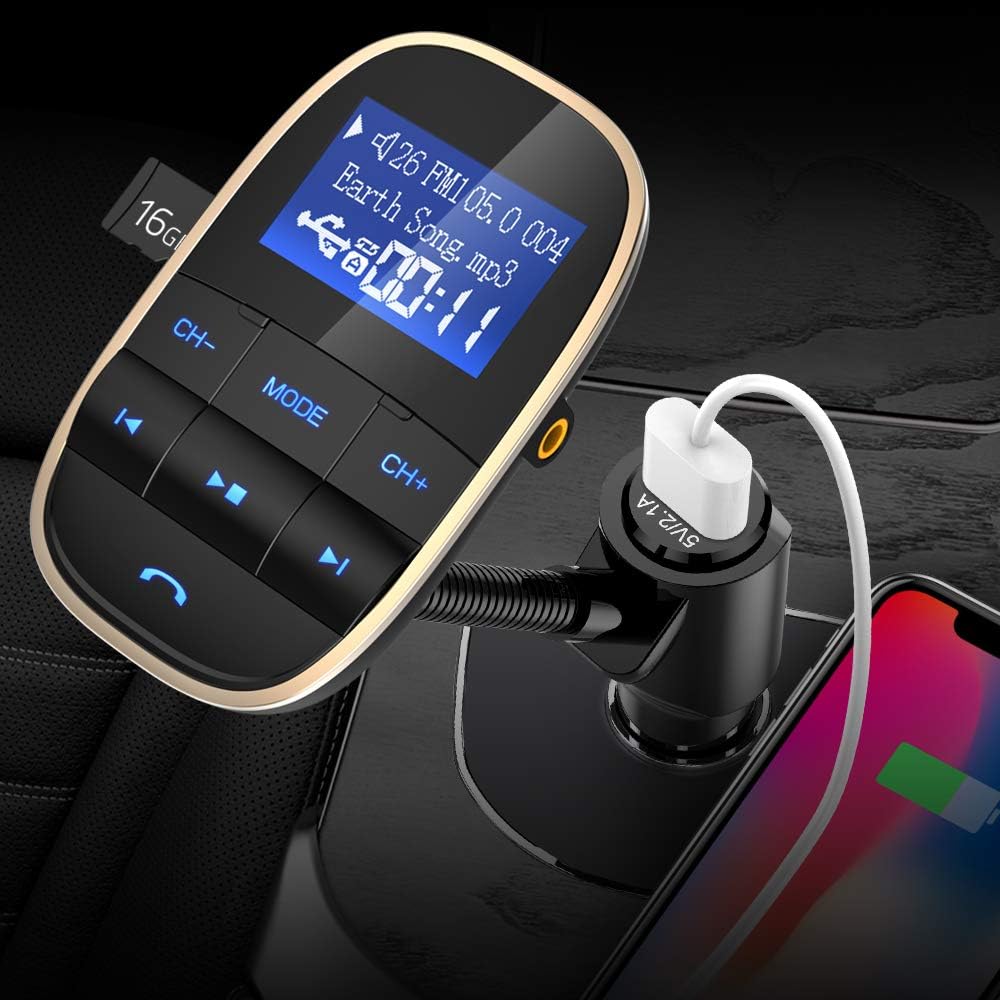
This image demonstrates the Nulaxy KM20's integrated USB charging port being used to charge a smartphone, highlighting its dual functionality.
Техникалык тейлөө
- Аппаратты жумшак, кургак чүпүрөк менен тазалаңыз. Суюк тазалагычтарды же аэрозолдорду колдонбоңуз.
- Keep the device free from dust and debris, especially around the ports.
- Аппаратты узак убакыт бою колдонбогондо салкын, кургак жерде сактаңыз.
Проблемаларды чечүү
| Көйгөй | Мүмкүн себеп | Чечим |
|---|---|---|
| Күч жок | Loose connection; Car cigarette lighter fuse blown. | Ensure the device is firmly plugged in. Check and replace car fuse if necessary. |
| Статикалык/Начар аудио сапаты | FM frequency interference; Volume too low/high. | Change to a clearer FM frequency. Adjust volume on both the device and car radio. |
| Bluetooth жупташтырылбай жатат | Device not in pairing mode; Bluetooth not enabled on phone. | Ensure KM20 is in Bluetooth mode. Enable Bluetooth on your phone and search for "KM20". |
| Music not playing from TF card/USB | Туура эмес file формат; Карта/диск туура салынган эмес; Бузулган files. | камсыз кылуу files are MP3/WMA/WAV/FLAC. Reinsert card/drive. Try a different card/drive. |
Техникалык шарттар
| Модель номери | FBA KM20 Golden - 0001 |
| Продукциянын өлчөмдөрү | 7.49 x 4.57 x 16.51 см |
| Элемент Салмагы | 172 г |
| Байланыш технологиясы | Bluetooth, USB |
| Power Source | DC (Car Cigarette Lighter) |
| USB чыгышы | 5V/2.1A |
| Түс | Алтын |
Кепилдик жана колдоо
Nulaxy products are designed and manufactured to the highest quality standards. For warranty information or technical support, please refer to the warranty card included with your purchase or visit the official Nulaxy webсайт. Кепилдик дооматтары үчүн сатып алганыңыздын далилин сактап коюңуз.
For further assistance, you may contact Nulaxy customer service through the contact information provided on their official webсайты же продуктуну сатып алган сатуучу аркылуу.


