1. Киришүү
The LeapFrog LeapPad Ultimate is a learning tablet designed for children, offering a secure and engaging platform for educational content. This manual provides essential information for setting up, operating, maintaining, and troubleshooting your device to ensure a positive learning experience.
2. Продукт бүтүп калдыview
The LeapPad Ultimate features a 7-inch shatter-safe, multi-touch capacitive screen and a built-in bumper for enhanced durability. It comes pre-loaded with a variety of learning games, applications, and videos. The tablet also includes exclusive Just-for-Me learning technology, which adapts the curriculum to suit your child's individual progress, maintaining engagement and motivation. A kid-friendly web browser provides access to pre-selected, expert-approved websites. Parental controls are available to manage multiple user profiles and set playtime limits.

Figure 1: The LeapFrog LeapPad Ultimate tablet showing its main interface with educational apps.
3. Кутуда эмне бар
- LeapPad Ultimate Learning Tablet
- Стилус
- USB кабели (заряддоо жана маалыматтарды өткөрүү үчүн)
- Quick Start Guide

Figure 2: The retail packaging for the LeapFrog LeapPad Ultimate, highlighting its features and contents.
4. Орнотуу
- Аппаратты заряддоо: Before first use, fully charge the LeapPad Ultimate using the provided USB cable and a compatible USB power adapter (not always included). The battery indicator will show charging status.
- Күйгүзүү: Press and hold the power button located on the side of the tablet until the LeapFrog logo appears.
- Баштапкы орнотуу: Follow the on-screen prompts to select your language, connect to a Wi-Fi network, and create a parent account.
- Creating Child Profiles: Жеке адисти орнотуңузfiles for each child. This allows for personalized learning experiences and separate progress tracking.
- Content Download: Once connected to Wi-Fi, the tablet may automatically download updates or additional pre-loaded content.
5. Иштөө нускамалары
5.1 Интерфейсте навигация
- Сенсордук экран: Use your finger or the included stylus to tap, swipe, and drag on the screen.
- Үй баскычы: Башкы менюга кайтуу үчүн үй баскычын басыңыз.
- Багыттоочу такта: Use the directional pad for navigation within certain games or menus.
5.2 Стилусту колдонуу
The stylus provides precise interaction with the touchscreen, which is beneficial for drawing, writing, and fine motor skill development activities. Ensure the stylus tip is clean and free from debris for optimal performance.
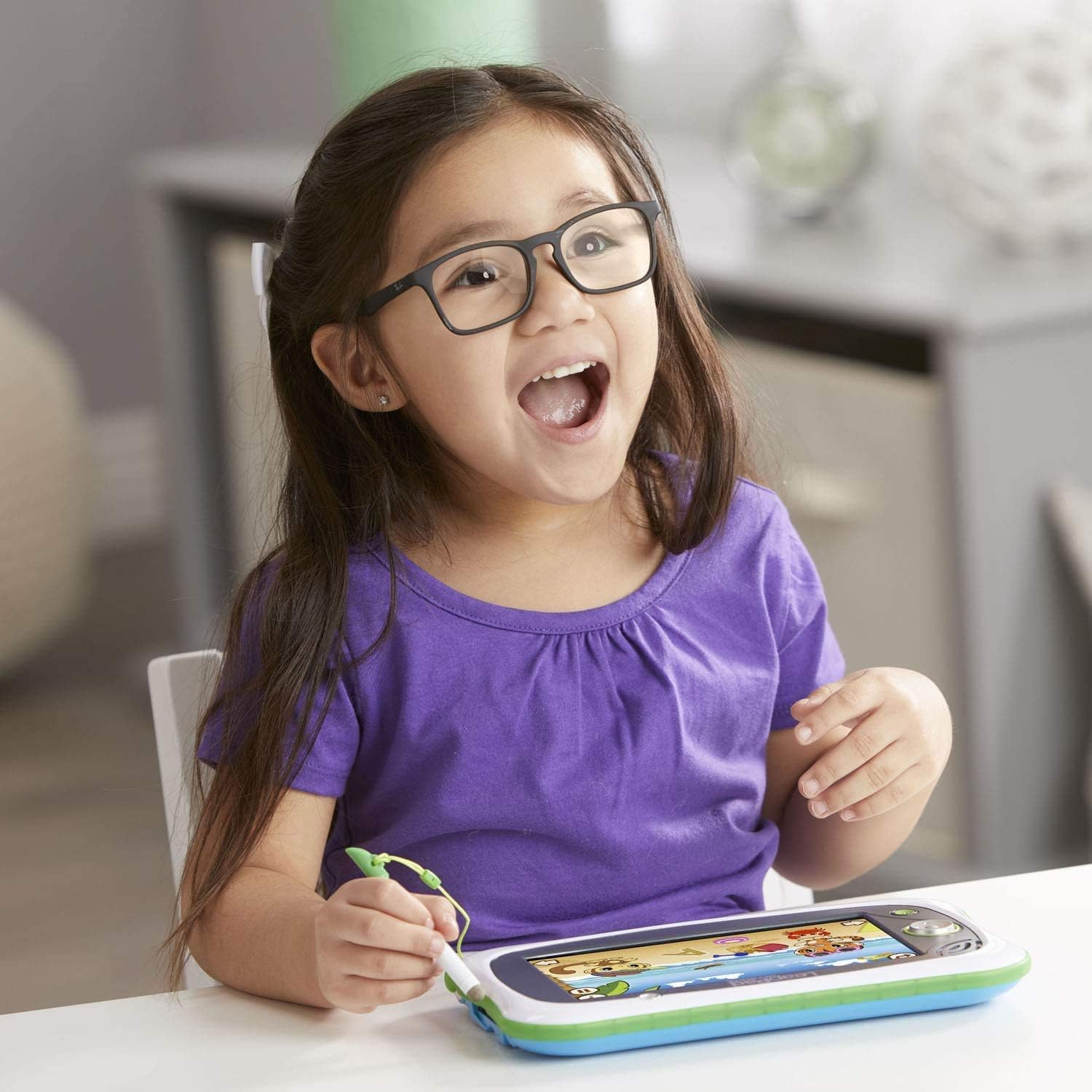
Figure 3: A child interacting with the LeapPad Ultimate using the tethered stylus.
5.3 Playing Games and Apps
Tap on any app icon from the home screen to launch it. Many games feature adaptive learning technology that adjusts difficulty based on your child's performance.

Figure 4: The tablet screen showing an interactive learning game with animal characters.
5.4 камеранын иштеши
The tablet includes a built-in camera. Tap the camera icon to access photo and video recording features. Children can take pictures and apply fun effects.

Figure 5: A child enjoying the LeapPad Ultimate in a relaxed setting.
6. Техникалык тейлөө
- Тазалоо: Use a soft, dry cloth to clean the screen and exterior of the tablet. Avoid abrasive cleaners or solvents.
- Screen коргоо: While the screen is shatter-safe, consider applying a screen protector to prevent scratches, especially with frequent stylus use.
- Батареяга кам көрүү: To prolong battery life, avoid fully discharging the battery frequently. Charge the device regularly.
- Сактагыч: Планшетти күн нурунан жана экстремалдык температурадан алыс салкын, кургак жерде сактаңыз.
7. Кыйынчылыктарды
- Түзмөк күйбөй жатат: Ensure the tablet is fully charged. Connect it to a power source and try again.
- Экран жооп бербейт: If the touchscreen is not responding, try restarting the device. If the issue persists, ensure the screen is clean and free from obstructions.
- Wi-Fi туташуу маселелери: Check your Wi-Fi router and ensure it is functioning correctly. Re-enter the Wi-Fi password on the tablet.
- Колдонмонун иштеши: If an app is running slowly or crashing, try closing and reopening it. Ensure the tablet's software is up to date.
- Үн маселелери: Check the volume settings on the tablet. Ensure headphones are properly connected if in use.
8. Техникалык шарттар
| Өзгөчөлүк | Деталь |
|---|---|
| Продукциянын өлчөмдөрү | 0.98 x 9.41 x 5.96 дюйм |
| Элемент Салмагы | 1 фунт |
| Элемент моделинин номери | 80-602000 |
| Өндүрүүчүнүн сунуш кылган курагы | 36 ай - 9 жыл |
| Батареялар | 1 Литий Полимердик батарейка (кошулган) |
| Эстутум сактоо сыйымдуулугу | 8 ГБ |
| Screen Size | 7 дюйм |
| Дисплейдин максималдуу чечилиши | 1024x600 |
| Чыгарылган күнү | 1-март, 2018-жыл |
| Өндүрүүчү | V Tech |
9. Кепилдик жана колдоо
The LeapFrog LeapPad Ultimate typically includes a 2-year warranty from the manufacturer. For detailed warranty information, product support, or to access additional resources, please visit the official LeapFrog webсайтка же кардарларды тейлөөгө кайрылыңыз. Сиз дагы көбүрөөк маалымат таба аласыз LeapFrog Store on Amazon.


