1. Киришүү
This manual provides essential information for the safe and efficient use of your TCL 55P607 55-Inch 4K Ultra HD Roku Smart LED TV. Please read these instructions thoroughly before operating your television and retain them for future reference.
Негизги өзгөчөлүктөрү:
- 55-inch 4K Ultra HD display for clear picture clarity.
- Integrated Roku TV smart functionality with access to over 4,000 streaming channels.
- Dolby Vision HDR (High Dynamic Range) compatibility for enhanced contrast, color, and detail.
- Full-array LED backlighting with 72 local dimming zones for deep blacks and excellent picture quality.
- 120Hz refresh rate for smooth motion in fast-paced scenes.
- Multiple inputs including 3 HDMI 2.0 with HDCP 2.2 (one with HDMI ARC), 1 USB (media player), RF, Composite, Headphone Jack, Optical Audio Out, and Ethernet.
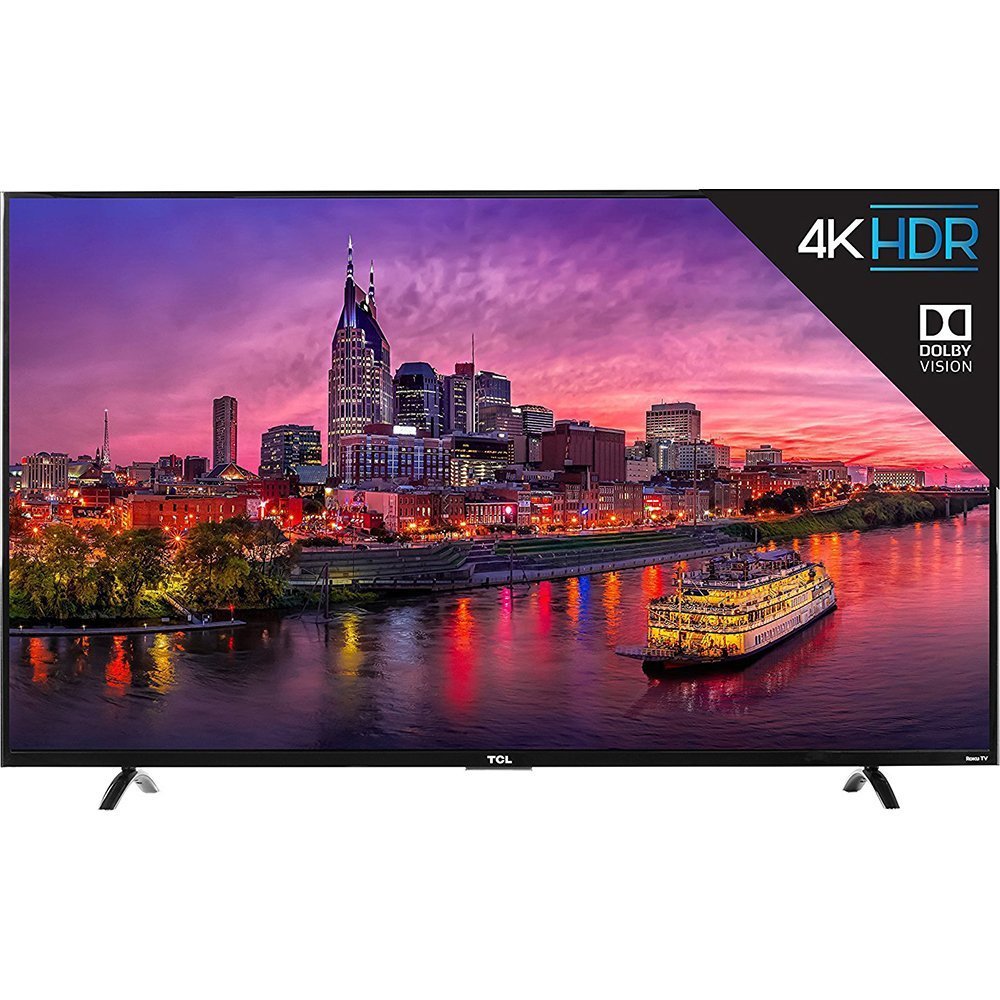
Сүрөт 1.1: Фронт view of the TCL 55P607 55-Inch 4K Ultra HD Roku Smart LED TV.
2. Орнотуу
2.1 Пакеттен чыгаруу жана жайгаштыруу
Телевизорду таңгагынан этияттык менен чыгарыңыз. Түзмөктүн көлөмүнө жана салмагына байланыштуу коопсуз колдонуу үчүн эки кишинин болушу сунушталат. Телевизорду туруктуу, тегиз жерге коюңуз же шайкеш келген VESA бекиткичин (өзүнчө сатылат) колдонуп дубалга бекем орнотуңуз.

Сүрөт 2.1: The TCL 55P607 TV displayed on a media console, illustrating typical placement.
2.2 Телевизордун отургучун бекитүү
If you are not wall-mounting the TV, attach the included stand feet. Ensure the TV is placed face down on a soft, clean surface to prevent screen damage. Align each stand foot with the corresponding screw holes on the bottom of the TV and secure them with the provided screws. Refer to the diagram below for dimensions.

Сүрөт 2.2: Diagram showing the dimensions of the TCL 55P607 TV: 49" (width), 30.1" (height with stand), and 8.3" (depth with stand).
2.3 Электр кубатын жана түзмөктөрдү туташтыруу
Connect the power cord to the TV and then to a wall outlet. Connect your external devices (e.g., cable box, Blu-ray player, gaming console) to the appropriate HDMI, AV, or other input ports on the TV. The TV features 3 HDMI 2.0 ports with HDCP 2.2, including one with HDMI ARC, 1 USB port, RF input, Composite input, Headphone Jack, and Optical Audio Out.
3. Иштөө нускамалары
3.1 Баштапкы орнотуу жана Roku TV интерфейси
Upon first power-on, the TV will guide you through the initial setup process, including connecting to your Wi-Fi network and activating your Roku account. The Roku TV interface provides easy access to streaming channels, inputs, and settings.
Видео 3.1: An overview of the TCL 55P607 55-Inch 4K Ultra HD Roku Smart LED TV, demonstrating its features and the Roku interface. This video is provided by Merchant Video.
3.2 Алыстан башкаруу функциялары
The included Roku remote control is designed for simplicity. It features dedicated buttons for popular streaming services like Netflix and Hulu, as well as navigation controls for the Roku interface. The remote also includes a headphone jack for private listening, with earbuds included.
Видео 3.2: An expert review of the TCL P Series, highlighting the intuitive Roku remote control and its features, including dedicated app buttons and the headphone jack for private listening. This video is provided by Digital Trends Review.
3.3 Input Selection and Customization
You can easily switch between connected devices and streaming apps. The Roku TV allows you to rename inputs (e.g., "HDMI 1" to "Blu-ray Player") and organize them on your home screen for quick access.
3.4 Сүрөт орнотуулары
Adjust picture settings to optimize your viewing experience. The TV offers various picture modes (e.g., Movie, Sports) and advanced settings for brightness, contrast, sharpness, color, and tint. Note that some picture settings may need to be adjusted within specific streaming apps for optimal performance.
Видео 3.3: А реview from Digital Trends discussing the best TVs under $1,000, which includes the TCL 55P607, and touches upon its picture quality and features.
Видео 3.4: А реview from Digital Trends discussing the best TVs under $500, which includes the TCL 55P607, and highlights its value and performance.
4. Техникалык тейлөө
4.1 Телевизорду тазалоо
Экранды тазалоо үчүн аны жумшак, түксүз чүпүрөк менен акырын сүртүңүз. өжөр белгилери үчүн, жеңил гampen the cloth with water or a screen-specific cleaning solution. Avoid using harsh chemicals or abrasive materials. For the TV casing, жумшак, кургак чүпүрөктү колдонуңуз.
4.2 Жалпы кам көрүү
- Unplug the TV from the power outlet before cleaning or performing any maintenance.
- Avoid blocking ventilation openings on the back of the TV to prevent overheating.
- Do not expose the TV to direct sunlight, extreme temperatures, or high humidity.
- Электр шнурын басуудан же кысып калуудан сактаңыз.
5. Кыйынчылыктарды
If you encounter issues with your TCL 55P607 TV, refer to the following common solutions:
5.1 Күч жок
- Кубат шнуру телевизорго да, иштеп жаткан электр розеткасына да бекем сайылганын текшериңиз.
- Башка аспапка сайып, розетка иштеп жатканын текшериңиз.
- Жөн гана пульттун эмес, сыналгыдагы кубат баскычын басыңыз.
5.2 Сүрөт жок же сапаты начар
- Туура киргизүү булагы тандалганын текшериңиз.
- Сыналгы менен тышкы түзмөктөрдүн ортосундагы бардык кабелдик байланыштарды текшериңиз.
- Adjust picture settings (brightness, contrast, etc.) in the TV menu.
- If using an antenna, ensure it is properly connected and positioned.
5.3 Үн жок же үн сапаты начар
- Телевизордун жана туташкан аудио түзмөктөрдүн үнүн жогорулатыңыз.
- Аудио кабелдик байланыштарды текшериңиз.
- Телевизордун үнү өчүрүлбөгөнүн текшериңиз.
- If using external speakers, verify they are powered on and correctly configured.
5.4 Алыстан башкаруу иштебейт
- Replace the batteries in the remote control (2 AAA batteries are included).
- Пульт менен сыналгынын IR сенсорунун ортосунда эч кандай тоскоолдуктар жок экенин текшериңиз.
- If using the Roku mobile app as a remote, ensure your smartphone is connected to the same Wi-Fi network as the TV.
Видео 5.1: деталдуу реview of the TCL 55P607 55-Inch 4K Ultra HD Roku Smart LED TV, covering various aspects including picture quality, sound, and smart features, which can be helpful for troubleshooting. This video is provided by RTINGS.com.
6. Техникалык шарттар
| Өзгөчөлүк | Деталь |
|---|---|
| Бренд | TCL |
| Модель номери | 55P607 |
| Screen Size | 55 дюйм |
| Дисплей технологиясы | LED |
| Резолюция | 4K Ultra HD |
| Жаңыртуу ылдамдыгы | 120 Гц |
| HDR шайкештигин | Dolby Vision HDR |
| Арткы жарыктандыруу | Full-array LED with 72 local dimming zones |
| Акылдуу платформа | Roku TV |
| Байланыш технологиясы | HDMI, Wi-Fi |
| HDMI кириштери | 3 (HDMI 2.0 with HDCP 2.2, one with HDMI ARC) |
| USB порттору | 1 (media player) |
| Башка киргизүүлөр/чыгыштар | RF, Composite, Headphone Jack, Optical Audio Out, Ethernet |
| Өлчөмдөрү (W x Y x D) стендсиз | 49" x 28.3" x 3" |
| Өлчөмдөрү (W x Y x D) стенд менен | 49" x 30.1" x 8.3" |
| Элемент Салмагы | 33.1 фунт |
| Камтылган компоненттер | Remote Control, Power Cord, Batteries |
| Энергия натыйжалуулугу | Energy Star сертификацияланган |
7. Кепилдик жана колдоо
For detailed warranty information and customer support, please refer to the warranty card included with your product or visit the official TCL support webсайт. Сатып алуу квитанциясын кепилдик дооматтары үчүн сатып алуунун далили катары сактаңыз.
TCL is committed to providing high-quality products and excellent customer service. Should you require assistance with setup, troubleshooting, or any other aspect of your TV, please contact TCL customer support.