1. Киришүү
This user manual provides detailed instructions for the installation, operation, and maintenance of your Antec NeoECO Modular NE650M Power Supply. The NE650M is a high-efficiency power supply solution designed to provide stable and reliable power to your computer system. It features advanced hybrid cable management, 80 PLUS BRONZE certification, and a quiet 120 mm fan for optimal performance.

Figure 1.1: Antec NeoECO Modular NE650M Power Supply and its retail packaging.
2. Коопсуздук маалыматы
Please read and understand all safety precautions before installing or operating the power supply. Failure to do so may result in personal injury or damage to the product or other components.
- Орнотуудан же тейлөөдөн мурун кубат булагы AC розеткасынан ажыратылганын текшериңиз.
- Электр жабдыгын ачпаңыз casinг. Жогорку томtages ичинде бар жана колдонуучу тейлей турган бөлүктөр жок. ачуу casing кепилдикти жокко чыгарат.
- Электр менен камсыздоону жакшы желдетилген жерге орнотуңуз.
- Электр булагына суу же ашыкча нымдуулук тийгизбеңиз.
- Кубат менен камсыздалган кабелдерди гана колдонуңуз.
- Сиздин компьютер системасынын туура негизделиши камсыз кылуу.
3. Өзгөчөлүктөрү
The Antec NeoECO Modular NE650M Power Supply offers a range of features designed for performance and reliability:
- 650 Вт үзгүлтүксүз кубаттуулук: Antec компаниясынан 650 Вт үзгүлтүксүз кубаттуулук кепилденет.
- 80 PLUS BRONZE certified: Up to 88% efficient to reduce your electricity bill.
- AQ3: Antec Quality.
- 120 mm DBB Silence: Whisper-quiet high-quality double ball bearing fan with long lifetime.
- Thermal Manager: Өркүндөтүлгөн төмөнкү вольтtage fan control for optimal heat and noise management.
- Hybrid Cable Management: Allows for a cleaner build and improved airflow by using only necessary cables.
- Japanese Heavy-Duty Capacitors: Ensures stable power output and long-term reliability.
- Universal Input with Active Power Factor Correction (PFC): Provides stable power across a wide range of input voltages.
4. Пакеттин мазмуну
Пакетте бардык буюмдар бар экенин текшериңиз:
- Antec NeoECO Modular NE650M Power Supply Unit
- Modular Cable Set (PCIe, SATA, Peripheral)
- AC Power Cord
- Монтаждоо бурамалар
- Колдонуучунун колдонмосу / Продукциянын үстүнөнview Документ
- Кепилдик маалымат

Figure 4.1: Contents included with the Antec NeoECO Modular NE650M Power Supply.
5. Орнотуу жана орнотуу
Follow these steps to properly install your Antec NeoECO Modular NE650M Power Supply into your computer system:
- Системаңызды даярдаңыз:
- Компьютериңизди өчүрүп, AC кубат шнурун розеткадан сууруп алыңыз.
- Компьютериңиздин корпусун ачыңыз.
- Эгерде учурдагы электр булагы алмаштырылса, бардык кабелдерди эски PSUдан ажыратып, аны корпустан чыгарыңыз.
- Кубат менен жабдууну орнотуу:
- Carefully slide the NE650M power supply into the PSU bay of your computer case. Ensure the fan is oriented correctly (typically facing down if your case has a bottom vent, or up if it's a top-mounted PSU).
- Берилген монтаждоо бурамалар менен корпуска кубат менен камсыздоону бекитиңиз.

5.1-сүрөт: Жогорку view of the power supply, showing the 120mm fan.
- Негизги кабелдерди туташтыруу:
- 24-пиндүү ATX энелик платасынын кубат кабелин энелик платаңызга туташтырыңыз.
- Connect the 4+4 pin (8-pin) EPS/CPU power cable to your motherboard's CPU power connector.
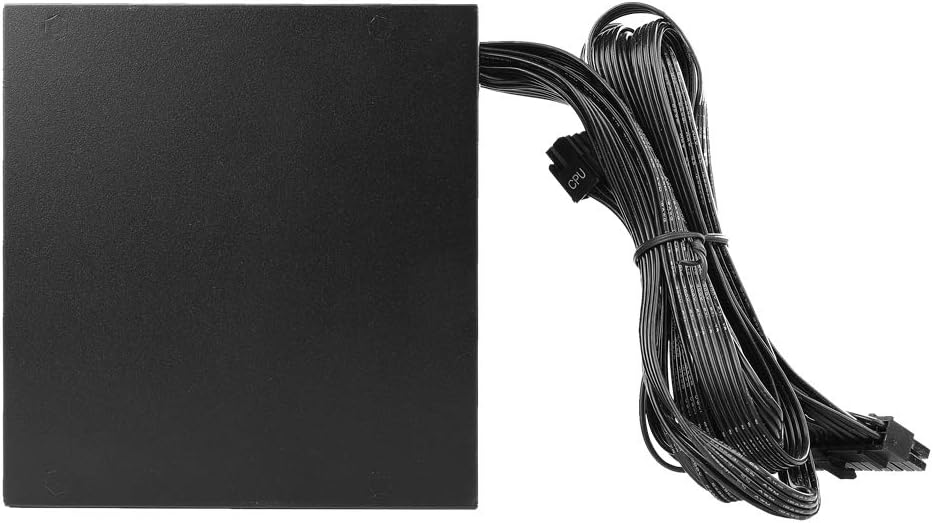
Figure 5.2: The power supply with its permanently attached 24-pin ATX and 8-pin EPS/CPU cables.
- Модулдук кабелдерди туташтыруу:
- Компоненттериңиз үчүн керектүү модулдук кабелдерди аныктаңыз (мисалы, графикалык карталар үчүн PCIe, SSD/HDD үчүн SATA, желдеткичтер/аксессуарлар үчүн перифериялык).
- Plug the required modular cables into the corresponding ports on the power supply. The ports are labeled for clarity (e.g., "PCI-E", "SATA/PATA").
- Connect the other end of these cables to your components.
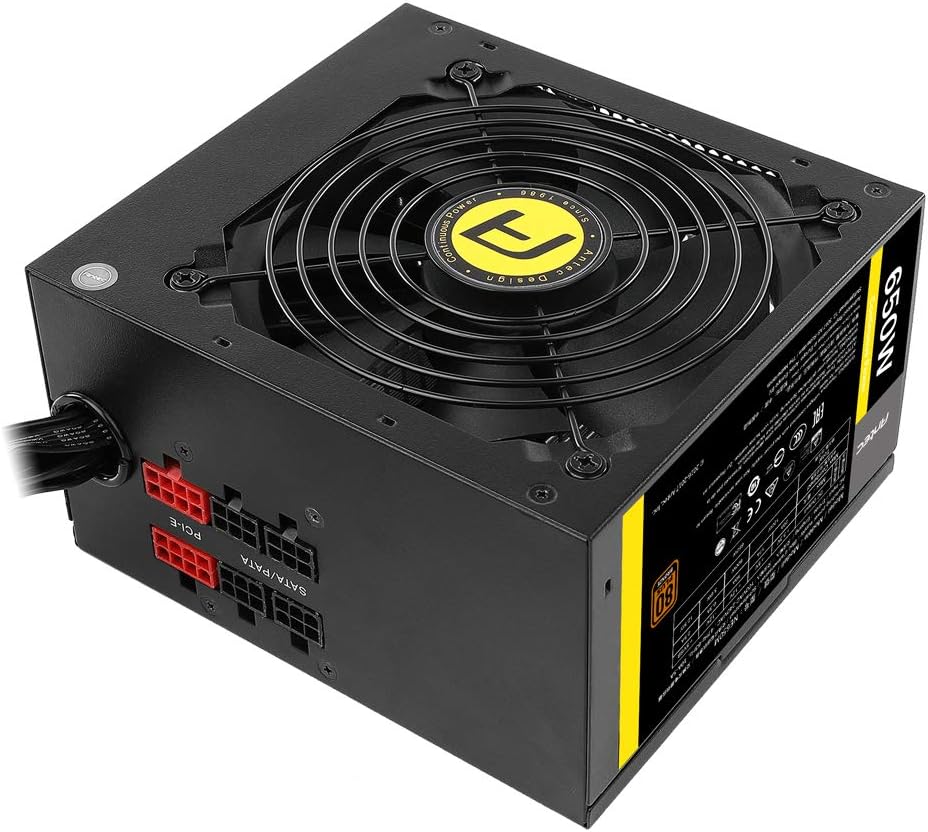
Figure 5.3: Modular cable connections on the power supply unit.
- Кабелдик башкаруу:
Корпусуңуздун ичиндеги аба агымын жана кооздукту жакшыртуу үчүн кабелдерди тыкан өткөрүңүз.
- Корпусту жаап, AC кубатын туташтырыңыз:
- Компьютериңиздин корпусун жабыңыз.
- Connect the AC power cord to the power supply's inlet and then to a wall outlet.

Figure 5.4: Rear panel of the power supply with power switch and AC input.
6. Иштөө нускамалары
Once installed, operating the Antec NeoECO Modular NE650M Power Supply is straightforward:
- Күйгүзүү: Ensure the power switch on the back of the PSU is in the "I" (On) position.
- Тутумду баштоо: Press the power button on your computer case to start your system. The power supply will automatically provide the necessary power to your components.
- Күйөрман операциясы: The 120mm Double Ball Bearing fan will operate automatically based on the power supply's thermal load, ensuring optimal cooling and quiet operation.
- Өчүрүү: To shut down your system, use the operating system's shutdown function. For complete power disconnection, switch the PSU's power switch to the "O" (Off) position and unplug the AC cord.
7. Техникалык тейлөө
The Antec NeoECO Modular NE650M Power Supply is designed for reliable, long-term operation with minimal maintenance. However, following these guidelines can help ensure its longevity:
- Тазалыкты сактоо: Periodically clean the exterior of the power supply and the fan grille to prevent dust buildup, which can impede airflow and cooling. Use compressed air to gently clear dust from the fan and vents.
- Туура желдетүүнү камсыз кылуу: Make sure your computer case has adequate airflow and that the power supply's intake and exhaust vents are not obstructed.
- Ашыкча жүктөөдөн качыңыз: Белгиленген ваттан ашпаңызtage of the power supply. Ensure your system's power requirements are within the NE650M's 650W capacity.
- Экологиялык шарттар: Сунушталган температура жана нымдуулук диапазондорунда электр менен камсыздоону иштетиңиз.
8. Кыйынчылыктарды
If you encounter issues with your Antec NeoECO Modular NE650M Power Supply, refer to the following common troubleshooting steps:
| Көйгөй | Мүмкүн себеп | Чечим |
|---|---|---|
| Система күйбөйт. |
|
|
| Система күйөт, бирок дароо өчүрүлөт. |
|
|
| Fan is not spinning or is excessively loud. |
|
|
If the problem persists after trying these steps, please contact Antec customer support for further assistance.
9. Техникалык шарттар
Detailed specifications for the Antec NeoECO Modular NE650M Power Supply:
| Модель аты | NE650M |
| Бренд | Antec |
| Чыгуу Wattage | 650 Ватт |
| 80 PLUS сертификаты | Бронза |
| Форма фактору | ATX12V |
| Муздатуу ыкмасы | Air (120mm DBB Fan) |
| Өлчөмдөрү (L x W x Y) | 14 x 15 x 8.6 сантиметр (болжол менен 13.97 x 14.99 x 8.64 см) |
| Элемент Салмагы | 1.45 кг (3.2 фунт) |
| Киргизүү көлөмүtage | 230 Volts (Universal Input) |
| Туташтыргычтар | PCI Express, SATA, ATX 24-pin, EPS 4+4 pin |
| Дата биринчи жеткиликтүү | 24-февраль, 2017-жыл |

9.1-сүрөт: Электрдик мүнөздөмөлөрү жана сертификаттары менен толук кандуу продуктунун этикеткасы.
10. Кепилдик жана колдоо
Antec provides a warranty for the NeoECO Modular NE650M Power Supply. Please refer to the warranty card included in your package for specific terms and conditions, including warranty duration and coverage.
For technical support, troubleshooting assistance, or warranty claims, please contact Antec customer service through their official webсайт же продукт документациясында көрсөтүлгөн байланыш маалыматы.
Antec расмий Webсайт: www.antec.com
Эскертүү: Сатып алуу квитанциясын кепилдик максаттары үчүн сатып алуунун далили катары сактаңыз.


