1. Introduction and Overview
The APC Smart-UPS SRT 1500VA is a high-density, double-conversion online Uninterruptible Power Supply (UPS) designed to provide reliable power protection for critical electronic equipment. This unit ensures continuous, clean power by converting incoming AC power to DC and then back to AC, isolating connected devices from utility power fluctuations, surges, and outages. It is suitable for servers, voice/data networks, medical laboratories, and light industrial applications.
Негизги өзгөчөлүктөр төмөнкүлөрдү камтыйт:
- 1500 VA / 1350 W power capacity.
- True double-conversion online topology for maximum power quality.
- Scalable runtime with optional external battery packs.
- Rack/tower convertible design for flexible installation.
- Intuitive LCD interface for real-time status and configuration.
- Intelligent battery management for extended battery life.

Сүрөт 1.1: Бүттүview of the APC Smart-UPS SRT 1500VA highlighting premium power protection features including 1500VA/1350W battery backup, pure sine wave power, double-conversion online protection, and 91.5% online efficiency.
2. Коопсуздук маалыматы
Read and understand all instructions before installing or operating the UPS. This unit contains internal batteries and live parts even when disconnected from the AC input. Only qualified service personnel should perform battery replacement.
Жалпы коопсуздук чаралары:
- Heavy Equipment: The UPS is heavy. Use proper lifting techniques and ensure adequate support during installation.
- Электр шок коркунучу: Do not open the UPS enclosure. There are no user-serviceable parts inside. Refer all servicing to qualified personnel.
- Батареянын коопсуздугу: Batteries can present a risk of electrical shock and burn from high short-circuit current. Observe the following precautions:
- Батареяларды отко таштабаңыз. Батареялар жарылып кетиши мүмкүн.
- Батареяларды ачпаңыз же кыйратпаңыз. Чыгарылган электролит териге жана көзгө зыяндуу. Бул уулуу болушу мүмкүн.
- Replace batteries only with the same type and number of batteries or battery packs recommended by the manufacturer.
- Вентиляция: UPSтин айланасында адекваттуу аба агымын камсыз кылыңыз. Вентиляция тешиктерин жаап албаңыз.
- Курчап турган чөйрө: UPSти ашыкча чаңдан, нымдуулуктан жана экстремалдык температурадан таза, көзөмөлдөнүүчү чөйрөгө орнотуңуз.
ЭСКЕРТҮҮ: Бул продукт сизге химиялык заттардын, анын ичинде Коргошундун таасирин тийгизиши мүмкүн, ал Калифорния штатында рак жана тубаса кемтик же башка репродуктивдүү зыян алып келээри белгилүү. Көбүрөөк маалымат алуу үчүн өтүңүз www.P65Warnings.ca.gov.
3. Пакеттин мазмуну
Verify that all components are present upon unpacking. If any items are missing or damaged, contact your dealer or APC customer service.
- APC Smart-UPS SRT 1500VA Unit
- Документтик CD
- Коопсуздук жөнүндө маалымат жана кепилдик боюнча колдонмо
- USB байланыш кабели
- Сериялык байланыш кабели
- PowerChute Software CD
- Tower Stand (pre-installed for floor standing models)
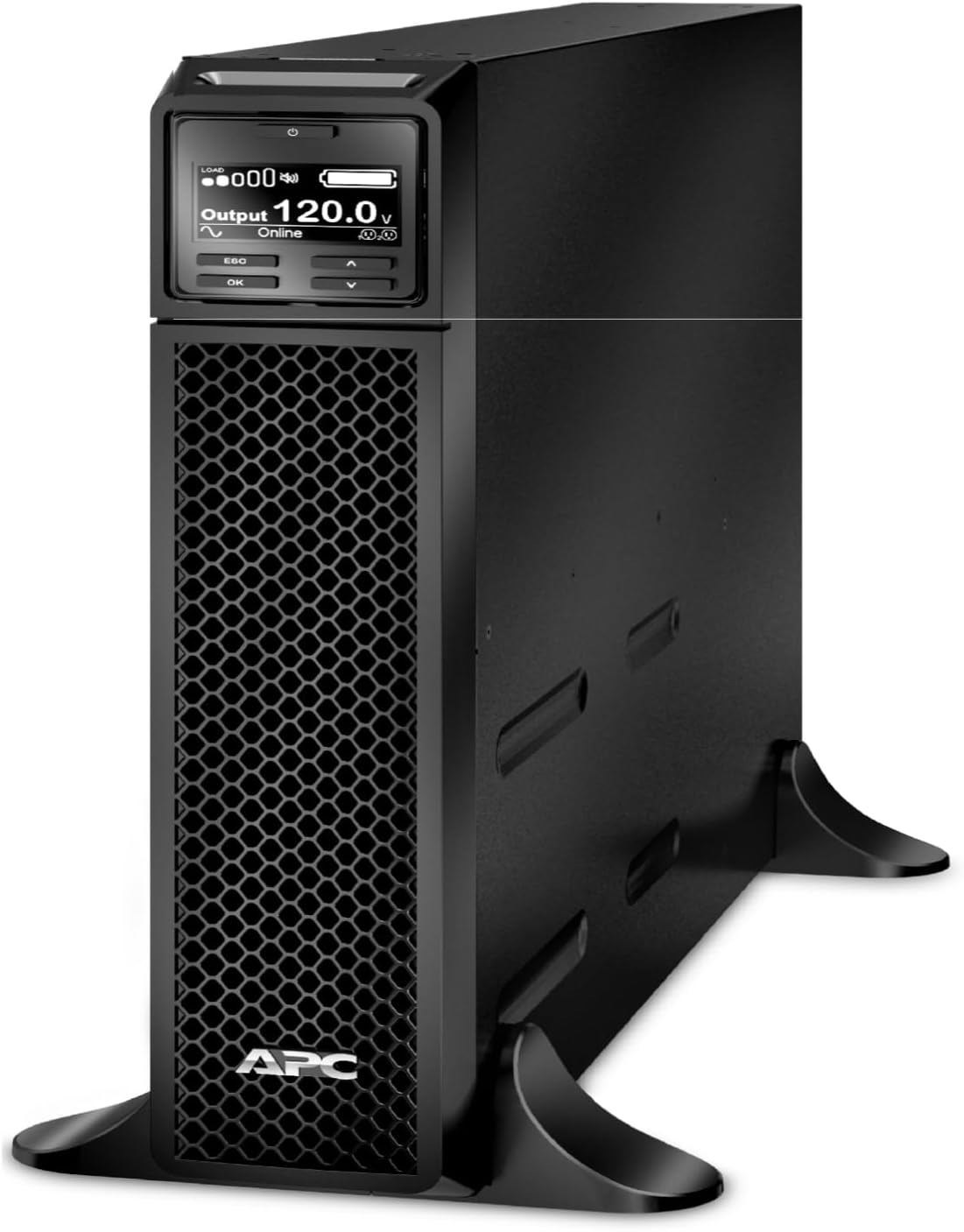
Сүрөт 3.1: алдыңкы жагы view of the APC Smart-UPS SRT 1500VA unit, showing the LCD display and ventilation grille.
4. Орнотуу
4.1 Орнотуу
The SRT1500XLA is a floor-standing model. Ensure the installation location meets the following criteria:
- Solid, level surface capable of supporting the unit's weight (approximately 48.50 lbs).
- Adequate clearance around the unit for ventilation (minimum 4 inches on all sides).
- Away from direct sunlight, heat sources, and excessive dust or moisture.

Image 4.1: The SRT series offers installation flexibility, allowing conversion between rack-mount and tower configurations. This model is configured for floor standing.
4.2 Initial Battery Connection
The internal battery pack may be disconnected for shipping. Follow these steps to connect it:
- Locate the battery connector on the rear of the unit.
- Firmly push the battery connector into its receptacle until it clicks into place.
4.3 Коммуналдык электр тармагына туташуу
- Plug the UPS power cord into a grounded 120V AC outlet.
- Батареянын толук кубаттуулугун камсыз кылуу үчүн маанилүү жабдууларды туташтыруудан мурун UPSти кеминде 24 саат заряддоого уруксат бериңиз.
4.4 Туташтыргыч жабдуулар
Connect your devices to the output receptacles on the rear of the UPS. The SRT1500XLA features 6 x NEMA 5-15R receptacles, divided into two switched outlet groups.
- Switched Outlet Group 1: 3 NEMA 5-15R outlets (15 Amp Макс).
- Switched Outlet Group 2: 3 NEMA 5-15R outlets (15 Amp Макс).
These groups can be independently controlled via the LCD or management software.

Сүрөт 4.2: Арткы view of the APC Smart-UPS SRT 1500VA, illustrating the communication ports (USB, Serial, SmartSlot) and the six NEMA 5-15R output receptacles.
4.5 Байланыш порттору
The UPS includes various communication ports for monitoring and management:
- USB порт: Connects to a computer for local monitoring and graceful shutdown using PowerChute software.
- Сериялык порт (RJ45): For direct serial communication with a computer or network management card.
- SmartSlot: For optional accessory cards such as Network Management Cards (AP9640) for remote monitoring and control.

Сүрөт 4.3: Детальдуу view of the communication ports and output receptacles, including the SmartSlot for network management accessories.
5. Иштөө нускамалары
5.1 Күйгүзүү/өчүрүү
- Күйгүзүү үчүн: Press and hold the power button on the front panel until the LCD illuminates.
- Өчүрүү үчүн: Press and hold the power button until the UPS initiates shutdown.
5.2 ЖК интерфейси
The intuitive LCD display provides real-time status updates and allows for configuration adjustments. Use the navigation buttons (ESC, OK, Up, Down) to navigate menus and settings.
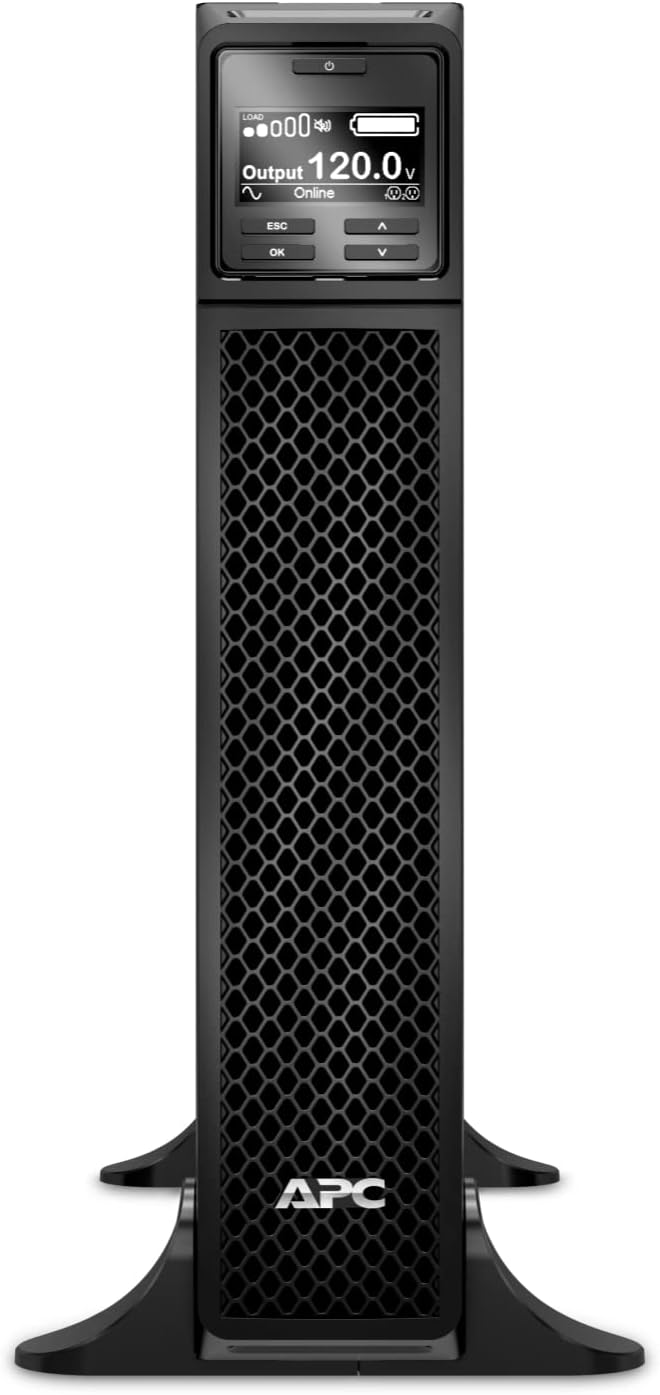
Сүрөт 5.1: Алдыңкы view of the APC Smart-UPS SRT 1500VA, clearly showing the LCD display and control buttons for user interaction.

Image 5.2: The intuitive LCD interface provides real-time status updates, including load, output voltage, and battery status, with multiple language options and navigation keys.
5.3 PowerChute Network Shutdown Software
For advanced power management, install the PowerChute Network Shutdown software. This software enables unattended, graceful shutdown of connected servers and virtual machines during extended power outages, preventing data loss.

Image 5.3: PowerChute Network Shutdown Software provides power protection for physical and virtual IT environments, enabling graceful shutdown for hyperconverged infrastructure, virtual machines, and hosts/cluster services.
6. Техникалык тейлөө
6.1 Батареяны башкаруу
The Smart-UPS SRT series features intelligent battery management to optimize battery performance and lifespan.
- Battery Replacement Recommendations: The UPS will provide notifications when battery replacement is recommended.
- Температура менен компенсацияланган кубаттоо: Кубаттоо көлөмүн тууралайтtage based on battery temperature to prolong battery life.
- Periodic Battery Self-Test: Automatically performs self-tests to ensure battery health.
- Disconnect Battery Notifications: Alerts users if the battery is disconnected.

Image 6.1: Intelligent battery management features include battery replacement recommendations, temperature-compensated charging, periodic battery self-tests, and disconnect battery notifications.
6.2 Live Swappable Batteries
The UPS supports live-swappable batteries, allowing for battery replacement without powering down connected equipment. This ensures continuous operation during maintenance.

Image 6.2: Live swappable batteries ensure clean, uninterrupted power to protected equipment while batteries are being replaced, ideal for critical environments like laboratories.
6.3 Тазалоо
UPSтин сыртын мезгил-мезгили менен жумшак, кургак чүпүрөк менен тазалап туруңуз. Суюк же аэрозоль тазалагычтарды колдонбоңуз. Желдетүүчү тешиктердин чаң жана таштандылардан тазаланганын текшериңиз.
7. Кыйынчылыктарды
This section provides basic troubleshooting steps for common issues. For more detailed diagnostics and solutions, refer to the comprehensive user manual available on the APC webсайтка же техникалык колдоо менен байланышыңыз.
Жалпы маселелер жана чечимдер:
- UPS күйбөйт: Ensure the UPS is properly connected to a live utility outlet and the internal battery connector is fully engaged.
- UPS тынымсыз сигнал берип жатат: This typically indicates a critical alarm, such as low battery or an internal fault. Check the LCD display for specific error messages.
- Connected equipment loses power during an outage: Verify that the equipment is connected to the battery-backed outlets and that the UPS battery is fully charged and functional.
- UPS is unusually noisy: Some fan noise is normal, especially under load or during battery charging. Excessive or unusual noise may indicate a fan malfunction or internal issue.
If the problem persists after attempting these steps, contact APC technical support.
8. Техникалык шарттар
| Өзгөчөлүк | Спецификация |
|---|---|
| Модель номери | SRT1500XLA |
| Кубаттуулугу | 1500 VA / 1350 Вт |
| Киргизүү көлөмүtage | 120 В AC |
| Output Voltage | 120 В AC |
| Чыгуучу идиштер | 6 x NEMA 5-15R |
| Батарея түрү | Коргошун кислотасы |
| Typical Backup Time (Full Load) | 5 мүнөт |
| Форма фактору | Rack/Tower Convertible (Floor Standing configuration) |
| Продукциянын өлчөмдөрү (Ж x В x D) | 20 x 3.4 x 17 дюйм |
| Элемент Салмагы | 48.50 lbs (18.9 pounds listed in specifications, but 48.50 lbs in feature bullets, using the higher for safety) |
| Түс | Кара |
| Материал | Металл |
9. Кепилдик жана колдоо
APC products are backed by a manufacturer's warranty. For specific warranty terms and conditions, please refer to the warranty card included with your product or visit the official APC webсайт.
For technical assistance, troubleshooting, or to inquire about service and replacement parts, please contact APC customer support. You can find contact information on the APC website or through the documentation provided with your UPS.
APC is committed to providing reliable power protection solutions and customer satisfaction.


