1. Продукт бүтүп калдыview
The JLab JBuddies Studio Wireless On-Ear Kids Headphones are designed for young listeners, offering a safe and comfortable audio experience. These headphones feature wireless Bluetooth connectivity, a built-in volume limiter to protect sensitive ears, and a durable, adjustable design suitable for children aged 6 and up.
Негизги өзгөчөлүктөрү
- Балдарга ылайыктуу дизайн: Specifically sized for children, with comfortable Eco Leather Cushions and a padded headband.
- Үндү чектөөчү: Built-in regulators ensure audio never exceeds 85dB to protect hearing.
- 13 сааттык Bluetooth ойнотуу убактысы: Extended wireless listening on a single charge.
- Жөндөлүүчү тууралоо: Smooth-sliding metal adjustments and pinch-free hinges accommodate growing children.
- Интегралдык башкаруу каражаттары: Easy-to-use buttons for play, pause, volume, track control, and call management.
- Камтылган микрофон: Enables clear communication for calls or online learning.
- Ызы-чуу изоляциясы: Over-ear design helps reduce external distractions.

Image: JLab JBuddies Studio Wireless On-Ear Kids Headphones, showcasing their graphite and blue design.
2. Кутуда эмне бар
Your JLab JBuddies Studio Wireless Headphones package includes the following items:
- JLab JBuddies Studio Wireless Headphones
- 3.5mm AUX кабели
- Micro-USB заряддоо кабели

Image: The JLab JBuddies Studio Wireless Headphones along with their included 3.5mm AUX cable and Micro-USB charging cable.
3. Орнотуу
Наушниктерди заряддоо
Before first use, fully charge your JBuddies Studio Wireless Headphones. A full charge provides up to 13 hours of Bluetooth playtime.
- Locate the Micro-USB charging port on the left earcup.
- Connect the provided Micro-USB charging cable to the port on the headphones.
- Plug the other end of the USB cable into a USB power source (e.g., computer, wall adapter).
- The LED indicator will show charging status (typically red while charging, turning off or blue when fully charged).

Сүрөт: деталдуу view of the headphone earcup, highlighting the charging port and integrated controls.
Bluetooth Жупташтыруу
Follow these steps to connect your headphones wirelessly via Bluetooth:
- Наушниктердин өчүрүлгөнүн текшериңиз.
- Press and hold the Power On/Off button for approximately 10 seconds until the LED indicator flashes blue and red, indicating pairing mode.
- Түзмөгүңүздө (смартфон, планшет, компьютер) Bluetooth иштетип, жеткиликтүү түзмөктөрдү издеңиз.
- Select "JLab JBuddies Studio" from the list of devices to connect.
- Туташкандан кийин, LED көрсөткүчү катуу көк түскө айланат же жай көк түстө күйөт.
Video: An official JLab video demonstrating the features and Bluetooth pairing process of the JBuddies Studio Wireless Kids Headphones.
Зымдуу туташуу
For a wired connection, use the included 3.5mm AUX cable:
- Plug one end of the 3.5mm AUX cable into the AUX input/output port on the headphones.
- Plug the other end of the AUX cable into the audio jack of your device.
- The headphones will now function in wired mode, conserving battery life.

Image: A child using the JLab JBuddies Studio Wireless Headphones with a wired connection to a tablet.
4. Операция
Наушник башкаруу элементтери
All controls are conveniently located on the bottom left earcup for easy access:
- Күйгүзүү/өчүрүү: Кубат баскычын 3 секунд басып туруңуз.
- Ойнотуу/тындыруу: Single click the multi-function button.
- Үнүн жогорулатуу/төмөндөтүү: Single click the '+' or '-' buttons.
- Алга/артка трек: Press and hold the '+' or '-' buttons for 2 seconds.
- Чалууга жооп берүү/аяктоо: Single click the multi-function button.
- Үн Жардамчысын жандыруу: Көп функциялуу баскычты эки жолу чыкылдатыңыз.

Сүрөт: деталдуу view of the control panel on the headphone earcup, illustrating the various buttons and their functions.
Volume Safe Listening
The JBuddies Studio headphones are engineered with a built-in volume regulator to ensure sound output never exceeds 85dB. This feature is crucial for protecting young, sensitive ears from potential damage due to prolonged exposure to high volume levels.

Image: A child enjoying content with the headphones, emphasizing the volume-safe listening feature.
Бөлүшүү режими
The headphones support a Share Mode feature, allowing two headphones to listen to the same audio source simultaneously. This is ideal for shared viewтажрыйбаларды.
- Connect the included 3.5mm AUX cable to the AUX input/output port of the first headphone.
- Connect the other end of the AUX cable to the AUX input/output port of a second compatible headphone.
- The audio from your device will now play through both connected headphones.
5. Комфорт жана дизайн
The JLab JBuddies Studio headphones are built with comfort and durability in mind for active children:
- Over-Ear Design: Plush circular earcups with Eco Leather Cushions provide all-day comfort.
- Padded Headband: The headband is padded with faux leather for additional comfort on the head.
- Жөндөлүүчү тууралоо: Smooth-sliding metal adjustments allow for a perfect fit for various head sizes, suitable for ages 6-16.
- Pinch-Free Hinges: Designed to protect little fingers from getting caught.
- Канаттуу жеңил конструкция: Lightweight construction ensures comfortable wear for extended periods.
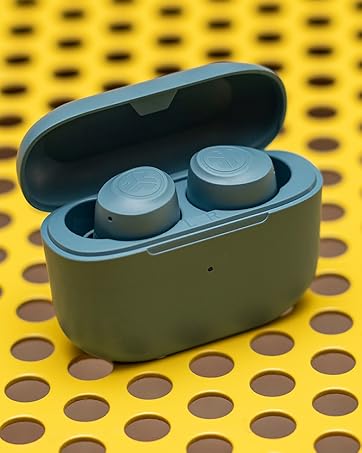
Image: The headphones demonstrating their foldable design for easy portability and storage.
6. Техникалык шарттар
| Өзгөчөлүк | Деталь |
|---|---|
| Модель аты | JBuddies Studio Wireless |
| Байланыш технологиясы | Зымсыз (Bluetooth) |
| Зымсыз байланыш технологиясы | Bluetooth |
| Камтылган компоненттер | 3.5mm AUX Cable, Micro-USB Charging Cable |
| Жаш аралыгы (сүрөттөө) | Kid (6-16 years) |
| Материал | Жасалма тери |
| Продукт үчүн атайын колдонуу | Үй, саякат |
| Заряддоо убактысы | 13 Hours (for full battery life) |
| Продукт үчүн сунушталган колдонуу | 13 hours Bluetooth playtime |
| Шайкеш түзмөктөр | Any device with Bluetooth or a 3.5mm audio input jack |
| Башкаруу түрү | Volume Control, Track Control, Play/Pause, Call Answer/End |
| Кабель өзгөчөлүгү | Without Cable (Wireless), With Cable (Wired) |
| Элемент Салмагы | 6.8 унция |
| Стиль | Bluetooth |
| Башкаруу ыкмасы | баскыч |
| Батареянын иштөө мөөнөтү | 13 саат |
| Аудио драйвер түрү | Динамикалык драйвер |
| Bluetooth диапазону | 30 Фут |
| Bluetooth версиясы | 4.2 |
| Наушник формасы | Кулактын айланасында |
| Аппараттык интерфейс | Bluetooth 5 |
| UPC | 812887016025 |
| Ызы-чууну башкаруу функциялары | Пассивдүү ызы-чууну изоляциялоо |
| Өзгөчө өзгөчөлүк | Adjustable Headband, Microphone Included, Noise Isolation, Volume Control, Wireless |
| Өндүрүүчү | Jlab |
| Продукциянын өлчөмдөрү | 5.91 x 1.06 x 3.54 дюйм |
| Түс | Graphite / Blue |
| Кулак жайгаштыруу | Кулак үстүндө |
| Форма фактору | Кулак үстүндө |
| Наушник уясы | 3.5 mm Jack, Bluetooth |
7. Техникалык тейлөө
Proper care and maintenance will extend the life of your JLab JBuddies Studio Wireless Headphones:
- Тазалоо: Use a soft, dry cloth to wipe the earcups and headband. Avoid using harsh chemicals or abrasive materials.
- Сактагыч: When not in use, fold the headphones for compact storage and keep them in a cool, dry place away from direct sunlight and extreme temperatures.
- Кабельге кам көрүү: Handle the charging and AUX cables gently to prevent damage. Avoid sharp bends or excessive pulling.
8. Кыйынчылыктарды
Эгер гарнитураңызда көйгөйлөргө туш болсоңуз, төмөнкү чечимдерди колдонуп көрүңүз:
- Кубат жок: Ensure the headphones are fully charged. Connect them to a power source using the Micro-USB cable.
- No Sound (Wireless): Check if the headphones are properly paired with your device. Ensure the device's volume is turned up and the headphones are not muted. Try re-pairing the headphones.
- No Sound (Wired): Ensure the 3.5mm AUX cable is securely connected to both the headphones and your device. Test with a different AUX cable if available.
- Жупташтыруу маселелери: Turn off Bluetooth on your device and then turn it back on. Forget the headphones from your device's Bluetooth list and attempt to pair again. Ensure no other Bluetooth devices are interfering.
- Төмөн үнү: Remember that the headphones have a built-in 85dB volume limiter. Ensure your device's volume is at its maximum.
9. Кепилдик жана колдоо
JLab stands behind the quality of its products. Your JLab JBuddies Studio Wireless On-Ear Kids Headphones come with the following:
- 2 жылдык Чектелген Кепилдик: Covers manufacturing defects for up to two years from the date of purchase.
- 30 күндүк акчаны кайтарып берүү кепилдиги: Ensures customer satisfaction. If you are not happy with your purchase, you can return it within 30 days for a full refund.
For further assistance, please visit the official JLab support webсайтка же кардарларды тейлөөгө кайрылыңыз.


