Introduction
Welcome to the user manual for your new Steelplay HP45 Wired Stereo Headset. This manual provides essential information on setting up, operating, maintaining, and troubleshooting your headset to ensure optimal performance and longevity. Please read this manual thoroughly before using the product.
Продукт бүттүview
The Steelplay HP45 is a high-quality wired stereo headset designed for an immersive audio experience. It features a comfortable design and clear sound reproduction, making it suitable for various gaming and audio needs.

Сүрөт: алдыңкы view of the Steelplay HP45 Wired Stereo Headset, showcasing its black and green design with the microphone extended.
Негизги өзгөчөлүктөрү:
- Wired connectivity for stable audio transmission.
- Stereo sound for clear audio.
- Integrated microphone for communication.
- Durable Polycarbonate (PC) material construction.
- Compatible with Xbox Series X, Xbox Series S, PS5, PS4, Nintendo Switch, and PC.
Пакеттин мазмуну
Сураныч, бардык буюмдар бар экенине ынануу үчүн пакетти кылдат текшериңиз:
- Steelplay HP45 Wired Stereo Headset
- Колдонуучунун Колдонмосу (бул документ)
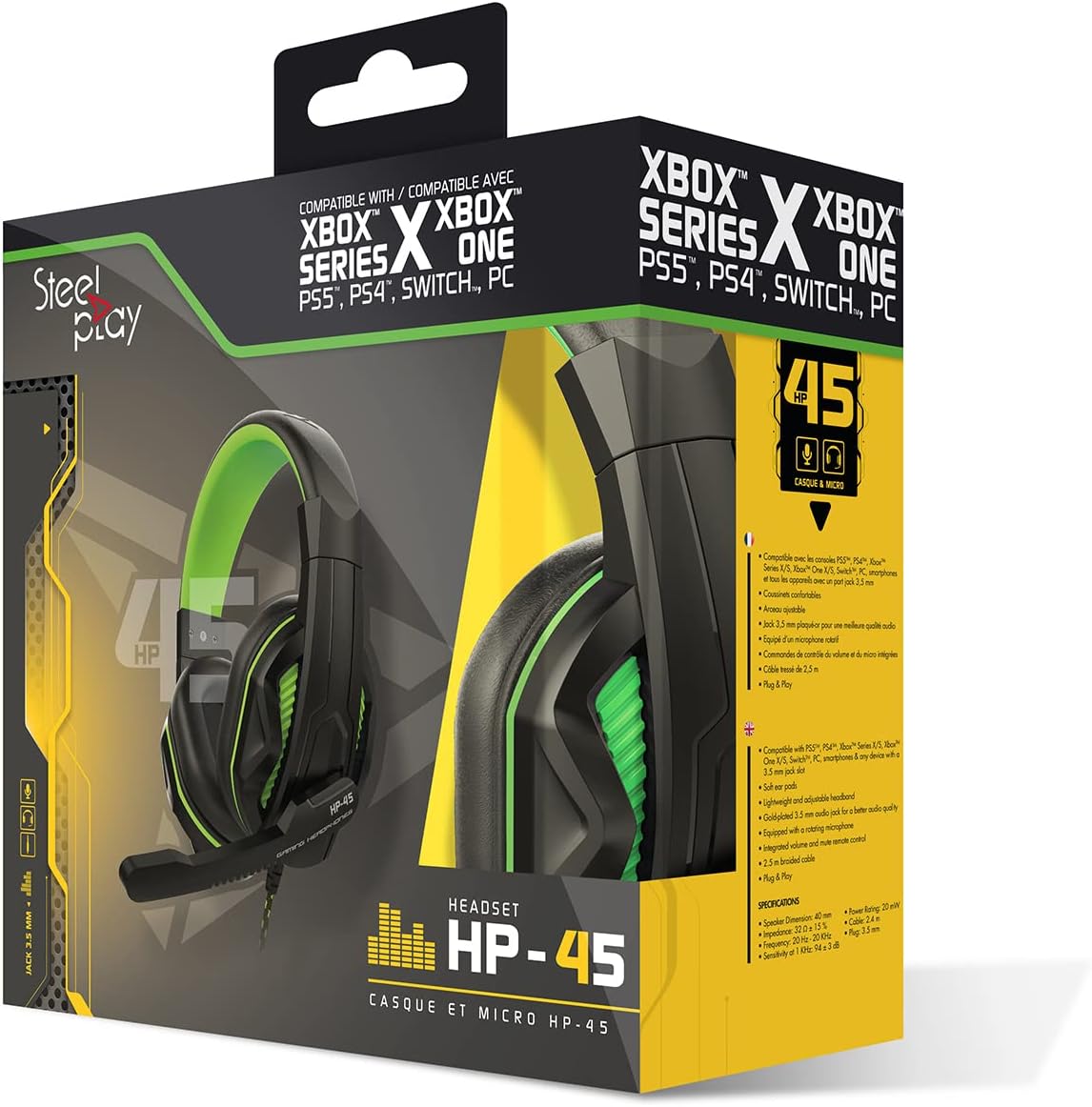
Image: The Steelplay HP45 Wired Stereo Headset shown within its retail packaging, highlighting compatibility with various gaming platforms.
Жайгашуу
Follow these steps to set up your Steelplay HP45 headset:
- Аудио уячаны аныктоо: The HP45 headset uses a standard 3.5mm audio jack for connection.
- Түзмөгүңүзгө туташуу:
- For Game Consoles (Xbox Series X/S, PS5, PS4, Nintendo Switch): Plug the 3.5mm jack directly into the controller's headset port.
- PC үчүн: If your PC has a combined audio/microphone jack, plug the 3.5mm jack directly. If your PC has separate audio (green) and microphone (pink) jacks, you may need a Y-splitter adapter (not included) to use both functions.
- Гарнитураны тууралоо: Gently extend or retract the headband to ensure a comfortable and secure fit over your ears. The earcups should fully cover your ears.
- Микрофонду жайгаштырыңыз: Adjust the flexible microphone boom so that the microphone is positioned near your mouth for clear voice pickup.

Сүрөт: каптал view of the Steelplay HP45 headset, illustrating the wired connection point and the adjustable microphone.
Иштөө нускамалары
Once connected, your Steelplay HP45 headset is ready for use. Here are some general operating tips:
- Үндү көзөмөлдөө: Adjust the audio volume using the volume controls on your connected device (console, PC, or mobile device). The HP45 headset does not feature inline volume controls.
- Микрофонду колдонуу: Ensure the microphone is positioned correctly for clear communication. Microphone settings (e.g., sensitivity, mute) are typically managed through your connected device's audio settings.
- Аудио чыгууну тандоо: On some devices, you may need to manually select the headset as the primary audio output and input device in the system's sound settings.
Техникалык тейлөө
Proper care will extend the life of your Steelplay HP45 headset:
- Тазалоо: Наушниктерди жана баш боолорду сүртүү үчүн жумшак, кургак чүпүрөктү колдонуңуз. өжөр кир үчүн, бир аз гamp кездемени колдонсо болот, бирок нымдуулуктун динамик торчолоруна же микрофонго кирбегенин текшериңиз. Катуу химиялык заттарды же абразивдүү тазалоочу каражаттарды колдонбоңуз.
- Сактагыч: Колдонулбай турган учурда, гарнитураны таза, кургак жерде, күндүн түз нурунан жана өтө жогорку температурадан алыс сактаңыз. Кабелди чаташтырып албаңыз.
- Кабельге кам көрүү: Do not pull on the cable to disconnect the headset. Always grasp the plug firmly. Avoid sharp bends or kinks in the cable.
Проблемаларды чечүү
If you encounter issues with your Steelplay HP45 headset, try the following solutions:
- Гарнитурадан үн жок:
- 3.5 мм уяча түзмөктүн портуна толугу менен сайылганын текшериңиз.
- Check the volume settings on your connected device and ensure it is not muted.
- Verify that the headset is selected as the audio output device in your device's sound settings.
- Түзмөккө тиешелүү маселени болтурбоо үчүн гарнитураны башка түзмөк менен сынап көрүңүз.
- Микрофон иштебейт:
- Микрофондун буму туура жайгашканын текшериңиз.
- Check the microphone settings on your connected device; ensure it is not muted and the input level is adequate.
- Verify that the headset microphone is selected as the input device in your device's sound settings.
- If using a PC with separate jacks, ensure you have a compatible Y-splitter if needed.
- Sound Distortion or Poor Quality:
- Reduce the volume on your device if the sound is distorted at high levels.
- Аудио уячасынын таза жана калдыктары жок экенин текшериңиз.
- Башка аудио булагы же түзмөк менен сынап көрүңүз.
Техникалык шарттар
| Бренд | Steelplay |
| Модел | HP45 |
| Байланыш технологиясы | Зымдуу |
| Материал | Поликарбонат (PC) |
| Жаш аралыгы (сүрөттөө) | бойго жеткен |
| ASIN | B0727XSXDM |
| Өндүрүүчү | Steelplay |
| Дата биринчи жеткиликтүү | 19-май, 2022-жыл |
Кепилдик жана колдоо
Кепилдик маалыматы:
The Steelplay HP45 Wired Stereo Headset comes with a 2 жылдык кепилдик сатып алынган күндөн тартып. Бул кепилдик нормалдуу колдонуудагы өндүрүш кемчиликтерин камтыйт. Кепилдик дооматтары үчүн сатып алганыңыздын далилин сактап коюңуз.
Note: Information regarding spare parts availability and software updates is not available.
Кардарларды колдоо:
For further assistance, technical support, or warranty claims, please contact Steelplay customer service through their official website or the retailer from whom you purchased the product. Refer to the product packaging for specific contact details.


