Introduction
This manual provides essential instructions for setting up, operating, maintaining, and troubleshooting your Chuwi Hi13 Tablet PC. Please read this guide thoroughly to ensure proper use and to maximize the performance and longevity of your device.
The Chuwi Hi13 is a versatile 13.5-inch tablet PC running Windows 10, powered by an Intel Apollo Lake Celeron N3450 Quad Core processor, featuring 4GB RAM and 64GB eMMC storage. It is designed for both productivity and entertainment, offering a high-resolution display and various connectivity options.

Image: The Chuwi Hi13 Tablet PC showcasing its Windows 10 operating system interface.
Продукт бүттүview
Physical Components and Ports
Familiarize yourself with the physical layout and available ports on your Chuwi Hi13 tablet.

Сүрөт: каптал view diagram of the Chuwi Hi13 tablet, highlighting its dimensions and port locations including earphone jack, Micro HDMI, Micro USB, Type-C, and TF Card slot.
- Кулакчын порту: Аудио чыгаруу үчүн 3.5 мм уяча.
- Микро SD карта слоту: Сактоо көлөмүн 128 ГБ чейин кеңейтүү үчүн.
- Micro HDMI Slot: Тышкы дисплейлерге туташуу үчүн.
- Микро USB порту: Маалыматтарды өткөрүү жана кубаттоо үчүн.
- Тип-C Port: Versatile port for charging, data, and display output.
- Кубат баскычы: Located on the side for turning the device on/off and sleep/wake.
- Үн баскычтары: Үн деңгээлин тууралоо үчүн.
Display and Cameras
The Chuwi Hi13 features a high-resolution display and dual cameras for various applications.

Image: Close-up of the Chuwi Hi13's 13.5-inch IPS capacitive screen, demonstrating its 3000x2000 resolution and vibrant color reproduction.
- Экран: 13.5-inch IPS Capacitive Touch Screen with 3000 x 2000 resolution, offering wide viewing angles and impressive clarity.
- Алдыңкы камера: 2.0 мегапикселдүү, видео чалуулар жана селфилер үчүн ылайыктуу.
- Арткы камера: 5.0MP, for capturing photos and videos.

Image: Two Chuwi Hi13 tablets, one showing the front 2.0MP camera and the other highlighting the rear 5.0MP camera, indicating their use for photos and video calls.
Орнотуу колдонмосу
Initial Power On and Windows 10 Setup
- Аппаратты заряддоо: Before first use, connect the provided charger to the Type-C or Micro USB port and allow the tablet to charge fully. The battery indicator will show charging status.
- Күйгүзүү: Press and hold the Power button on the side of the tablet until the Chuwi logo appears.
- Windows 10 Configuration: Follow the on-screen prompts to complete the initial Windows 10 setup. This includes selecting your region, language, connecting to a Wi-Fi network, and creating a user account.
- Жаңыртуулар: Орнотуудан кийин, оптималдуу аткарууну жана коопсуздукту камсыз кылуу үчүн бардык жеткиликтүү Windows жаңыртууларын текшерип, орнотуу сунушталат.

Image: The Chuwi Hi13 tablet connected to its docking keyboard, displaying the Windows 10 operating system, indicating its dual-mode functionality.
Кошумча шаймандар
- Docking Keyboard: Align the tablet with the magnetic connector on the docking keyboard and gently press until it clicks into place. The keyboard will be automatically recognized by Windows 10.
- Калем: If using a compatible active stylus (sold separately), follow its specific pairing instructions, typically involving Bluetooth pairing through Windows settings.
- Тышкы сактагыч: Insert a Micro SD card into the designated slot to expand storage capacity.
Иштөө нускамалары
Navigating Windows 10
The Chuwi Hi13 runs Windows 10 Home 64-bit, offering a familiar desktop environment and tablet mode functionality.
- Баштоо менюсу: Access applications, settings, and power options via the Start Menu.
- Edge браузери: Utilize the pre-installed Microsoft Edge browser for web серептөө.
- Планшет режими: Windows 10 can switch between desktop and tablet modes, optimizing the interface for touch input.
Touch Screen and Input
The 13.5-inch IPS 10-point touch screen supports multi-touch gestures for intuitive navigation.
- таптаңыз: Чычкан чыкылдатууга барабар.
- Таптап кармаңыз: Оң чыкылдатууга барабар.
- Чымчып-кичирейтүү: Мазмунду чоңойтуу же кичирейтүү үчүн эки манжаңызды колдонуңуз.
- Серпүү: Navigate through menus or scroll content.
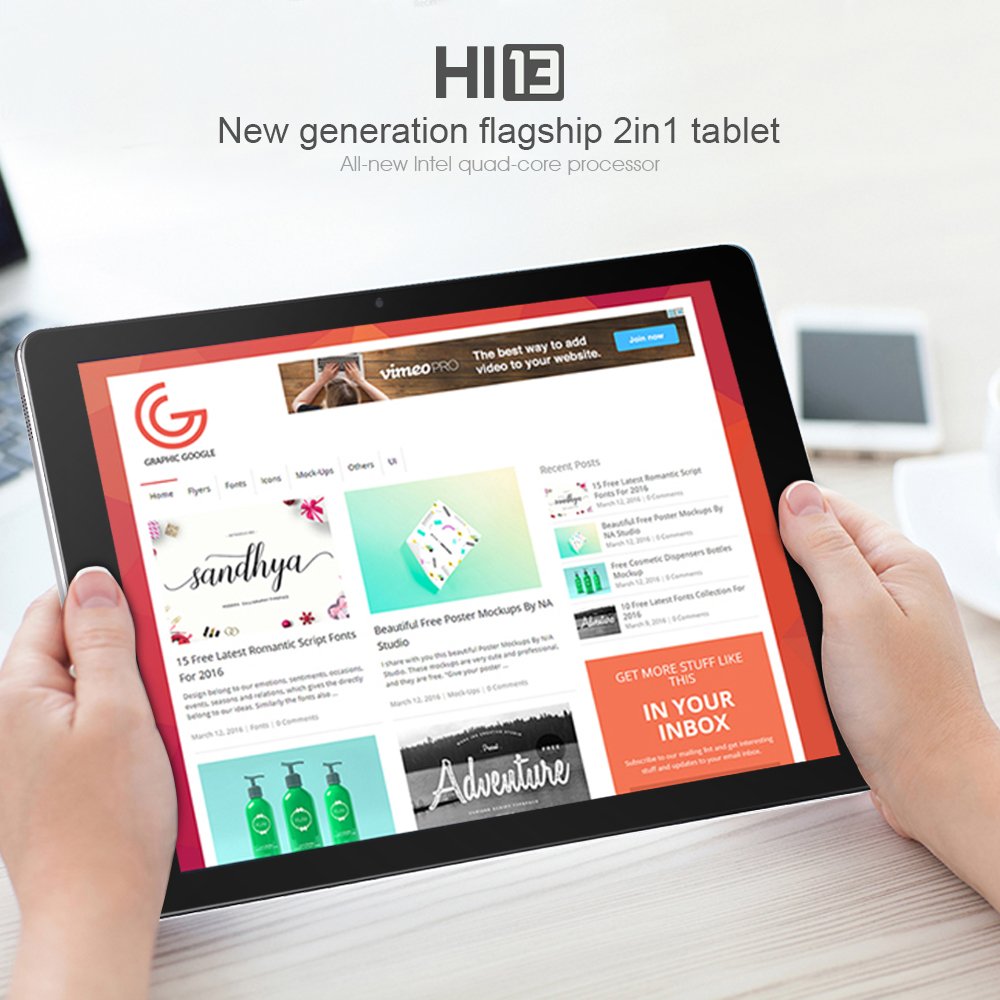
Image: A user holding the Chuwi Hi13 tablet in landscape orientation, browsing a website, demonstrating its use for media consumption and web мүмкүндүк алуу.
Байланыш
- Wi-Fi: Connect to wireless networks using the built-in 802.11a/ac/b/g/n dual-band Wi-Fi (2.4GHz / 5.0GHz).
- Bluetooth: Pair with Bluetooth 4.0 devices such as headphones, speakers, or input devices.
- HDMI: Use the Micro HDMI port to connect to an external monitor or TV for a larger display.
- OTG: The tablet supports On-The-Go (OTG) functionality, allowing you to connect USB peripherals via an adapter.
Техникалык тейлөө
Аппаратты тазалоо
- Экран: Жумшак, түксүз кездемени колдонуңуз, бир аз dampened with water or a screen cleaner, to gently wipe the display. Avoid harsh chemicals.
- Дене: Wipe the tablet's body with a soft, dry cloth.
- Порттор: Keep ports free of dust and debris. Use a can of compressed air if necessary, but avoid inserting objects into the ports.
Батареяга кам көрүү
- Ашыкча температурадан качыңыз, алар батареянын иштөө мөөнөтүн начарлатышы мүмкүн.
- For optimal battery health, try to keep the charge level between 20% and 80% when possible.
- Түпнуска заряддагычты же тастыкталган шайкеш кубаттагычты гана колдонуңуз.
Программалык камсыздоо жаңыртуулары
Regularly check for and install Windows updates to ensure your system has the latest features, security patches, and performance improvements. Go to Орнотуулар > Жаңыртуу жана Коопсуздук > Windows Жаңыртуу.
Проблемаларды чечүү
Жалпы маселелер жана чечимдер
- Түзмөк күйбөй жатат:
- Ensure the device is fully charged. Connect the charger and wait a few minutes before attempting to power on again.
- Try holding the power button for 10-15 seconds for a hard reset.
- Жай аткаруу:
- Фондо иштеп жаткан керексиз тиркемелерди жабыңыз.
- Күтүүдөгү Windows жаңыртууларынын бардыгын текшерип, орнотуңуз.
- Ensure sufficient free storage space (at least 10-15% of total capacity).
- Run a disk cleanup and defragmentation (for HDD, though eMMC benefits less from defrag).
- Consider performing a factory reset if performance issues persist after other steps (back up data first).
- кубаттоо маселелери:
- Verify the charger and cable are securely connected to both the tablet and the power outlet.
- Try a different compatible charger and cable if available.
- Inspect the charging port for any visible damage or debris.
- Display Problems (No image, flickering):
- Планшетти кайра иштетиңиз.
- If connected to an external display, ensure the HDMI cable is properly connected and the correct input is selected on the external display.
- Windows'тогу дисплей жөндөөлөрүн текшериңиз.
- Wi-Fi/Bluetooth туташуу маселелери:
- Toggle Wi-Fi/Bluetooth off and on in Windows settings.
- Restart the tablet and your router/modem.
- Ensure drivers are up to date via Device Manager.
Техникалык шарттар
Detailed technical specifications for the Chuwi Hi13 Tablet PC.
| Өзгөчөлүк | Спецификация |
|---|---|
| Бренд | Chuwi |
| Модел | Hi13 |
| Операция системасы | Windows 10 Home 64-бит |
| Процессор | Intel Apollo Lake Celeron N3450 Quad Core (up to 2.2GHz) |
| Графика | Intel HD Graphics 500 |
| RAM | 4 ГБ DDR3L |
| Сактагыч | 64GB eMMC (Expandable up to 128GB via Micro SD) |
| Screen Size | 13.5 дюйм |
| Screen Resolution | 3000 x 2000 IPS Capacitive (10-Point) |
| Алдыңкы камера | 2.0MP |
| Арткы камера | 5.0MP |
| Wi-Fi | 802.11a/ac/b/g/n Dual Band (2.4GHz / 5.0GHz) |
| Bluetooth | Ооба (Bluetooth 4.0) |
| Порттар | 1x 3.5mm Earphone, 1x Micro SD, 1x Micro HDMI, 1x Micro USB, 1x Type-C |
| Батарея | 10000mAh |
| Өлчөмдөр | 334 x 222 x 8.9 мм |
| Салмагы | 1080 г (1.08 кг) |
Кепилдик жана колдоо
Кепилдик маалымат
The Chuwi Hi13 Tablet PC comes with a 1 жылдык өндүрүүчүнүн кепилдиги. Бул кепилдик нормалдуу колдонуудагы материалдардагы жана жасалгадагы кемчиликтерди камтыйт. Кепилдик дооматтары үчүн сатып алганыңыздын далилин сактап коюңуз.
Кепилдик туура эмес колдонуудан, кырсыктардан, уруксатсыз өзгөртүүлөрдөн же кадимки эскирүүдөн келип чыккан зыянды камтыбайт.
Кардарларды колдоо
For technical assistance, warranty claims, or further inquiries, please refer to the official Chuwi support channels. You can typically find support contact information, FAQs, and driver downloads on the official Chuwi webсайт.
It is recommended to visit the Chuwi Store on Amazon or the official Chuwi global webэң акыркы колдоо ресурстары үчүн сайт.


