Introduction
Сатып алганыңыз үчүн рахматasing the Bud Light Bluetooth Can Speaker. This portable wireless speaker is designed to provide clear audio with a compact and unique design. This manual provides instructions for setting up, operating, maintaining, and troubleshooting your speaker to ensure optimal performance.
Пакеттин мазмуну
Сураныч, пакетте төмөнкү нерселерди текшериңиз:
- Bud Light Bluetooth Can Speaker
- USB заряддоо кабели
- User Manual

Image: The Bud Light Bluetooth Can Speaker shown in its clear retail packaging.
Продукт бүттүview
Familiarize yourself with the speaker's components:
- Кубат которгучу: Located at the base, used to turn the speaker ON or OFF.
- Заряддоо порту: Динамикти кубаттоо үчүн Micro USB порту.
- LED көрсөткүчү: Shows charging status and Bluetooth pairing status.
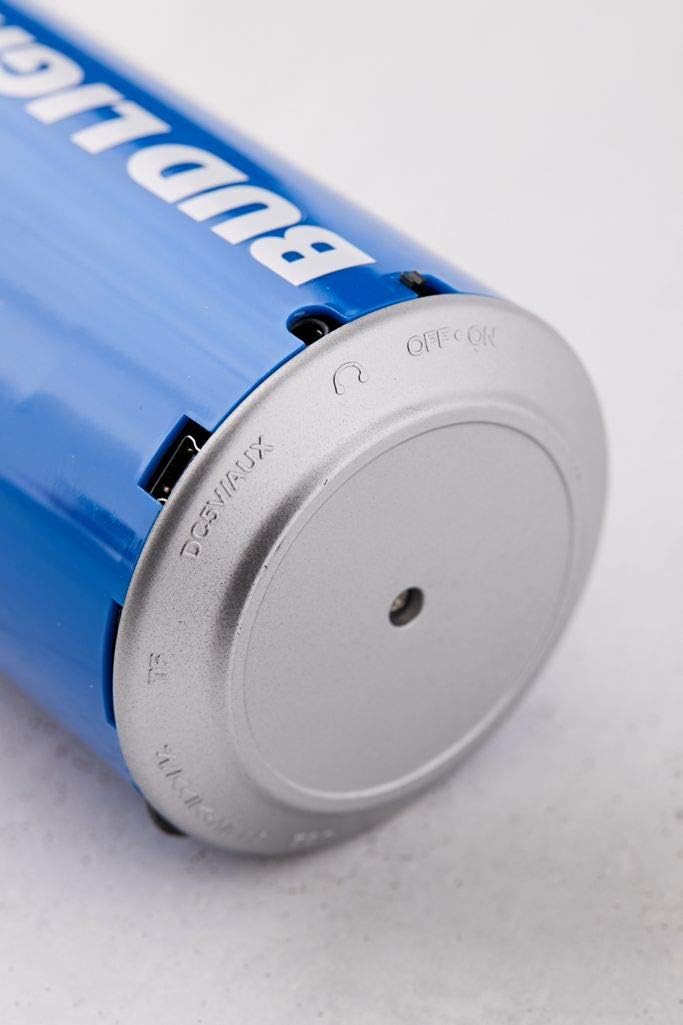
Сүрөт: жакын план view of the speaker's base, highlighting the 'OFF ON' switch and the charging port.
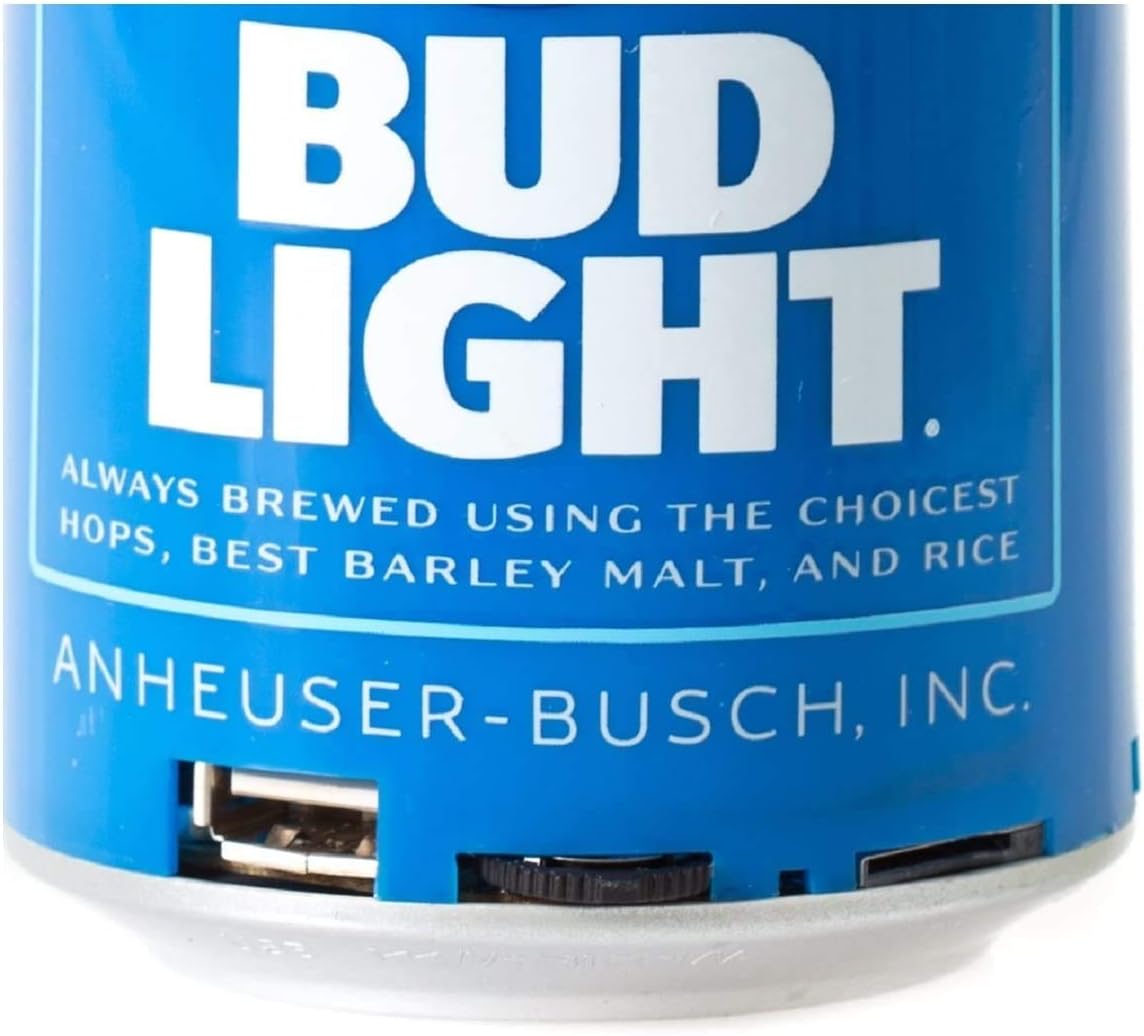
Сүрөт: деталдуу view of the speaker's bottom section, showing the USB charging port and the power switch.
Жайгашуу
1. Динамикти кубаттоо
- Connect the small end of the USB charging cable to the charging port on the speaker's base.
- USB кубаттоо кабелинин чоңураак учунун USB кубат адаптерине (кошумча эмес) же компьютердин USB портуна туташтырыңыз.
- The LED indicator will illuminate during charging and turn off once fully charged.
- Толук кубаттоо адатта болжол менен 2-3 саатты талап кылат.
2. Күйгүзүү / Өчүрүү
- To turn ON the speaker, slide the power switch located at the base to the 'ON' position. You will hear an audible prompt.
- To turn OFF the speaker, slide the power switch to the 'OFF' position.
Иштөө нускамалары
1. Bluetooth Жупташтыруу
The speaker is compatible with all Bluetooth-enabled devices.
- Ensure the speaker is charged and powered ON. The LED indicator will flash, indicating it is in pairing mode.
- On your device (smartphone, tablet, etc.), go to the Bluetooth settings and enable Bluetooth.
- Издөө available devices. The speaker will appear as "Bud Light Speaker" or similar.
- Select the speaker from the list to connect. Once paired, the LED indicator will stop flashing and remain solid, and you will hear a confirmation tone.
- Эгер сырсөз суралса, "0000" киргизиңиз.

Image: The Bud Light Bluetooth Can Speaker positioned next to a smartphone displaying a music application, illustrating a successful Bluetooth connection.
2. Аудио ойнотуу
- Once paired, audio from your device will play through the speaker.
- Control volume and track selection directly from your connected device.
3. Көчүрүү
The compact and lightweight design allows for easy transport, making it suitable for various outdoor and indoor environments.

Image: The Bud Light Bluetooth Can Speaker being held in a hand, demonstrating its compact size and portability.

Image: The Bud Light Bluetooth Can Speaker placed on a beach towel, illustrating its use in an outdoor setting.
Техникалык тейлөө
- Тазалоо: Use a soft, dry cloth to wipe the speaker. Do not use abrasive cleaners or solvents.
- Сактагыч: Динамикти түз күн нурунан жана өтө температурадан алыс салкын, кургак жерде сактаңыз.
- Суу каршылык: Бул динамик суу өткөрбөйт. Суунун же ашыкча нымдуулуктун таасиринен алыс болуңуз.
Проблемаларды чечүү
| Көйгөй | Мүмкүн себеп | Чечим |
|---|---|---|
| Динамик күйбөйт. | Батарея түгөнүп калды. | Берилген USB кабелин колдонуп динамикти заряддаңыз. |
| Bluetooth түзмөгү менен жупташтыруу мүмкүн эмес. | Speaker is not in pairing mode or device's Bluetooth is off. | Ensure speaker is ON and LED is flashing. Turn ON Bluetooth on your device and search again. |
| Үн жок же үнү төмөн. | Volume on device is low or speaker is not connected. | Increase volume on your connected device. Ensure speaker is properly paired. |
| Аудио сапаты начар. | Түзмөк динамиктен же тоскоолдуктан өтө алыс. | Түзмөктү динамикке жакыныраак жылдырыңыз (10 метрдин ичинде). Түзмөктөрдүн ортосундагы тоскоолдуктардан алыс болуңуз. |
Техникалык шарттар
- Бренд: Bud Light
- Модел: Bluetooth Can спикери
- Динамиктин максималдуу чыгаруу күчү: 3 Ватт
- Байланыш технологиясы: Bluetooth, USB
- Аудио чыгаруу режими: Стерео, айлана
- Монтаж түрү: бурун
- Шайкештик: All Bluetooth-enabled devices (Apple iPhone, Samsung Galaxy, Tablets, Smartphones) and non-Bluetooth devices (MP3 players via USB).
Кепилдик жана колдоо
For warranty information or technical support, please refer to the contact details provided with your purchase documentation or visit the official Bud Light accessories webсайт. Кепилдик дооматтар үчүн сатып алганыңыздын далилин сактаңыз.


