1. Киришүү
This manual provides essential information for the safe and efficient operation of your AUNA Pro Streetstar 12 Portable PA System. Please read these instructions thoroughly before use and retain them for future reference.
2. Коопсуздук боюнча маанилүү маалымат
- кубат менен камсыз кылуу Voltagаппараттын талаптары.
- Өрт же электр тогуна урунуп калбаш үчүн аппаратты жамгырга же нымга тийгизбеңиз.
- Аппаратты жылуулук булактарынын жанына же тике күн нуруна коюудан алыс болуңуз.
- Желдетүүчү тешиктерди жаппаңыз.
- Өндүрүүчү тарабынан көрсөтүлгөн тиркемелерди/аксессуарларды гана колдонуңуз.
- Чагылгандуу жаан учурунда же көпкө чейин колдонулбаган учурда электр шнурун сууруп коюңуз.
- Бардык тейлөөлөрдү квалификациялуу тейлөө кызматкерлерине тапшырыңыз.
3. Пакеттин мазмуну
Төмөндө тизмеленген нерселердин баары пакетиңизге камтылганын текшериңиз:
- 1 x PA System Unit
- 1 x Кубат кабели
- 2 x UHF зымсыз микрофондору
- 1 x Алыстан башкаруу
- User Manual (English/German)
4. Продукт бүтүп калдыview жана өзгөчөлүктөрү
The AUNA Pro Streetstar 12 is a versatile portable PA system designed for various events, offering robust sound and convenient features.
Негизги өзгөчөлүктөрү:
- Байланыш: Bluetooth for wireless streaming, USB port, SD card slot, 3.5mm AUX jack, 6.3mm jack input, RCA Line input.
- Көчүрүү мүмкүнчүлүгү: Equipped with an extendable 100 cm trolley handle and robust ABS housing for easy transport.
- Зымсыз микрофондор: Two UHF wireless microphones with stable radio frequency and high range (up to 100m) for clear vocal transmission.
- Батареянын иштөө мөөнөтү: Powerful 7.2 Ah battery provides approximately 7 hours of continuous operation, with a charge status display. Can also be powered via mains.
- Үн сапаты: Bass reflex construction for enhanced bass, 12-inch subwoofer, and 2.5-inch tweeter for full sound spectrum.
- Контролдоо: Large 4-line LED display for ID3 tags (MP3 info), full-function remote control, 2-band equalizer, mute function.
- Кошумча: Exchangeable wire antenna, Line-Out for connecting another active speaker.
Продукт Views:
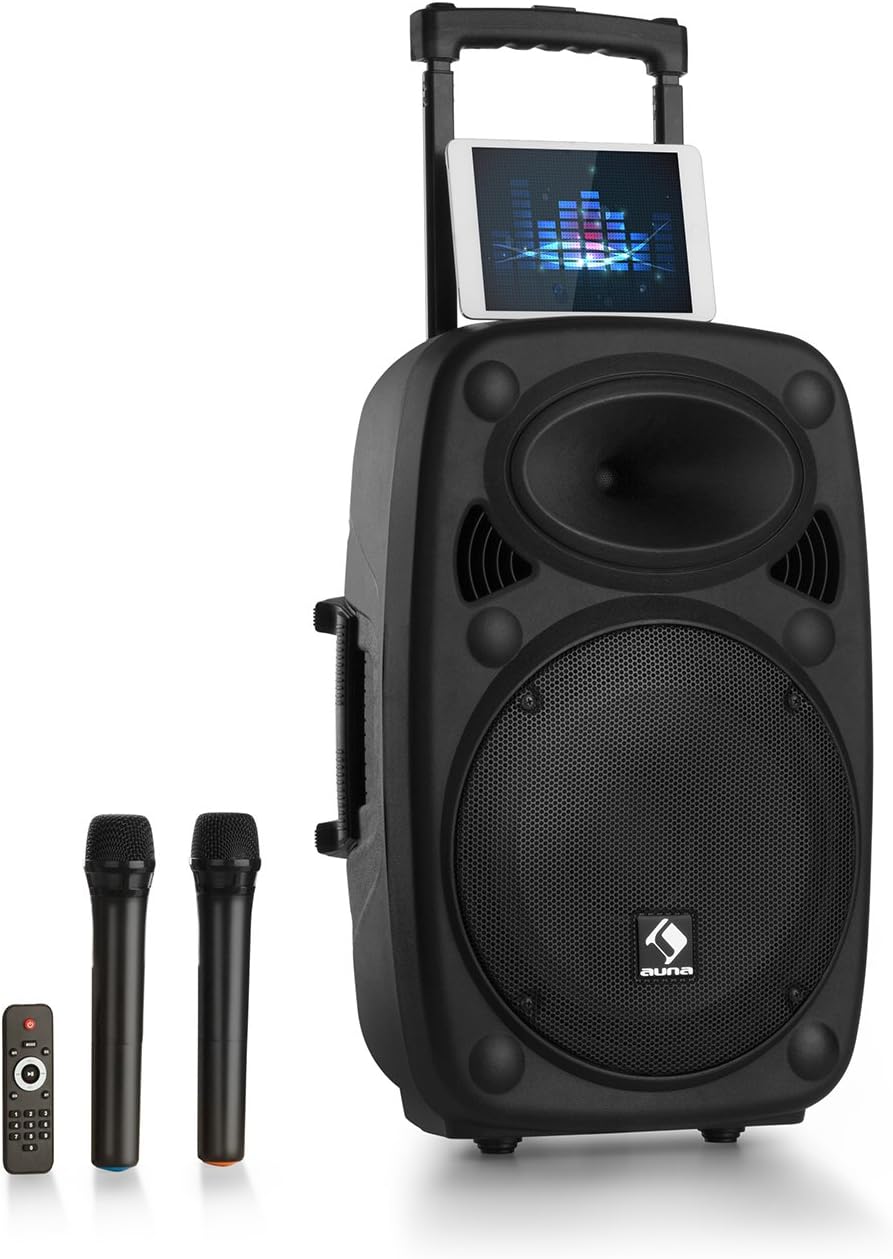
Figure 1: AUNA Pro Streetstar 12 Portable PA System with included wireless microphones and remote control.

2-сүрөт: Детальдуу view of the control panel, showing various inputs and adjustment knobs.
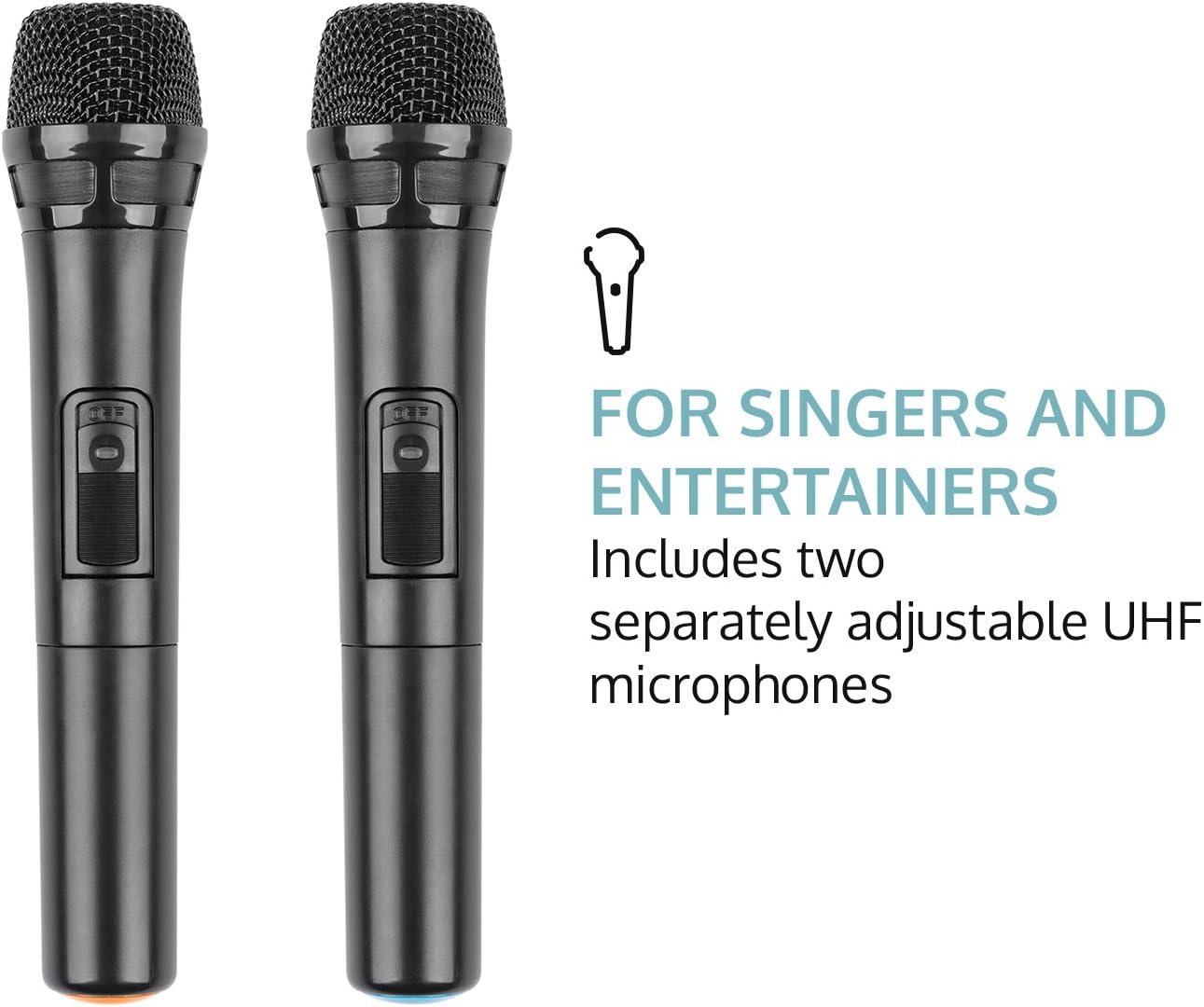
Figure 3: The two UHF wireless microphones included with the system.
5. Орнотуу
- Пакеттен чыгаруу: Бардык компоненттерди таңгактан кылдаттык менен алып салыңыз. Келечектеги ташуу же сактоо үчүн таңгактарды сактаңыз.
- Кубат туташуу: Connect the PA system to a suitable power outlet using the provided power cable. Ensure the voltage түзмөктүн талаптарына жооп берет.
- Баштапкы төлөм: For optimal battery life, fully charge the unit before its first use. The battery status indicator will show charging progress.
- Микрофонду орнотуу: Insert batteries into the wireless microphones (2 x AAA batteries per microphone, not included). Power on the microphones.
- Антенна: Extend the telescopic antenna for improved wireless microphone reception.
6. Иштөө нускамалары
6.1. Күйгүзүү/өчүрүү
Locate the power switch on the control panel. Flip the switch to the "ON" position to power on the unit. Flip to "OFF" to power down.
6.2. Bluetooth туташуусу
- Power on the AUNA Pro Streetstar 12. The unit will automatically enter Bluetooth pairing mode, indicated on the LED display.
- Смартфонуңузда, планшетиңизде же башка Bluetooth иштетилген түзмөгүңүздө Bluetooth жөндөөлөрүнө өтүңүз.
- Издөө available devices and select "AUNA Streetstar 12" (or similar name).
- Once connected, a confirmation sound will be heard from the PA system.
- Эми түзмөгүңүздөн зымсыз аудио агымын өткөрө аласыз.
6.3. USB/SD картаны ойнотуу
- USB дискти же MP3 аудиосу бар SD картаны салыңыз files баскычын башкаруу панелиндеги тиешелүү уячага салыңыз.
- The system will automatically detect the media and begin playback.
- Use the "PREV", "NEXT", "PLAY/PAUSE" buttons on the control panel or remote control to manage playback.
- The LED display will show ID3 tag information for compatible MP3 files.
6.4. AUX/Line Input
- Connect external audio sources (e.g., CD player, Hi-Fi system) to the 3.5mm AUX jack or RCA Line input using appropriate cables.
- Select the corresponding input mode on the PA system (usually by pressing a "MODE" button if available, or it may auto-detect).
6.5. UHF Wireless Microphones
- Ensure batteries are correctly inserted into both wireless microphones.
- Power on each microphone using its dedicated switch. They should automatically connect to the PA system.
- Adjust the microphone volume using the "MIC VOL" knob on the control panel.
- Use the "ECHO" knob to add echo effects to the microphone output.
- The system also features a 6.3mm jack input for an additional wired microphone or instrument.
6.6. Үндү тууралоо
- Негизги том: Use the large "MASTER" knob to control the overall output volume.
- Мадам: Adjust the "BASS" and "TREBLE" knobs to fine-tune the audio output to your preference.
- Үнсүз: The remote control includes a mute function to instantly silence the audio.
6.7. Жарык эффекттери
The PA system features integrated LED lighting. Use the "LED" switch on the control panel to turn the lights on or off.
7. Батареяны заряддоо
- Connect the power cable to the PA system and a mains outlet.
- The battery status indicator on the control panel will show the charging status.
- Толук кубаттоо болжол менен 7 саат иштөөнү камсыз кылат.
- It is recommended to fully charge the battery before each extended use.
8. Техникалык тейлөө
- Тазалоо: Түзмөктүн сыртын тазалоо үчүн жумшак, кургак чүпүрөктү колдонуңуз. Абразивдүү тазалоочу каражаттарды же эриткичтерди колдонбоңуз.
- Сактагыч: When not in use, store the PA system in a cool, dry place, away from direct sunlight and extreme temperatures.
- Батареяга кам көрүү: Эгер батареяны узак убакытка сактасаңыз, анын ден соолугун сактоо үчүн аны ар бир 3-6 ай сайын кубаттап туруңуз.
9. Кыйынчылыктарды
| Көйгөй | Мүмкүн себеп | Чечим |
|---|---|---|
| Күч жок | Power cable not connected; Battery depleted; Power switch off. | Check power cable connection; Charge the battery; Ensure power switch is ON. |
| Үн чыгышы жок | Volume too low; Incorrect input mode selected; Device not connected via Bluetooth/AUX. | Increase master volume; Select correct input mode; Re-establish Bluetooth/AUX connection. |
| Микрофон иштебей жатат | Microphone batteries depleted; Microphone not powered on; Microphone volume too low. | Replace microphone batteries; Power on microphone; Increase MIC VOL. |
| Bluetooth жупташуу катасы | Device too far; Interference; PA system not in pairing mode. | Move device closer; Reduce interference; Restart PA system to enter pairing mode. |
10. Техникалык шарттар
- Бренд: AUNA
- Модель номери: PAS4-Streetstar 12
- Күч: 200 Watts (RMS) / 800W (Peak)
- Динамик түрү: Tweeter, 12-inch Subwoofer
- SPL: 112 дБ
- Байланыш технологиясы: AUX, Bluetooth, RCA, USB
- Байланыштары: 1 x USB port, 1 x SD card slot, 1 x 3.5mm AUX jack, 1 x 6.3mm jack, 1 x RCA Line input
- Микрофон түрү: UHF Wireless (2 included)
- Батарея: 7.2 Ah / 12 V
- Батареянын узактыгы: Болжол менен 7 саат
- Электр камсыздоо: 220-240 V~ | 50/60 Hz (mains) or 7.2 Ah / 12 V battery
- Өлчөмдөрү (LxHxD): Болжол менен. 37.5 x 59.5 x 37 см
- Салмагы: Болжол менен 13.5 кг
- Түсү: Кара
- Өзгөчөлүктөр: Easy to use, extendable trolley handle, robust ABS housing, bass reflex construction.
11. Кепилдик жана колдоо
For warranty information, technical support, or service inquiries, please refer to the documentation provided at the time of purchase or contact AUNA customer service directly. Keep your proof of purchase for any warranty claims.


