1. Киришүү
The SYMA X22W Mini Drone is a compact quadcopter designed for beginners and enthusiasts. It features a built-in camera for live video streaming, altitude hold for stable flight, and various control modes for an engaging flying experience. This manual provides essential information for safe operation and maintenance of your drone.
2. Пакеттин мазмуну
Пакетиңизде бардык буюмдар бар экенин текшериңиз:
- SYMA X22W Mini Drone
- Remote Controller
- Rechargeable LiPo Battery (2 included)
- USB заряддоо кабели
- Запастык пропеллерлер (4 даана)
- Screwdriver
- User Manual
3. Орнотуу колдонмосу
3.1. Дрондун батареясын кубаттоо
The drone is powered by a rechargeable LiPo battery. Before first use, fully charge the battery.
- USB заряддоо кабелин батареяга туташтырыңыз.
- Plug the USB end into a compatible USB power source (e.g., computer USB port, USB wall adapter).
- Кубаттоочу кабелдеги индикатор жарыгы заряддоонун абалын көрсөтөт. Жарык көрсөткүчтөрү үчүн кубаттоочу кабелдин атайын көрсөтмөлөрүн караңыз (адатта, заряддоо үчүн кызыл, толук заряддалган үчүн өчүк же жашыл).
- Charging typically takes approximately 90 minutes. Do not overcharge.
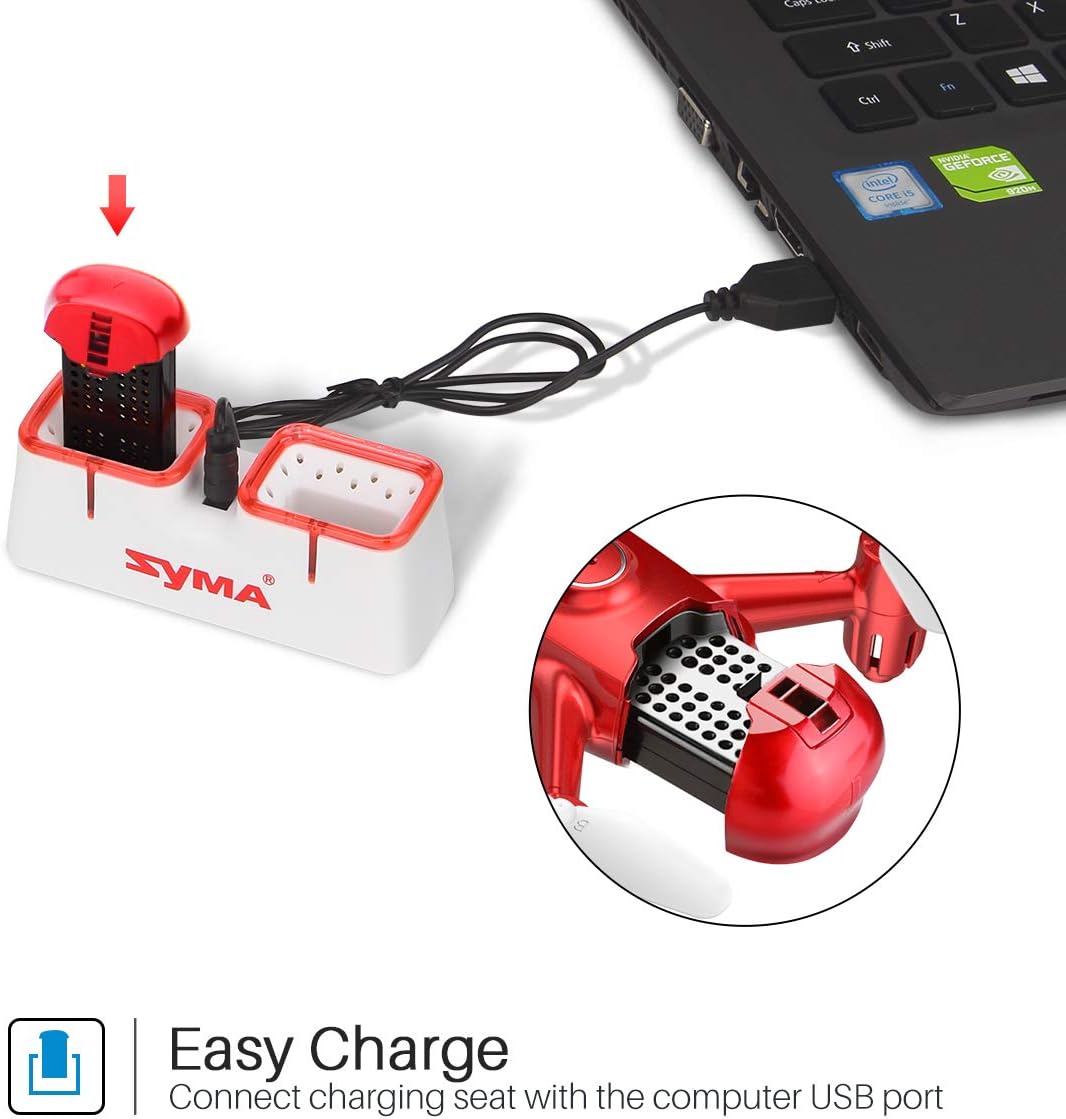
Figure 1: Drone battery charging via USB.
3.2. Дрон батареясын орнотуу
Once charged, install the battery into the drone.
- Дрондогу батарея бөлүкчөсүн табыңыз.
- Carefully insert the charged battery into the compartment.
- Батарея уясынын капкагын бекитиңиз.
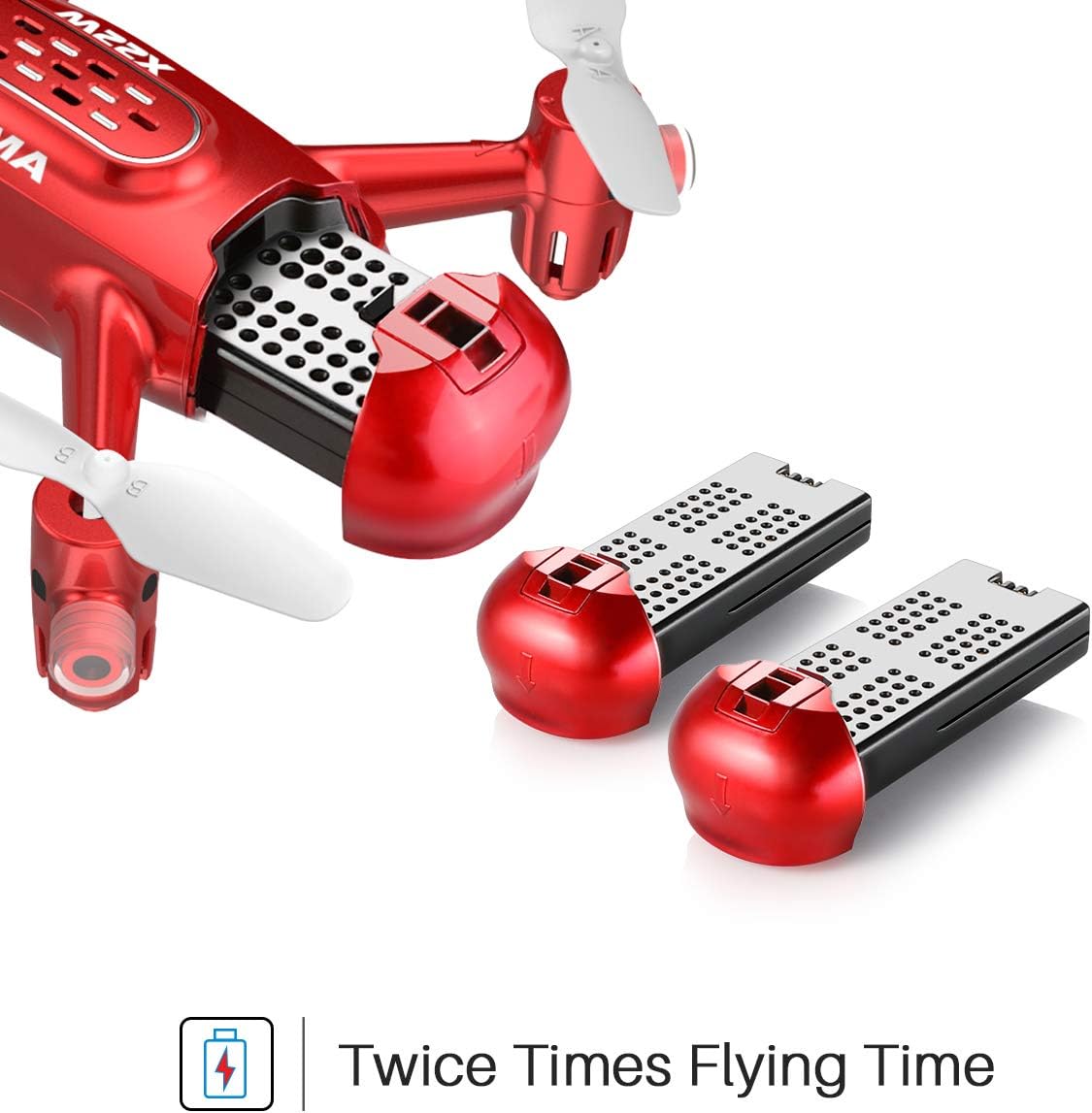
Figure 2: Drone battery installation. The drone comes with two batteries for extended flight time.
3.3. Алыстан башкаруучуну орнотуу
The remote controller requires 4 AA batteries (not included).
- Пульттун артындагы батарея бөлүкчөсүн ачыңыз.
- Туура полярдуулукту камсыз кылуу менен 4 АА батарейканы салыңыз.
- Батарея отсегин жабыңыз.
3.4. Propeller Installation/Replacement
If propellers need to be replaced, ensure they are installed correctly.
- Each propeller is marked with 'A' or 'B'. Match the propeller type to the corresponding motor shaft on the drone.
- Gently push the propeller onto the motor shaft until it is secure.
4. Иштөө нускамалары
4.1. Дронду жана пультту жупташтыруу
- Дронду тегиз, тегиз жерге орнотуңуз.
- Дрондун кубат которгучун күйгүзүңүз. Дрондун индикатор чырактары күйүп-өчөт.
- Алыстан башкаруучуну күйгүзүңүз.
- Push the left joystick (throttle) all the way up, then all the way down. The drone's lights will stop flashing and remain solid, indicating successful pairing.
4.2. One-Key Take-off and Landing
This feature allows for simplified take-off and landing.
- After pairing, press the One-Key Take-off button on the remote controller. The drone will automatically ascend to a stable hovering height.
- To land, press the One-Key Landing button. The drone will slowly descend and land automatically.
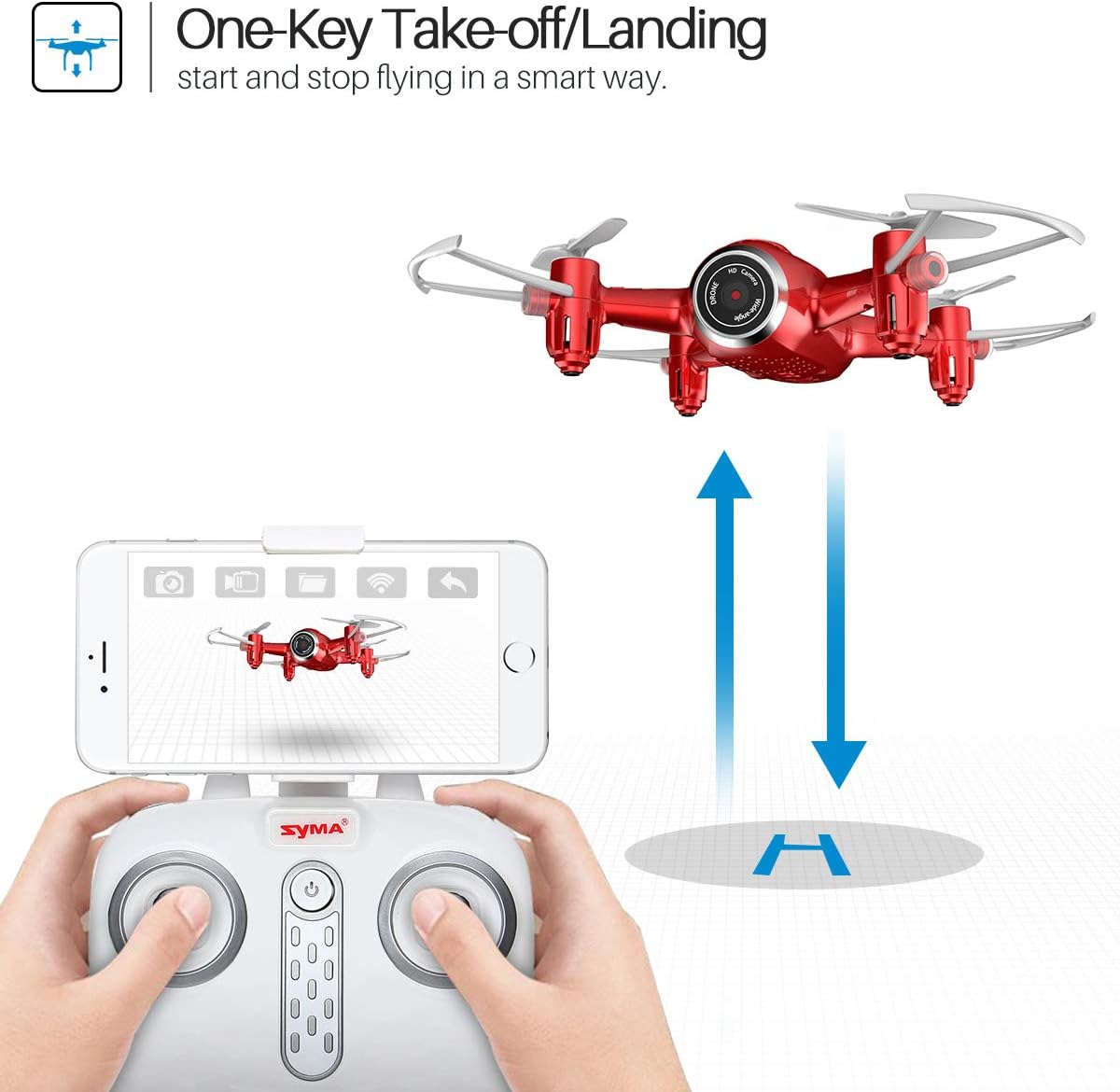
Figure 3: One-Key Take-off/Landing functionality.
4.3. Altitude Hold Function
The Altitude Hold feature allows the drone to maintain a consistent altitude, making it easier to control and capture stable photos/videos.
- Once the drone is airborne, release the throttle joystick. The drone will automatically hold its current altitude.
- Use the throttle joystick to adjust the altitude as needed.

Figure 4: Altitude Hold for stable flight and photography.
4.4. Башсыз режим
Headless Mode simplifies flying by eliminating the need to distinguish the drone's front from its rear. The drone's orientation will be relative to the pilot.
- Before taking off, ensure the drone is facing forward relative to the pilot.
- Press the Headless Mode button on the remote controller. The drone's lights will flash to confirm activation.
- In Headless Mode, pushing the right joystick forward will always make the drone fly away from the pilot, regardless of the drone's actual orientation.
- Press the Headless Mode button again to exit this mode.

Figure 5: Headless Mode for easier drone control.
4.5. 3D Flips
Perform exciting aerial stunts with the 3D Flip function.
- Fly the drone to a height of at least 3 meters (10 feet).
- Press the 3D Flip button on the remote controller.
- Immediately push the right joystick in any direction (forward, backward, left, or right). The drone will perform a 360-degree flip in that direction.
4.6. App Control and FPV Live Video
Download the SYMA GO app to your smartphone for advanced control and live video streaming.
- Download and install the SYMA GO app from your smartphone's app store.
- Turn on the drone and connect your smartphone to the drone's Wi-Fi network (usually named 'SYMA-X22W-XXXX').
- Open the SYMA GO app. You should see the live video feed from the drone's camera.
- The app allows for touch control, gravity control, and flight-track drawing.
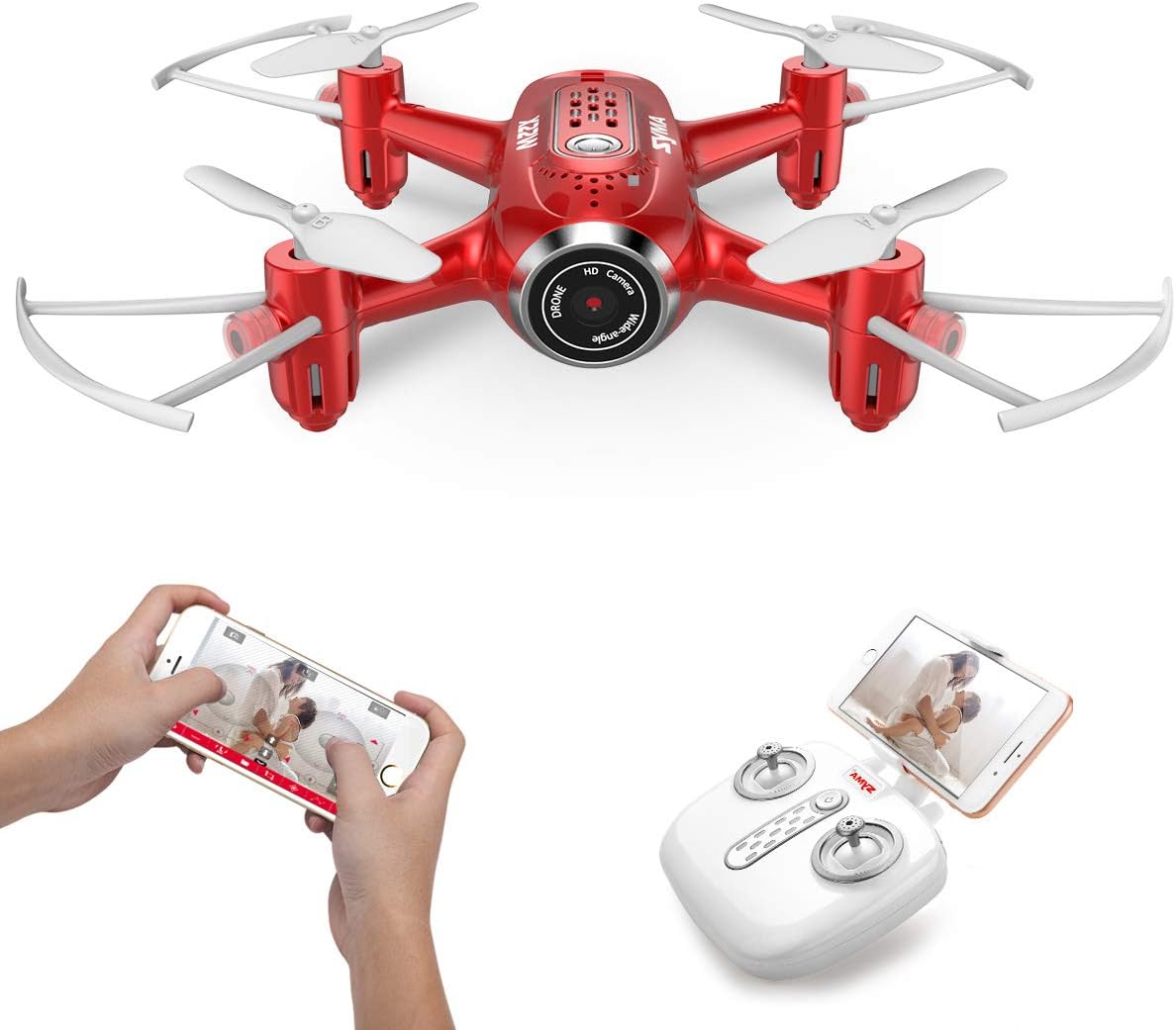
Figure 6: App control and FPV live video functionality.

Figure 7: Drone with finger flight path control via app.
4.7. HD камера
The drone is equipped with a 720p HD camera for capturing photos and videos directly to your smartphone via the SYMA GO app.

Figure 8: Drone's HD camera.
5. Техникалык тейлөө
- Тазалоо: Use a soft, dry cloth to clean the drone. Do not use solvents or harsh chemicals.
- Пропеллер: Regularly check propellers for damage. Replace any bent or broken propellers immediately.
- Батареяга кам көрүү: Store batteries in a cool, dry place. Do not expose to extreme temperatures. Fully charge before storage and periodically during long storage periods.
- Сактагыч: When not in use, store the drone and remote controller in a safe, dry environment away from direct sunlight.
6. Кыйынчылыктарды
| Көйгөй | Мүмкүн себеп | Чечим |
|---|---|---|
| Дрон пультка жооп бербейт. | Жупташтырылган эмес; батареясы аз (дрон/пульт). | Re-pair the drone and remote. Charge/replace batteries. |
| Учуу учурунда учкучсуз учат. | Not calibrated; uneven surface during startup. | Ensure drone is on a flat surface during pairing. Perform gyroscope calibration (refer to app/manual for specific steps). |
| Poor video quality/no live feed. | Weak Wi-Fi signal; app not connected. | Ensure strong Wi-Fi connection to drone. Reconnect app. Fly closer to the drone. |
| Кыска учуу убактысы. | Батарея толук заряддалган эмес; эски батарея. | Fully charge battery. Consider replacing old batteries. |
7. Техникалык шарттар
| Өзгөчөлүк | Деталь |
|---|---|
| Бренд | SYMA |
| Модель аты | X22W |
| Түс | Кызыл |
| Видео тартуунун резолюциясы | 720p |
| Байланыш технологиясы | Wi-Fi |
| Skill Level | Beginner |
| Элемент Салмагы | 7 унция |
| Батарея сыйымдуулугу | 3000 миллионamp Hours (total for both batteries, assuming 1500mAh each or similar) |
| Башкаруу түрү | Колдонмо башкаруу |
| Материал | ABS пластик |
| Продукциянын өлчөмдөрү | 12.6 x 7.48 x 2.76 дюйм |
| Сунушталган Жаш | 14 жаш жана андан жогору |
8. Кепилдик жана колдоо
For warranty information and technical support, please refer to the official SYMA webсайтка же сатуучуга кайрылыңыз. Сатып алганыңыздын далили катары сатып алуу дүмүрчөгүңүздү сактаңыз.


