Introduction
This manual provides detailed instructions for the assembly, operation, and maintenance of your AdirOffice Wooden Adjustable Literature Organizer, Model 500-36. Designed for efficient document sorting and storage, this 36-compartment unit is ideal for office, classroom, or home use. Please read this manual thoroughly before beginning assembly or use to ensure proper setup and longevity of your product.
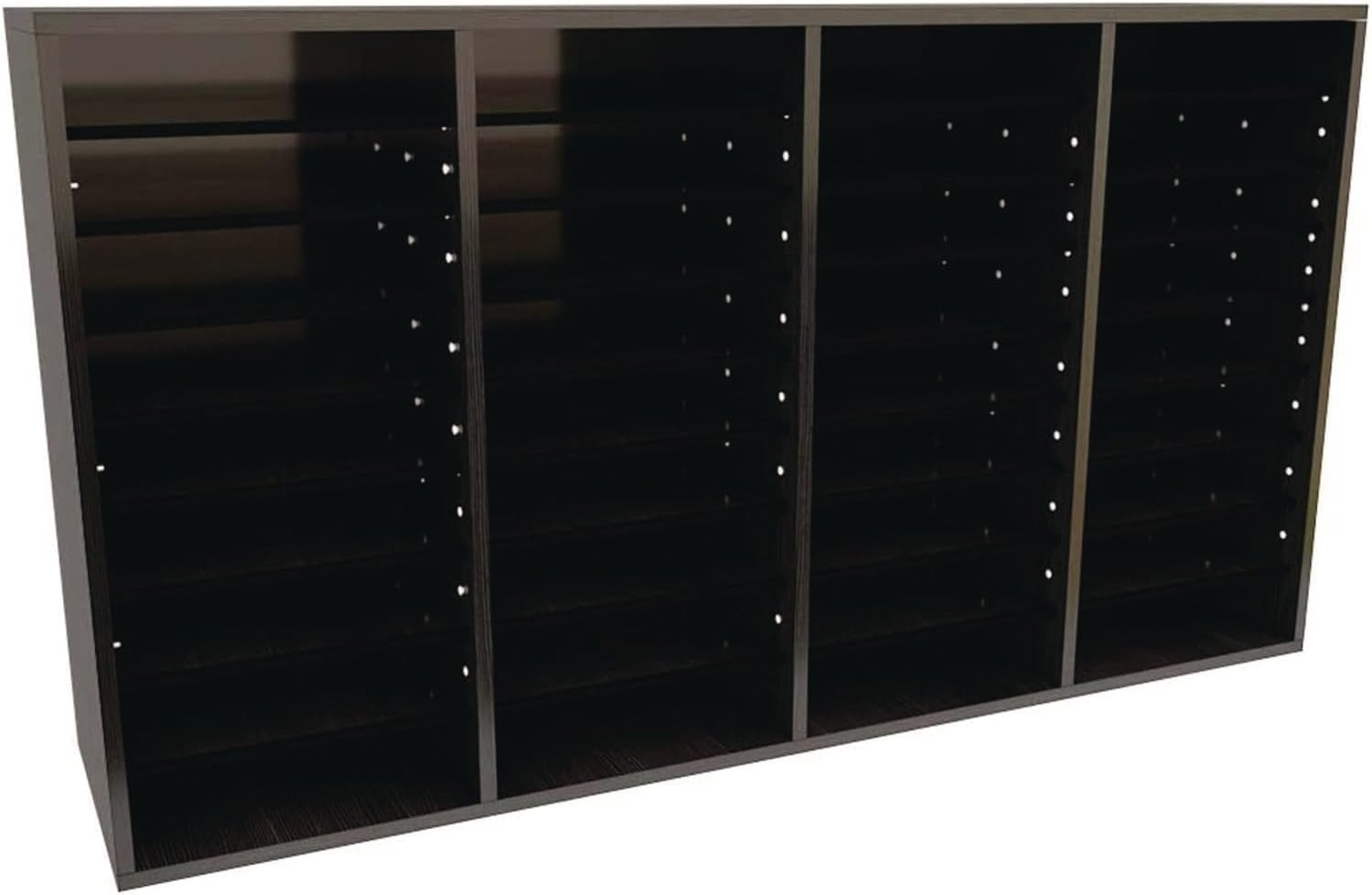
Сүрөт: алдыңкы view of the AdirOffice 36-Compartment Literature Organizer in black.
Орнотуу жана чогултуу
The AdirOffice Literature Organizer is designed for straightforward assembly. All necessary hardware is included. You will need a hammer and a rubber mallet for optimal assembly.
Керектүү куралдар:
- Hammer
- Rubber Mallet (recommended)
Чогултуу кадамдары:
- Бардык компоненттерди таңгактан чыгарып, тетиктердин тизмесине ылайык текшериңиз (бул колдонмодо каралбаган, таңгактан караңыз).
- Каптал панелдерди, үстүнкү, астыңкы жана арткы панелдерди аныктагыла.
- Begin by attaching the side panels to the bottom panel using the provided hardware. Ensure all connections are secure.
- Insert the fixed vertical dividers into their designated slots.
- Attach the top panel, ensuring it aligns with the side and vertical panels.
- Арткы панелди чогулган рамкага бекитиңиз.
- Insert the adjustable shelves into the desired slots. The shelves can be repositioned in 2.5-inch increments to accommodate various literature sizes.
- For stacking multiple units, use the included dowels to securely connect them.

Image: Dimensions of the AdirOffice 36-Compartment Literature Organizer (11.8"D x 39.3"W x 23.9"H).

Image: Various components of the mounting hardware included for assembly and customization.
Иштетүү жана ыңгайлаштыруу
The AdirOffice Literature Organizer offers versatile storage solutions for various environments.
Жөнгө салынуучу текчелер:
The organizer features adjustable shelves that can be moved to create compartments of different heights. This allows you to store various sizes of literature, binders, or other office supplies. Simply remove the shelves and reinsert them into the desired peg holes along the side panels.
Катуу дизайн:
For increased storage capacity, multiple AdirOffice Literature Organizers can be securely stacked. Use the provided dowels to ensure stability when stacking units. This feature allows for seamless expansion of your organizational system as needed.
Ар тараптуу колдонмолор:
This organizer is suitable for a wide range of uses, including:
- Office Mailbox: Sort incoming and outgoing mail for employees.
- Classroom Organizer: Manage student assignments, handouts, or art supplies.
- Literature Display: Organize magazines, brochures, or catalogs.
- Жалпы сактагыч: Store books, craft supplies, or small personal items.

Image: AdirOffice Literature Organizer mounted above a desk, filled with various documents and office supplies.

Сүрөт: деталдуу view showing the adjustable shelf mechanism and how items can be organized.
Техникалык тейлөө
To ensure the longevity and appearance of your AdirOffice Literature Organizer, follow these simple maintenance guidelines:
- Тазалоо: Беттерди жумшак менен сүртүңүз, гamp кездеме. Абразивдүү тазалагычтардан же катуу химиялык заттардан алыс болуңуз, анткени алар финишке зыян келтириши мүмкүн.
- Чаңдандыруу: Regularly dust the unit with a dry, soft cloth to prevent dust buildup in compartments.
- Туруктуулукту текшерүү: Periodically check all connections and hardware to ensure they remain tight and secure. Retighten screws if necessary.
- Салмагын бөлүштүрүү: Avoid placing excessive weight on individual shelves. The maximum shelf weight capacity is 15 pounds. Distribute weight evenly across compartments.
Проблемаларды чечүү
If you encounter any issues with your AdirOffice Literature Organizer, consider the following common solutions:
Unit is Wobbly or Unstable:
- Бардык бурамалар жана бекиткичтер толугу менен бекемделгенин текшериңиз.
- Түзмөктүн тегиз, жылмакай жерге коюлганын текшериңиз.
- Check that all panels and dividers are correctly seated in their grooves.
Shelves Do Not Fit or Are Loose:
- Confirm you are using the correct shelves for the unit.
- Ensure the shelf pegs are fully inserted into the designated holes.
- If shelves are too loose, verify that the unit's frame is properly squared during assembly.
For issues not covered here, please refer to the support information in the Warranty and Support section.
Техникалык шарттар
| Өзгөчөлүк | Деталь |
|---|---|
| Бренд | AdirOffice |
| Модель номери | 500-36 |
| Материал | Орточо Тыгыздыктагы ДВП (MDF) |
| Түс | Кара |
| Бөлүмдөрдүн саны | 36 |
| Продукциянын өлчөмдөрү (L x W x Y) | 11.8 x 39.3 x 23.9 дюйм |
| Элемент Салмагы | 25.3 фунт |
| Текченин Салмагы | 15 pounds per shelf |
| Ассамблея талап кылынат | Ооба |
| Монтаж түрү | Tabletop (can be wall-mounted with appropriate hardware, not included) |
| UPC | 815236018800 |
Кепилдик жана колдоо
Кепилдик маалыматы:
This AdirOffice product comes with a 1 жылдык Чектелген Кепилдик from the date of purchase. This warranty covers defects in materials and workmanship under normal use. It does not cover damage resulting from misuse, abuse, accidents, unauthorized repairs, or modifications.
Кардарларды колдоо:
For technical assistance, missing parts, or warranty claims, please contact AdirOffice customer support. Refer to your product packaging or the official AdirOffice webакыркы байланыш маалыматы үчүн сайт.
Колдоо кызматына кайрылганда, моделиңиздин номери (500-36) жана сатып алганыңыздын далили даяр болушу керек.


