Introduction
The Poly Blackwire 5220 USB-A Headset is designed for enhanced compatibility, exceptional comfort, and universal connectivity, making it ideal for all-day use in various communication environments. This headset features a noise-canceling microphone with a flexible boom, intuitive inline controls, and soft, conforming ear cushions for passive noise cancellation. It offers flexible connectivity options including USB-A and 3.5 mm, ensuring clear audio and improved productivity for PC, Mac, tablet, and mobile phone users.
Кутуда эмне бар
- Poly Blackwire 5220 USB-A Headset
Продукт бүттүview

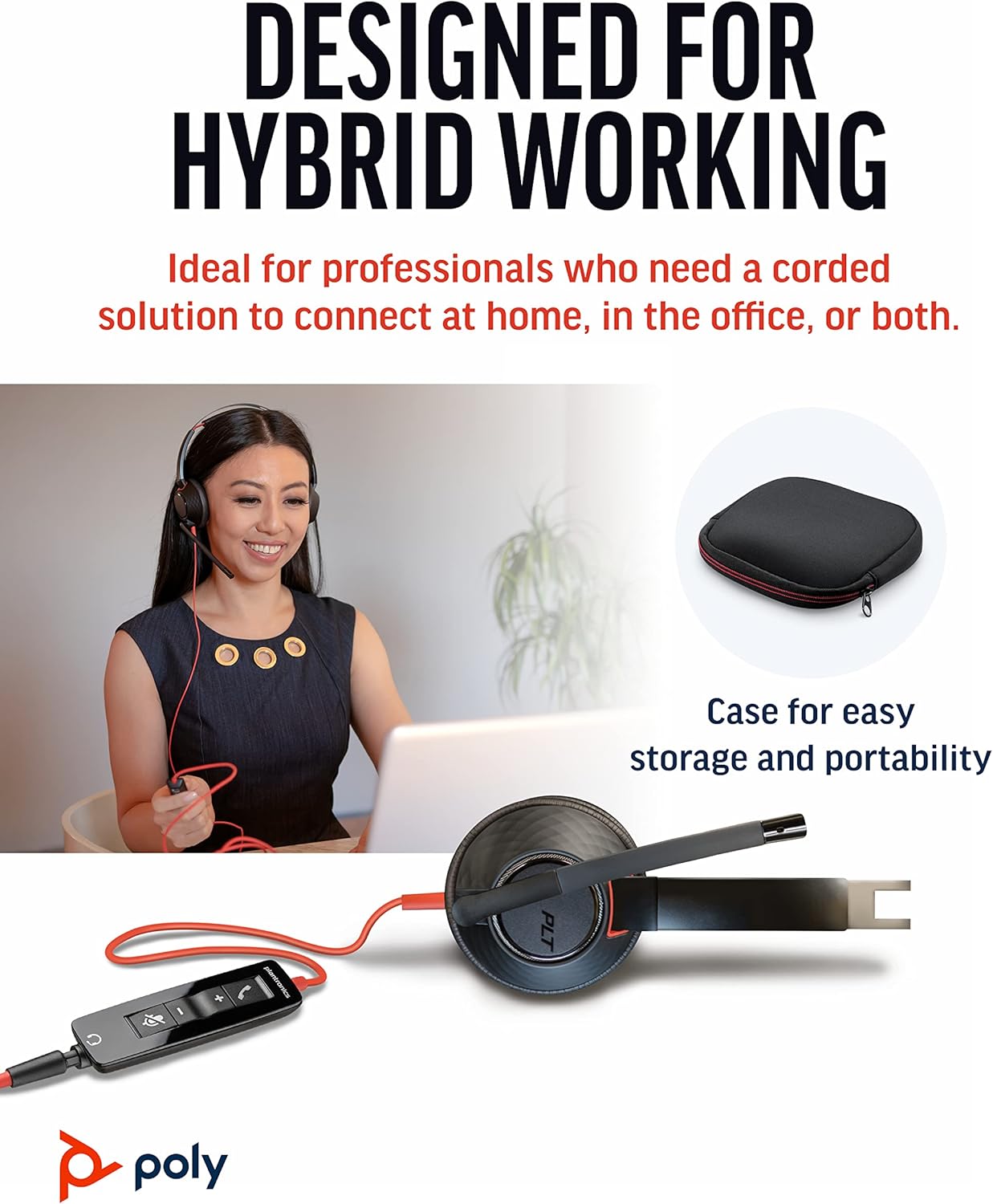


Жайгашуу
Гарнитураны туташтыруу
- PC/Mac үчүн: Connect the headset's USB-A connector directly to an available USB-A port on your computer. The headset is plug-and-play, meaning it should be automatically recognized by your operating system.
- For Mobile Phone/Tablet: Connect the headset's 3.5 mm jack to the audio port on your mobile device.
Once connected, your operating system or communication application (e.g., Microsoft Teams, Zoom) should automatically detect the headset as the primary audio input and output device. If not, you may need to select it manually in your device's sound settings or the application's audio preferences.
Иштөө нускамалары
Inline Controls
The Blackwire 5220 features an intuitive inline control unit for easy call management:
- Чакырууга жооп берүү/аяктоо баскычы: Press to answer an incoming call or end an active call.
- Үнүн жогорулатуу (+) баскычы: Угуу үнүн жогорулатуу үчүн басыңыз.
- Үндү азайтуу (-) баскычы: Угуу үнүн азайтуу үчүн басыңыз.
- Үнсүз баскычы: Press to mute or unmute the microphone. A voice alert may indicate the mute status.
Микрофонду жөндөө
Position the flexible boom microphone approximately two finger-widths from the corner of your mouth for optimal voice pickup. The microphone is designed to be noise-canceling, focusing on your voice and minimizing background distractions.
SoundGuard Digital Protection
The headset incorporates SoundGuard Digital technology to protect your hearing. It safeguards against sound levels over 118 dBA, sudden loud sounds, and long-term exposure to noise, ensuring a safe listening experience.
Техникалык тейлөө
Тазалоо
- Wipe the headset, including ear cushions and microphone boom, with a soft, dry cloth.
- Катуу химиялык заттарды же абразивдүү тазалагычтарды колдонуудан алыс болуңуз.
Сактагыч
- Гарнитураны салкын, кургак жерде, өтө жогорку температурадан алыс сактаңыз.
- Utilize the included carrying case for protection during travel or storage.
Проблемаларды чечүү
No Sound or Microphone Not Working
- Ensure the headset is securely plugged into the correct port (USB-A or 3.5 mm).
- Check your computer's or device's sound settings to ensure the Poly Blackwire 5220 is selected as the default playback and recording device.
- Микрофондун үнсүз эместигин саптагы башкаруу элементин колдонуп текшериңиз.
- Test the headset with another application or device to rule out software-specific issues.
Начар аудио сапаты
- Ensure the microphone boom is properly positioned near your mouth.
- Check for any physical obstructions or damage to the cables.
- If using with a computer, ensure your audio drivers are up to date.
Техникалык шарттар
| Өзгөчөлүк | Деталь |
|---|---|
| Модель аты | Караоке 5220 |
| Элемент моделинин номери | 207576-01 |
| Байланыш технологиясы | Wired (USB-A, 3.5 mm Jack) |
| Стиль кийүү | Over-the-head, On-ear, Dual Ear (Stereo) |
| Микрофон | Ызы-чууну жокко чыгаруучу микрофон |
| Audio Protection | SoundGuard Digital (protects above 118 dBA) |
| Жыштыкка жооп берүү (наушник) | 20 Гц |
| Frequency Range (Microphone) | 100 Гц - 20 000 Гц |
| Кабелдин узундугу | 45 дюйм |
| Материал | Пластик |
| Түс | Кара |
| Элемент Салмагы | 0.035 унция (болжол менен 1 грамм) |
| Шайкеш түзмөктөр | PC, Cellphones, Tablets, Mac |
Кепилдик жана колдоо
Кепилдик маалымат
The Poly Blackwire 5220 USB-A Headset comes with a 2 жылдык дүйнөлүк кепилдик сатып алынган күндөн тартып. Кепилдик дооматтары үчүн сатып алганыңыздын далилин сактап коюңуз.
Кошумча колдоо
For detailed information, advanced settings, or further assistance, please refer to the official User Guide (PDF) available online:
Колдонуучунун колдонмосун жүктөп алыңыз (PDF)
You can also visit the official Poly support webКөп берилүүчү суроолор, программалык камсыздоону жүктөп алуу жана байланыш маалыматы үчүн сайт.


