Introduction
This manual provides detailed instructions for the installation, setup, and operation of your LUX Kono KN-S-MG1 Smart Thermostat. Please read this manual thoroughly before beginning installation or operation to ensure proper functionality and safety.
The LUX Kono KN-S-MG1 is a programmable smart thermostat designed to personalize your home comfort and optimize energy savings through features like geofencing and remote control via the LUX app.
Коопсуздук маалыматы
ЭСКЕРТҮҮ: Электр шок коркунучу
- Термостатты орнотуудан же тейлөөдөн мурун, ар дайым негизги автоматтык өчүргүчтөгү же сактагыч кутучасындагы жылытуу жана муздатуу системасынын кубатын өчүрүңүз.
- Improper wiring can cause damage to the thermostat or the HVAC system.
- Эгер кандайдыр бир кадамдарга ишене албасаңыз, орнотууну квалификациялуу техник аткарышы керек.
- Бардык зымдардын туташууларынын бекем жана изоляциялангандыгын текшериңиз.
Пакеттин мазмуну
Пакетиңизде бардык буюмдар бар экенин текшериңиз:
- LUX Kono KN-S-MG1 Smart Thermostat
- Монтаждоочу жабдуулар (буроолор, дубал анкерлери)
- LUX Power Bridge (for systems without a C-wire)
- Орнотуу боюнча колдонмо (бул документ)
Орнотуу
Before installation, ensure the power to your HVAC system is turned off at the circuit breaker.
1. Эски термостатты алып салыңыз
- HVAC тутумуңуздун электр кубатын автоматтык өчүргүчтөн өчүрүңүз.
- Эски термостатыңыздын капкагын алып салыңыз.
- Маалымат үчүн зымдарды туташтырып сүрөткө тартыңыз.
- Disconnect the wires one by one, labeling each wire with the corresponding terminal letter (e.g., R, C, Y, G, W).
- Эски термостаттын арткы пластинасын дубалдан алып салыңыз.
2. Wiring the Kono KN-S-MG1
The Kono KN-S-MG1 requires a C-wire for continuous power. If your system does not have a C-wire, use the included LUX Power Bridge.
Шайкештик:
- Forced air, gas, oil & electric furnaces (up to 2 Heat/1 Cool stagэс)
- Heat pump systems (with or without auxiliary/emergency heat)
Refer to the wiring diagram specific to your HVAC system type. Connect the labeled wires to the corresponding terminals on the Kono backplate.
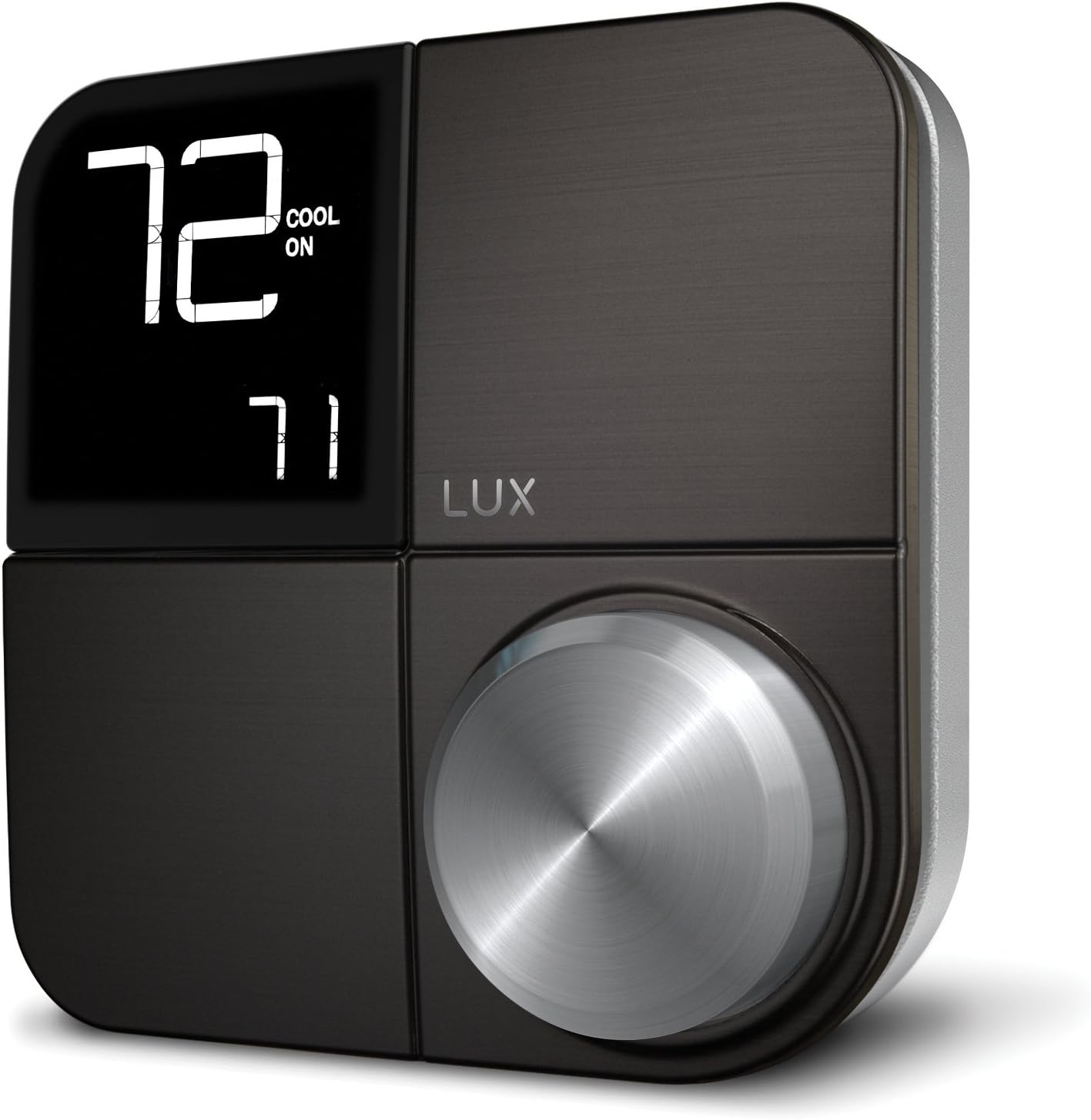 Сүрөт: алдыңкы view of the LUX Kono KN-S-MG1 Smart Thermostat, displaying its digital screen and control knob.
3. Термостатты орнотуу
- Mount the Kono backplate to the wall using the provided screws and anchors. Ensure it is level.
- Carefully push any excess wire back into the wall opening.
- Align the Kono thermostat body with the backplate and gently push it into place until it clicks securely.
 Image: The LUX Kono KN-S-MG1 Smart Thermostat installed on a wall, blending into a modern dining room environment.
Баштапкы орнотуу жана Wi-Fi туташуусу
- Күйгүзүү: Restore power to your HVAC system at the circuit breaker. The thermostat display should illuminate.
- Download the LUX App: Download the official LUX app from your smartphone's app store.
- Эсеп түзүү: Жаңы колдонуучу аккаунтун түзүү же эгер сизде мурунтан эле бар болсо, кирүү үчүн колдонмодогу көрсөтмөлөрдү аткарыңыз.
- Wi-Fi'га туташуу: The app will guide you through connecting your Kono thermostat to your home Wi-Fi network. Ensure your Wi-Fi network is 2.4GHz compatible.
- Тутумдун конфигурациясы: The app will prompt you to configure your HVAC system type (e.g., conventional, heat pump) and other settings.
Иштөө нускамалары
Негизги операция
- Температураны жөндөө: Use the control knob on the thermostat or the LUX app to set your desired temperature.
- Система режими: Switch between Heat, Cool, Auto, and Off modes using the thermostat interface or the app.
- Күйөрман режими: Select Fan On (continuous operation) or Fan Auto (fan runs only when heating/cooling) via the thermostat or app.
Программалоо графиктери
The Kono KN-S-MG1 allows you to create custom heating and cooling schedules to optimize comfort and energy usage. Schedules are typically managed through the LUX app for ease of use.
- Open the LUX app and navigate to the scheduling section.
- Create daily or weekly schedules with different temperature settings for various times of the day (e.g., Wake, Away, Home, Sleep).
- Save your schedules to activate them on the thermostat.
Advanced Features
- Geofencing (Home & Away Aware): This feature uses your smartphone's location to automatically adjust the thermostat when you leave or approach your home, saving energy when away and ensuring comfort upon return. Enable and configure this feature within the LUX app.
- Алыстан башкаруу: Control your thermostat from anywhere using the LUX app on your smartphone.
- Үн менен башкаруу: The Kono KN-S-MG1 supports integration with certain smart home platforms like Android and Vera for voice control. Note: This product does NOT work with Amazon Alexa or Apple HomeKit.
Техникалык тейлөө
- Тазалоо: Термостаттын сыртын жумшак менен сүртүңүз, damp кездеме. Абразивдүү тазалагычтарды же эриткичтерди колдонбоңуз.
- Программалык камсыздоо жаңыртуулары: Ensure your LUX app and thermostat firmware are up to date for optimal performance and new features. Updates are typically managed through the LUX app.
- Батареялар талап кылынбайт: The Kono KN-S-MG1 is powered by your HVAC system (C-wire) or the LUX Power Bridge, so no battery replacement is necessary.
Проблемаларды чечүү
| Көйгөй | Мүмкүн себеп | Чечим |
|---|---|---|
| Термостаттын дисплейи бош. | Термостатка кубат жок. | Check the circuit breaker for your HVAC system. Ensure the C-wire or LUX Power Bridge is correctly installed and connected. |
| HVAC системасы термостатка жооп бербей жатат. | Incorrect wiring; system mode incorrect; power issue. | Verify wiring connections. Ensure the system mode (Heat/Cool/Auto) is correctly selected. Check power to the HVAC unit. |
| Cannot connect to Wi-Fi or app shows "no internet". | Incorrect Wi-Fi password; router issues; 5GHz network. | Ensure correct Wi-Fi password. Restart your router. Confirm your Wi-Fi network is 2.4GHz. Re-attempt Wi-Fi setup through the LUX app. |
| Temperature not maintained as programmed. | Incorrect schedule settings; geofencing interference; system limitations. | Review your schedules in the LUX app. Check geofencing settings. Ensure your HVAC system is functioning correctly. |
For further assistance, please contact LUX customer support.
Техникалык шарттар
| Бренд | LUX |
| Модель аты | KN-S-MG1 |
| Продукциянын өлчөмдөрү | 2.8 x 6.5 x 6 дюйм |
| Элемент Салмагы | 9.6 унция |
| Түс | Кара |
| Материал | Пластик |
| Power Source | Electric (System C-wire or LUX Power Bridge) |
| Тtage | 230 вольт (AC) |
| Байланыш технологиясы | Wi-Fi (2.4 ГГц) |
| Controller Type | Android, Vera (Note: Does NOT work with Amazon Alexa or Apple HomeKit) |
| Өзгөчө өзгөчөлүк | Geofencing: Home & Away Aware |
| Дисплей түрү | Арткы жарык менен LCD |
| Башкаруу түрү | Button Control, Voice |
| Монтаж түрү | Дубалга орнотуу |
| UPC | 021079170098 |
Кепилдик жана колдоо
For warranty information and technical support, please refer to the official LUX website or contact LUX customer service directly. Keep your purchase receipt as proof of purchase.
 Image: The retail packaging for the LUX Kono Smart Thermostat, showing the product image and key features.


