Introduction
Бул окуу куралыңызды орнотуу, иштетүү, тейлөө жана көйгөйлөрдү чечүү боюнча толук нускамаларды камтыйт ViewSonic VA2446MH-LED 24-inch Full HD 1080p LED monitor. Please read this manual thoroughly before using the product to ensure proper functionality and safety.
Кутуда эмне бар
- ЖК Monitor
- Электр кабели
- VGA кабели
- Аудио кабель
- Quick Start Guide

Пакет камтыйт ViewSonic VA2446MH-LED monitor, a power cable, an HDMI cable, and a Quick Start Guide to assist with initial setup.
Жайгашуу
Стендди чогултуу
Follow the instructions in the Quick Start Guide to attach the stand to the monitor. Ensure all connections are secure.
Мониторду туташтыруу
The VA2446MH-LED monitor supports both HDMI and VGA inputs.
Power Connection
Connect the provided power cable to the monitor's power input and then to a power outlet.
Видео туташуусу
Choose either an HDMI or VGA cable to connect your computer to the monitor.
- For HDMI: Connect one end of the HDMI cable to the HDMI port on your computer and the other end to the HDMI input on the monitor.
- For VGA: Connect one end of the VGA cable to the VGA port on your computer and the other end to the VGA input on the monitor.
Audio Connection (Optional)
If using the monitor's built-in speakers or audio output, connect the audio cable from your computer's audio output to the monitor's audio input.

This image displays the rear of the monitor, highlighting the HDMI, VGA, and audio input/output ports for flexible connectivity, as well as the location of the integrated 2x 2.5-watt speakers.

А деталдуу view of the monitor's back panel, illustrating the power input, HDMI port, VGA port, and audio ports for connecting external devices.
Мониторду иштетүү
Күйгүзүү/өчүрүү
Мониторду күйгүзүү же өчүрүү үчүн анын алдыңкы же астыңкы четинде жайгашкан кубат баскычын басыңыз. Монитор күйүп турганда кубат индикаторунун жарыгы күйөт.
Киргизүүнү тандоо
Use the monitor's On-Screen Display (OSD) menu or dedicated input selection buttons to switch between HDMI and VGA inputs.
Экрандагы дисплей (OSD) менюсу
The OSD menu allows you to adjust various display settings such as brightness, contrast, color temperature, and aspect ratio.
- Press the Menu button to access the OSD.
- Use the navigation buttons (usually arrows) to browse through options.
- Press the Select or Enter button to confirm a selection.
- Press the Exit or Menu button again to close the OSD.
ViewSplit Software (Optional)
ViewSonic эксклюзивдүү ViewSplit software allows you to create customized screen layouts for enhanced productivity.
To install, download the software from the ViewSonic website's product support page.
After installation, double-click the ViewSplit icon on your desktop or click the notification tray icon to open the application.
Select a predefined template or create a customizable template by dragging and resizing the red borders. Save your customized templates for future use.
This official ViewSonic video illustrates how to use the ViewSplit software to divide your monitor screen into multiple viewing windows, enhancing multitasking and productivity. It shows how to select predefined templates and customize layouts by dragging application windows into desired zones.
Техникалык тейлөө
Экранды тазалоо
Экранды жумшак, түксүз чүпүрөк менен акырын сүртүңүз. өжөр белгилери үчүн, жеңил гampкездемени суу же абразивдүү эмес экран тазалагыч менен сүртүңүз. Суюктукту экранга түз чачпаңыз.
Тазалоо Casing
Мониторду тазалоо үчүн жумшак, кургак чүпүрөктү колдонуңуз casing. Күчтүү жуучу каражаттарды же абразивдүү тазалоочу каражаттарды колдонбоңуз.
Сактагыч
When storing the monitor for an extended period, ensure it is powered off and disconnected from the power source. Store it in a cool, dry place, ideally in its original packaging.
Проблемаларды чечүү
Күч жок
- Кубат баскычы (же которгуч) КҮЙҮК экенин текшериңиз.
- Ensure the A/C power cord is securely connected to the display.
- Розеткага башка электр шайманын (радио сыяктуу) сайыңызtage.
Кубат КҮЙҮК, бирок экрандын сүрөтү жок
- Дисплей менен кошо берилген видео кабелинин компьютердин арткы тарабындагы видео чыгуучу портуна туура бекитилгенин текшериңиз. Эгер видео кабелдин экинчи учу дисплейге биротоло бекитилбесе, аны дисплейге туура орнотуңуз.
- OSD менюсу аркылуу жарыктык жана контраст жөндөөлөрүн тууралаңыз.
- If you are using an older Macintosh (older than G3), a Macintosh adapter may be required.
Туура эмес же анормалдуу түстөр
- Эгерде кандайдыр бир түстөр (кызыл, жашыл же көк) жок болсо, видео кабелин текшерип, анын туташып калгандыгын текшерип алыңыз. Кабелдик туташтыргычтагы бош же сынган казыктар туура эмес туташууга алып келиши мүмкүн.
- Connect the display to another computer to isolate the issue.
- Эски графикалык картаңыз болсо, байланышыңыз ViewSonic for a non-DDC adapter.
Башкаруу баскычтары иштебейт
- Press only one button at a time. Ensure no objects are obstructing the buttons.
Техникалык шарттар
| Өзгөчөлүк | Спецификация |
|---|---|
| Туруктуу экранды көрсөтүү өлчөмү | 24 дюйм |
| Screen Resolution | 1920x1080 |
| Max Screen Resolution | 1920 x 1080 пиксел |
| Бренд | ViewSonic |
| Сериялар | VA |
| Элементтин моделинин номери | VA2446MH-LED |
| Элемент Салмагы | 9.02 фунт |
| Продукциянын өлчөмдөрү | 8.32 x 22.49 x 15.78 дюйм |
| Элементтин өлчөмдөрү LxWxH | 8.32 x 22.49 x 15.78 дюйм |
| Түс | Кара |
| Power Source | 10 |
| Тtage | 240 вольт |
| Өндүрүүчү | ViewSonic |
| ASIN | B074F28QNS |
| Дата биринчи жеткиликтүү | 1-июль, 2017-жыл |
| Screen Size | 24 дюйм |
| Резолюция | FHD 1080p |
| Аспект катышы | 16:9 |
| Screen Surface Description | Жаркыроого каршы, катуу каптоо (3H) |
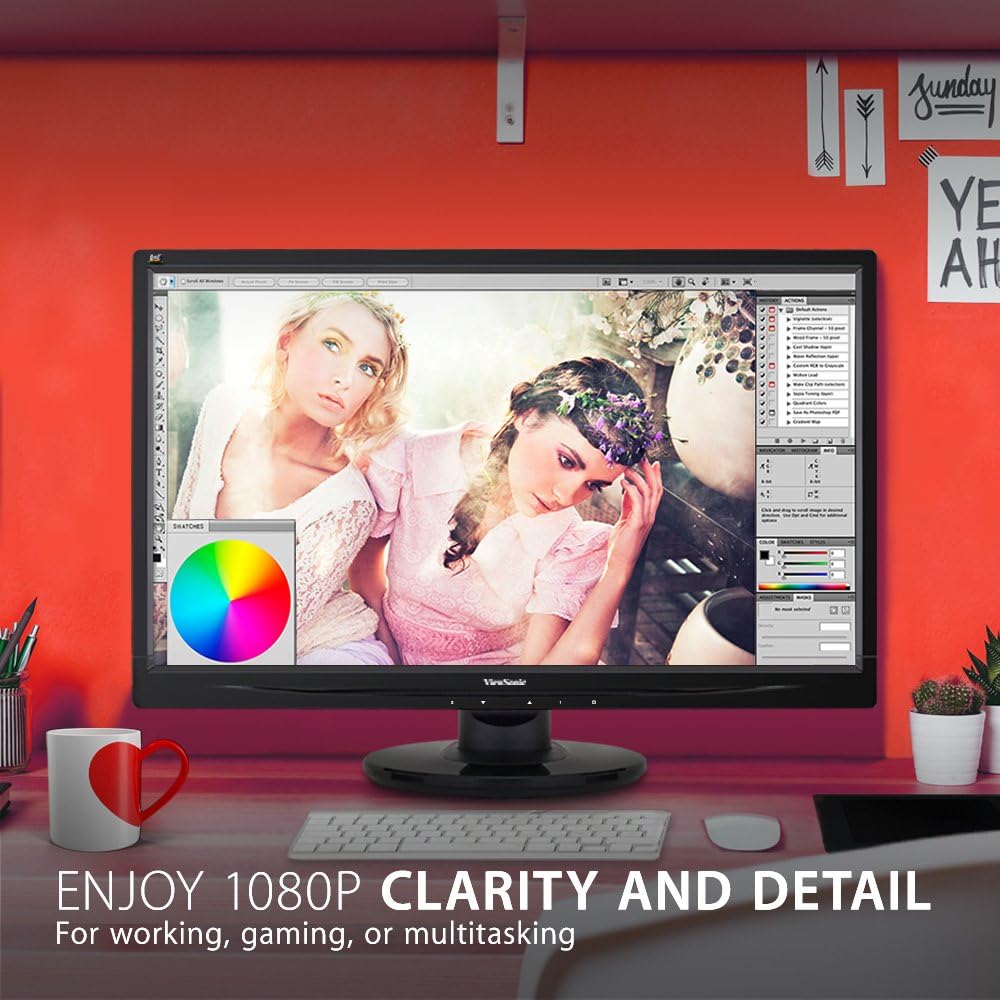
The monitor showcases its Full HD 1080p clarity and detail, ideal for tasks like graphic design, gaming, or general multitasking, with a color palette visible on screen.
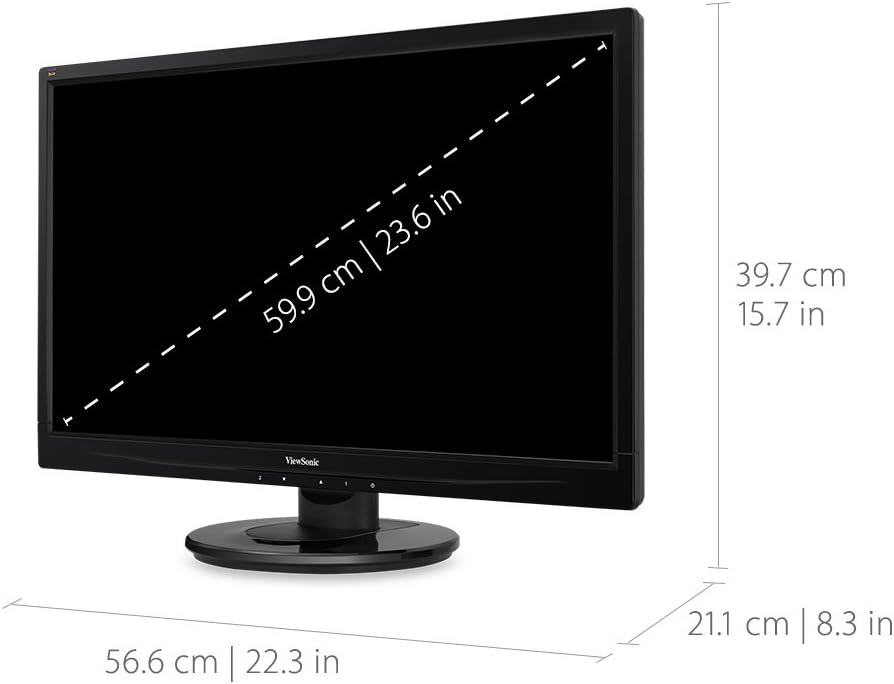
This diagram provides the physical dimensions of the monitor, indicating a 23.6-inch diagonal screen size (59.9 cm) and overall measurements of 22.3 inches (56.6 cm) width, 15.7 inches (39.7 cm) height, and 8.3 inches (21.1 cm) depth.
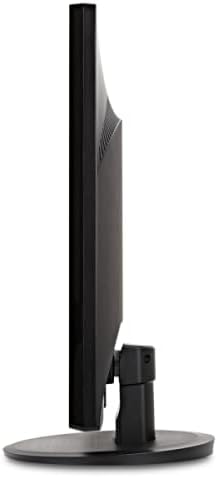
А тарап view of the monitor, highlighting its slim profile and the design of the stand.
Кепилдик жана колдоо
Кепилдик жөнүндө маалымат жана техникалык колдоо алуу үчүн, сураныч, расмий ViewSonic webсайтка же продуктуңузга кошулган документтерге.
Сиз расмий иш сапары менен болот ViewSonic Store for more information: ViewСоник дүкөнү


