Introduction
Сатып алганыңыз үчүн рахматasing the 2BOOM Portable Wireless Bluetooth Speaker System. This manual provides detailed instructions for setting up, operating, and maintaining your speaker. Please read this manual thoroughly before using the product to ensure proper function and longevity.
Пакеттин мазмуну
Сураныч, пакеттин мазмунун текшерип, бардык буюмдар бар экенин текшериңиз:
- 1 x 2BOOM Twister Speaker (Model: BX311R)
- 1 x Аудио кабели
- 1 x заряддоо кабели
- 1 x User Manual
Note: This unit does not come with an attachable carry strap.
Продукт бүттүview

Сүрөт 1: Алдыңкы view of the 2BOOM Twister speaker, showcasing its cylindrical design with red end caps and a black carbon fiber textured body.

Figure 2: Diagram highlighting the key features of the speaker, including Deep Digital Bass, FM Radio capability, Colorful Light FX, and a Bluetooth range of 32.8 feet.

3-сүрөт: Детальдуу view of the speaker's control panel, indicating the location and function of the DC5V charging port, AUX input, OFF/ON switch, Mode button, Previous/Volume -, Play/Pause, Next/Volume +, MIC-VOL, Microphone input, USB input, and TF Card slot.

4-сүрөт: Бурчтуу view of the speaker's top, providing a clear perspective of the control panel and its various buttons and ports.
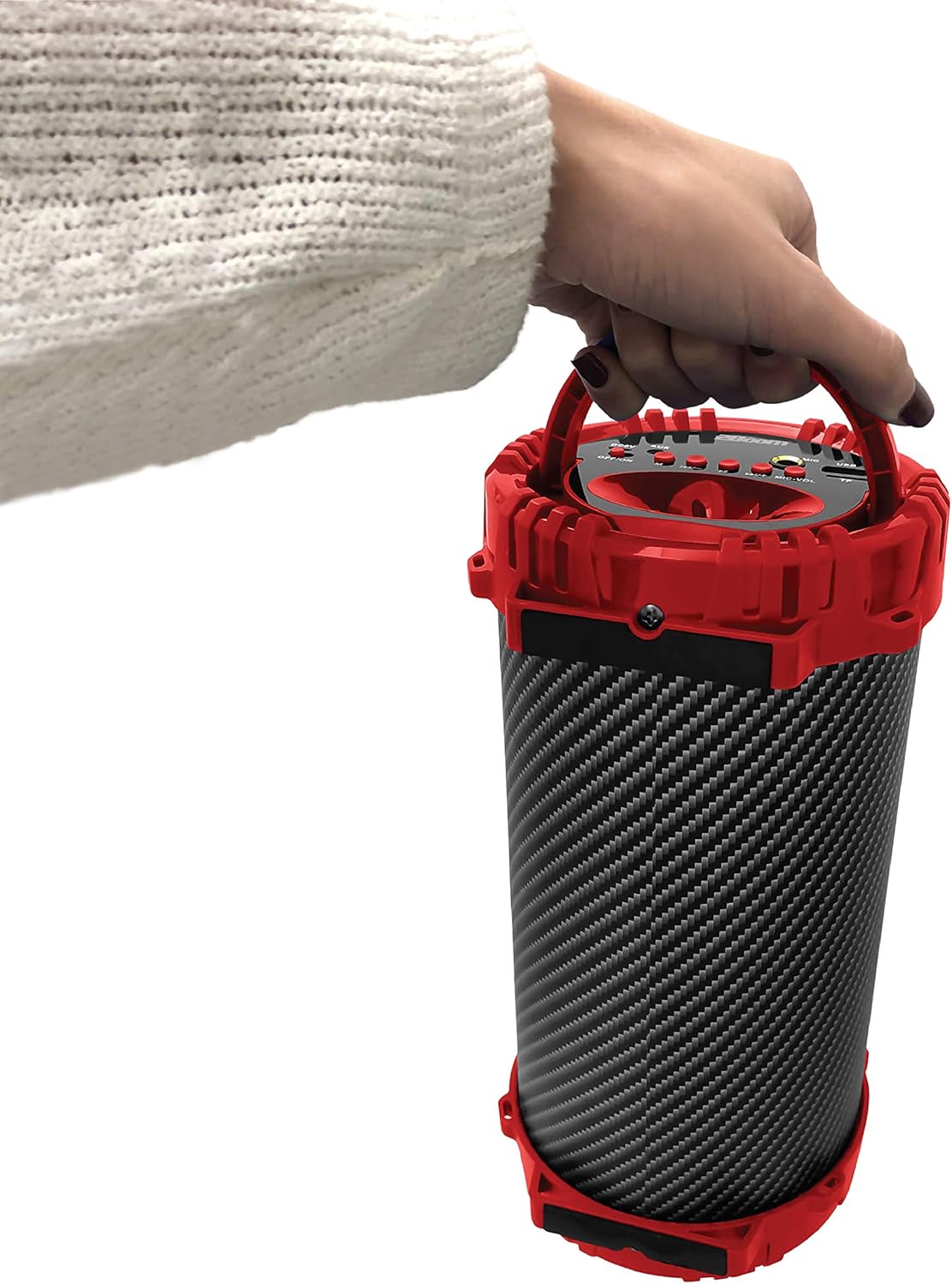
Figure 5: Image demonstrating the portability of the speaker, held by hand using its integrated carry handle.
Жайгашуу
Спикерди заряддоо
Before first use, fully charge the speaker. Connect the provided charging cable to the DC5V port on the speaker (refer to Figure 3) and the other end to a USB power adapter (not included) or a computer's USB port. The charging indicator light will illuminate during charging and turn off when fully charged.
Күйгүзүү/өчүрүү
Locate the OFF/ON switch on the control panel (refer to Figure 3). Slide the switch to the "ON" position to power on the speaker. Slide it to the "OFF" position to power off the speaker.
Иштөө нускамалары
Bluetooth туташуу
- Ensure the speaker is powered on. It will automatically enter Bluetooth pairing mode.
- On your Bluetooth-enabled device (smartphone, tablet, MP3 player), enable Bluetooth and search for available devices.
- Select "2BOOM Twister" from the list of devices.
- Once connected, the speaker will emit an audible confirmation. Your device will automatically remember the speaker for future connections.
- The Bluetooth connection range is up to 33 feet (10 meters).
Режим тандоо
Press the "M" (Mode) button on the control panel (refer to Figure 3) to cycle through available modes: Bluetooth, FM Radio, AUX, USB, and TF Card.
FM радиосунун иштеши
- Switch to FM Radio mode using the "M" button.
- Press and hold the "Play/Pause" button to automatically scan and save available FM stations.
- Use the "Previous/Volume -" and "Next/Volume +" buttons to navigate between saved stations.
AUX киргизүү
Connect an external audio device (e.g., MP3 player, computer) to the AUX port on the speaker (refer to Figure 3) using the provided audio cable. Switch to AUX mode using the "M" button. Audio will now play through the speaker from your connected device.
USB киргизүү
MP3 аудиосу бар USB флэш-дискти салыңыз files into the USB port (refer to Figure 3). The speaker will automatically switch to USB mode and begin playing the audio files.
TF карта киргизүү
MP3 аудио камтылган TF (MicroSD) картасын салыңыз files into the TF Card slot (refer to Figure 3). The speaker will automatically switch to TF Card mode and begin playing the audio files.
Microphone Input (Karaoke Function)
Connect a microphone (not included) to the MIC input port (refer to Figure 3). Adjust the microphone volume using the "MIC-VOL" knob. You can sing along to music playing from any source (Bluetooth, AUX, USB, TF Card, FM Radio).
Үндү башкаруу жана трек навигациясы
- Көлөмү: Press and hold the "Next/Volume +" button.
- Үнүн азайтуу: Press and hold the "Previous/Volume -" button.
- Кийинки трек/бекет: Short press the "Next/Volume +" button.
- Мурунку трек/бекет: Short press the "Previous/Volume -" button.
- Ойнотуу/тындыруу: "Ойнотуу/Тыныгуу" баскычын кыска басыңыз.
Техникалык тейлөө
- Тазалоо: Динамиктин сыртын тазалоо үчүн жумшак, кургак чүпүрөктү колдонуңуз. Абразивдүү тазалагычтарды же эриткичтерди колдонбоңуз.
- Сактагыч: Динамикти түз күн нурунан жана өтө температурадан алыс салкын, кургак жерде сактаңыз.
- Суу каршылык: Бул динамик суу өткөрбөйт. Аны сууга же ашыкча нымдуулукка дуушар кылбаңыз.
- Батареяга кам көрүү: Батареянын иштөө мөөнөтүн узартуу үчүн, бат-баттан батарейканы толук зарядсыздандырбаңыз. Узак убакыт колдонулбаса да, динамикти үзгүлтүксүз заряддап туруңуз.
Проблемаларды чечүү
| Көйгөй | Мүмкүн себеп | Чечим |
|---|---|---|
| Динамик күйбөйт. | Батарея аз же түгөнүп калган. | Берилген заряддоо кабелин колдонуп динамикти заряддаңыз. |
| Bluetooth түзмөгү менен жупташтыруу мүмкүн эмес. | Bluetooth is not enabled on your device; speaker is not in pairing mode; device is out of range. | Ensure Bluetooth is on and the speaker is in pairing mode. Move device closer to the speaker (within 33 feet). |
| Динамиктен үн жок. | Volume is too low; incorrect mode selected; audio cable not fully connected. | Increase speaker and device volume. Ensure correct mode (Bluetooth, AUX, etc.) is selected. Check cable connections. |
| FM радиосунун кабыл алуусу начар. | Алсыз сигнал; экологиялык кийлигишүү. | Try repositioning the speaker. Perform an auto-scan for stations again. |
Техникалык шарттар
| Өзгөчөлүк | Деталь |
|---|---|
| Модел | BX311R |
| Бренд | 2BOOM |
| Сабвуфердин диаметри | 4 дюйм |
| Байланыш технологиясы | Bluetooth, USB, Зымсыз |
| Максималдуу Bluetooth диапазону | 33 Фут (10 метр) |
| Аудио чыгаруу режими | Стерео |
| Power Source | Батарея менен иштейт |
| Материалдын түрү | Пластик |
| Түс | Кызыл |
| Элемент Салмагы | 1.65 фунт (болжол менен 748.43 г) |
| Продукциянын өлчөмдөрү (L x W x Y) | 25.4 x 16.51 x 15.24 см |
| Өзгөчөлүктөр | FM Radio, Microphone Input, USB/TF Card Playback |
Кепилдик жана колдоо
The 2BOOM Twister Speaker comes with an UNLIMITED 2BOOM warranty when bought from Tech Direct Worldwide. For warranty claims, technical support, or any inquiries regarding your product, please contact the retailer or manufacturer directly.
Сураныч, кепилдик максаттары үчүн сатып алганыңыздын далилин сактап коюңуз.


