Introduction
This manual provides essential information for the safe operation and maintenance of your Propel RC Sky Rider 2.4GHz Quadcopter, model OD-2113. Please read this manual thoroughly before operating the aircraft to ensure proper use and to prevent damage or injury.
The Propel Sky Rider is a high-performance quadcopter equipped with a 2.4GHz remote control system and an onboard camera, designed for both indoor and outdoor flight. Its durable plastic construction and intuitive controls make it suitable for users aged 13 and up.
Коопсуздук эрежелери
- Квадрокоптерди ар дайым ачык жерлерде, адамдардан, жаныбарлардан жана тоскоолдуктардан алыс айдаңыз.
- Do not fly near power lines, buildings, or busy roads.
- Ensure all propellers are securely attached and undamaged before each flight.
- Манжаларды, чачтарды жана кенен кийимдерди айлануучу винттерден алыс кармаңыз.
- Катуу шамалда же жагымсыз аба ырайында иштебеңиз.
- Жаш операторлорго чоңдордун көзөмөлү сунушталат.
- Turn off the quadcopter and remote control when not in use.
- Use only original Propel parts and accessories.
Пакеттин мазмуну
- Propel RC Sky Rider Quadcopter (OD-2113)
- 2.4 ГГц зымсыз алыстан башкаруу
- USB заряддоо кабели
- Запастык пропеллер
- Propeller Guards (optional attachment)
- Көрсөтмө (бул документ)
Продукт бүттүview
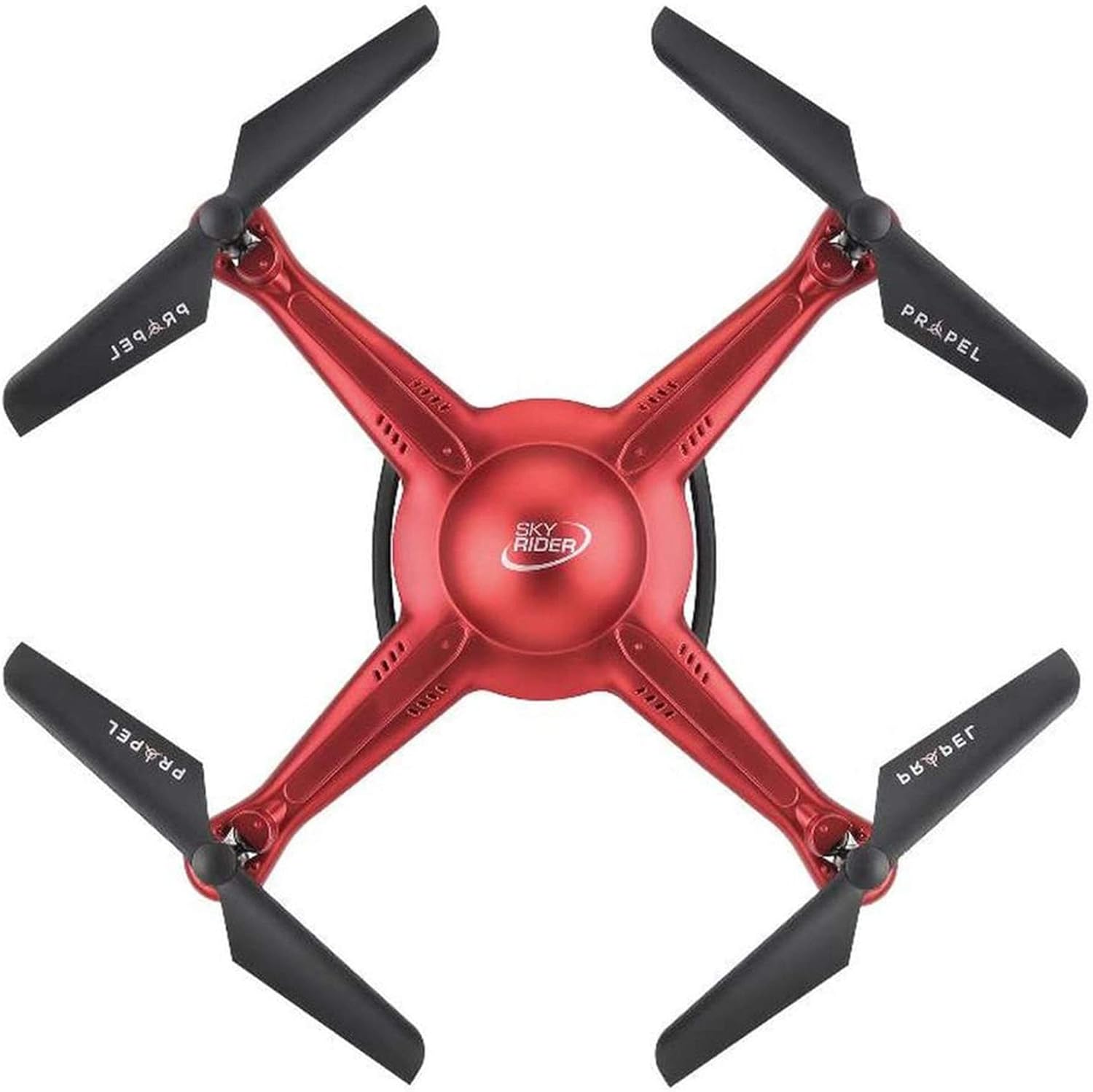
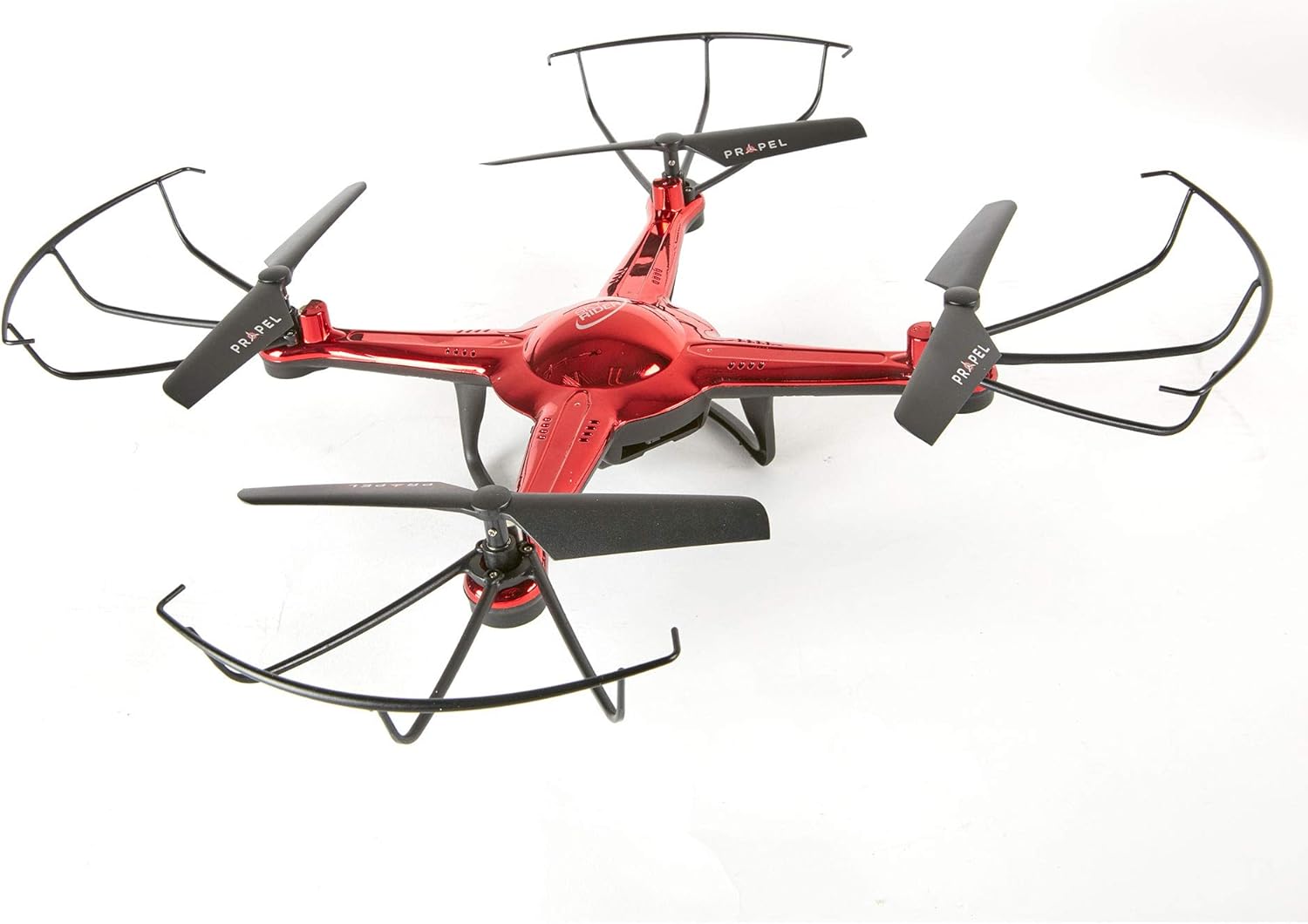

Жайгашуу
1. Quadcopter батареясын кубаттоо
Connect the USB charging cable to the quadcopter's charging port and then to a USB power source (e.g., computer USB port, USB wall adapter). The charging indicator light will show the charging status. A full charge typically takes 60-90 minutes.
2. Алыстан башкаруунун батареяларын орнотуу
Open the battery compartment on the back of the remote control. Insert 4 "AA" batteries (not included), ensuring correct polarity (+/-). Close the battery compartment securely.
3. Attaching Propeller Guards (Optional)
For added protection, you can attach the propeller guards to the quadcopter's arms. Align the guards with the designated slots and gently push until they click into place.
4. Pairing the Quadcopter and Remote Control
- Ensure the quadcopter battery is fully charged and installed.
- Place the quadcopter on a flat, level surface.
- Turn on the quadcopter's power switch. The LED lights will flash.
- Алыстан башкаруу пультунун кубат которгучун күйгүзүңүз.
- Push the left joystick (throttle) all the way up, then pull it all the way down. The quadcopter's LED lights will turn solid, indicating successful pairing.
Иштеп жатат
1. Учуу алдындагы текшерүү тизмеси
- Quadcopter battery fully charged.
- Remote control batteries installed.
- Propellers and guards (if used) securely attached and undamaged.
- Flight area clear of obstacles, people, and animals.
- Quadcopter and remote control successfully paired.
2. Take-Off and Landing
- Manual Take-Off: Slowly push the left joystick (throttle) upwards. The propellers will spin, and the quadcopter will ascend.
- One-Button Take-Off/Landing: Press the "START/LAND" button on the remote control. The quadcopter will automatically take off and hover at a certain altitude. Press it again to initiate an automatic landing.
3. Учууну башкаруунун негизги каражаттары
- Сол жактагы джойстик (дроссель/жаңылоо):
- Up/Down: Ascend/Descend
- Сол/Оң: Сол/Оңго айландыруу (Яв)
- Right Joystick (Pitch/Roll):
- Өйдө/Төмөн: Алдыга/Артка учуу (Темпер)
- Сол/Оң: Сол/Оңго учуу (Айлануу)
- Кесүү баскычтары: Use the small trim buttons next to the joysticks to fine-tune the quadcopter's hover stability if it drifts in any direction.
4. Камеранын иштеши
The Propel Sky Rider is equipped with an onboard camera. To activate video recording or take photos, press the designated "CAMERA" button on the remote control. Refer to the remote control diagram for the exact button location. Ensure a compatible memory card (not included) is inserted into the quadcopter's camera slot for saving media.
Техникалык тейлөө
1. Тазалоо
Gently wipe the quadcopter and remote control with a clean, dry cloth. Do not use harsh chemicals or solvents. Avoid getting water or liquids into the electronic components.
2. Пропеллерди алмаштыруу
If a propeller becomes damaged, replace it immediately with a spare propeller. Each propeller is marked with an "A" or "B" to indicate its correct position on the quadcopter arm. Ensure you match the new propeller to the corresponding arm.
3. Батареяга кам көрүү
- Always disconnect the battery from the quadcopter after use.
- Батареяларды салкын, кургак жерде, түз күндүн нурунан жана экстремалдык температурадан алыс сактаңыз.
- Батареяны ашыкча заряддабаңыз же ашыкча зарядсыздандырбаңыз.
- If the battery swells or shows signs of damage, discontinue use and dispose of it properly.
Проблемаларды чечүү
| Көйгөй | Мүмкүн себеп | Чечим |
|---|---|---|
| Quadcopter does not respond to remote. | Not paired; low battery; out of range. | Re-pair the quadcopter and remote; charge quadcopter battery; replace remote batteries; ensure within operating range. |
| Quadcopter drifts during flight. | Needs trimming; uneven surface for take-off. | Use trim buttons to adjust; ensure take-off from a level surface. |
| Пропеллерлер айланбай жатат. | Obstruction; damaged propeller; motor issue. | Check for obstructions; replace damaged propellers; contact support if motor issue suspected. |
| Camera not recording/taking photos. | No memory card; memory card full/corrupted. | Insert compatible memory card; format or replace memory card. |
Техникалык шарттар
| Өзгөчөлүк | Деталь |
|---|---|
| Модель аты | ОД-2113 |
| Бренд | Propel |
| Байланыш технологиясы | 2.4GHz Radio Frequency (Remote Control), USB (Charging) |
| Материал | Пластик |
| Түс | Navy Blue (as per product title, though some images show red) |
| Камтылган компоненттер | Onboard Camera |
| Башкаруу түрү | Алыстан башкаруу |
| Өндүрүүчүнүн сунуш кылган курагы | 13 жаш жана андан жогору |
| Пакеттин өлчөмдөрү | 56.64 x 47.75 x 10.92 см |
| Элемент Салмагы | 1.43 кг |
Кепилдик жана колдоо
For warranty information and technical support, please refer to the official Propel webсайтка же түздөн-түз кардарларды тейлөөгө кайрылыңыз. Кепилдик дооматтар үчүн сатып алганыңыздын далилин сактаңыз.
Propel Customer Service: Сураныч, келиңиз www.propelrc.com/support (мисample link, actual link may vary) for the most up-to-date contact information and FAQs.


