1. Киришүү
The Enermax MaxTytan 750W power supply is an 80 PLUS Titanium certified, full modular unit designed for high-performance computing systems. It features advanced technologies such as Dust Free Rotation (DFR) for fan self-cleaning and smart semi-fanless control for quiet operation. This manual provides essential information for proper installation, operation, and maintenance of your power supply.
2. Коопсуздук маалыматы
Please read and understand all safety warnings before installing or operating the power supply. Failure to do so may result in personal injury or damage to the product or system components.
- Орнотуудан же тейлөөдөн мурун кубат булагы AC розеткасынан ажыратылганын текшериңиз.
- Электр жабдыгын ачпаңыз casinг. Жогорку томtages ажыратылган учурда да ичинде бар.
- Электр менен камсыздоону жакшы желдетилген жерге орнотуңуз.
- Кубат менен камсыздалган модулдук кабелдерди гана колдонуңуз. Шайкеш келбеген кабелдерди колдонуу зыян келтириши мүмкүн.
- Электр булагына нымдуулук же өтө жогорку температура таасир этүүдөн алыс болуңуз.
3. Пакеттин мазмуну
Пакетте бардык буюмдар бар экенин текшериңиз:
- Enermax MaxTytan 750W Power Supply
- Модулдук кабель топтому
- AC Power Cord
- Монтаждоо бурамалар
- Cable Ties / Velcro Straps
- User Manual

Figure 3.1: Enermax MaxTytan 750W Power Supply and all included accessories, including modular cables, power cord, and documentation.
4. Орнотуу жана орнотуу
Follow these steps to properly install your Enermax MaxTytan power supply into your computer system.
4.1. Физикалык орнотуу
- Компьютериңиздин корпусу ATX форм-фактор кубат булактары менен шайкеш келерин текшериңиз.
- Mount the power supply into the designated PSU bay in your computer case, typically at the bottom or top rear. Secure it with the provided mounting screws.
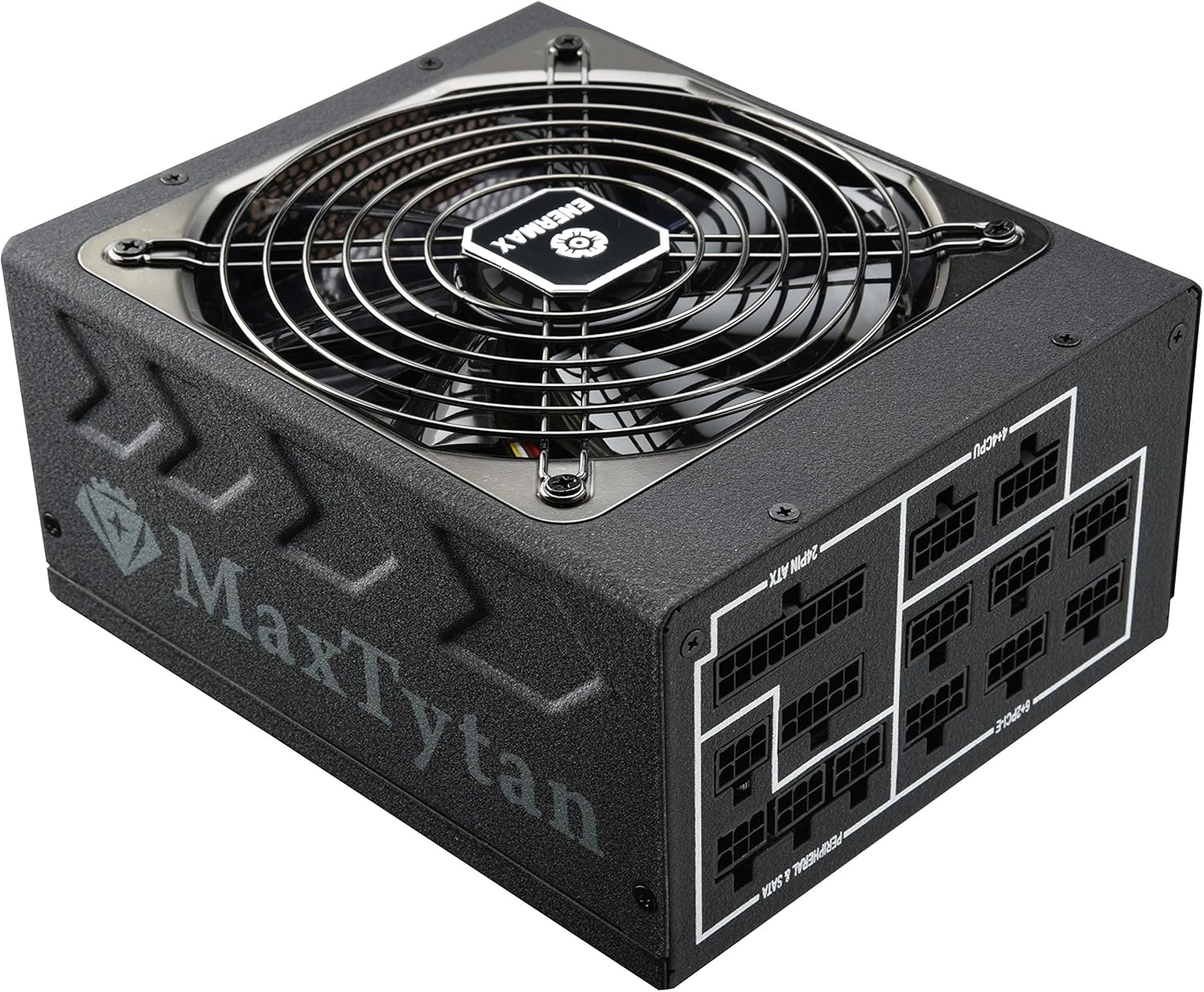
4.1-сүрөт: алдыңкы жагы view of the Enermax MaxTytan 750W Power Supply, showing the fan grill and the MaxTytan branding.
4.2. Кабелдик байланыштар
The MaxTytan 750W is a full modular power supply, allowing you to connect only the necessary cables for your system, improving airflow and cable management.
- Connect the 24-pin ATX motherboard cable to the power supply and your motherboard.
- Connect the 4+4 pin CPU (EPS) cable(s) to the power supply and your motherboard's CPU power connector(s).
- Connect the 6+2 pin PCIe cables to the power supply and your graphics card(s).
- Connect SATA power cables to your storage drives (SSDs, HDDs) and peripheral power cables to other components as needed.
- Бардык байланыштар бекем жана коопсуз экендигин текшериңиз.
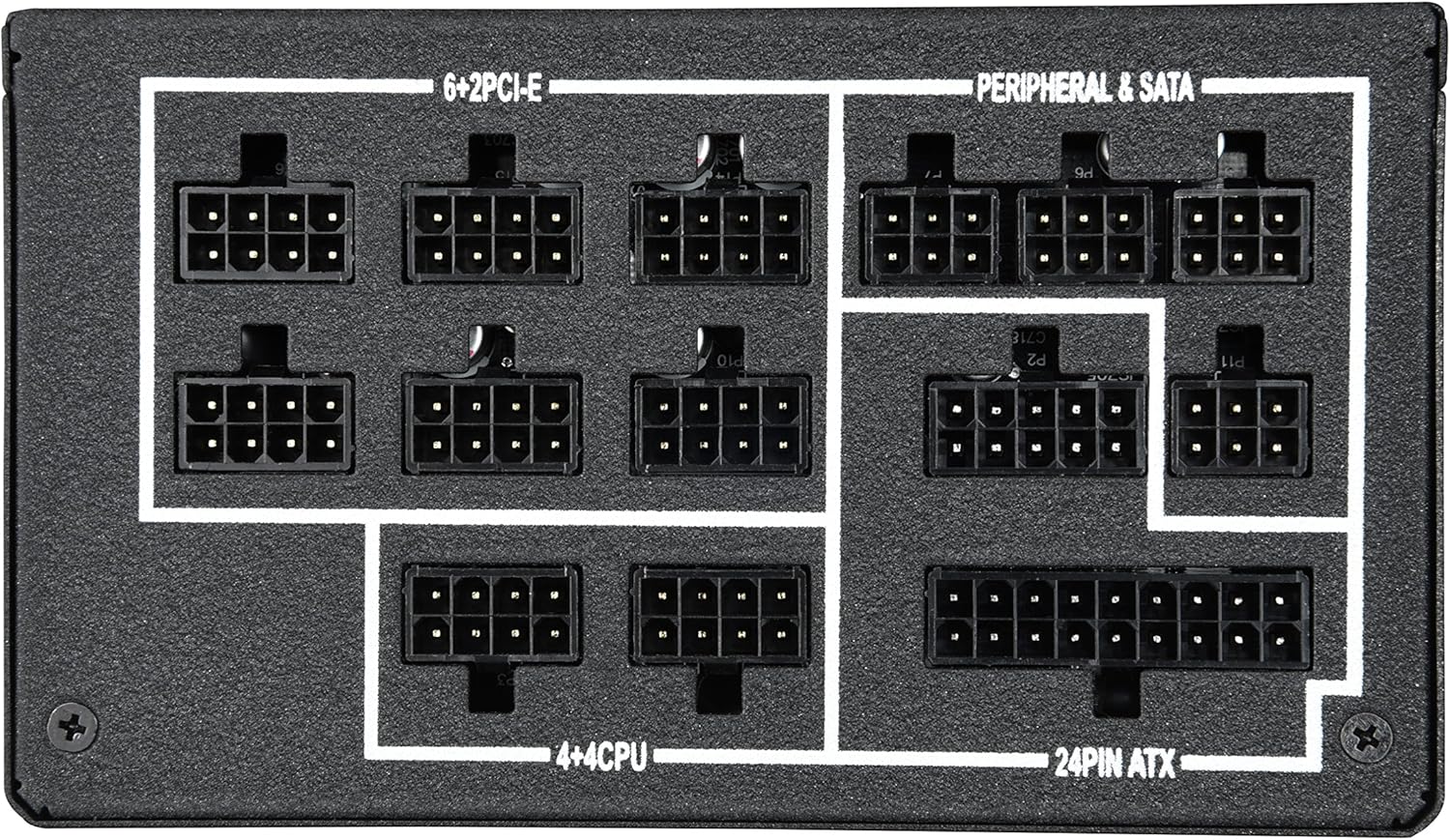
Сүрөт 4.2: Жакын пландан view of the modular cable connection ports on the power supply, clearly labeled for 24-pin ATX, 4+4 CPU, 6+2 PCIe, and Peripheral & SATA connections.
The included SLEEMAX cables are individually sleeved with premium fabric, providing durability and a smooth, soft texture for easy routing and improved aesthetics.
5. Иштөө нускамалары
5.1. Күйгүзүү/өчүрүү
After all connections are made, connect the AC power cord to the power supply and a wall outlet. Flip the main power switch on the back of the power supply to the 'ON' position. You can then power on your computer system.
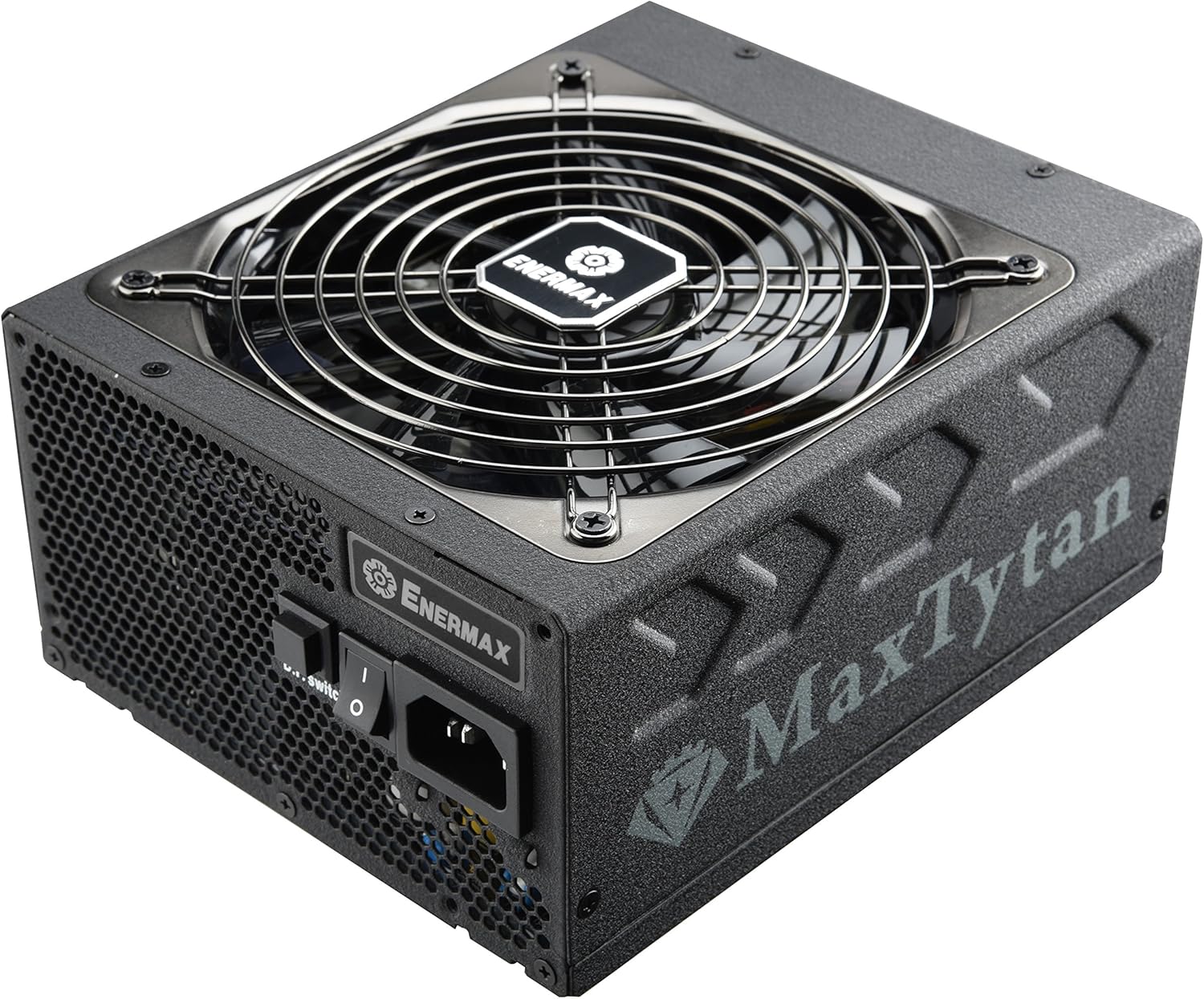
5.1-сүрөт: Арткы view of the power supply, highlighting the main power switch and the D.F. switch for Dust Free Rotation technology.
5.2. Smart Semi-fanless Control
The MaxTytan 750W features a smart semi-fanless control function. The fan remains off for silent operation when the system load is below 55% (approximately 412W at 25°C ambient temperature). Once the load surpasses this threshold, the fan will automatically start spinning to maintain optimal cooling.
5.3. Dust Free Rotation (DFR) Technology
The unique Dust Free Rotation (DFR) technology helps to prevent dust accumulation inside the power supply. Upon startup, the PSU fan performs a self-cleaning spin in reverse for 10 seconds to blow away accumulated dust. Additionally, the dedicated D.F. switch on the rear of the power supply allows users to activate this DFR technology manually at any time during operation.
Video 5.1: An official Enermax video demonstrating the features of the MaxTytan Power Supply, including its 80 PLUS Titanium efficiency, smart semi-fanless control, and the Dust Free Rotation (DFR) technology activated by the D.F. switch.
6. Техникалык тейлөө
Үзгүлтүксүз техникалык тейлөө электр менен камсыздооңуздун узак мөөнөттүү жана оптималдуу иштешин камсыз кылууга жардам берет.
- Чаңды тазалоо: Utilize the DFR technology regularly by pressing the D.F. switch to clear dust from the fan and internal components. For stubborn dust, gently use compressed air while the unit is powered off and disconnected.
- Кабелдик текшерүү: Periodically check all modular cable connections to ensure they are securely seated.
- Вентиляция: Ensure that the power supply's intake and exhaust vents are not obstructed to allow for proper airflow.
7. Кыйынчылыктарды
Эгер сиз кубат менен камсыз кылууда көйгөйлөргө туш болсоңуз, төмөнкү жалпы көйгөйлөрдү чечүү кадамдарын караңыз:
- Кубат жок:
- AC кубат шнурунун кубат булагына жана розеткага бекем туташкандыгын текшериңиз.
- Кубат булагындагы негизги кубат которгуч "ON" абалында экенин текшериңиз.
- Verify that all modular cables are correctly connected to the power supply and system components.
- Дубалдагы розеткада кубат бар экенин ырастоо үчүн башка аспап менен сынап көрүңүз.
- желдеткич айланбай жатат:
- The MaxTytan features semi-fanless operation. The fan will not spin if the system load is below 55%. This is normal behavior.
- If the system load is high and the fan is still not spinning, try activating the DFR function using the D.F. switch.
- Системанын туруксуздугу/бузуулар:
- Электр менен камсыздооңуздун ватт менен камсыз болушун камсыз кылыңызtage тутумуңуздун бардык компоненттери үчүн жетиштүү.
- Бардык электр туташууларынын боштугун текшериңиз.
- If issues persist, consult a qualified technician or contact Enermax support.
8. Техникалык шарттар
Key specifications for the Enermax MaxTytan 750W Power Supply:
| Өзгөчөлүк | Description |
|---|---|
| Бренд | Enermax |
| Модель аты | MaxTytan |
| Элемент моделинин номери | EMT750EWT |
| Чыгуу Wattage | 750 Ватт |
| Натыйжалуулуктун сертификациясы | 80 PLUS Титан |
| Форма фактору | ATX |
| Муздатуу ыкмасы | Аба |
| Өлчөмдөрү (LxWxH) | 7 x 6 x 3.5 дюйм |
| Салмагы | 10 фунт |
| Конденсаторлор | 100% 105°C Japanese electrolytic capacitors |
| Күйөрман | 13.9cm Twister Bearing Fan |
| Коргоо схемасы | OCP, OVP, UVP, OTP, OPP, SCP, SIP |
9. Кепилдик жана колдоо
The Enermax MaxTytan 750W Power Supply comes with a 10-year warranty, ensuring long-term reliability and peace of mind. For technical support, warranty claims, or further assistance, please visit the official Enermax webсайтка же кардарларды тейлөө бөлүмүнө кайрылыңыз.
Көбүрөөк маалымат жана колдоо булактарын бул жерден таба аласыз Enermax Store on Amazon.