1. Киришүү
Сатып алганыңыз үчүн рахматasing the Gingko Cube LED Click Clock. This innovative alarm clock combines elegant design with smart functionality, displaying time, date, and temperature. Its unique sound-activated display ensures a dark room at night, illuminating only when needed. Please read this manual carefully to ensure proper setup and operation of your device.
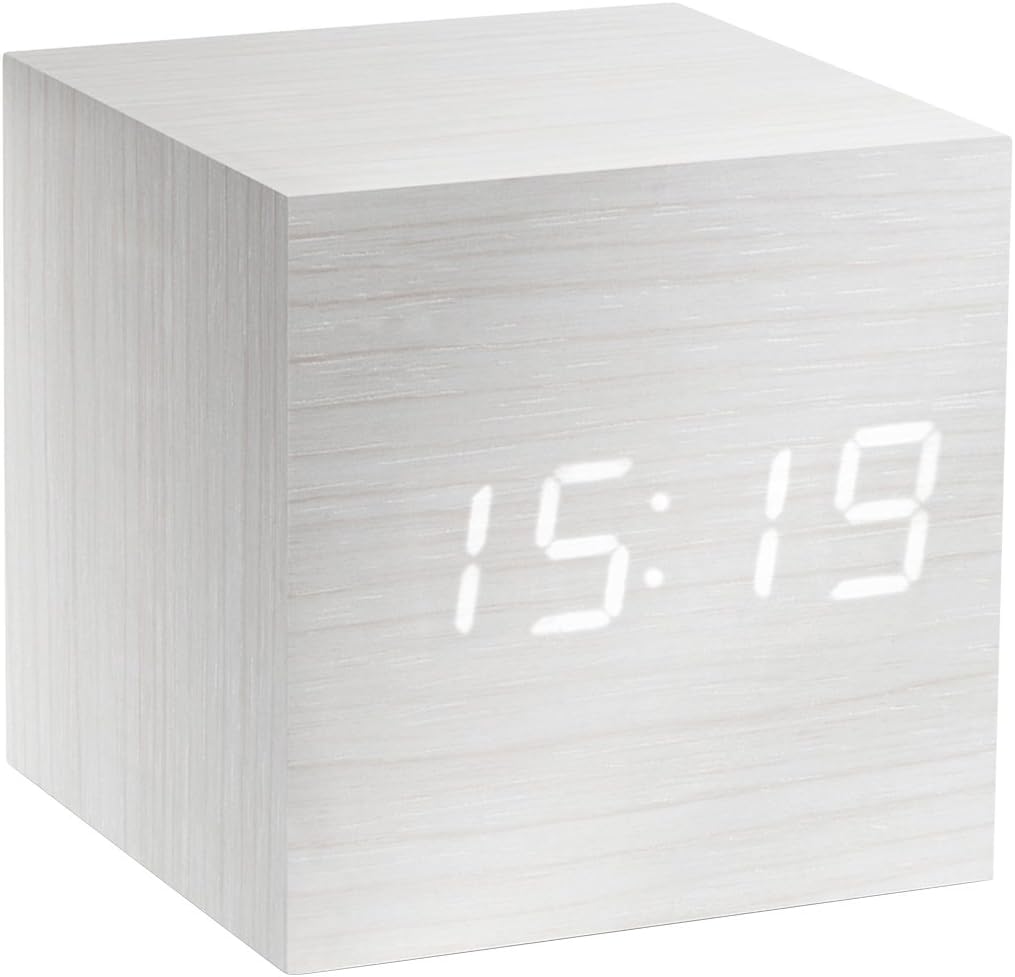
Figure 1: The Gingko Cube LED Click Clock displaying the time 15:19. The clock features a minimalist cube design with a white wood-grain finish and bright white LED digits.
2. Коопсуздук маалыматы
- Аппаратты сууга же ашыкча нымдуулукка дуушар кылбаңыз.
- Ашыкча температурадан, түз күн нурунан же жылуулук булактарынан алыс болуңуз.
- Аппаратты ажыратууга же өзгөртүүгө аракет кылбаңыз. Бул кепилдикти жокко чыгарат.
- Use only the provided USB adapter or compatible power sources.
- Балдар жетпеген жерде сактаңыз.
- Батареяларды жергиликтүү эрежелерге ылайык таштаңыз.
3. Пакеттин мазмуну
Сураныч, төмөнкү нерселер үчүн кутучаны белгилеңиз:
- Gingko Cube LED Click Clock (Model GK08W13)
- USB кубат адаптери
- USB кабели
- Көрсөтмө (бул документ)
4. Продукт бүтүп калдыview
The Gingko Cube LED Click Clock is designed for simplicity and functionality. Its main features include a hidden LED display that appears through the wood-grain finish, and control buttons located on the back panel.

2-сүрөт: Арткы view of the Gingko Cube LED Click Clock. This image shows the battery compartment cover removed, revealing slots for three AAA batteries. Above the battery compartment, five small control buttons are visible: SET, UP, DOWN, V/S, and RESET.
4.1 Башкаруу баскычтары
- ЖӨНДӨӨ: Enters setting mode for time, date, and alarms. Confirms selections.
- Өйдө: Increases values during setting.
- ТӨМӨН: Орнотуу учурунда маанилерди азайтат.
- V/S (Voice/Sound): Toggles between sound-activated display mode and permanent display mode.
- КАЛТЫРУУ: Саатты баштапкы абалга келтирет.
4.2 Киргизилген кубат
The clock can be powered via the included USB cable and adapter, or by 3 x AAA batteries (not included). An internal battery is included to retain settings during power outages.
5. Орнотуу
5.1 Күйгүзүү
- Using USB Power: Connect the small end of the USB cable to the DC5V port on the back of the clock. Plug the larger end into the USB power adapter, then plug the adapter into a wall outlet.
- Батареяларды колдонуу: Open the battery compartment cover on the back of the clock. Insert 3 x AAA batteries, ensuring correct polarity (+/-). Close the battery compartment cover securely.
Дисплей күйүп, сааттын күйүп турганын көрсөтөт.
5.2 Initial Settings (Time, Date, Temperature Format)
басып, кармап туруңуз SET button for 3 seconds to enter setting mode. The display will flash, indicating the current setting is ready for adjustment. Use the UP жана ылдый маанилерди өзгөртүү үчүн баскычтар. Басыңыз SET ырастоо жана кийинки жөндөө үчүн.
- Жылды орнотуу: Adjust the year (e.g., 2024). Press SET.
- Ай жөндөө: Adjust the month. Press SET.
- Дата орнотуу: Adjust the day. Press SET.
- 12/24 саат форматы: Select "12H" or "24H". Press SET.
- Саатты жөндөө: Adjust the hour. Press SET.
- Мүнөт коюу: Adjust the minute. Press SET.
- Температура бирдиги: Select "°C" (Celsius) or "°F" (Fahrenheit). Press SET.
The clock will exit setting mode automatically after a few seconds of inactivity or after the last setting is confirmed.
6. Иштөө нускамалары
6.1 Display Modes (Time, Date, Temperature)
The clock can cycle through displaying time, date, and temperature. By default, it will alternate between these displays.

Figure 3: The clock displaying the time 11:43, positioned on a dark desk next to a laptop. This illustrates the clock's compact size and clear LED display in a typical environment.
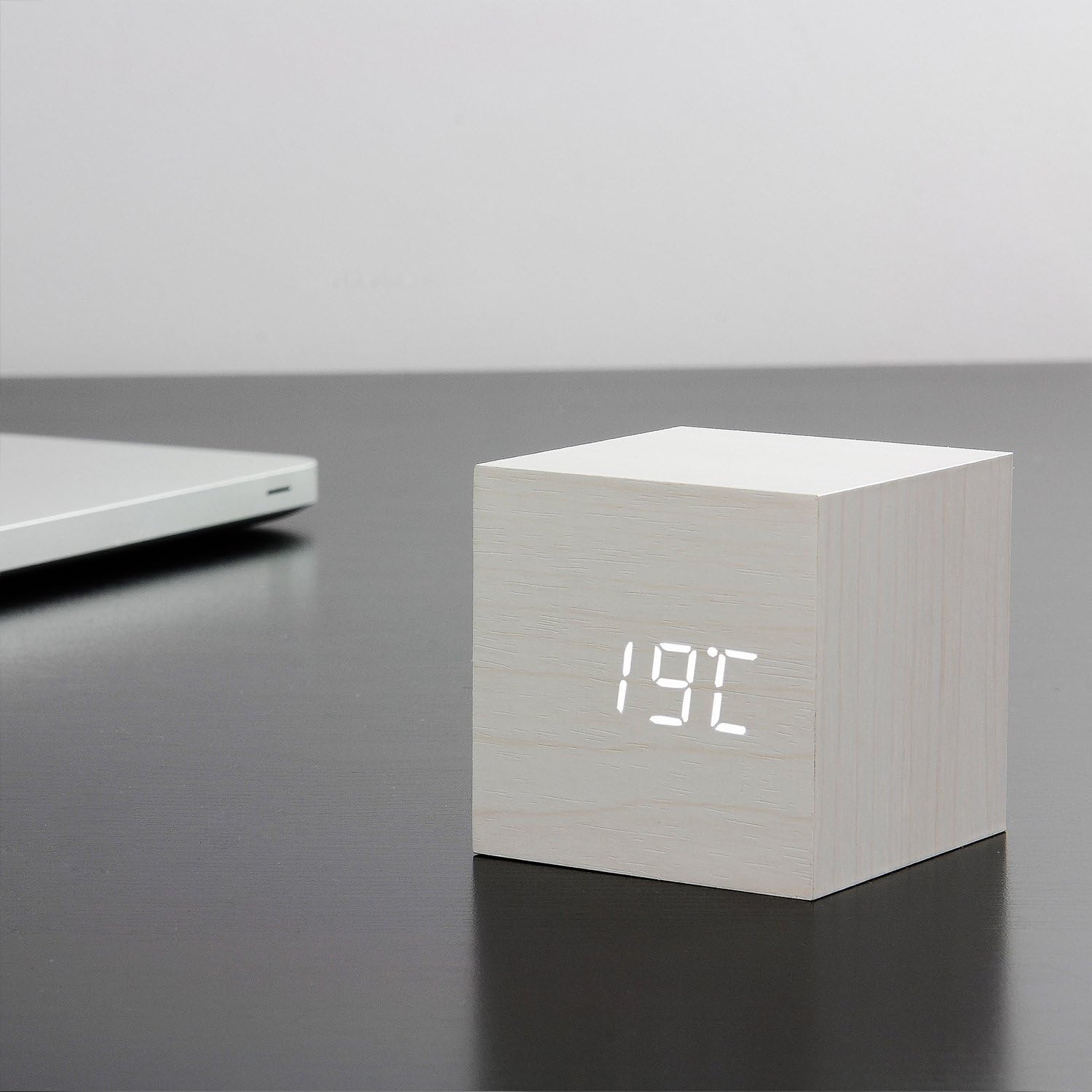
Figure 4: The clock displaying the temperature 19°C, also on a dark desk next to a laptop. This shows the clock's ability to display environmental temperature in addition to time and date.
6.2 Sound Activation (V/S Mode)
The clock features a sound-activated display mode, which conserves power and keeps your room dark. In this mode, the display turns off when the room is quiet and illuminates when a sound (like a clap or tap) is detected.
- басыңыз V/S button to toggle between sound-activated display (display turns off after a few seconds of silence) and permanent display (display remains on).
- When in sound-activated mode, a sound above 60dB (e.g., a clap, finger snap, or gentle tap on the clock/surface) will activate the display for approximately 10 seconds.
6.3 Сигнал орнотуулары
The clock supports up to three different alarm settings (AL1, AL2, AL3).
- From the normal display mode, short press the SET button repeatedly until "AL1", "AL2", or "AL3" appears.
- Ойготкуч коюу үчүн басып, кармап туруңуз SET button for 3 seconds when the desired alarm (e.g., "AL1") is displayed. The hour digits will flash.
- Колдонуу UP жана ылдый to set the alarm hour. Press SET.
- Колдонуу UP жана ылдый to set the alarm minute. Press SET.
- The display will show "ON:AL" or "OFF:AL". Use UP or ылдый to toggle the alarm ON or OFF. Press SET ырастоо үчүн.
- Repeat for AL2 and AL3 if desired.
When an alarm sounds, it will last for 1 minute. To stop the alarm, press any button. The alarm will automatically turn off after 1 minute if no button is pressed.
6.4 Dimmer Function
The clock features an automatic dimmer function. The display brightness will automatically adjust between brighter (7:00 AM - 6:59 PM) and dimmer (7:00 PM - 6:59 AM) modes to suit ambient light conditions.
7. Техникалык тейлөө
- Сааттын бетин жумшак, кургак чүпүрөк менен тазалаңыз. Абразивдүү тазалоочу каражаттарды же эриткичтерди колдонбоңуз.
- If using batteries, replace them when the display becomes dim or erratic. Remove batteries if the clock will not be used for an extended period.
8. Кыйынчылыктарды
| Көйгөй | Мүмкүн себеп | Чечим |
|---|---|---|
| Дисплей өчүк же күңүрт. | Sound-activated mode is on; low batteries; no power. | Tap the clock or make a sound to activate. Press V/S to switch to permanent display. Replace batteries or ensure USB power is connected. |
| Clock not responding to buttons. | Убактылуу программалык ката. | Press the RESET button on the back of the clock. Re-enter settings if necessary. |
| Ойготкуч угулбайт. | Alarm is set to OFF; incorrect alarm time. | Check alarm settings (AL1/AL2/AL3) to ensure it is set to ON and the time is correct. |
| Incorrect time/date/temperature. | Settings not correctly configured. | Re-enter setting mode (Section 5.2) and adjust values. |
9. Техникалык шарттар
| Өзгөчөлүк | Деталь |
|---|---|
| Модель номери | GK08W13 |
| Өлчөмдөрү (L x W x Y) | 68 x 68 x 68 мм (2.68 x 2.68 x 2.68 дюйм) |
| Салмагы | 120 грамм (0.26 фунт) |
| Материал | Пластик |
| Түс | White / White LED |
| Дисплей түрү | Digital LED |
| Power Source | USB Cable (DC5V) or 3 x AAA Batteries |
| Өзгөчөлүктөрү | Time, Date, Temperature Display, Sound Activation, 3 Alarm Settings, Dimmer Function, Internal Battery for Settings Retention |
10. Кепилдик жана колдоо
Gingko products are designed and manufactured to the highest standards. For warranty information or technical support, please refer to the official Gingko website or contact your retailer. Please have your model number (GK08W13) and purchase details ready when seeking support.
Көбүрөөк маалымат алуу үчүн төмөнкүгө кириңиз: www.gingkodesign.com


