1. Киришүү
This manual provides detailed instructions for the installation, operation, and maintenance of your MERCUSYS AC1200 Wireless Dual Band Router, model AC12. Please read this guide thoroughly to ensure proper setup and optimal performance of your device.
The MERCUSYS AC1200 Router offers high-speed Wi-Fi connectivity with dual-band support, designed to provide reliable internet access for your home or office network.
2. Пакеттин мазмуну
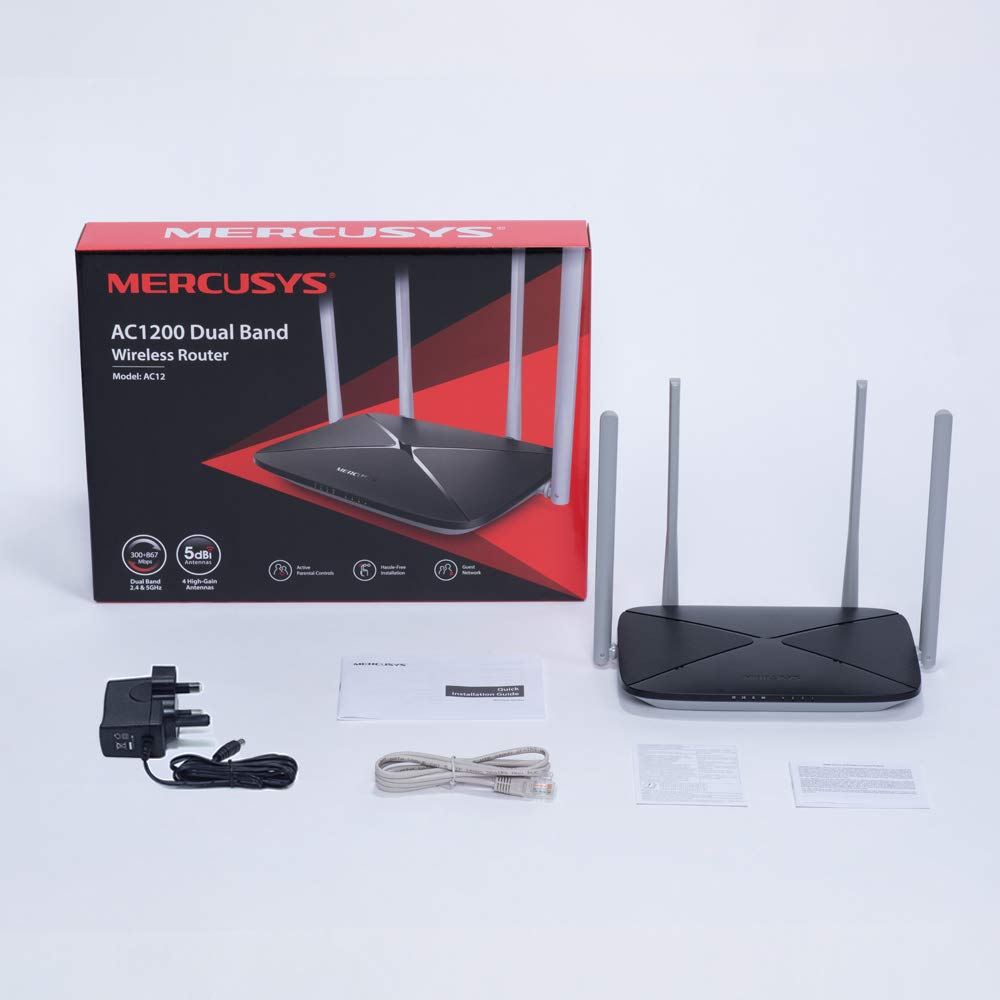
Продукцияңыздын таңгагында бардык элементтер бар экенин текшериңиз:
- MERCUSYS AC1200 Dual Band Wireless Router (AC12)
- Кубаттуу адаптер
- Ыкчам орнотуу көрсөтмөсү
- Ethernet кабели
3. Техникалык жабдыктар бүттүview
3.1 алдыңкы панели
The front panel features LED indicators that provide status information about the router's operation, including power, internet connection, and Wi-Fi activity.

3.2 Арткы панель
The rear panel contains all the physical ports and buttons necessary for connecting the router to your network and power source.
- WAN Port (Orange): Модемиңизге же интернет кызматын көрсөтүүчүңүздүн (ISP) жабдууларына туташат.
- LAN Ports (Blue): Connects to wired devices such as computers, gaming consoles, or network printers. The AC12 model features 4 LAN ports.
- Кубат киргизүү: Берилген кубат адаптерине туташат.
- Калыбына келтирүү/WPS баскычы: Used to reset the router to factory settings or to initiate a Wi-Fi Protected Setup (WPS) connection.

3.3 Антенналар
The router is equipped with four external 5dBi omni-directional antennas, designed to enhance wireless coverage and signal strength.

4. Орнотуу колдонмосу
Follow these steps to set up your MERCUSYS AC1200 Router:
- Аппаратты туташтыруу:
- Модемиңизди өчүрүңүз.
- Connect the modem's Ethernet cable to the WAN port (orange) of the AC12 router.
- Connect your computer to one of the LAN ports (blue) on the router using an Ethernet cable, or connect wirelessly using the default Wi-Fi name (SSID) and password printed on the router's label.
- Power on your modem, then power on the AC12 router.
- Configure Router via Web Интерфейс:
ачуу а web browser on your connected computer or device. The intuitive webpage guides you through the setup process in minutes.
- 1-кадам: Create a unique login password for the router's management page.
- 2-кадам: Choose your internet service type and enter any required information provided by your ISP.
- 3-кадам: Set your wireless network name (SSID) and password for both 2.4 GHz and 5 GHz bands.

5. Иштөө нускамалары
5.1 Эки тилкелүү Wi-Fi
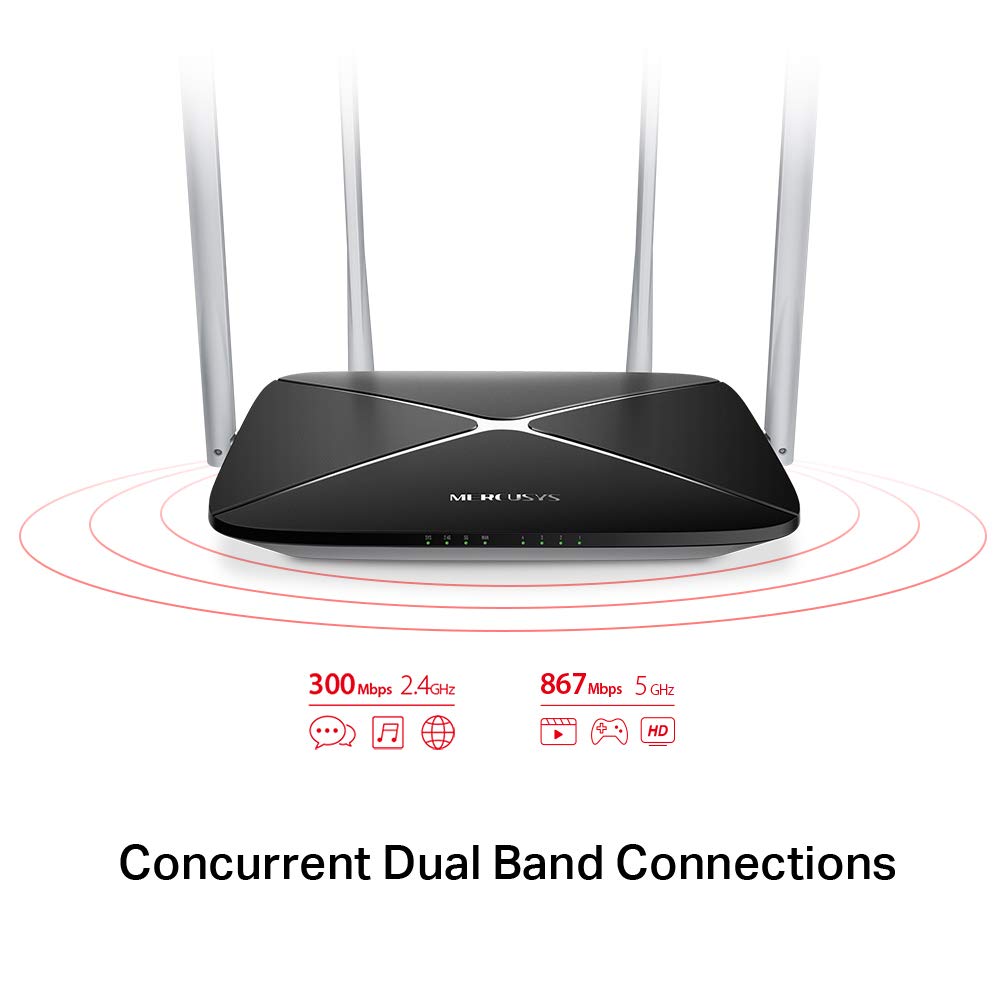
The AC1200 router operates on two distinct Wi-Fi bands:
- 2.4 ГГц диапазону: Provides speeds of up to 300 Mbps, suitable for general internet use, web серептөө жана электрондук почта.
- 5 ГГц диапазону: Offers faster speeds of up to 867 Mbps, ideal for online gaming, HD video streaming, and other bandwidth-intensive applications.
5.2 Enhanced Wireless Coverage
The four external 5dBi omni-directional antennas are designed to provide extensive wireless coverage and strong signal intensity throughout your home or office, minimizing weak spots and dropped connections.

5.3 Коноктор тармагы
The Guest Network feature allows you to provide secure Wi-Fi access to guests without sharing your main network password. This enhances security by isolating guest devices from your primary network resources.
5.4 Коопсуздук протоколу
The router supports WPA-PSK / WPA2-PSK security protocols to protect your wireless network from unauthorized access.
6. Техникалык тейлөө
- Программалык камсыздоонун жаңыртуулары: Regularly check the MERCUSYS official webоптималдуу аткарууну жана коопсуздукту камсыз кылуу үчүн микропрограммаларды жаңыртуу үчүн сайт.
- Физикалык тазалоо: Роутерди таза жана чаңсыз кармаңыз. Тазалоо үчүн жумшак, кургак чүпүрөк колдонуңуз. Суюк тазалоочу каражаттарды колдонбоңуз.
- Жайгашкан жери: Маршрутизаторду борбордук жерге, тоскоолдуктардан жана тоскоолдуктарды алып келе турган түзүлүштөрдөн (мисалы, микротолкундар, зымсыз телефондор) алысыраак жерге коюңуз.
- Кайра иштетилүүдө: Эгер сизде тармак көйгөйлөрү пайда болсо, роутерди өчүрүп күйгүзүп көрүңүз, кубат адаптерин 10 секундга сууруп, анан кайра сайыңыз.
7. Кыйынчылыктарды
- Интернетке кирүү жок:
- Check if the WAN port LED is lit. If not, ensure the Ethernet cable from your modem is securely connected.
- Модемиңиз туура иштеп жатканын текшериңиз.
- Модемди да, роутерди да өчүрүп күйгүзүңүз.
- Эгер көйгөй чечилбесе, Интернет Провайдериңизге (ISP) кайрылыңыз.
- Wi-Fi сигналы начар:
- Маршрутизаторду бир кыйла борбордук жерге көчүрүңүз.
- Антенналардын тигинен жайгашканын текшериңиз.
- Minimize physical obstructions (walls, large furniture) between the router and your devices.
- Avoid placing the router near other electronic devices that may cause interference.
- Роутерге кирүү мүмкүн эмес Web Башкаруу баракчасы:
- Түзмөгүңүздүн роутерге (зымдуу же зымсыз) туташып турганын текшериңиз.
- Verify that you are using the correct IP address (e.g.,
192.168.1.1ormwlogin.net) сиздин web браузер. - Браузериңиздин кэшин тазалаңыз же башка браузерди колдонуп көрүңүз.
- Wi-Fi сырсөзүн же логин сырсөзүн унутуп калдыңыз:
- You can reset the router to factory default settings by pressing and holding the Reset/WPS button on the rear panel for approximately 6-10 seconds until the LEDs flash. Note that this will erase all your custom settings.
8. Техникалык шарттар
| Өзгөчөлүк | Деталь |
|---|---|
| Бренд | MERCUSYS |
| Модель аты | AC12 |
| Зымсыз стандарт | 802.11ac |
| Жыштык тилкесинин классы | Кош тилкелүү (2.4 ГГц жана 5 ГГц) |
| 2.4 ГГц Wi-Fi ылдамдыгы | 300 Мбит/сек чейин |
| 5 ГГц Wi-Fi ылдамдыгы | 867 Мбит/сек чейин |
| Антенналар | 4 x 5dBi Omni-Directional Antennas |
| Ethernet порттору | 1 WAN, 4 LAN |
| Коопсуздук протоколу | WPA-PSK / WPA2-PSK |
| Продукциянын өлчөмдөрү | 22.2 x 14 x 3.2 см |
| Элемент Салмагы | 260 г |
| Тtage | 9 вольт |
| Операциялык системанын шайкештиги | Windows (for setup via web интерфейс) |
9. Кепилдик жана колдоо
9.1 Кепилдик маалыматы
This MERCUSYS AC1200 Router comes with a 3 жылдык кепилдик. Please retain your purchase receipt for warranty claims. The warranty covers manufacturing defects under normal use conditions.
9.2 Техникалык колдоо
For technical assistance, please visit the official MERCUSYS website or contact their customer support. Manufacturer: TP-Link Technologies Co.,Ltd.


