Introduction
This user manual provides detailed instructions for the safe and efficient operation of your Kaiser Donker Professional Rechargeable Amplified Wireless Speaker Kit. This 15-inch speaker system features KSR-Link technology for connecting multiple units, Bluetooth connectivity, FM radio, and various input options for a versatile audio experience. Please read this manual thoroughly before using the product and retain it for future reference.
Пакеттин мазмуну
Сураныч, төмөнкү нерселер үчүн кутучаны белгилеңиз:
- 1 x Rechargeable Speaker Unit
- 1 x Алыстан башкаруу
- 1 x Power Cable (for charging)
- 1 x Зымдуу микрофон
Продукт бүттүview
Фронт View

The front of the speaker features a protective grille covering the 15-inch woofer, which illuminates with a blue light when active, and the tweeter. The Donker brand logo is prominently displayed across the center.
Арткы башкаруу панели

The rear panel houses all the main controls and input/output ports. These include independent knobs for master volume, bass, treble, microphone volume, and echo. It also features a display, playback controls, 3.5mm audio input, 6.3mm microphone input, USB port, micro SD card slot, external battery terminals, and power input.
Зымдуу микрофон

A wired microphone is included for karaoke or public address functions. It connects to the 6.3mm microphone input on the rear panel.
Алыстан башкаруу

The provided remote control allows for convenient operation of the speaker's functions, including power, mode selection, volume, track control, EQ, and FM scan.
Optional Speaker Stand
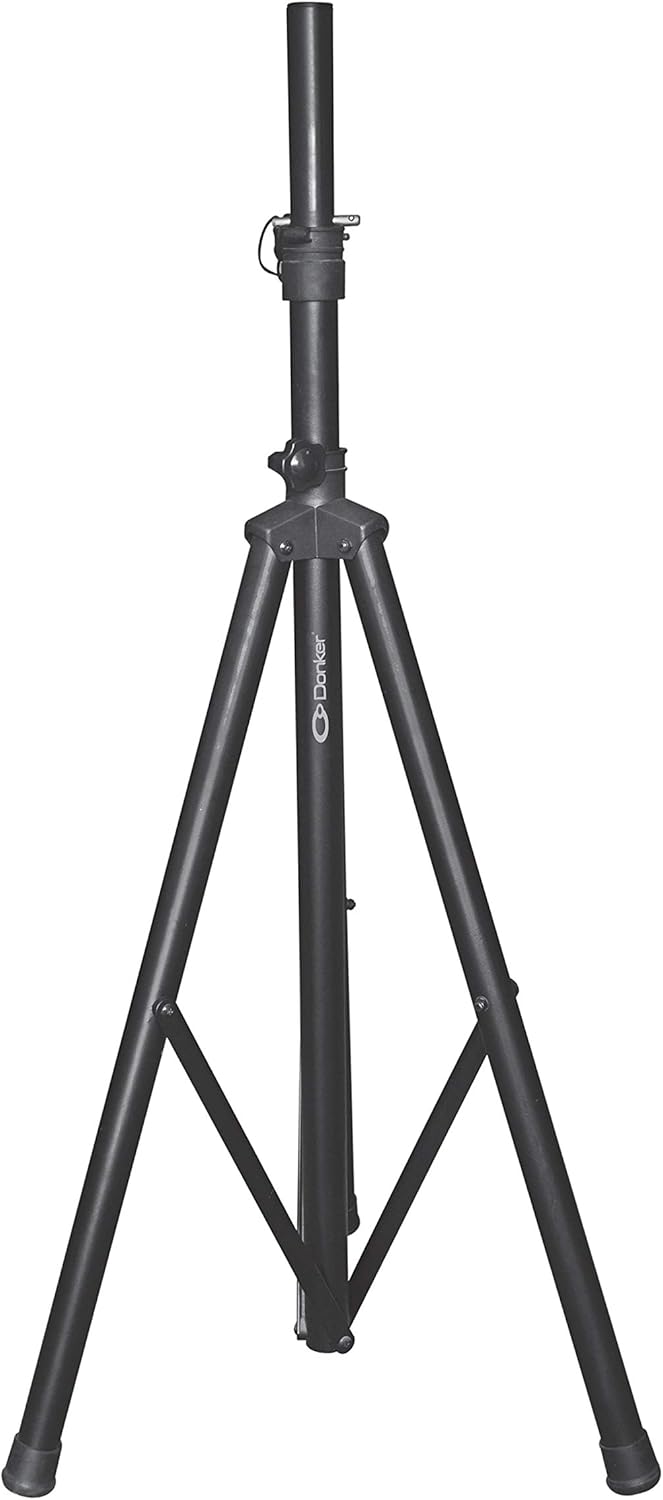
While not included in the standard package, the speaker is compatible with a standard tripod speaker stand (sold separately) for elevated sound projection.
Жайгашуу
Баштапкы заряддоо
- Before first use, fully charge the speaker for approximately 6 hours using the provided power cable.
- Connect the power cable to the speaker's power input and plug the other end into a standard electrical outlet.
- Заряддоо индикатору кубаттоо абалын көрсөтөт.
Жайгаштыруу
- Динамикти туруктуу, жалпак бетке коюңуз.
- For optimal sound dispersion, position the speaker in an open area, away from obstructions.
- If using a speaker stand, ensure it is securely locked and capable of supporting the speaker's weight (21 kg).
Иштөө нускамалары
Күйгүзүү/өчүрүү
Locate the power switch on the rear control panel. Flip it to the "ON" position to power on the speaker. Flip it to "OFF" to power off.
Bluetooth Жупташтыруу
- Динамикти күйгүзүңүз. Дисплейде учурдагы режим көрсөтүлөт.
- Press the "Mode" button on the control panel or remote until "Bluetooth" mode is selected. The speaker will enter pairing mode, indicated by a flashing Bluetooth icon on the display.
- Мобилдик түзмөгүңүздө Bluetooth иштетип, жеткиликтүү түзмөктөрдү издеңиз.
- Select "Kaiser Donker" (or similar name) from the list. Once paired, the speaker will emit a confirmation sound, and the Bluetooth icon will stop flashing.
- You can now play audio from your device through the speaker. The Bluetooth range is up to 10 meters.
FM радиосунун иштеши
- Press the "Mode" button until "FM Radio" mode is selected.
- Press the "SCAN" button on the remote or control panel to automatically scan and save available FM stations.
- Сакталган станциялар арасында өтүү үчүн "Мурунку/Кийинки трек" баскычтарын колдонуңуз.
USB/Micro SD ойнотуу
- Insert a USB flash drive or a micro SD card into the corresponding slot on the rear panel.
- The speaker will automatically switch to USB or Micro SD mode and begin playing audio files. If not, press the "Mode" button to select the correct input.
- Use the playback controls (Play/Pause, Previous/Next Track) on the speaker or remote to manage your music.
Микрофонду колдонуу
- Connect the wired microphone to the 6.3mm microphone input on the rear panel.
- Adjust the "MIC VOL" knob to control the microphone's volume.
- Use the "ECHO" knob to add an echo effect to the microphone's output.
- The speaker features a "Microphone Audio Priority" function, which automatically lowers background music when the microphone is in use.
Аудио жаздыруу
The speaker supports audio recording. Ensure a USB drive or micro SD card is inserted. Press the "Record" button (if available on your model/remote) to start recording. Press again to stop.
Тышкы батарея туташтыруу
For extended use, the speaker includes terminals for connecting an external 12V battery. Ensure correct polarity when connecting to avoid damage.
KSR-Link Technology
The KSR-Link 9.2 technology allows you to wirelessly connect two Kaiser Donker speakers with the same technology for a stereo sound experience. Refer to the KSR-Link specific instructions for detailed pairing steps (usually involves holding a dedicated button on both units).
Техникалык тейлөө
- Тазалоо: Динамиктин сыртын тазалоо үчүн жумшак, кургак чүпүрөктү колдонуңуз. Абразивдүү тазалагычтарды же эриткичтерди колдонбоңуз.
- Сактагыч: Узак мөөнөткө колдонулбаганда, динамикти салкын, кургак жерде, тике күн нурунан жана экстремалдык температурадан алыс сактаңыз.
- Батареяга кам көрүү: To prolong battery life, fully charge the speaker before storing it for long periods. Avoid completely draining the battery frequently.
- Вентиляция: Динамиктин ысып кетишинин алдын алуу үчүн желдетүү тешиктери бүтөлүп калбаганын текшериңиз.
Проблемаларды чечүү
| Көйгөй | Мүмкүн себеп | Чечим |
|---|---|---|
| Күч жок | Battery drained; Power cable not connected; Power switch off. | Charge the battery; Ensure power cable is securely connected; Turn power switch to ON. |
| Үн жок | Volume too low; Incorrect input mode; Device not connected/paired. | Increase volume; Select correct input mode (Bluetooth, USB, AUX); Re-pair Bluetooth device or check cable connection. |
| Bluetooth туташпай жатат | Динамик жупташтыруу режиминде эмес; Аппарат өтө алыс; Интерференция. | Ensure speaker is in Bluetooth pairing mode; Move device closer (within 10m); Turn off other Bluetooth devices. |
| Микрофон иштебей жатат | Microphone not connected; MIC VOL knob too low; Faulty microphone. | Ensure microphone is fully plugged in; Increase MIC VOL; Test with another microphone if possible. |
| Жогорку үн деңгээлинде үндүн бурмаланышы | Volume too high; Input source distortion. | Reduce master volume; Check volume on connected device; Adjust bass/treble knobs. |
Техникалык шарттар
| Өзгөчөлүк | Деталь |
|---|---|
| Модел | MSA-5715 |
| Аудио Power | 25,000 W PMPO / 40 W RMS |
| Динамик өлчөмү | 15 дюйм (38.1 см) |
| Байланыш | Bluetooth, USB, Micro SD, 3.5mm AUX, 6.3mm Microphone |
| Bluetooth диапазону | 10 метрге чейин |
| Өзгөчөлүктөр | KSR-Link 9.2 Technology, FM Radio, Audio Recording, Microphone Audio Priority, External Battery Terminals |
| Импеданс | 3.6 Ом |
| Батареянын иштөө мөөнөтү (орточо) | 4 саат |
| Продукциянын өлчөмдөрү (L x W x Y) | 41.5 x 64.7 x 34.7 см |
| Продукт Салмагы | 21 кг |
Кепилдик жана колдоо
For warranty information and technical support, please refer to the warranty card included with your product or visit the official Kaiser webсайт. Сатып алуу квитанциясын кепилдик дооматтары үчүн сатып алуунун далили катары сактаңыз.
For further assistance, you may contact Kaiser customer service through their official channels.


