1. Киришүү
Thank you for choosing the XTRONS CM121HD 12.1-inch 1080P Video Car Overhead Player. This manual provides detailed instructions for the proper installation, operation, and maintenance of your new car overhead monitor. Please read this manual thoroughly before use to ensure optimal performance and safety.
2. Негизги өзгөчөлүктөрү
- 12.1-inch HD TFT Digital Wide Screen: Experience superior visual enhancement with a 1280x800 HD resolution display.
- True 1080P Video Playback: Enjoy smooth, vibrant, and sharp full 1080p HD videos.
- 120° Max Open Angle: The monitor can be opened up to an angle of 120 degrees for maximum viewсооронуч.
- Expanded Media Choices: Features USB, SD card, and Aux input for diverse entertainment options.
- Ультра жука дизайн: When fully folded, the unit is only 27mm thick, crafted from high-quality materials.
- Built-in HDMI Port: Integrate mobile entertainment by connecting your phone to enjoy games and share media.
- Soft-Touch Button Panel: Simplifies operation with an elegant appearance.
- Positive & Negative Door Control Support: Lights on the unit can automatically turn on or off based on door status.
- Built-in Atmospheric LED Light Strips: Two soft blue LED light strips on each side create a pleasant ambiance.
- Variety of Sound Output Choices: Connect headphones via built-in infrared transmitter or use the car's speakers via FM transmitter.
3. Продукт бүтүп калдыview
The XTRONS CM121HD combines sleek design with advanced functionality to provide an enhanced in-car entertainment experience. Its ultra-thin profile and high-definition screen make it a versatile addition to any vehicle.

Figure 1: ашыкview of XTRONS CM121HD features including screen size, HDMI port, 120-degree rotation, 1080P video support, positive/negative door control, and compact design.
3.1 Sleek Design and Display
The CM121HD features a 12.1-inch high-definition screen with a 1280x800 resolution, ensuring clear and vibrant visuals. Its ultra-thin design, measuring only 27mm when folded, integrates seamlessly into your vehicle's interior.

Figure 2: The XTRONS CM121HD showcasing its ability to play true 1080P video with vibrant colors and sharp images.
3.2 жөнгө салынат Viewбурч
The monitor can be adjusted to a maximum open angle of 120 degrees, providing flexible viewing positions for passengers.
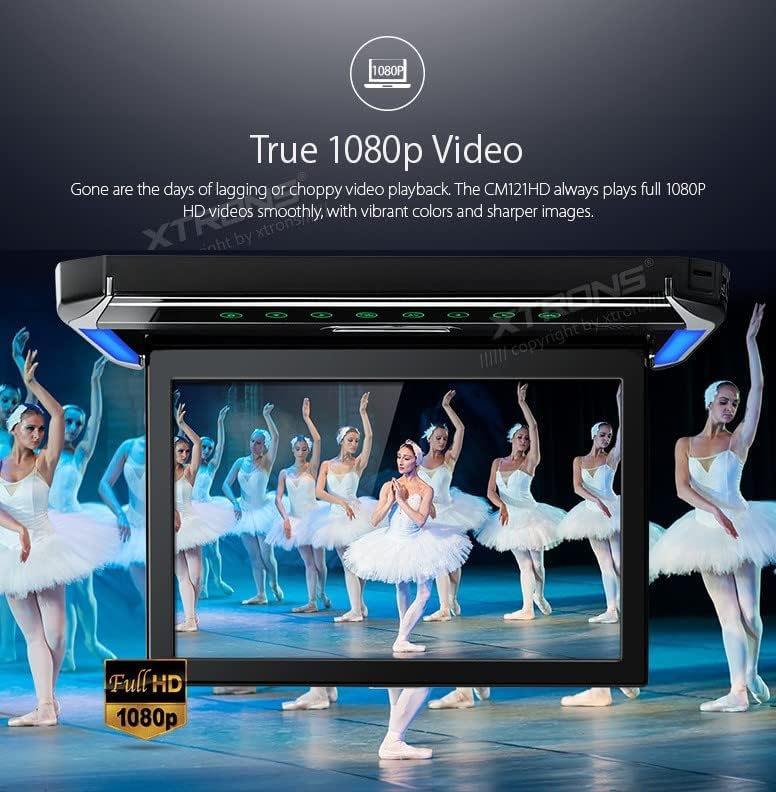
Figure 3: The monitor's 120-degree maximum open angle for optimal passenger viewing.
3.3 Байланыш параметрлери
The unit includes a built-in HDMI port, USB port, SD card slot, and Aux input, offering multiple ways to connect and enjoy your media. The HDMI port allows for mirroring content from mobile devices.
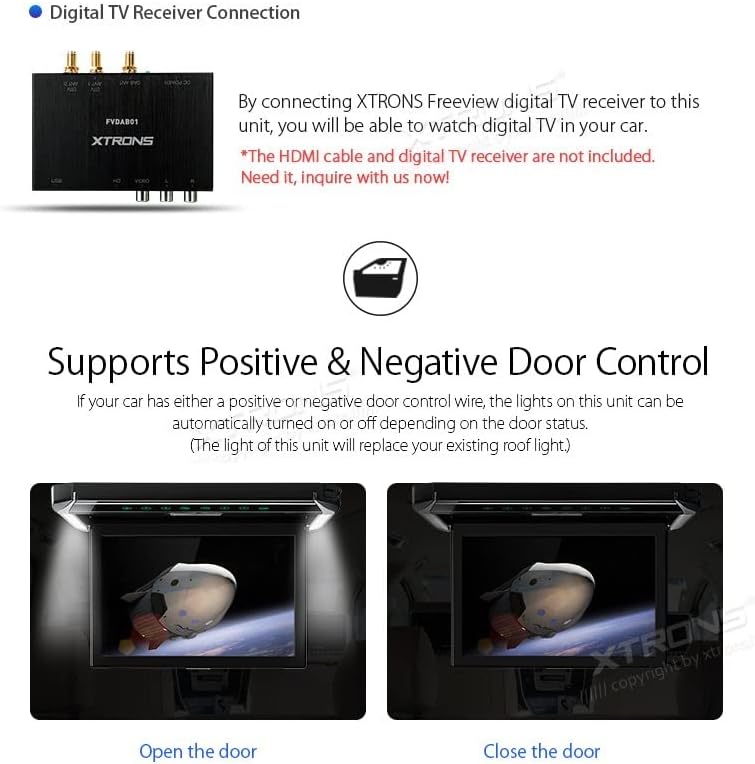
Figure 4: Connecting a device via the built-in HDMI port for integrated mobile entertainment.

Figure 5: Dimensions of the CM121HD unit and a list of included accessories: 1x Remote Control, 1x User Manual, 5x Fixing Screws.
4. Орнотуу жана орнотуу
Proper installation is crucial for the performance and safety of your XTRONS CM121HD monitor. It is recommended that installation be performed by a qualified professional.
4.1 Агрегатты монтаждоо
The unit is designed for roof mounting. Ensure the mounting location is secure and does not interfere with vehicle safety features or passenger comfort. Use the provided fixing screws to secure the unit firmly to the vehicle's roof lining.
4.2 Зымдарды туташтыруу
- Кубат туташуу: Connect the power cables to the vehicle's electrical system, ensuring correct polarity.
- Door Control Wiring: If your vehicle supports positive or negative door control, connect the corresponding wire to enable automatic light control.
- Аудио чыгаруу: Choose your preferred audio output method (IR headphones or FM transmitter) and configure accordingly.
- Video Input: Connect external video sources (e.g., HDMI, USB, SD card) as desired.
Видео 1: Бүттүview of the XTRONS 12.1 Inch 1080P Video Car Overhead Player, demonstrating its features and design. This video is provided by the seller.
5. Иштөө нускамалары
The XTRONS CM121HD is designed for user-friendly operation. Utilize the soft-touch button panel or the included remote control to navigate menus and control playback.
5.1 Негизги операция
- Күйгүзүү/өчүрүү: Press the power button on the unit or remote to turn the monitor on or off.
- Булак тандоо: Use the 'Source' button to switch between different inputs (HDMI, USB, SD, AV).
- Меню навигациясы: Use the arrow buttons and 'OK' button on the remote or unit to navigate through settings and media files.
5.2 Медиа ойнотуу
- USB/SD ойнотуу: Insert a USB drive or SD card into the respective slot. The unit will typically detect the media and display options for photos, music, or movies.
- HDMI киргизүү: Connect an HDMI-enabled device (e.g., smartphone, game console) to the HDMI port. Select HDMI as the source to view туташкан түзмөктөн мазмун.
5.3 Sound Output
- IR Headphones: Activate the IR transmitter function on the unit. Compatible XTRONS IR headphones (DWH005, DWH006, etc.) can then receive audio wirelessly.
- FM тараткыч: Enable the FM transmitter and tune your car's FM radio to the specified frequency to play audio through the vehicle's speakers.
Figure 6: Various sound output choices, including FM transmission to car speakers and IR transmission for headphones.
6. Техникалык тейлөө
To ensure the longevity and optimal performance of your XTRONS CM121HD monitor, follow these maintenance guidelines:
- Тазалоо: Экранды жана сыртын тазалоо үчүн жумшак, кургак чүпүрөктү колдонуңуз. Абразивдүү тазалагычтардан же эриткичтерден качыңыз.
- Температура: Аппаратты экстремалдык температурага же түз күн нуруна узак убакытка калтырбаңыз.
- Нымдуулук: Keep the unit dry. Avoid exposure to water or high humidity.
- Вентиляция: Ашыкча ысып кетүүнүн алдын алуу үчүн аппараттын айланасында туура желдетүүнү камсыз кылыңыз.
7. Кыйынчылыктарды
If you encounter issues with your XTRONS CM121HD, refer to the following common problems and solutions:
| Көйгөй | Мүмкүн себеп | Чечим |
|---|---|---|
| Күч жок | Электр байланышы бош, сактагыч күйүп кетти | Check power cables and connections. Inspect and replace fuses if necessary. |
| Видео сигнал жок | Incorrect source selected, loose video cable, incompatible format | Select the correct input source. Ensure video cables are securely connected. Verify media format compatibility. |
| Үн жок | Volume too low, incorrect audio output selected, IR headphones not paired | Increase volume. Select correct audio output (IR/FM). Ensure IR headphones are powered on and paired. |
| Пульт иштебей жатат | Dead batteries, obstruction, IR sensor blocked | Replace remote batteries. Remove any obstructions between remote and unit. Ensure IR sensor on unit is clear. |
If problems persist, please contact XTRONS customer support or a qualified service technician.
8. Техникалык шарттар
| Өзгөчөлүк | Спецификация |
|---|---|
| Бренд | XTRONS |
| Модел | CM121HD |
| Screen Size | 12.1 дюйм |
| Дисплей түрү | LED |
| Резолюция | 1280x800 |
| Video ойнотуу | 1080P HD |
| Байланыш | HDMI, USB, SD Card, Aux Input |
| Катталган калыңдыгы | 27мм |
| Элемент Салмагы | 8.8 фунт |
| Биринчи жеткиликтүү күн | 29-сентябрь, 2017-жыл |
9. Кепилдик жана колдоо
XTRONS products are designed and manufactured to the highest quality standards. For warranty information and customer support, please refer to the warranty card included with your product or visit the official XTRONS webсайт. Сатып алуу квитанциясын кепилдик дооматтары үчүн сатып алуунун далили катары сактаңыз.
For technical assistance or service inquiries, please contact XTRONS customer service through their official channels.


