1. Киришүү
This manual provides comprehensive instructions for the installation, operation, and maintenance of the CAME BXV 8K01MS-003 Sliding Gate Automation Kit. Designed for residential use, this 24V DC system is suitable for sliding gates up to 14 meters in length and weighing up to 400 kg. It features high performance, precise slowdown management via an encoder, and efficient obstacle detection for enhanced safety.
2. Коопсуздук маалыматы
Маанилүү коопсуздук көрсөтмөлөрү:
- Орнотуудан жана колдонуудан мурун бардык нускамаларды кылдат окуп чыгыңыз.
- Installation must be performed by qualified personnel in compliance with local regulations and safety standards.
- Disconnect power before performing any maintenance or repair work.
- Ensure all safety devices (photocells, emergency stop) are correctly installed and functioning.
- Do not allow children to play near the gate or with the control devices.
- In case of malfunction, do not attempt to repair the unit yourself. Contact qualified technical support.
3. Пакеттин мазмуну
The CAME BXV 8K01MS-003 kit typically includes the following components:

Сүрөт: бүттүview of the CAME BXV Sliding Gate Automation Kit, showing the motor unit, control board, remote controls, flashing light, photocells, and mounting hardware.
- 1 x 24V DC Automation Motor Unit (BXV04AGS)
- 1 x Electronic Control Board (integrated within the motor unit)
- 2 x Two-channel Multi-user Transmitters (Remote Controls) (806TS-0121)
- 1 x Pair of External Photocells (12-24V AC-DC, 10m range) (001DIR10)
- 1 x Plug-in Radio Frequency Board (001AF43S)
- 1 x Flashing LED Light with Antenna, Cable, and Wall Bracket (001KLED24)
- 1 x Gate Warning Plate (001KIAROS)
- Орнотуу жабдуулары жана аксессуарлары
Note: Additional accessories such as key selectors, keypads, transponders, Bluetooth interfaces (CAME KEY), RIO SYSTEM wireless devices, and emergency batteries are not included and must be purchased separately if desired.
4. Орнотуу жана орнотуу
Proper installation is crucial for the safe and efficient operation of your sliding gate system. Refer to the detailed wiring diagrams provided in the separate technical manual for specific connections.
4.1 Motor Unit Placement and Mounting

Image: Close-up of the CAME BXV motor unit, highlighting its compact design and manual release mechanism.
- Фундаментти даярдоо: Ensure a solid, level concrete foundation is prepared next to the gate opening, suitable for mounting the motor unit.
- Негизги плитаны орнотуу: Securely fasten the motor unit's base plate to the foundation using appropriate anchors.
- Position the Motor Unit: Place the motor unit onto the base plate, ensuring it is aligned correctly with the gate's rack.
- Install the Rack: Attach the sliding gate rack securely to the gate, ensuring it meshes correctly with the motor's pinion gear.

Image: The CAME BXV motor unit installed at the base of a sliding gate, with the gear rack visible along the gate's bottom edge.
4.2 Электр байланыштары

Сүрөт: деталдуу view of the CAME BXV electronic control board, showing various terminals for connections and the display for configuration.
- Электр камсыздоо: Connect the 230V AC power supply to the designated terminals on the control board. Ensure proper grounding.
- Мотор зымдары: Connect the motor wires to the control board. The board allows for easy setting of the opening direction directly from the display, eliminating the need to modify motor wiring.
- Safety Devices (Photocells): Install the photocells (001DIR10) on either side of the gate opening, ensuring they are aligned. Connect them to the control board. The system supports self-diagnosis of both wired and wireless safety devices.
- Жаркылдаган жарык: Mount the flashing LED light (001KLED24) in a visible location and connect it to the control board.
- Radio Frequency Board: Insert the plug-in radio frequency board (001AF43S) into its dedicated slot on the control board for remote control functionality.

Image: A pair of CAME DIR10 photocells, essential safety devices for detecting obstacles in the gate's path.

Image: The CAME KLED24 flashing LED light with its antenna, designed to signal gate movement.
4.3 Initial Configuration and Programming
The control board features a display and separate terminals for quick configuration. Settings can be saved via Memory Roll.
- Күйгүзүү: Системага күч колдонуу.
- Automatic Learning Cycle: Follow the instructions on the control board's display to initiate the automatic learning cycle for gate travel limits.
- Алыстан башкарууну жупташтыруу: Program the two-channel transmitters (806TS-0121) by following the pairing procedure outlined in the control board's specific manual.
- Safety Device Test: Verify the correct operation of photocells and other safety devices.
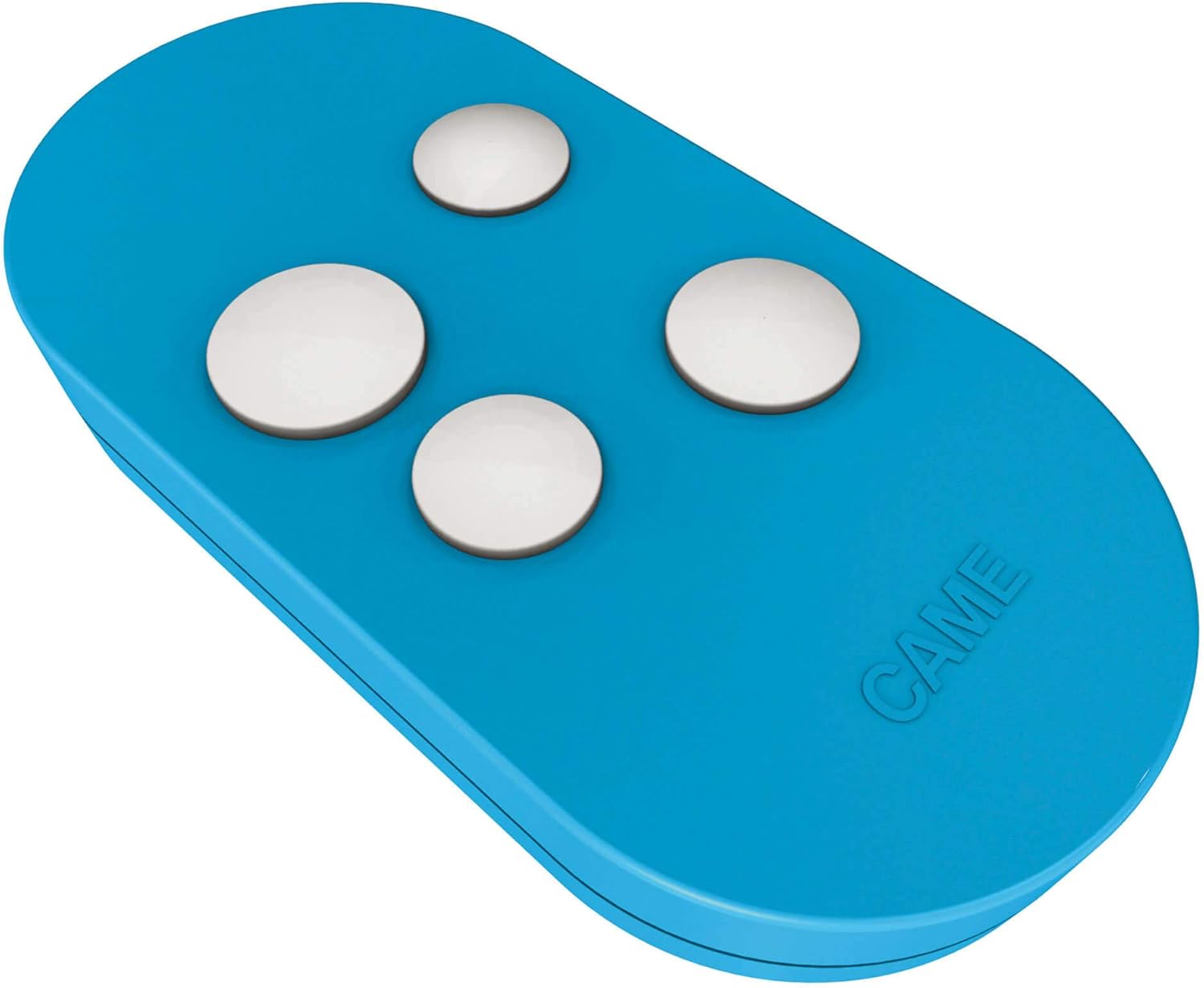
Image: A blue CAME two-channel remote control, used for operating the sliding gate.
For advanced programming and remote control via smartphone, compatibility with the CAME KEY wireless interface and CONNECT system is available (not included).
5. Иштөө нускамалары
The CAME BXV system is designed for user-friendly operation.
5.1 Нормалдуу иштөө
- Ачылышы/жабылышы: Press the designated button on your remote control (806TS-0121) to open or close the gate. A second press during movement will stop the gate.
- Коопсуздук өзгөчөлүктөрү: The system's encoder ensures precise slowdown management at the end of travel. Efficient obstacle detection will stop or reverse the gate if an obstruction is detected by the photocells.
- Жаркылдаган жарык: The flashing LED light (001KLED24) will activate during gate movement to indicate operation.
5.2 Manual Release in Case of Power Failure
Куч болгон учурда уtage, the gate can be operated manually using the easy manual release system.

Image: Close-up of the CAME BXV motor unit showing the manual release mechanism, typically operated with a trilobate key.
- Мотор блогундагы кол менен иштетүү механизмин табыңыз.
- Insert the provided trilobate key into the lock and turn it to disengage the motor.
- Manually push the gate to open or close it.
- To re-engage the motor, turn the key back to the locked position and remove it. The gate will click into place.
Optional emergency batteries (not included) can provide continued operation during blackouts.
6. Техникалык тейлөө
Regular maintenance ensures the longevity and reliable performance of your CAME BXV system.
- Ай сайын текшерүү:
- Inspect the gate's movement for any unusual noises or resistance.
- Clean the photocell lenses to ensure clear visibility.
- Check the rack and pinion for debris and clean if necessary.
- Quarterly Check:
- Test the safety devices (photocells) by obstructing their path during gate movement. The gate should stop or reverse.
- Verify all electrical connections are secure and free from corrosion.
- Check the mounting bolts of the motor unit and gate rack for tightness.
- Жылдык кесиптик кызмат: It is recommended to have the system inspected by a qualified technician annually to ensure optimal performance and safety compliance.
The internal protection cover for the electronic board helps protect it from environmental elements.
7. Кыйынчылыктарды
Бул бөлүмдө сиз кездешиши мүмкүн болгон кеңири таралган көйгөйлөр каралат. Татаалыраак көйгөйлөр үчүн квалификациялуу техникке кайрылыңыз.
| Көйгөй | Мүмкүн себеп | Чечим |
|---|---|---|
| Дарбаза кыймылдабайт. | No power; remote control battery low; photocells obstructed; manual release engaged. | Check power supply; replace remote battery; clear photocell path; disengage manual release. |
| Дарбаза күтүүсүздөн токтоп калат. | Obstacle detected by photocells; motor overheating; mechanical obstruction. | Clear obstruction; allow motor to cool; check gate path for physical impediments. |
| Пульт иштебей жатат. | Low battery; out of range; not paired correctly. | Replace battery; move closer to gate; re-pair remote control (refer to Section 4.3). |
| Жаркылдаган жарык иштебей жатат. | Bulb/LED faulty; wiring issue. | Check connections; replace light unit if necessary. |
8. Техникалык шарттар
| Өзгөчөлүк | Спецификация |
|---|---|
| Бренд | келди |
| Модель номери | 8K01MS-003 |
| Өндүрүүчү | КЕЛДИ |
| Продукциянын өлчөмдөрү | 1 x 1 x 1 cm (Motor Unit, note: likely refers to a component or packaging) |
| Элемент Салмагы | 10 g (note: likely refers to a component or packaging, not the entire kit) |
| Түс | Боз |
| Тtage | 230 Volt (Input), 24V DC (Motor) |
| Power Source | Электр зымдары |
| Max Gate Length | 14 метр |
| Max Gate Салмагы | 400 кг |
| Коопсуздук өзгөчөлүктөрү | Encoder for slowdown management, Efficient obstacle detection, Self-diagnosis of safety devices. |
| Шайкештик | CAME KEY wireless interface, CONNECT system (optional) |
Note: The listed item weight and product dimensions appear to be errors in the source data and likely refer to a small component or packaging detail, not the entire automation kit.
9. Кепилдик жана колдоо
CAME products are known for their quality and durability. For specific warranty terms and conditions, please refer to the documentation provided with your purchase or contact CAME customer support directly.
Кардарларды колдоо:
- For technical assistance, programming queries, or troubleshooting beyond this manual, please contact CAME's official support channels.
- Ensure you have your product model number (8K01MS-003) and purchase details ready when contacting support.
Кардар боюнча кайраviews, CAME support is often praised for its helpfulness and professionalism.


