1. Киришүү
The Azpen Dockall D108 is a versatile device combining a Qi-certified fast wireless charger, a Bluetooth speaker system, and additional USB charging ports. It is designed to provide convenient charging and audio playback for compatible smartphones and other devices.
2. Пакеттин мазмуну
- Azpen Dockall D108 Wireless Charging Dock
- Кубаттуу адаптер
- User Manual
3. Продукт бүтүп калдыview
Familiarize yourself with the various components and controls of your Dockall D108.
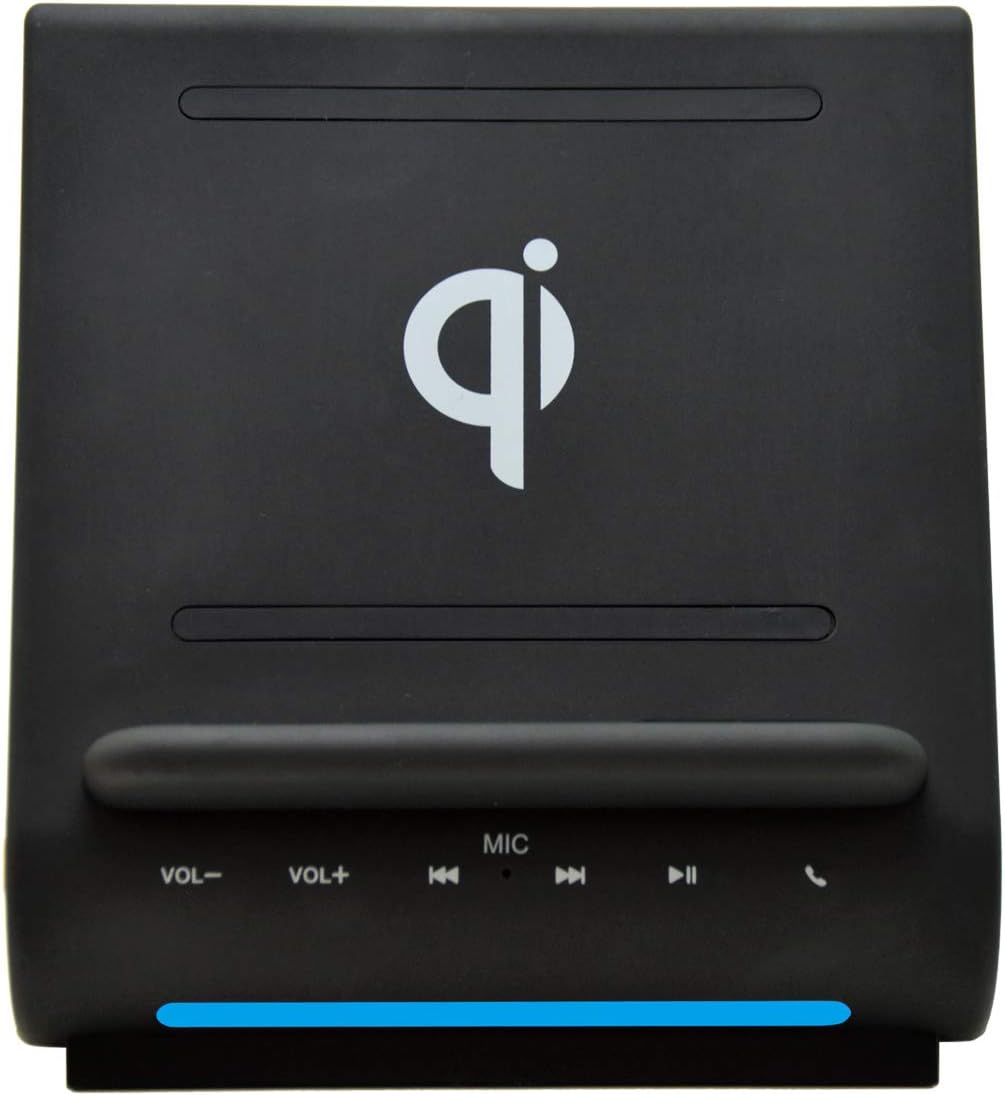
Сүрөт 3.1: Алдыңкы View. This image displays the front of the Azpen Dockall D108, highlighting the Qi wireless charging pad, the volume controls (VOL-, VOL+), track controls (previous, play/pause, next), microphone (MIC), and call answer/end button.

3.2-сүрөт: Артка View. This image shows the rear of the Azpen Dockall D108, indicating the USB1A and USB2A charging ports, the DC power input, and the power button.
4. Орнотуу
- Туташуу кубаты: Plug the provided power adapter into the DC input port on the back of the Dockall D108. Connect the other end of the adapter to a wall outlet.
- Күйгүзүү: Press the Power button located on the back of the unit to turn on the Dockall D108.
5. Иштөө нускамалары
5.1. Зымсыз заряддоо
The Dockall D108 features a Qi-certified fast wireless charger with three charging coils, allowing for flexible phone placement.
- Ensure the Dockall D108 is powered on.
- Place your Qi-compatible smartphone onto the charging pad, either vertically or horizontally. The phone should align with the charging coils for optimal performance.
- The phone's screen will indicate that charging has begun.

Figure 5.1.1: Wireless Charging in Progress. This image illustrates a smartphone placed on the Dockall D108, actively receiving a wireless charge, indicated by the charging icon on the phone's screen.
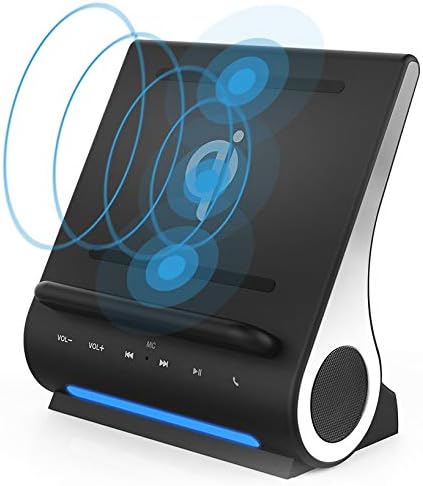
Figure 5.1.2: Wireless Charging Coils. This diagram highlights the internal arrangement of the three wireless charging coils, which enable flexible placement of devices for charging.
Note on Cases: The Dockall D108 is designed to charge through most plastic and rubber phone cases up to 5mm thick. Wireless charging is not possible through metal cases or cases with stick-on attachments like pop-sockets. If charging issues occur, remove the phone case.
Heat during Charging: It is normal for wireless charging to generate some heat. Your phone may become warm during the charging process due to Qi2 technology.
5.2. Bluetooth Speaker Function
The Dockall D108 features dual Bluetooth speakers for audio playback and a built-in microphone for hands-free calls.
- Жупташтыруу: With the Dockall D108 powered on, activate Bluetooth on your smartphone or other device. Издөө "Dockall D108" in the list of available devices and select it to pair.
- Аудио ойнотуу: Once paired, audio from your device will play through the Dockall D108 speakers. Use the volume controls (VOL-, VOL+) and track controls (previous, play/pause, next) on the front of the unit, or your connected device, to manage playback.
- Handsfree чалуулар: When a call comes in, press the call button on the Dockall D108 to answer. Use the built-in microphone for communication. Press the call button again to end the call.
- Кайра туташуу: If the Bluetooth connection is lost, hold down the Play/Pause button on the Dockall D108 to attempt reconnection.

5.2.1-сүрөт: Медиа ойнотуу. This image shows a smartphone positioned on the Dockall D108, displaying a video, demonstrating its use as a media stand with integrated speakers.
5.3. USB заряддоо порттору
The Dockall D108 includes two USB charging ports on the back for additional wired charging options.
- Connect your device (e.g., tablet, smartwatch, non-Qi compatible phone) to either the USB1A or USB2A port using a compatible USB cable.
- The Dockall D108 can charge up to three devices simultaneously: one wirelessly and two via USB ports.

Figure 5.3.1: Simultaneous Charging. This image illustrates the capability of the Dockall D108 to charge three devices concurrently: one wirelessly on the pad, and two others connected via the USB ports.
6. Техникалык тейлөө
To ensure the longevity and optimal performance of your Azpen Dockall D108, follow these maintenance guidelines:
- Тазалоо: Use a soft, dry, lint-free cloth to clean the surface of the device. Do not use abrasive cleaners, solvents, or aerosol sprays, as these may damage the finish or internal components.
- Сактагыч: Узак мөөнөткө колдонулбаганда, аспапты кургак, салкын жерде, тике күндүн нурунан жана өтө температурадан алыс сактаңыз.
- Суюктуктардан алыс болуңуз: Аппаратты суудан жана башка суюктуктардан алыс кармаңыз.
7. Кыйынчылыктарды
If you encounter issues with your Dockall D108, refer to the following common problems and solutions:
| Көйгөй | Мүмкүн себеп | Чечим |
|---|---|---|
| Телефон зымсыз кубатталбай жатат | Phone not Qi-compatible; improper placement; phone case interference; foreign objects on charging pad. | Ensure phone supports Qi wireless charging. Reposition phone on the charging pad. Remove phone case if it is thick, metal, or has attachments. Remove any foreign objects. |
| Phone gets hot during wireless charging | Normal operation for Qi2 technology; poor alignment; phone case. | This is often normal. Ensure proper phone alignment. Remove phone case if excessive heat is observed. If phone stops charging due to heat, allow it to cool. |
| Bluetooth байланышы көйгөйлөрү | Device not in pairing mode; out of range; interference; previously paired devices. | Ensure Dockall D108 is powered on. Make sure other paired devices are turned off or out of range when pairing a new device. Hold the Play/Pause button to force reconnection. Ensure devices are within Bluetooth range. |
| Динамиктерден аудио жок | Not paired; volume too low; audio source issue. | Verify Bluetooth pairing. Increase volume on both the Dockall D108 and the connected device. Check if audio is playing from the source device. |
| USB порттору заряддалбай жатат | Cable issue; device not compatible; Dockall not powered on. | Ensure the Dockall D108 is powered on. Try a different USB cable. Verify the device can be charged via USB. |
8. Техникалык шарттар
| Өзгөчөлүк | Деталь |
|---|---|
| Модель номери | D108 |
| Зымсыз заряддоо | Qi-Certified, Fast Wireless Charging (10W for Android, 7.5W for iPhone) |
| Charging Coils | 3 |
| Bluetooth версиясы | Bluetooth 5 |
| Speaker Output | 5 Watts (HD sound) |
| USB заряддоо порттору | 2 (USB1A, USB2A) |
| Продукциянын өлчөмдөрү | 6.5 x 4 x 7.2 дюйм |
| Элемент Салмагы | 1 фунт |
| Power Input | 12V == 2A |
| Шайкеш түзмөктөр | iPhone 15/14/13/12/11/XR/XS/8 & Samsung Galaxy S23/S22/S21/S20/S10/S9/S9+ and other Qi-compatible devices. |
9. Кепилдик жана колдоо
For warranty information or technical support, please refer to the official Azpen webсайтка же түздөн-түз кардарларды тейлөөгө кайрылыңыз. Кепилдик дооматтар үчүн сатып алуу дүмүрчөгүңүздү сактаңыз.
Webсайт: www.azpenpc.com


