1. Киришүү
The HP Ultra-Slim Z4000 Wireless Optical Mouse is designed for portability and comfort, offering reliable 2.4 GHz wireless connectivity. Its sleek, low-profile design and ergonomic shape provide a natural fit for your hand, making it an ideal accessory for notebooks and tablets. This manual provides detailed instructions for the setup, operation, and maintenance of your mouse.

Figure 1: HP Z4000 Wireless Mouse, demonstrating its slim and stylish design alongside a keyboard.
2. Орнотуу
2.1 Пакеттин мазмуну
Баштоодон мурун, пакетте бардык элементтер бар экенин текшериңиз:
- HP Z4000 Wireless Mouse
- 2.4GHz Micro Receiver (USB dongle)
- 1 AA Батарея
- Тез баштоо плакаты
- Продукт эскертүүлөрү
- Кепилдик картасы
2.2 Батареяны орнотуу
- Чычкандын астыңкы жагындагы батарея бөлүкчөсүн табыңыз.
- Батареянын капкагын жылдырыңыз.
- Берилген AA батарейканы туура уюлдуулукту (+/-) камсыз кылуу менен салыңыз.
- Батареянын капкагын бекем жабыңыз.

Figure 2: Underside of the mouse, showing the battery compartment (under the main cover), CONNECT button, and ON/OFF switch.
2.3 Кабыл алгычты туташтыруу
- Locate the 2.4GHz Micro Receiver (USB dongle). This may be stored inside the mouse's battery compartment or included separately.
- Insert the USB receiver into an available USB port on your computer or tablet.
- Turn on the mouse using the ON/OFF switch located on the underside.
- Your computer should automatically detect and install the necessary drivers. The mouse is ready for use.
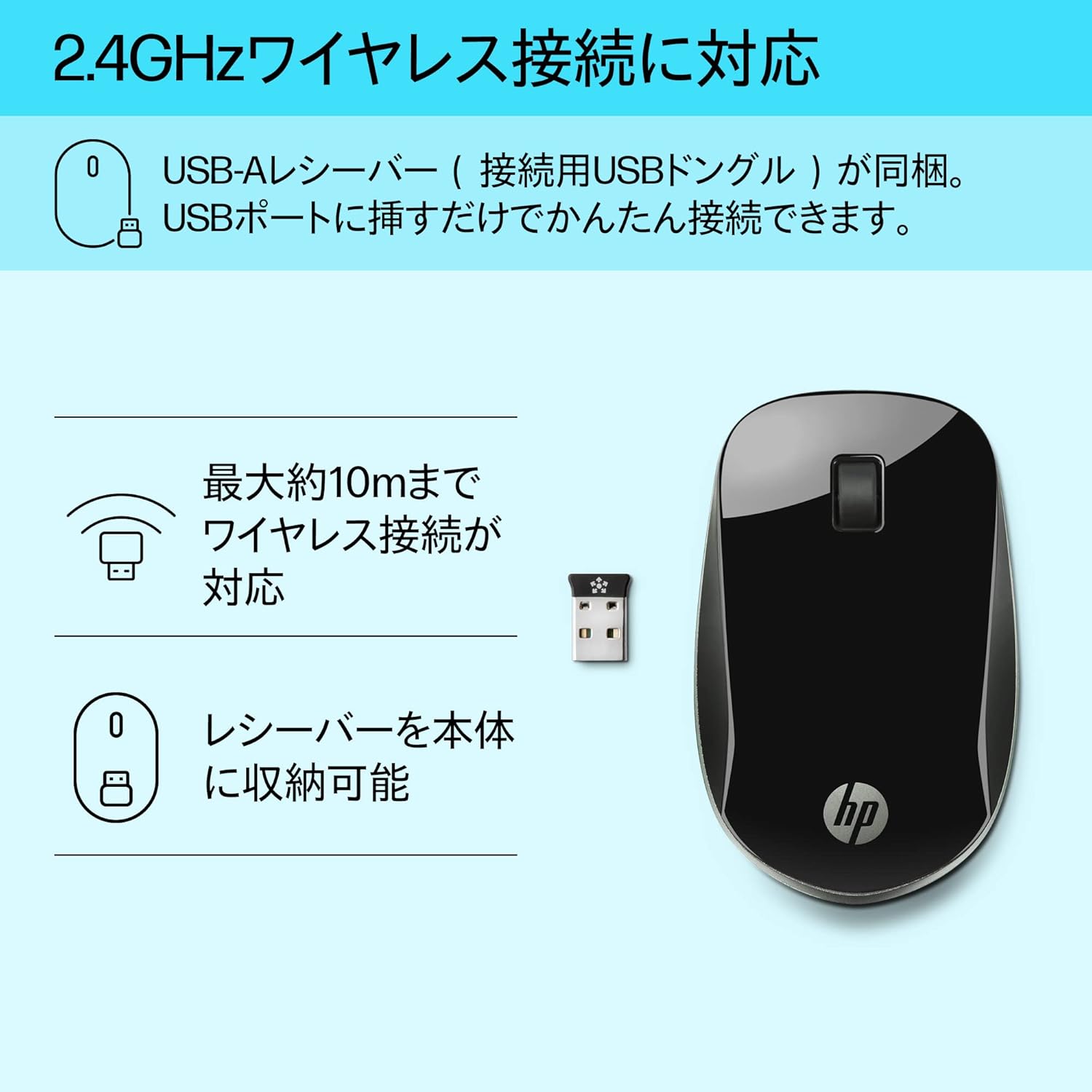
Figure 3: The HP Z4000 mouse and its 2.4GHz USB receiver, demonstrating the simple plug-and-play connection.
3. Чычканды иштетүү
The HP Z4000 mouse features a standard three-button layout and a scroll wheel for intuitive navigation.
3.1 Негизги функциялар
- Сол чыкылдатуу: Объекттерди тандоо үчүн негизги баскыч, ачуу fileс жана буйруктарды аткаруу.
- Оң чыкылдатуу: Контексттик менюларга жана кошумча параметрлерге кирүү үчүн кошумча баскыч.
- Жылдыруу дөңгөлөгү: Roll up or down to navigate through documents and web pages. The scroll wheel is also clickable for middle-click functionality (if supported by your operating system/application).

4-сүрөт: Жогорку view of the mouse, indicating the left click, right click, and rubber scroll wheel for easy operation.
3.2 Эргономика жана дизайн
The mouse features an arch-shaped, symmetrical design that comfortably fits both left and right hands. Its ultra-slim profile (less than 2.6 cm in height) promotes a natural hand and wrist position, reducing strain during extended use.
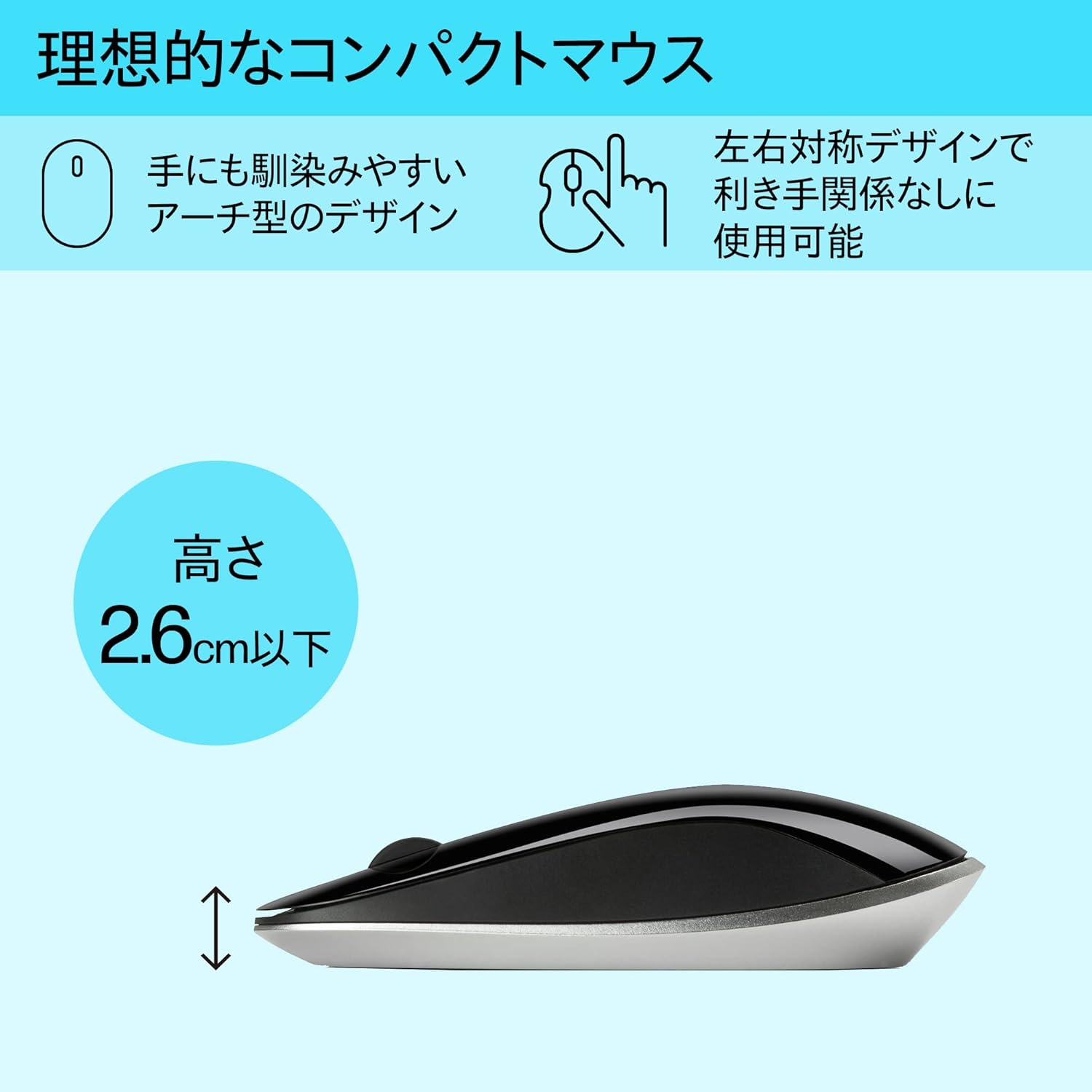
Figure 5: The ergonomic arch design and slim profile (under 2.6cm) of the HP Z4000 mouse, designed for comfortable use.
4. Техникалык тейлөө
4.1 Чычканды тазалоо
- Тазалоодон мурун чычканды өчүрүп коюңуз.
- Жумшак, түксүз кездемени жеңил колдонуңуз dampсуу же жумшак тазалоо эритмеси менен.
- Чычкандын бетин акырын сүртүңүз. Ашыкча нымдуулуктан алыс болуңуз.
- Абразивдүү тазалагычтарды же эриткичтерди колдонбоңуз.
4.2 Батареяны алмаштыруу
The mouse uses one AA battery, with an average battery life of 12 months. When the mouse performance degrades or it stops responding, it's time to replace the battery.
- КҮЙГҮЗҮҮ/ӨЧҮРҮҮ баскычын колдонуп, чычканды өчүрүңүз.
- Чычкандын астыңкы жагындагы батарея бөлүмүнүн капкагын ачыңыз.
- Эски AA батарейкасын алып салыңыз.
- Туура полярдуулукту сактап, жаңы AA батарейкасын салыңыз.
- Батареянын капкагын жабыңыз.
- Чычканды кайра күйгүзүңүз.
5. Кыйынчылыктарды
5.1 Чычкан жооп бербейт
- Күчтү текшерүү: Чычкан күйгүзүлгөнүн текшериңиз.
- Батареяны текшерүү: Replace the AA battery if it is low or depleted.
- Текшерүүчү кабыл алуучу: USB кабыл алгыч компьютериңиздеги иштеп жаткан USB портуна бекем сайылып турганын текшериңиз. Башка USB портун колдонуп көрүңүз.
- Байланышты кайра орнотуу: If your mouse has a "CONNECT" button (refer to Figure 2), press it and then press the connect button on the receiver (if applicable, or simply re-insert the receiver).
- Аралык: Ensure the mouse is within the 10-meter (30ft) operating range of the receiver.
5.2 Курсордун туруксуз кыймылы
- Бети: Чычканды таза, чагылбаган жана бирдей бетте колдонуңуз. Айнектен же өтө чагылышкан беттерден алыс болуңуз.
- Сенсордун тазалыгы: Check the optical sensor on the underside of the mouse for any dust or debris and clean it gently with a soft cloth.
- Интерференция: Move the mouse away from other wireless devices that might cause interference.
6. Техникалык шарттар
| Өзгөчөлүк | Деталь |
|---|---|
| Бренд | HP |
| Модель номери | H5N61AA |
| Байланыш | 2.4 ГГц зымсыз (USB кабыл алуучу) |
| Кыймылды аныктоо | Оптикалык |
| баскычтардын саны | 3 (Сол, Оң, Жылдыруу дөңгөлөгүн чыкылдатуу) |
| Өлчөмдөрү (LxWxH) | 10.1 x 2.5 x 6.4 см (болжол менен 4 x 1 x 2.5 дюйм) |
| Салмагы | 231 г (болжол менен 8.1 унция) |
| Түс | Кара |
| Батарея түрү | 1 x AA батареясы (кошулган) |
| Батареянын орточо иштөө мөөнөтү | 12 ай |
| Шайкеш операциялык системалар | Linux, Windows 7, Windows XP (жана андан кийинки версиялары) |
7. Кепилдик жана колдоо
The HP Ultra-Slim Z4000 Wireless Optical Mouse comes with a 1 жылдык Өндүрүүчүнүн Кепилдиги сатып алынган күндөн тартып.
For warranty claims, technical support, or further assistance, please refer to the contact information provided in your product's warranty card or visit the official HP support webсайт:
Кепилдикти текшерүү үчүн сатып алганыңыздын далилин сактап коюңуз.