Introduction
This manual provides essential information for setting up, operating, and maintaining your Gigaset A170 digital cordless phone. Please read these instructions carefully to ensure proper use and to benefit from all features.

Image: The Gigaset A170 cordless phone, showing the handset docked in its base station.
Жайгашуу
Follow these steps to set up your Gigaset A170 phone for the first time.
1. Пакеттен чыгаруу жана компоненттер
Баштоодон мурун, бардык компоненттер пакетте бар экенине ынаныңыз:
- 1 Gigaset A170 base station
- 1 Gigaset A170H handset
- 1 plug-in power adapter
- 1 telephone connection cable
- 2 rechargeable AAA batteries
- 1 battery compartment cover
- 1 user manual (this document)
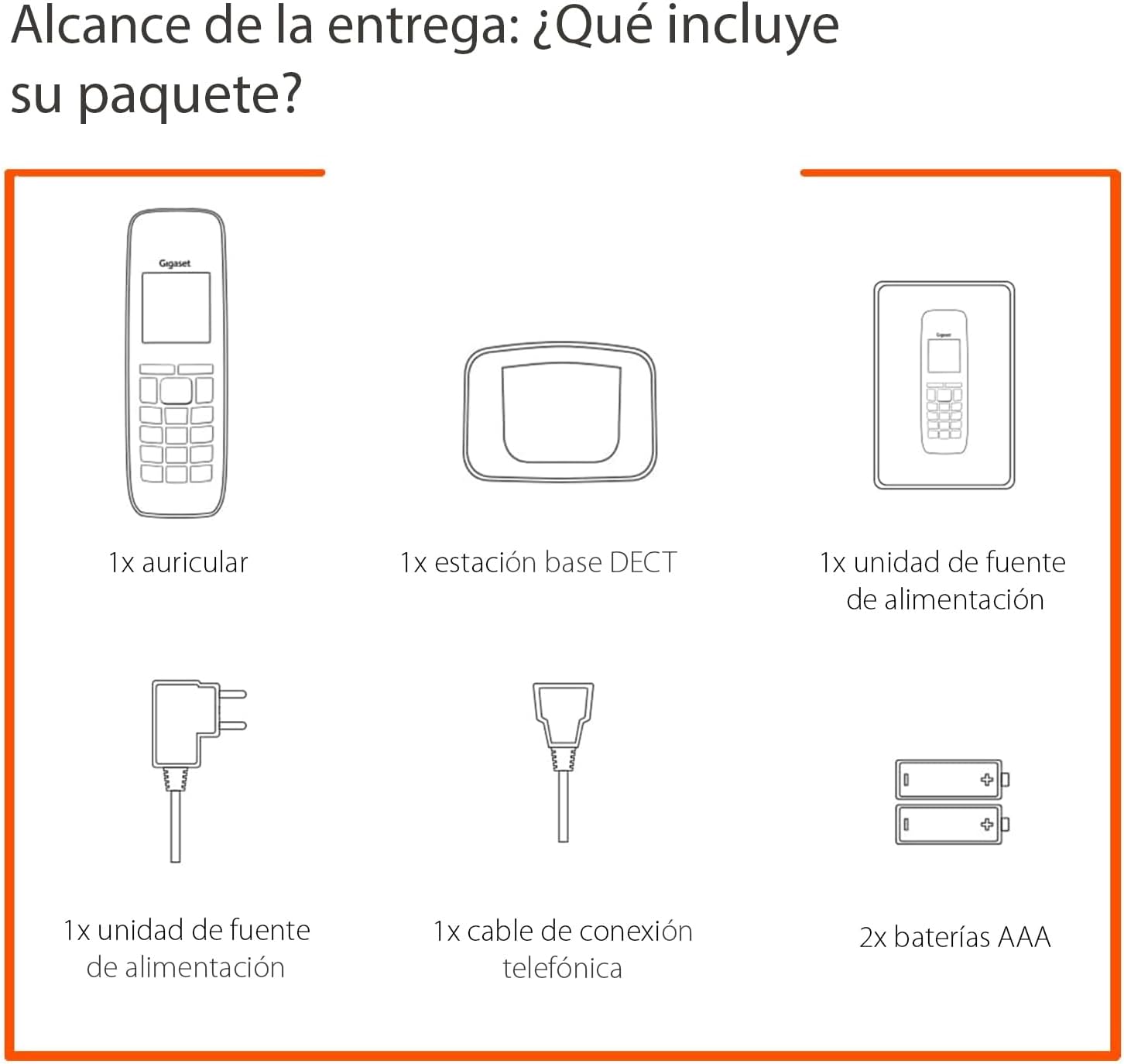
Image: Diagram illustrating the components included in the Gigaset A170 package, such as the handset, base, power adapter, phone cable, and batteries.
2. Базалык станцияны туташтыруу
- Кубат адаптерин туташтыруу: Plug the power adapter into the base station and then into a wall outlet.
- Connect the telephone cable: Plug the telephone cable into the base station and then into your telephone wall socket.
3. Inserting Batteries into the Handset
- Телефондун артындагы батарея бөлүкчөсүнүн капкагын алып салыңыз.
- Туура полярдуулукту (+/-) камсыз кылуу менен бирге берилген эки AAA кайра заряддалуучу батарейканы салыңыз.
- Батарея бөлүгүнүн капкагын ордуна коюңуз.
- Place the handset on the base station to charge. The handset display will indicate charging. Allow the batteries to charge for at least 6 hours before first use.
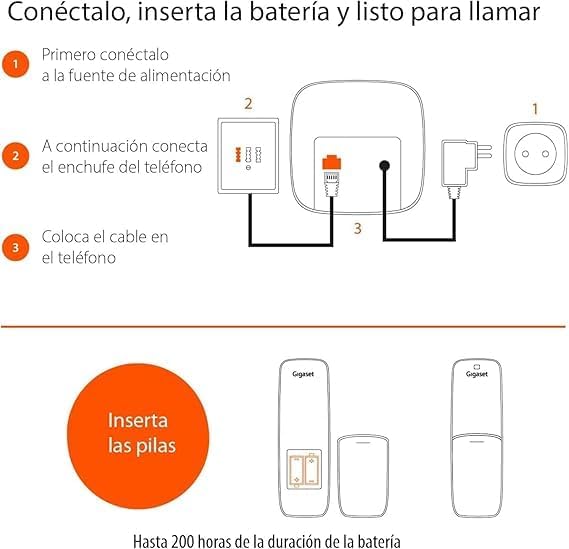
Image: A diagram showing the steps to connect the base station to power and the phone line, and how to insert batteries into the handset.
Иштөө нускамалары
This section covers basic functions and how to navigate your Gigaset A170 phone.
1. Чалууларды кабыл алуу жана кабыл алуу
- Чалуу: Жашыл чакыруу баскычын басыңыз ☎, then dial the number. Alternatively, dial the number first and then press the call key.
- Чалуу кабыл алуу: Телефон шыңгыраганда, жашыл чалуу баскычын басыңыз ☎ жооп берүү.
- Чалууну бүтүрүү: Кызыл баскычты басып, чалууну аяктаңыз ☒.
2. Adjusting Handset Volume
During a call, you can adjust the handset volume using the navigation keys. The A170 offers up to 5 adjustable volume levels.
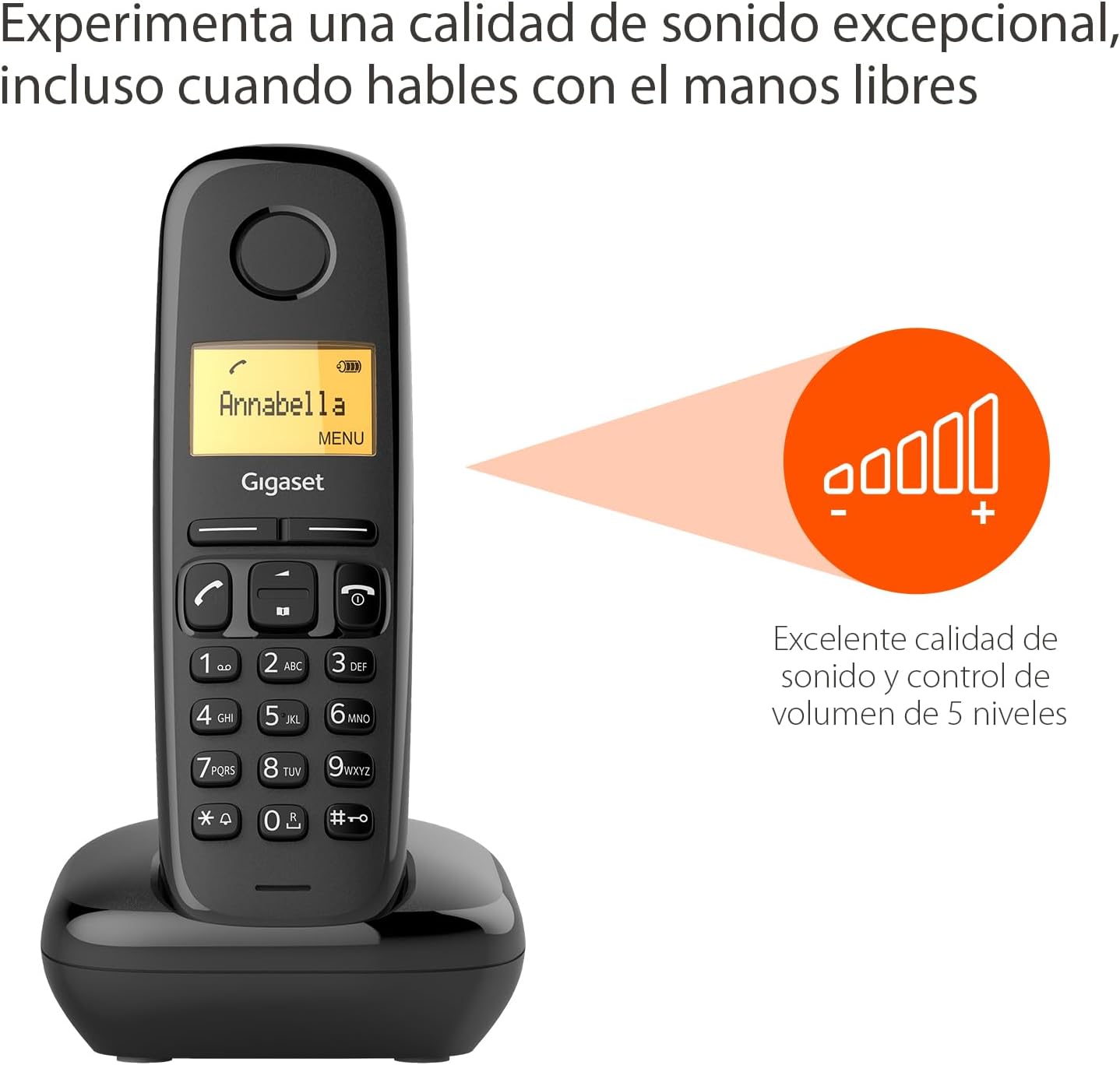
Image: The Gigaset A170 handset displaying an indicator for excellent sound quality and 5-level volume control.
3. Меню навигациясы
The Gigaset A170 features an intuitive icon-based menu. Use the navigation keys to scroll through menu options and the central key to select.
- Менюга кирүү: Press the 'MENU' key (usually the central key when not in a call).
- Жылдыруу: Use the up/down navigation keys to move through menu items.
- Тандоо: Press the central key to confirm a selection.
- Чыгууда: Кызыл баскычты басып, чалууну аяктаңыз ☒ менюдан чыгуу үчүн.
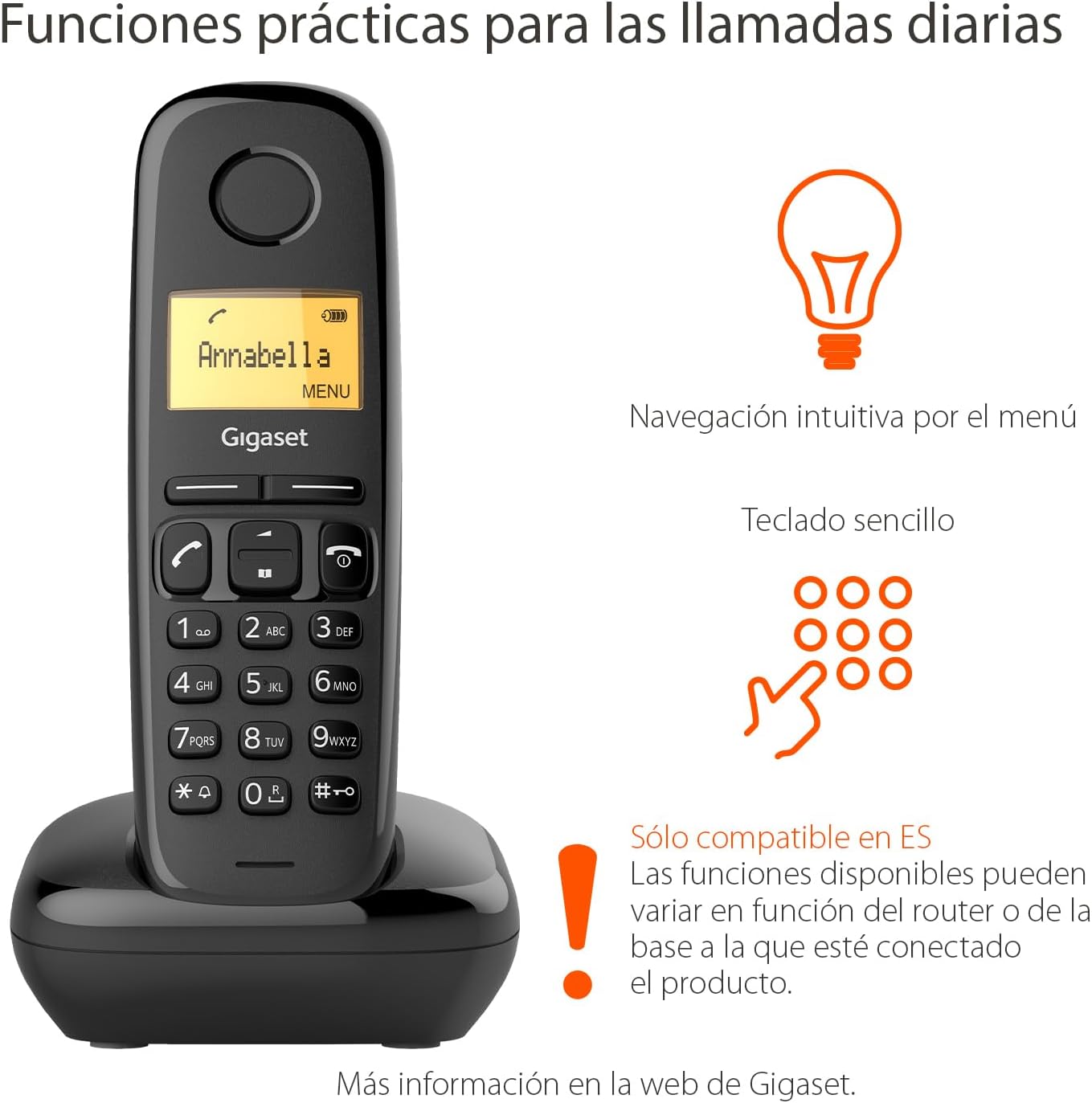
Image: The Gigaset A170 handset highlighting intuitive menu navigation and a simple keypad for practical daily calls.
4. Телефон китепчеси
The phonebook can store up to 50 contacts. To add a contact:
- Go to the 'Phonebook' menu.
- Select 'New Entry'.
- Баскычтоптун жардамы менен атын жана номерин киргизиңиз.
- Жазууну сактаңыз.
5. Speed Dial Keys
The Gigaset A170 supports programmable speed dial keys for quick access to frequently called numbers. Refer to the on-screen menu for programming instructions.
Техникалык тейлөө
Proper care ensures the longevity of your Gigaset A170 phone.
1. Тазалоо
- Wipe the handset and base station with a damp кездеме.
- Do not use cleaning agents or solvents that could damage the surfaces.
2. Батареяга кам көрүү
- Only use the recommended rechargeable AAA batteries.
- Эгер телефон узак убакыт бою колдонулбаса, телефондун батарейкаларын алып салыңыз.
- Эски батареяларды жергиликтүү эрежелерге ылайык жок кылыңыз.
Проблемаларды чечүү
If you encounter issues with your Gigaset A170, try these solutions:
| Көйгөй | Мүмкүн себеп | Чечим |
|---|---|---|
| Телефондо дисплей жок | Батареялар бош же туура эмес салынган. | Check battery insertion and charge the handset on the base station. |
| Терүү үнү жок | Телефон кабели туташкан эмес же бузулган. | Ensure the telephone cable is securely connected to the base station and the wall socket. Test with another phone if possible. |
| Чалууларды жасоо/кабыл алуу мүмкүн эмес | Base station not powered or out of range. | Check power connection to the base station. Ensure handset is within range of the base. |
| Үн сапаты начар | Тоскоолдук же телефон телефону базадан өтө алыс. | Move closer to the base station. Avoid placing the base near other electronic devices. |
Техникалык мүнөздөмөлөр
- Бренд: Gigaset
- Модель номери: A170
- Телефон түрү: DECT (Digital Enhanced Cordless Telecommunications)
- Түсү: Кара
- Материал: Пластик
- Кубат булагы: Corded Electric (for base station)
- Батареялар: 2 x AAA кайра заряддалуучу батарейкалар (кошулган)
- Телефон китепчесинин сыйымдуулугу: 50ге чейин байланыш
- Терүүчү түрү: Жалгыз баскычтоп
- Жооп берүү системасынын түрү: Санарип
- Product Dimensions (Handset): 48 x 32 x 156 мм (L x W x Y)
- Item Weight (Handset): 108 грамм
- Өзгөчөлүктөр: Adjustable handset volume (5 levels), DTMF/Pulse dialing, ECO DECT technology for reduced energy consumption.
Кепилдик жана колдоо
Gigaset products are designed and manufactured in Germany, ensuring high quality and durability.
Кардарларды тейлөө
For product inquiries or technical assistance, please contact Gigaset customer service at 02871-912 912. Standard landline rates may apply depending on your service provider.
Кепилдик дооматтары үчүн сатып алганыңыздын далилин сактап коюңуз.


