1. Киришүү
Thank you for choosing the Defunc Plus Wireless Bluetooth Headphones. This manual provides essential information for the proper setup, operation, and maintenance of your device. Please read it thoroughly before use to ensure optimal performance and longevity.

Сүрөт 1.1: Алдыңкы view of the Defunc Plus Wireless Bluetooth Headphones, showcasing the over-ear design and gold finish.
2. Коопсуздук маалыматы
- Наушниктерди экстремалдык температурага, нымдуулукка же суюктукка тийгизбеңиз.
- Кулакчындарды түшүрүүдөн же катуу тийүүдөн сактаныңыз.
- Кулакчындарды бөлүктөргө бөлүүгө же өзгөртүүгө аракет кылбаңыз. Бул кепилдикти жокко чыгарып, зыян келтириши мүмкүн.
- Балдар жетпеген жерде сактаңыз.
- Угуу жөндөмүнө зыян келтирбөө үчүн орточо үн деңгээлинде угуңуз.
- Продукцияны жана анын батарейкасын жергиликтүү эрежелерге ылайык таштаңыз.
3. Пакеттин мазмуну
Verify that all items are present in your Defunc Plus headphone package:
- Defunc Plus Wireless Bluetooth Headphones
- USB заряддоо кабели
- Аудио кабель (3.5мм)
- Instruction Manual

Image 3.1: The retail packaging for the Defunc Plus Wireless Bluetooth Headphones, showing the product inside.
4. Орнотуу
4.1 Наушниктерди заряддоо
- USB кубаттоочу кабелдин кичинекей учун кулакчындын кубаттоочу портуна туташтырыңыз.
- USB кабелинин чоңураак учун USB кубат адаптерине (кошулмада жок) же компьютердин USB портуна туташтырыңыз.
- The LED indicator light will illuminate to show charging status. Refer to the LED indicator section for details.
- Charging typically takes approximately 2-3 hours for a full charge.
4.2 Күйгүзүү/өчүрүү
- Күйгүзүү үчүн: LED индикатору өчкөнгө чейин кубат баскычын болжол менен 3 секунд басып туруңуз.
- Өчүрүү үчүн: LED индикатору өчмөйүнчө кубат баскычын болжол менен 3 секунд басып туруңуз.
4.3 Bluetooth жупташтыруу
- Наушниктердин толук заряддалганын жана өчүрүлгөнүн текшериңиз.
- Күйгүзүү баскычын болжол менен 5-7 секунд басып, LED индикатору кезектешип көк жана кызыл түстө күйүп-өчкөнгө чейин, жупташтыруу режимин көрсөткөнгө чейин кармап туруңуз.
- Түзмөгүңүздө (смартфон, планшет, компьютер) Bluetooth иштетип, жеткиликтүү түзмөктөрдү издеңиз.
- Select "Defunc Plus" from the list of found devices.
- Once paired, the LED indicator on the headphones will flash blue periodically.
4.4 Зымдуу туташуу
The Defunc Plus headphones can also be used with an audio cable:
- 3.5 мм аудио кабелдин бир учун кулакчындардын аудио киргизүү уячасына туташтырыңыз.
- 3.5 мм аудио кабелдин экинчи учун түзмөгүңүздүн аудио чыгаруу уячасына туташтырыңыз.
- When connected via cable, the Bluetooth function is automatically disabled.
5. Наушниктерди иштетүү
5.1 Башкаруу
The headphones feature integrated controls for easy management of audio playback and calls:
- Кубат баскычы: Күйгүзүү/өчүрүү, жупташтыруу режимине кирүү.
- Үнүн жогорулатуу (+): Үнүн жогорулатуу.
- Үнүн төмөндөтүү (-): Үнүн азайтуу.
- Multi-function Button (often integrated with Power or separate): Play/Pause, Answer/End Call. (Specific functionality may vary, refer to quick start guide for exact button mapping).

Сүрөт 5.1: Жакын пландан view of the right ear cup, highlighting the control buttons for volume and playback.
5.2 Наушник тагынуу
Adjust the headband to ensure a comfortable and secure fit. The earcups should fully cover your ears for optimal sound isolation and comfort.
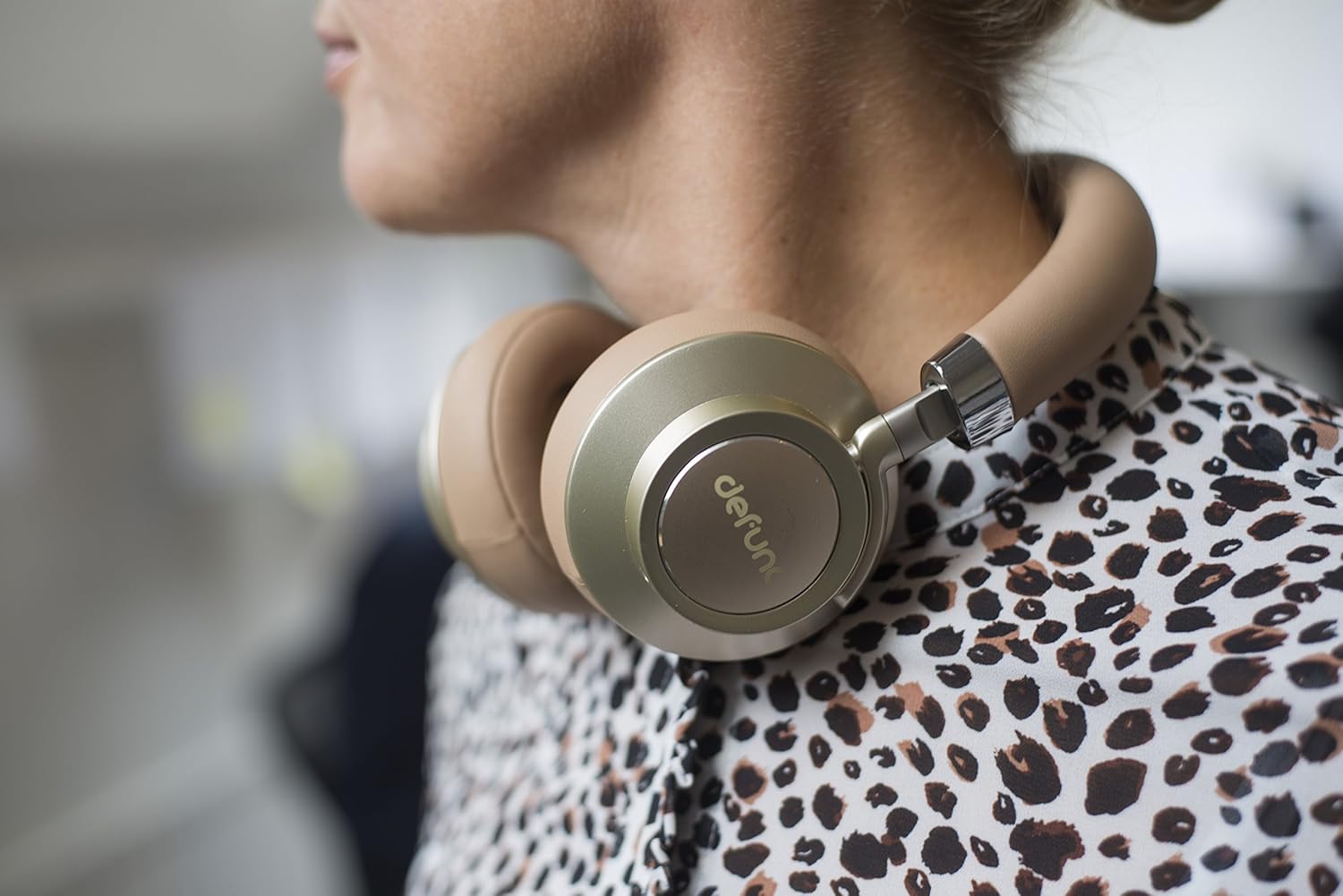
Image 5.2: A person wearing the Defunc Plus headphones, demonstrating the comfortable over-ear fit.
6. Техникалык тейлөө
6.1 Тазалоо
- Кулакчындардын сыртын сүртүү үчүн жумшак, кургак чүпүрөктү колдонуңуз.
- Абразивдүү тазалагычтарды, спиртти же химиялык эриткичтерди колдонбоңуз.
- Gently clean ear cushions with a slightly damp зарыл болсо, чүпүрөк менен чүпүрөк, жана аларды колдонуудан мурун толугу менен кургатуу керек.
6.2 Сактоо
When not in use, store the headphones in a cool, dry place, away from direct sunlight and extreme temperatures. The flat-folding design allows for compact storage.

Image 6.1: The Defunc Plus headphones resting on a surface, illustrating their design when not in use.
7. Кыйынчылыктарды
| Көйгөй | Мүмкүн себеп | Чечим |
|---|---|---|
| Кулакчындар күйбөйт | Батарея аз | Наушниктерди толук заряддаңыз. |
| Bluetooth аркылуу жупташтыруу мүмкүн эмес | Жупташтыруу режиминде эмес; түзмөктүн Bluetooth'у өчүк; түзмөктөн өтө алыс | Ensure headphones are in pairing mode (flashing blue/red). Turn on Bluetooth on your device. Move headphones closer to your device (within 10m). |
| Үн жок | Үн өтө төмөн; аудио булагы туура эмес; кулакчындар туташтырылган эмес | Кулакчындардын жана түзмөктүн үнүн катуулатыңыз. Кулакчындар туура жупташтырылганын же аудио кабель аркылуу туташтырылганын текшериңиз. Түзмөгүңүздө туура аудио чыгышы тандалганын текшериңиз. |
| Үн сапаты начар | Weak Bluetooth signal; interference; low quality audio file | Move closer to your device. Avoid sources of interference (e.g., Wi-Fi routers). Try a different audio source or file. |
8. Техникалык шарттар
- Модель номери: D1037
- Зымсыз байланыш технологиясы: Bluetooth 4.0
- Кулак жайгаштыруу: Кулак үстүндө
- Байланыш технологиясы: Wireless (Bluetooth) / Wired (3.5mm audio cable)
- Оюн убактысы: Minimum 12 hours (wireless)
- Башкаруу түрү: Үндү көзөмөлдөө
- Элемент Салмагы: 3.52 унция (0.1 килограмм)
- Продукциянын өлчөмдөрү: 1.97 x 8.66 x 8.66 дюйм
- Батареялар: 1 литий-полимердик батарейка (талап кылынат)
- Өндүрүүчү: DeFunc
9. Кепилдик жана колдоо
Defunc products are designed and manufactured to the highest quality standards. For information regarding warranty coverage, please refer to the warranty card included with your product or visit the official Defunc website. For technical support or further assistance, please contact Defunc customer service through their official channels.
Онлайн колдоо: Visit the Defunc Store on Amazon


