Introduction
Сатып алганыңыз үчүн рахматasing the Victrola V50-500 Surround Alarm Clock. This manual provides essential information for setting up, operating, and maintaining your new alarm clock. Please read these instructions carefully before use and retain them for future reference.
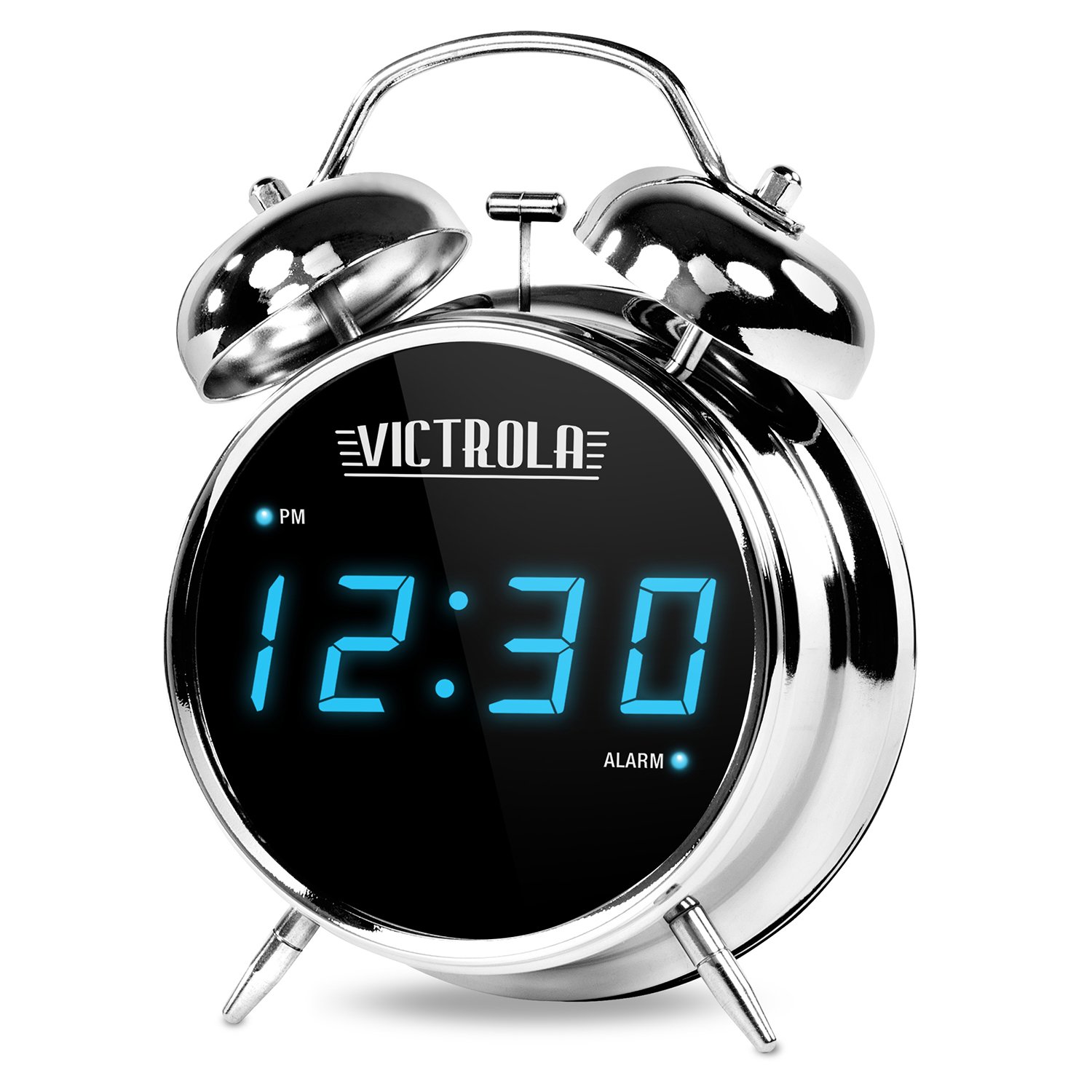
Figure 1: Victrola V50-500 Surround Alarm Clock. This image displays the alarm clock's front, highlighting its large blue digital display and classic chrome twin bell design.
Негизги өзгөчөлүктөрү:
- Retro Twin Bell Style: Classic design with functional twin bells.
- High Gloss Chrome Finish: Туруктуу жана эстетикалыкasing chrome exterior.
- Large Bright Blue Digital Display LED: Clear and easy-to-read time display.
- Ойготкуч саатынын функциясы: Reliable alarm for daily use.
Жайгашуу
- Пакеттен чыгаруу: Carefully remove the alarm clock from its packaging. Ensure all components are present.
- Кубат туташуу: Connect the power adapter (not specified if included, assuming it is or uses standard batteries) to the alarm clock and then to a standard electrical outlet. The digital display should illuminate.
- Убакытты коюу:
- Locate the "Time Set" button or dial, usually on the back or bottom of the unit.
- Press and hold the "Time Set" button until the hour digits begin to flash.
- Use the "Hour" and "Minute" adjustment buttons (often labeled + and - or dedicated buttons) to set the current time. Pay attention to AM/PM indicators if present.
- Press "Time Set" again to confirm and exit time setting mode.
- Ойготкучту орнотуу:
- Locate the "Alarm Set" button or dial.
- Press and hold the "Alarm Set" button until the alarm hour digits begin to flash.
- Use the "Hour" and "Minute" adjustment buttons to set your desired alarm time.
- Press "Alarm Set" again to confirm.
- Ensure the alarm is activated using the "Alarm ON/OFF" switch or button. An indicator light (e.g., a bell icon) should appear on the display.
Иштөө нускамалары
Ойготкуч функциясы:
- When the alarm sounds, press the "Snooze" button (usually a large button on top) to temporarily silence the alarm for a few minutes (typically 5-9 minutes). The alarm will sound again after the snooze period.
- To turn off the alarm completely for the day, press the "Alarm OFF" or "Power" button. The alarm will reset for the next day at the set time.
- To disable the alarm function entirely, use the "Alarm ON/OFF" switch or button until the alarm indicator disappears from the display.
Дисплей жарыктыгы:
Some models may feature adjustable display brightness. Look for a "Dimmer" or "Brightness" button, often located on the back or side of the unit, to cycle through different brightness levels.
Техникалык тейлөө
- Тазалоо: Wipe the alarm clock with a soft, dry cloth. Do not use abrasive cleaners, waxes, or solvents as they may damage the finish.
- Жайгашкан жери: Place the alarm clock on a stable, flat surface away from direct sunlight, heat sources, and excessive moisture.
- Battery Backup (if applicable): If your model includes a battery backup compartment (for time retention during power outages), ensure batteries are replaced periodically (e.g., annually) to maintain functionality. The product specifications state "Are batteries included? No", implying it might be AC powered primarily, but a backup battery slot is common. Check your unit for a battery compartment.
Проблемаларды чечүү
| Көйгөй | Мүмкүн себеп | Чечим |
|---|---|---|
| Дисплей бош. | Күч жок. | Ensure the power adapter is securely plugged into the alarm clock and a working electrical outlet. Check the outlet with another device. |
| Ойготкуч угулбайт. | Ойготкуч иштетилген эмес же туура эмес коюлган. | Verify the alarm time is set correctly and the "Alarm ON" indicator is visible on the display. Ensure the volume is not set to minimum (if adjustable). |
| Убакыт туура эмес. | Power interruption or incorrect setting. | Reset the time following the "Setting the Time" instructions. If power outages are frequent, consider a UPS or checking for battery backup functionality. |
| Bells do not ring, only a standard alarm sound. | This model may produce a standard electronic alarm sound despite the retro bell design. | This is expected behavior for some models. The twin bells are primarily for aesthetic purposes. |
Техникалык шарттар
| Өзгөчөлүк | Деталь |
|---|---|
| Бренд | Victrola |
| Модель номери | V50-500 |
| Өндүрүүчү | Инновациялык технология |
| Түс | Chrome |
| Дисплей түрү | Санарип |
| Стиль | ретро |
| Frame Material | Пластик |
| Продукциянын өлчөмдөрү | 10.16 x 10.16 x 15.24 см |
| Элемент Салмагы | 317.51 г (0.7 фунт) |
| Ойготкуч саат функциясы | Ооба |
| Батареялар камтылган | Жок |
| Элементтердин саны | 1 |
| ASIN | B078HC6MJW |
Кепилдик жана колдоо
Victrola products are manufactured with high-quality standards. For specific warranty information, please refer to the warranty card included with your purchase or visit the official Victrola website. If you encounter any issues not covered in this manual, please contact Victrola customer support for assistance.
Victrola Official Webсайт: www.victrola.com


