1. Киришүү
The DJI Osmo Mobile 2 is a handheld smartphone gimbal designed to capture smooth, cinematic footage with your mobile device. Its lightweight design, intelligent functions, and long-lasting battery enable users to record stable videos and photos on the go.
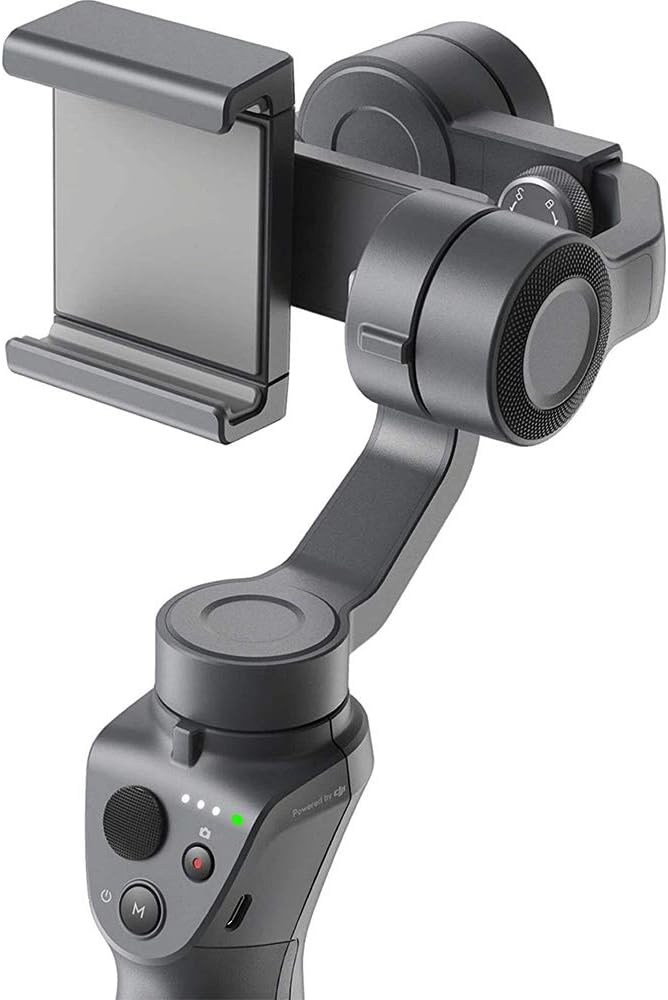
Image 1.1: The DJI Osmo Mobile 2 Handheld Smartphone Gimbal.
2. Кутуда эмне бар
Upon unboxing your DJI Osmo Mobile 2, you should find the following components:
- DJI Osmo Mobile 2 Gimbal
- USB-Aдан Micro-USB заряддоо кабели
- Сактоочу баштык
- Билек боо
- Колдонмо жана документация
For a visual guide to unboxing, please refer to the video below:
Video 2.1: Unboxing the DJI Osmo Mobile 2, showing the contents and initial setup.
3. Орнотуу
3.1 Смартфонуңузду орнотуу
Carefully extend the phone clamp on the gimbal and insert your smartphone. Ensure the phone is securely held and centered within the clamp. For optimal performance, it is recommended to remove any bulky phone cases before mounting to ensure proper balance and prevent interference with the gimbal's motors.

Image 3.1: A smartphone securely mounted in the DJI Osmo Mobile 2 gimbal.
3.2 Гимбалды тең салмактоо
Proper balancing is crucial for smooth operation and to prevent strain on the gimbal motors. With your phone mounted, adjust its position within the clamp until it remains level when the gimbal is powered off. This typically involves sliding the phone left or right until it balances horizontally. If using external accessories like microphones, ensure they are attached before balancing.
3.3 Күйгүзүү жана колдонмону туташтыруу
To power on the Osmo Mobile 2, press and hold the power button located on the handle for a few seconds until the indicator lights illuminate. Download the DJI Mimo app from your smartphone's app store. Enable Bluetooth on your phone and open the DJI Mimo app to connect to your Osmo Mobile 2. The app provides access to various shooting modes, settings, and firmware updates.
4. Иштөө нускамалары
4.1 Controls Overview
- Джойстик: Controls the pan and tilt movements of your smartphone.
- Жазуу баскычы: Press once to start/stop video recording or take a photo.
- Режим баскычы (M): Press to switch between different gimbal modes (e.g., Follow, Lock, FPV).
- Чоңойтуу слайдери: Located on the side, allows for cinematic zoom control directly from the gimbal.
- Trigger баскычы: Located on the back of the handle, can be used for quick re-centering or switching modes.
4.2 Негизги өзгөчөлүктөрү
- ActiveTrack: Select a subject on your screen, and the Osmo Mobile 2 will automatically follow it, keeping it centered in the frame.
- Time in Motion: Create dynamic timelapses with smooth camera movements.
- Panoramas: Capture wide, detailed panoramic photos with ease.
- Түз агым: Utilize the long battery life (up to 15 hours) to stream live content for extended periods.
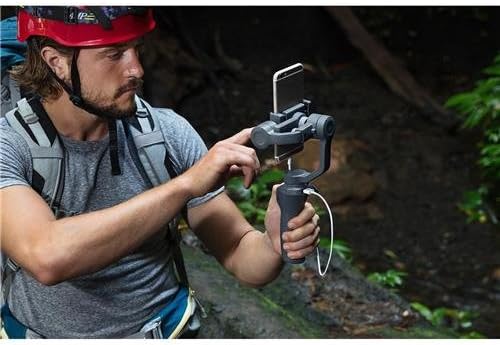
Image 4.1: A user operating the DJI Osmo Mobile 2 to capture stable footage.
5. Техникалык тейлөө
DJI Osmo Mobile 2иңиздин узак мөөнөттүү жана оптималдуу иштешин камсыз кылуу үчүн, төмөнкү тейлөө көрсөтмөлөрүн аткарыңыз:
- Тазалоо: Гимбалды тазалоо үчүн жумшак, кургак чүпүрөктү колдонуңуз. Суюк тазалагычтарды же эриткичтерди колдонуудан алыс болуңуз.
- Сактагыч: Store the gimbal in its protective pouch or case when not in use to prevent dust and damage. Keep it in a cool, dry place.
- Батареяга кам көрүү: Fully charge the battery before long-term storage. Recharge every three months to maintain battery health.
- Ашыкча жүктөөдөн качыңыз: Do not attach accessories that exceed the gimbal's weight capacity, as this can damage the motors.
6. Кыйынчылыктарды
6.1 Жалпы маселелер жана чечимдер
- Gimbal Not Balancing: Ensure your smartphone is properly centered and any bulky cases are removed. Re-balance the gimbal manually before powering it on.
- Колдонмонун туташуу маселелери: Ensure Bluetooth is enabled on your phone and the DJI Mimo app is up to date. Restart both the gimbal and the app if connection fails.
- Туруксуз Footage/Motor Noise: This often indicates improper balancing or an overloaded gimbal. Re-balance your phone and ensure no excessive weight is added.
For specific issues or unexpected behavior, refer to the following videos for further assistance:
Video 6.1: Demonstrating potential motor issues and how to address them.
Video 6.2: Addressing common device malfunctions and potential fixes.
7. Техникалык шарттар
| Өзгөчөлүк | Деталь |
|---|---|
| Продукциянын өлчөмдөрү | 6.2 x 3.5 x 12 дюйм (2.83"D x 4.45"W x 11.61"H) |
| Элемент Салмагы | 1.08 фунт (1.1 фунт) |
| Элемент моделинин номери | CP.ZM.00000064.01 |
| Батареялар | 1 Литий Металл батарейкасы талап кылынат (кошулган) |
| Шайкеш түзмөктөр | Camera, Cellphone |
| Катталган өлчөмү | Болжол менен 114 x 64 x 10 мм |
| UPC | 190021308411 |
| Өндүрүүчү | DJI |
8. Кепилдик жана колдоо
For detailed warranty information, technical support, and service inquiries, please visit the official DJI webсайтка же кардарларды тейлөөгө кайрылыңыз. Кепилдик дооматтар үчүн сатып алганыңыздын далилин сактаңыз.


