Introduction
This user manual provides comprehensive instructions for the VTech VM3252-2 Digital Video Baby Monitor. Please read this manual thoroughly before using the product to ensure proper operation and safety. Keep this manual for future reference.
Пакеттин мазмуну
Your VTech VM3252-2 package includes:
- One (1) Parent Unit with 2.8-inch color LCD screen
- Two (2) Baby Units (cameras)
- Three (3) Power Adapters (one for Parent Unit, two for Baby Units)
- One (1) Rechargeable Battery (pre-installed in Parent Unit)
- Колдонуучунун колдонмосу (бул документ)

Image: The VTech VM3252-2 Digital Video Baby Monitor system, showing the parent unit and two baby units.
Жайгашуу
1. Charging the Parent Unit Battery
The parent unit operates on a rechargeable battery or AC power. To maximize battery life, charge the parent unit for at least 12 hours before initial use. The battery icon on the screen indicates the charge level.
- Ата-эне блогунун кубат адаптеринин кичинекей сайгычын ата-эне блогунун капталындагы кубат уячасына туташтырыңыз.
- Connect the large end of the power adapter to a wall outlet.
2. Connecting the Baby Units (Cameras)
The baby units operate on AC power only. Ensure they are placed within range of the parent unit and have a clear line of sight to the baby.
- Ымыркай блогунун кубат адаптеринин кичинекей сайгычын бала блогунун арткы жагындагы кубат уячасына туташтырыңыз.
- Connect the large end of the power adapter to a wall outlet.
- Position the baby unit at least 3 feet (1 meter) away from the baby.
- Adjust the camera angle manually to get the desired view.

Image: A hand demonstrates adjusting the camera angle of the baby unit.
3. Күйгүзүү / Өчүрүү
- To turn on the parent unit, press and hold the КҮЧ button until the VTech logo appears.
- To turn off the parent unit, press and hold the КҮЧ баскычын экран өчүп калганга чейин басыңыз.
- To turn on a baby unit, slide the КҮЙГҮЗҮҮ/ӨЧҮРҮҮ га өтүү ON позиция.
- To turn off a baby unit, slide the КҮЙГҮЗҮҮ/ӨЧҮРҮҮ га өтүү ӨЧҮРҮҮ позиция.
Операция
1. Балаңызды көзөмөлдөө
Once both units are powered on and linked, the parent unit will automatically display video from the baby unit. If you have two cameras, the parent unit will cycle between them or allow manual selection.

Image: The parent unit's 2.8-inch color LCD screen showing a clear view наристенин.
2. Two-Way Talk Intercom
You can speak to your baby through the baby unit from the parent unit.
- басып, кармап туруңуз СҮЙЛӨШҮҮ ата-эне бөлүгүндөгү баскычты басыңыз.
- Ата-эне бөлүгүндөгү микрофонго даана сүйлөңүз.
- бошотуңуз СҮЙЛӨШҮҮ сүйлөөнү токтотуп, балаңыздын үнүн угуу үчүн баскычты басыңыз.

Image: A user interacting with the parent unit, demonstrating the two-way talk feature.
3. Тынчтандыруучу үндөр жана бешик ырлары
The baby unit can play pre-set lullabies and soothing sounds to help calm your baby.
- Access the menu on the parent unit.
- Navigate to the Lullaby/Sound option.
- Select a melody or sound to play.
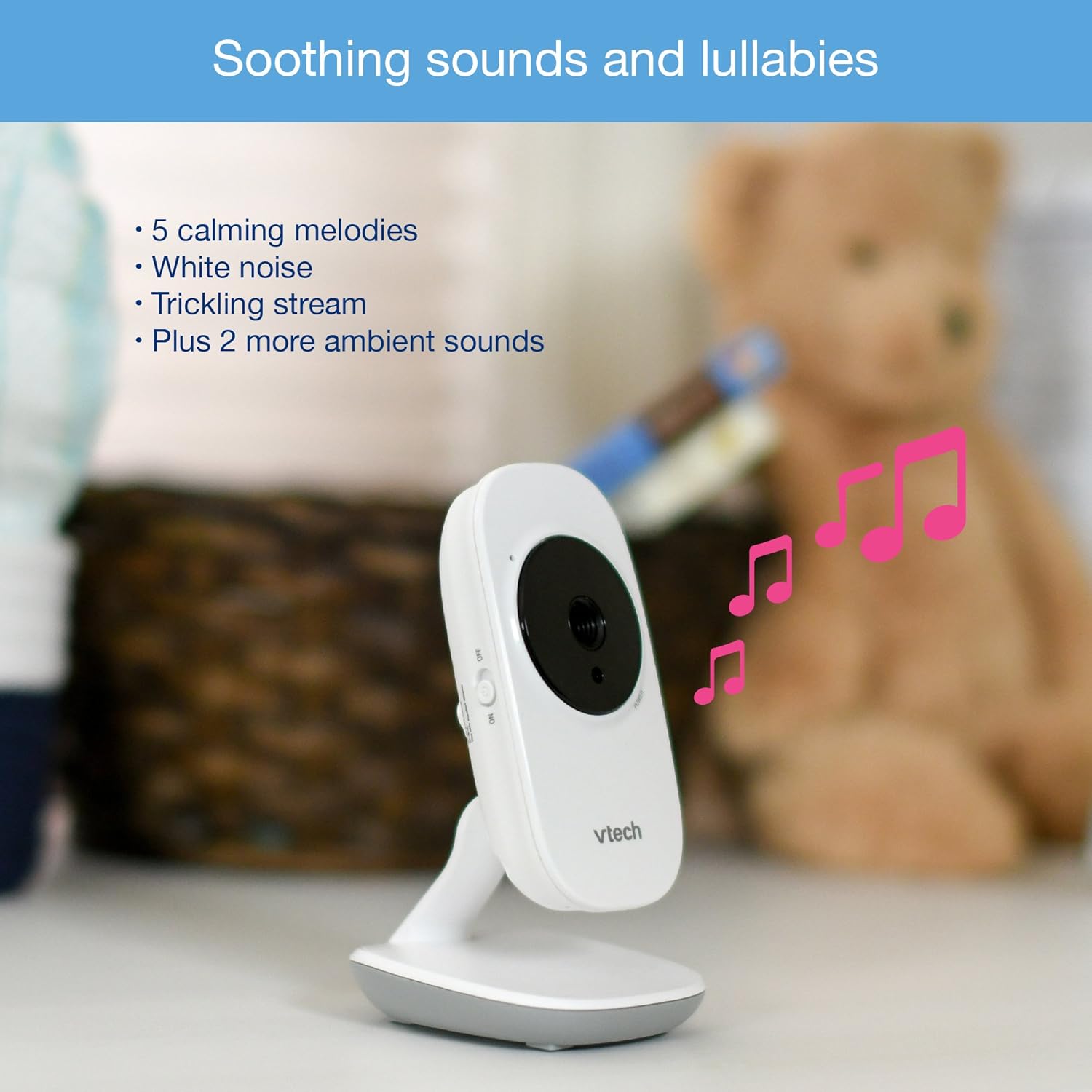
Image: The baby unit, illustrating its ability to play soothing sounds and lullabies.
4. Үндү башкаруу
Adjust the listening volume on the parent unit using the volume buttons.
- басыңыз ҮН КӨШҮРҮҮ үнүн жогорулатуу үчүн баскыч.
- басыңыз ҮН КӨЧҮРҮҮ үнүн азайтуу үчүн баскыч.
- The parent unit features a 6-level sound indicator to visually represent the sound level detected by the baby unit.
Негизги өзгөчөлүктөрү
- Жогорку чечилиштеги 2.8 дюймдук түстүү LCD экран: Балаңызга так видеотасма көрсөтөт.
- Автоматтык инфракызыл түнкү көрүү: Automatically activates in low-light conditions for clear viewкараңгыда.
- Температура сенсору: Monitors the room temperature around the baby unit and displays it on the parent unit. Alerts can be set for temperature fluctuations.
- Жөнгө салынуучу камера бурчу: Manually adjust the baby unit's camera to achieve the optimal viewбурч.
- 2x Digital Zoom: Zoom in on your baby for a closer look.
- Up to 1,000 feet of Range: Stay connected to your baby from various rooms in your home.

Image: A visual summary of key features including temperature monitoring, night vision, adjustable camera, and sound indicators.
Техникалык тейлөө
Мониторду тазалоо
- Ата-эне бөлүгүнүн жана бала бөлүктөрүнүн беттерин жумшак,amp кездеме.
- Тазалоочу спрейлерди же суюк тазалагычтарды колдонбоңуз.
- Электр тармагына кайра туташтыруудан мурун, шаймандардын кургак экенине ынаныңыз.
Батареяга кам көрүү
- The parent unit uses a rechargeable battery. If the battery life significantly decreases, it may need replacement.
- Only use the specified replacement battery type.
- Do not dispose of batteries in fire. Check local regulations for proper battery disposal.
Проблемаларды чечүү
No Link / Out of Range
If the parent unit displays "No Link" or "Out of Range":
- Ensure both the parent unit and baby units are powered on.
- Ата-эне бөлүгүн ымыркай бөлүмүнө жакындатыңыз.
- Relocate the baby unit to a position with fewer obstructions (e.g., walls, furniture).
- Avoid placing the monitor near other electronic devices that may cause interference (e.g., Wi-Fi routers, cordless phones).
Poor Picture Quality / Blurry Night Vision
- Камера объективинин таза жана чаң же тактар жок экенин текшериңиз.
- Check for adequate lighting in the room during daytime use.
- During night vision, ensure there are no direct light sources near the baby unit that could interfere with the infrared sensors.
- Adjust the position of the baby unit for a clearer view.
Short Battery Life on Parent Unit
- Ensure the parent unit is fully charged for at least 12 hours before use.
- Reduce screen brightness to conserve battery.
- If the battery life remains significantly short after full charging, the rechargeable battery may need to be replaced.
- Keep the parent unit plugged into the power adapter for continuous use.
Monitor Randomly Turns Off
- Check if the parent unit battery is low. Recharge the unit.
- Ensure the power adapter is securely connected to both the parent unit and the wall outlet.
- Эгер көйгөй чечилбесе, кардарларды колдоо менен байланышыңыз.
Техникалык шарттар
| Өзгөчөлүк | Деталь |
|---|---|
| Модель номери | VM3252-2 |
| Screen Size | 2.8 дюйм |
| Видео тартуунун резолюциясы | 720p |
| Камералардын саны | 2 |
| Байланыш технологиясы | Зымсыз |
| Power Source | AC Powered (Baby Units), Rechargeable Battery / AC Powered (Parent Unit) |
| Түнкү көрүнүш | Автоматтык инфракызыл түнкү көрүү |
| Digital Zoom | 2x |
| Домофон | Эки тараптуу сүйлөшүү |
| Температура сенсору | Ооба |
| Lullabies/Sounds | Ооба |
| Элементтин өлчөмдөрү | 4.89 x 4.77 x 2.83 дюйм |
| Элемент Салмагы | 1.88 фунт |
| Түс | Ак |
Кепилдик маалымат
VTech products are designed with quality and reliability in mind. For detailed warranty information, please refer to the warranty card included in your product packaging or visit the official VTech webсайт. Сатып алганыңыздын далили катары сатып алуу дүмүрчөгүңүздү сактаңыз.
Кардарларды колдоо
If you have any questions or require assistance with your VTech VM3252-2 Digital Video Baby Monitor, please contact VTech customer support:
- Webсайт: www.vtechbabycare.com
- Электрондук почта: support@vtechbabycare.com
For additional resources and FAQs, please visit the VTech support page online.
Продукт бүттүview Video
Video: An official VTech overview of the VM3252-2 Digital Video Baby Monitor, highlighting its features and ease of use.


