VTech VM5261 5" Digital Video Baby Monitor User Manual
Model: VM5261 | Brand: VTech
Introduction
The VTech VM5261 5-inch Digital Video Baby Monitor is designed to provide clear and reliable monitoring of your baby. Featuring a pan and tilt camera, a wide-angle lens, and a standard lens, this monitor allows you to see everything happening in the nursery. The parent unit includes a 5-inch high-resolution color LCD screen, two-way talk-back intercom, and a vibrating sound-alert for comprehensive monitoring. This manual will guide you through the setup, operation, and maintenance of your new baby monitor.
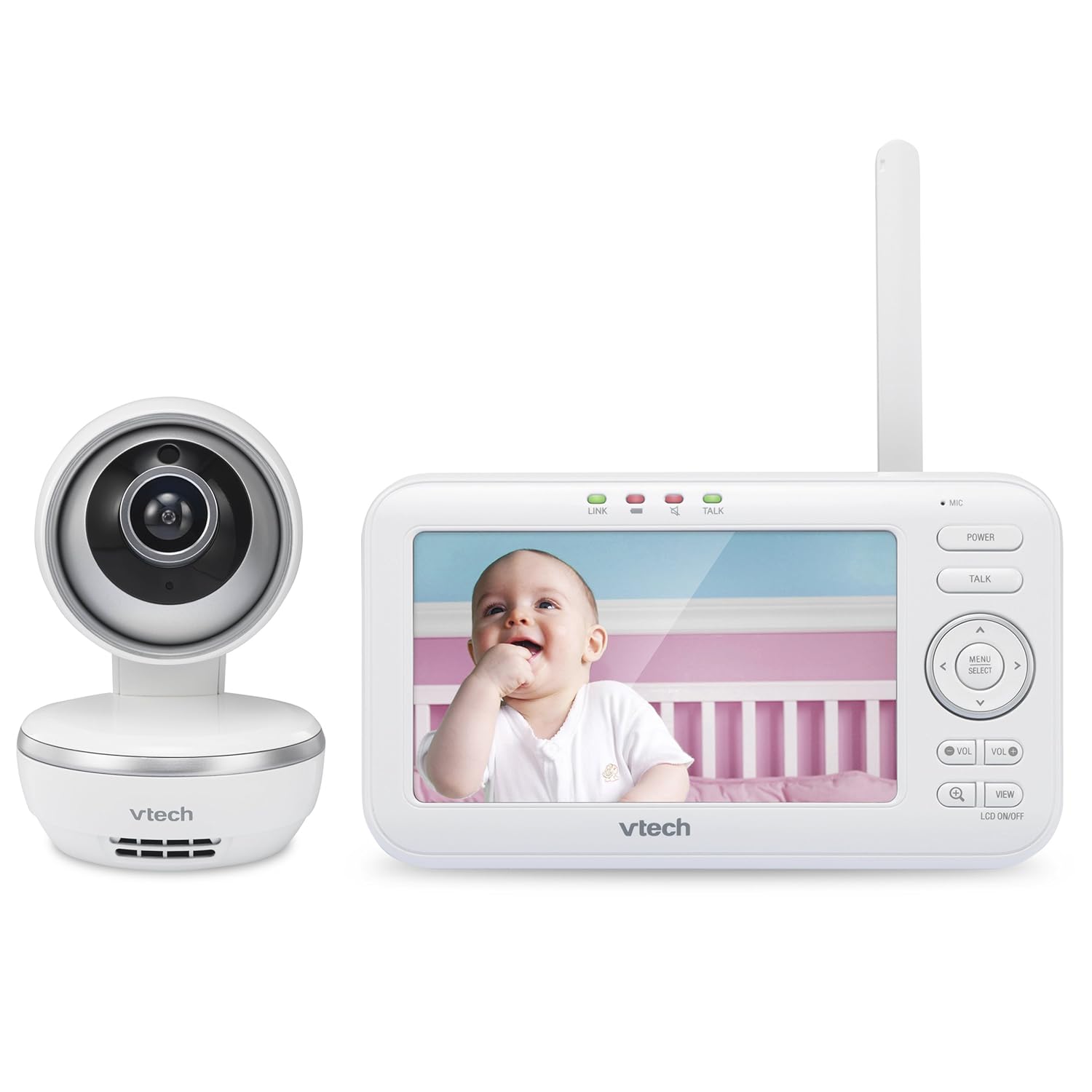
Figure 1: VTech VM5261 Baby Monitor Parent Unit and Camera
Негизги өзгөчөлүктөрү
High-resolution, 5-inch color LCD screen: ачык-айкын камсыз кылат view балаңыздан.
Pan, tilt, and zoom camera: Камераны башкарыңыз view remotely from the parent unit.
170-degree wide-angle lens: Кеңири мүмкүнчүлүктөрдү сунуштайт view of the nursery, easily interchangeable with the standard lens.
Эки тараптуу, кайра байланышуучу домофон: Soothe your baby from another room.
Vibrating sound-alert on the parent unit: Provides discreet notifications.
Volume control and 9-level sound indicator: Adjust audio levels and visualize noise in the nursery.
Soothing sounds and lullabies: Play calming melodies directly from the camera unit.
Температура сенсору: Monitors the room temperature for your baby's comfort.
Rechargeable battery with low-battery alert on the parent unit: Ensures continuous monitoring.
1,000 футка чейинки аралык: Provides extended coverage within your home.
Орнотуу колдонмосу
1. Пакеттен чыгаруу жана компоненттерди текшерүү
Carefully remove all components from the packaging. Ensure you have the parent unit, camera unit, two power adapters, and the wide-angle lens attachment.
Сүрөт 2: Алдыңкы view of the monitor components
2. Түзмөктөрдү күйгүзүү
Бир кубат адаптерин камера блогуна туташтырыңыз жана аны розеткага сайыңыз.
Connect the second power adapter to the parent unit and plug it into a wall outlet. The parent unit's battery will begin charging.
Press and hold the Power button on the parent unit to turn it on.
3. Camera Placement and Lens Attachment
Камера блогун ачык көрүнгөн жерге коюңуз view of your baby, such as on a dresser or mounted on a wall. Ensure it is out of reach of children. For a wider viewing angle, attach the provided wide-angle lens to the camera by gently twisting it onto the existing lens.
Figure 3: Optimal placement of the camera unit
Иштөө нускамалары
1. Ата-эне блогу бүттүview
The parent unit features a 5-inch LCD screen displaying live video feed from the camera. Indicators on the top show link status, talk status, and sound level. The right side of the unit has control buttons for power, talk, menu, and navigation.
Figure 4: High-resolution 5-inch color LCD screen
2. Панорамалоо, эңкейтүү жана масштабдоо
Use the directional arrows on the parent unit to remotely pan (move horizontally) and tilt (move vertically) the camera. The camera offers a 270-degree pan and 47-degree tilt range. You can also digitally zoom in on the video feed for a closer look.
Figure 5: Pan, tilt, and zoom functionality
3. Two-Way Talk-Back Intercom
басып, кармап туруңуз СҮЙЛӨШҮҮ button on the parent unit to speak to your baby through the camera's speaker. Release the button to hear your baby's sounds.
4. Тынчтандыруучу үндөр жана бешик ырлары
Access the menu on the parent unit to select and play various soothing sounds and lullabies through the camera unit. Options include white noise, trickling stream, and Brahms's Lullaby.
Figure 6: Soothing sounds and lullabies feature
5. Monitoring Modes (Multiple Cameras)
If you have multiple cameras paired with your parent unit, you can switch between them using the VIEW button. The monitor supports single camera view, patrol mode (cycles through cameras), and split view (displays multiple camera feeds simultaneously).
Figure 7: ашыкview of key monitoring features
6. Расмий продукт Video
Video 1: Official VTech overview of the VM5261 Digital Video Baby Monitor, demonstrating its core functionalities and benefits for parents.
Техникалык тейлөө
1. Cleaning the Units
Wipe the surfaces of the parent unit and camera unit with a soft, damp cloth. Do not use cleaning sprays or liquid cleaners. Ensure the lens is clean for optimal video quality.
2. Батареяга кам көрүү
To prolong battery life, fully charge the parent unit before initial use. Avoid exposing the battery to extreme temperatures. If the parent unit will not be used for an extended period, store it with a partial charge.
Проблемаларды чечүү
No Picture/Sound on Parent Unit
Ensure both the parent unit and camera unit are powered on and connected to their respective power adapters.
Check that the power adapters are securely plugged into wall outlets.
Move the parent unit closer to the camera unit to improve signal strength.
If the parent unit's battery is low, connect it to the power adapter.
Сүрөттүн сапаты начар
Камера объективинин таза жана чаң же тактар жок экенин текшериңиз.
Adjust the camera's position to avoid direct light sources that may cause glare.
For night vision, ensure the room is sufficiently dark for the infrared LEDs to activate.
Interference or Static
Move the monitor units away from other electronic devices (e.g., cordless phones, Wi-Fi routers, microwaves) that may cause interference.
Ensure the parent unit's antenna is fully extended for optimal reception.
Техникалык шарттар
Өзгөчөлүк
Деталь
Модель номери
VM5261
Дисплей түрү
LCD
Туруктуу экран дисплей өлчөмү
5 дюйм
Видео тартуунун резолюциясы
720p
Байланыш технологиясы
Зымсыз (Wi-Fi)
Power Source
Батарея менен иштейт
Батареянын иштөө мөөнөтү
9 саат
Элементтин өлчөмдөрү L x W x H
6.47 x 4.89 x 3.81 дюйм
Элемент Салмагы
1 фунт
Монтаж түрү
Дубалга орнотуу
Төмөн жарык технологиясы
Түнкү түс
Кепилдик жана колдоо
Кепилдик жана техникалык колдоо боюнча толук маалымат алуу үчүн, расмий VTech компаниясына кайрылыңыз website or contact VTech customer service. Keep your purchase receipt as proof of purchase for any warranty claims. Extended protection plans may also be available for purchase.
VTech RM7766HD 7" HD Wi-Fi видео бала монитору - Тез баштоо боюнча колдонмо VTech RM7766HD 7 дюймдук HD Wi-Fi видео бала мониторун тез арада орното баштаңыз. Бул колдонмодо коопсуздук боюнча маанилүү көрсөтмөлөр берилген, аларды орнотууну улантыңыз.viewжана балаңызды алыстан көзөмөлдөө үчүн негизги операция.
VTech RM7766HD Smart Wi-Fi Baby Monitor: Ыкчам баштоо үчүн колдонмо VTech RM7766HD 7" Smart Wi-Fi 1080p Pan & Tilt Baby Monitor менен баштаңыз. Бул колдонмо оптималдуу мониторинг жүргүзүү үчүн орнотууларды, функцияларды, коопсуздукту жана мобилдик колдонмо туташуусун камтыйт.