Introduction
This manual provides detailed instructions for the TECWARE Phantom 87 Key RGB Mechanical Gaming Keyboard. Please read this manual thoroughly before using the product to ensure proper operation and to maximize your experience.
Коопсуздук маалыматы
- Баскычтопту суюктуктарга же ашыкча нымдуулукка дуушар кылбаңыз.
- Ашыкча температурадан сактаныңыз.
- Баскычтопту ажыратууга же өзгөртүүгө аракет кылбаңыз. Бул сиздин гарантияңызды жокко чыгарышы мүмкүн.
- Балдар жетпеген жерде сактаңыз.
- Шайкеш келген түзмөктөр жана кубат булактары менен гана колдонуңуз.
Пакеттин мазмуну
Пакетиңизде бардык буюмдар бар экенин текшериңиз:
- TECWARE Phantom 87 Key RGB Mechanical Gaming Keyboard
- 4x Spare Mechanical Switches (Outemu Red)
- 1x Которгуч тарткыч
- 1x Баскыч капкагын тарткыч
- 1x Колдонуучунун колдонмосу

Figure 1: TECWARE Phantom 87 Key RGB Mechanical Gaming Keyboard with key features such as low latency, 16.8M RGB colors, gaming-oriented design, full N-key rollover, and durable fiberglass PCB.
Жайгашуу
1. Баскычтопту туташтыруу
- Locate the USB-A cable attached to your TECWARE Phantom keyboard.
- Plug the USB-A connector into an available USB port on your computer.
- The keyboard will automatically be detected and drivers will install (Windows/macOS).
2. Программалык камсыздоону орнотуу (кошумча)
For advanced customization, including per-key RGB lighting, macro recording, and user profiles, download the TECWARE software from the official TECWARE webсайт. Орнотуу үчүн экрандагы нускамаларды аткарыңыз.

Figure 2: The TECWARE software allows for custom per-key RGB lighting, 18 lighting effects control, macro recording and assignment, and up to 3 user profiles, along with brightness and speed adjustments.
Иштөө нускамалары
Негизги функциялар
- Терүү: The keyboard features Outemu Red linear switches for a smooth and quiet typing experience.
- N-Key Rollover: All key presses are registered simultaneously, preventing ghosting during rapid input.
- Windows кулпусу: Use the dedicated Windows Lock key (often Fn + Win key) to disable the Windows key during gaming to prevent accidental interruptions.
RGB жарык көзөмөлдөө
The Phantom keyboard offers 16.8 million RGB colors and 18 pre-set lighting effects. These can be controlled directly on the keyboard or through the TECWARE software.
- Жеңилдетилген режимдерди өзгөртүү: Use the Fn key combined with specific function keys (refer to your keyboard's keycaps for symbols) to cycle through the 18 pre-set lighting modes.
- Жарыктыкты/Ылдамдыкты жөндөө: Use Fn + Arrow keys (or other designated keys) to adjust the brightness and speed of the lighting effects.
- Ыңгайлаштыруу: For per-key lighting and advanced effects, use the TECWARE software.
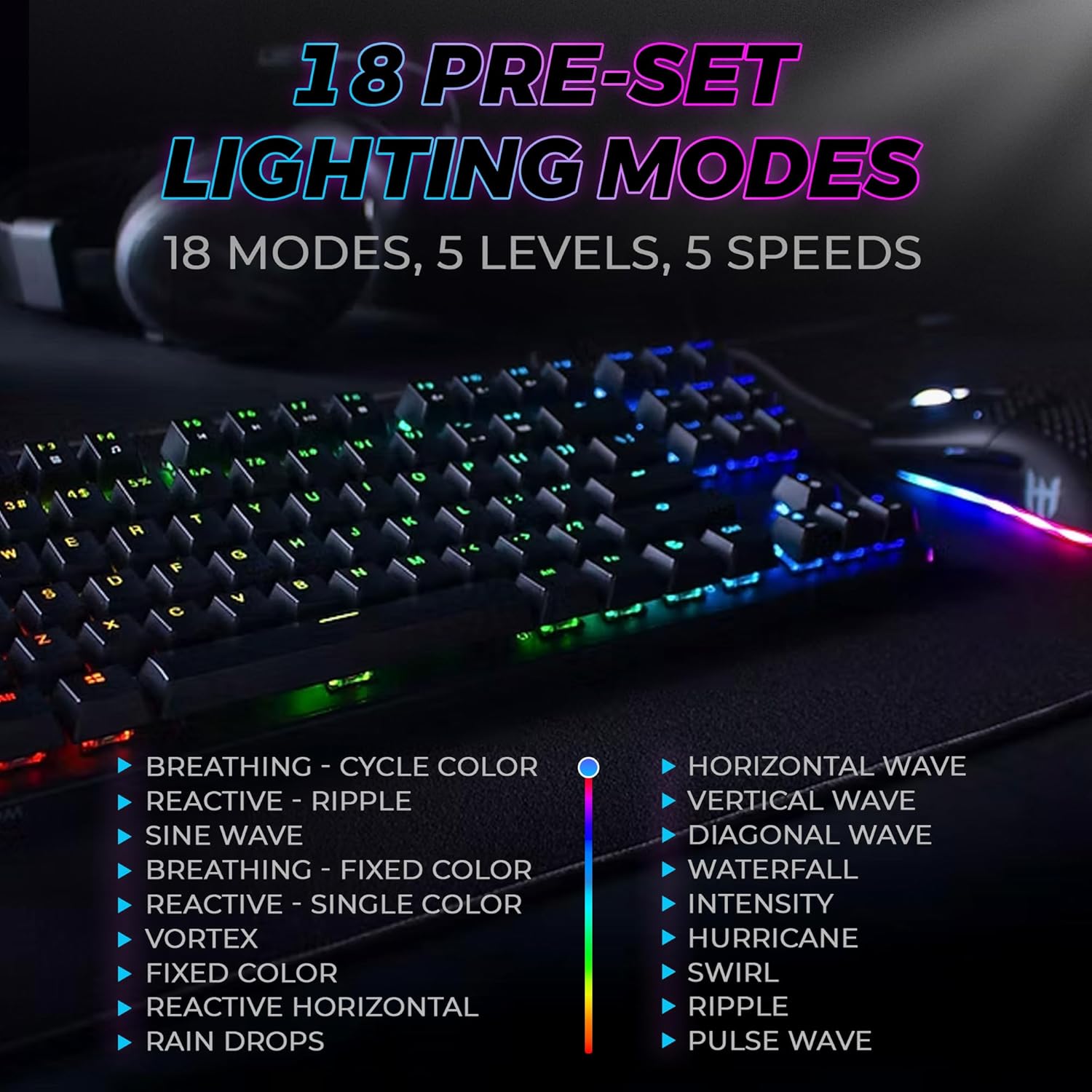
Figure 3: The keyboard features 18 pre-set lighting modes with 5 levels of brightness and 5 levels of speed, including effects like Breathing, Ripple, Sine Wave, Vortex, Waterfall, and Pulse Wave.
Мультимедиа ачкычтары
Access multimedia controls by pressing the Fn key in combination with the F-keys (F1-F12). The specific functions are typically indicated by icons on the keycaps.
- Exampле: Fn + F7 (Play/Pause), Fn + F8 (Stop), Fn + F9 (Mute).
Video 1: Official TECWARE branded video showcasing various products, including the Phantom keyboard, highlighting its features and design philosophy.
Техникалык тейлөө
Тазалоо
- Тазалоодон мурун клавиатураны компьютерден ажыратыңыз.
- Баскыч капкактарын жана шассиди сүртүү үчүн жумшак, кургак чүпүрөктү колдонуңуз.
- For deeper cleaning, use the provided keycap puller to remove keycaps and compressed air to clear debris from under the keys.
Которуу алмаштыруу
The TECWARE Phantom keyboard features hot-swappable Outemu mechanical switches, allowing for easy replacement without soldering.
- Берилген баскычтоптун капкагын тартуучу каражатты колдонуп, керектүү баскычтоптун капкагын акырындык менен алып салыңыз.
- Use the provided switch puller to carefully grip the switch and pull it straight up to remove it.
- Жаңы которгучтун төөнөгүчтөрүн ПХБдагы тешиктерге тууралаңыз.
- Жаңы которгучту ал чыкылдагыча акырын басыңыз.
- Баскычтоптун капкагын кайра бекитиңиз.
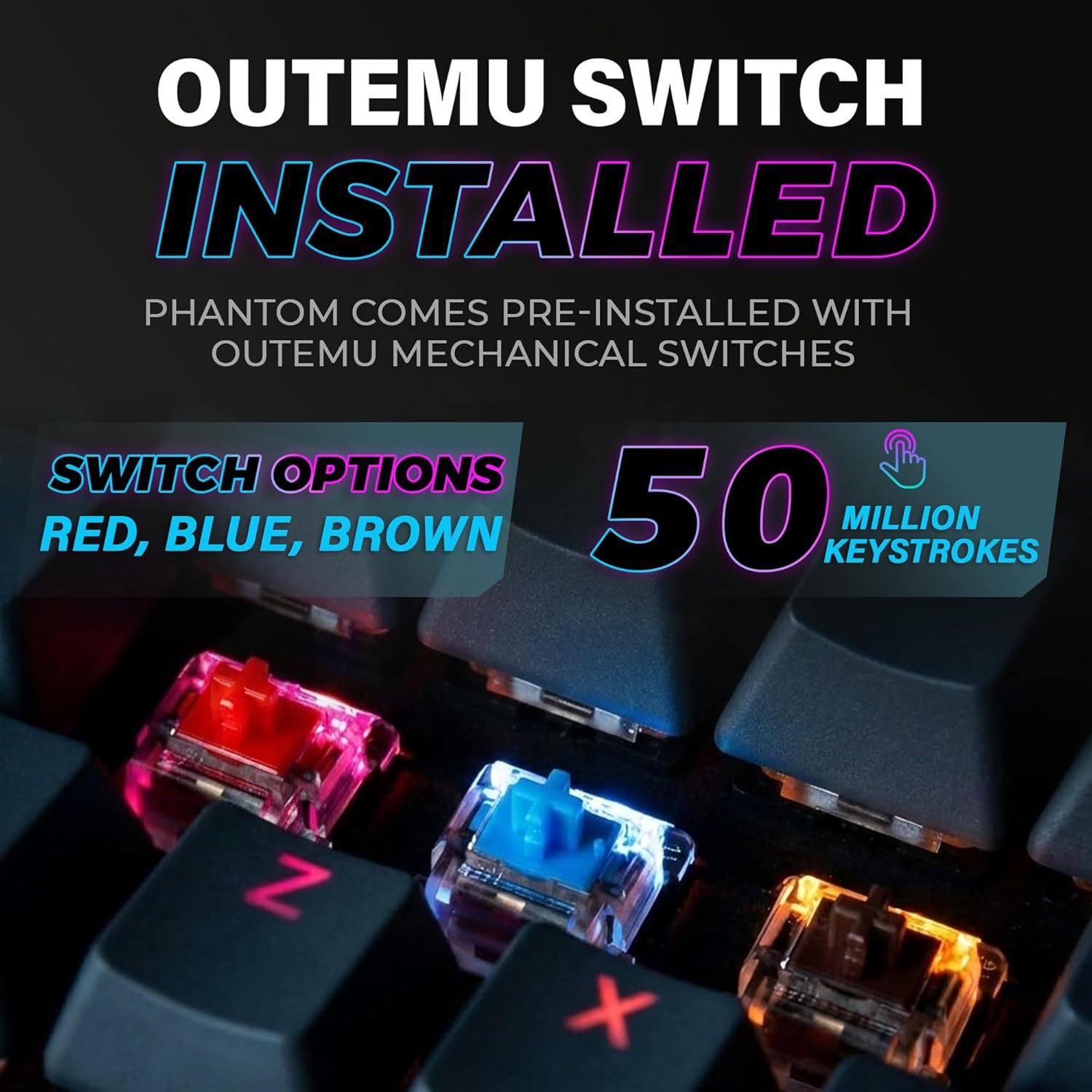
Figure 4: The keyboard comes with pre-installed Outemu switches, available in Red, Blue, and Brown options, rated for 50 million keystrokes.

Figure 5: An Outemu Red linear switch, detailing its pre-travel of 2.00mm, operating force of 45 gf/CN, and total travel of 4.00mm.
Проблемаларды чечүү
| Маселе | Мүмкүн чечим |
|---|---|
| Баскычтоп жооп бербей жатат | Ensure the USB cable is securely connected to both the keyboard and the computer. Try a different USB port or computer. |
| RGB жарыктандыруу иштебейт | Check if the lighting is turned off or set to minimum brightness using the Fn key combinations. Reinstall the TECWARE software if using custom profiles. |
| Атайын баскычтар иштебейт | If you have hot-swappable switches, try replacing the faulty switch with one of the spare switches provided. Ensure the switch is properly seated. |
| Keys feel inconsistent | Ensure keycaps are fully pressed down. Clean under the keycaps for any debris. |
Video 2: Official TECWARE Phantom video demonstrating various features and functionalities of the keyboard.
Техникалык шарттар
| Өзгөчөлүк | Деталь |
|---|---|
| Модель номери | TWKB-P87ZORD |
| Которуу түрү | Outemu Red Mechanical (Linear) |
| Ачкыч саны | 87 Ачкычтар |
| RGB жарыктандыруу | 16.8 Million Colors, 18 Pre-set Modes |
| Добуш берүү көрсөткүчү | 1000Hz |
| N-Key Rollover | Толук N-Key Rollover |
| Байланыш | Зымдуу USB-A |
| PCB | Dual-layer Fiberglass PCB |
| Өлчөмдөрү (L x W x Y) | 14.21 x 5.24 x 1.61 дюйм |
| Салмагы | 2.53 фунт |
Кепилдик жана колдоо
TECWARE products are designed for durability and performance. For warranty information, technical support, or to download the latest software and drivers, please visit the official TECWARE webсайтка же кардарларды тейлөөгө кайрылыңыз. Сатып алуу квитанциясын кепилдик дооматтары үчүн сатып алуунун далили катары сактаңыз.
Онлайн ресурстар:
- Official TECWARE Webсайт: www.tecware.co
- Продукт колдоо барагы: TECWARE Amazon Store


