Introduction
This user manual provides comprehensive instructions for the installation, operation, and maintenance of your Eonon GA8163 car stereo. Please read this manual thoroughly before using the product to ensure proper functionality and to maximize your user experience. This unit is specifically designed for Mazda 3 models from 2010 to 2013.
Продукт бүттүview жана өзгөчөлүктөрү
The Eonon GA8163 is an advanced car multimedia system offering a wide range of features for an enhanced in-car entertainment and navigation experience.
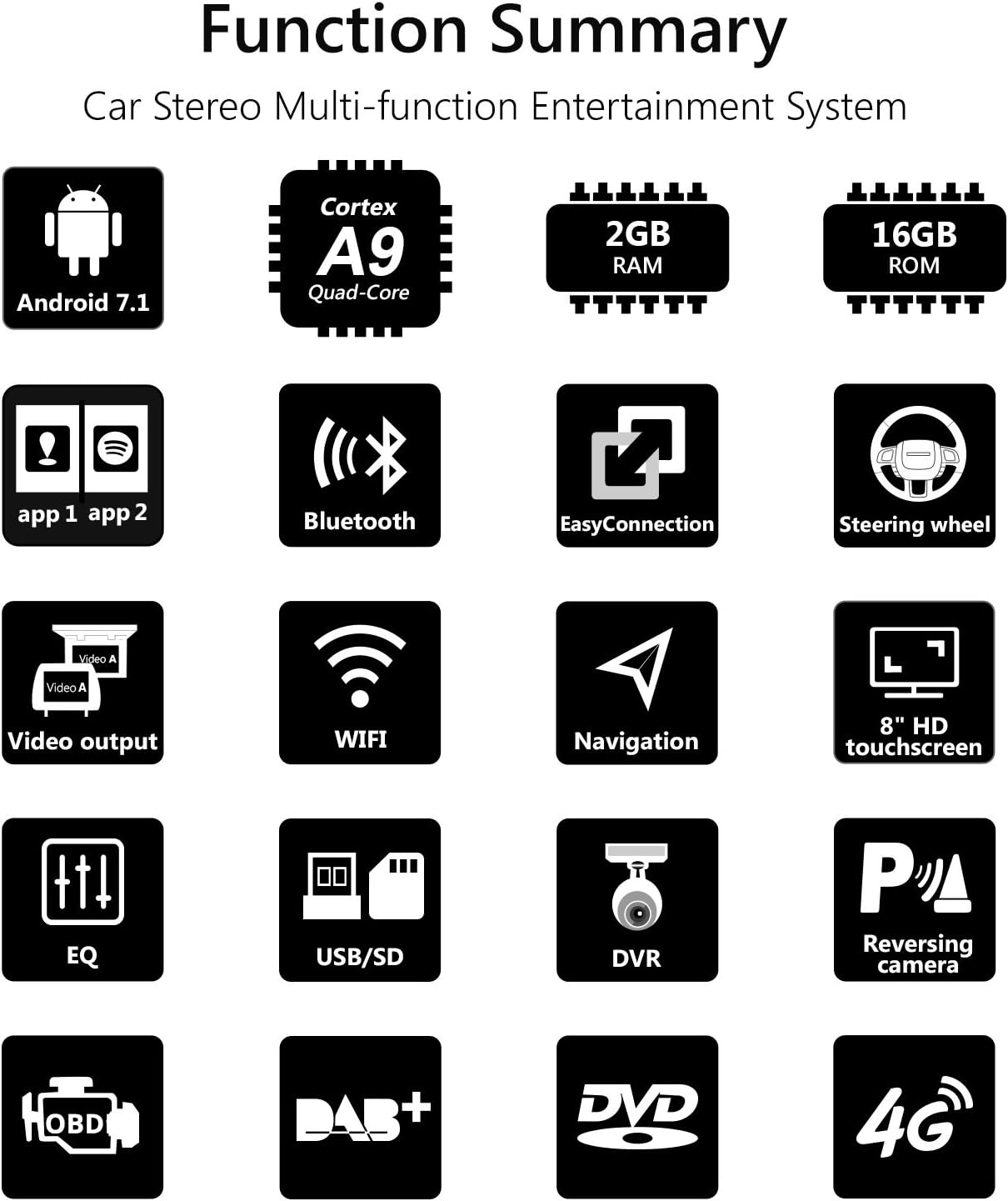
Figure 1: ашыкview of Eonon GA8163 key functions and features.
- Колдонулуучу унаа моделдери: Specifically designed for Mazda 3 (2010-2013). Compatible with the analog hose system for seamless integration and improved sound quality.
- Операция системасы: Runs on the latest Android 7.1 Nougat.
- Аткаруу: Equipped with a RK3188 1.6 GHz Cortex A9 Quad-Core CPU, 2GB RAM for smooth multi-application operation, and 16GB ROM for ample app installations and storage.
- Дисплей: Features an 8-inch high-resolution 1024x600 digital capacitive touchscreen.
- EasyConnection: Allows for screen mirroring from Android devices via USB and iPhones via WiFi, with regular updates.
- Аудио башкаруу: Independent subwoofer, audio, and AV output control. Integrated amplifier output of 4 x 45W. Features a 7-band parametric equalizer function.
- Байланыш: Built-in WiFi, supports 4G and 3G Internet Dongle (optional, extra required).
- Bluetooth: Includes a special external microphone for clearer hands-free calls. Supports Bluetooth music playback.
- Руль башкаруусу: Compatible with most steering wheel control functions for easy song, channel, and volume adjustments, enhancing safety and convenience.
- Көп тапшырма: Split-screen mode enables running two applications side by side, e.g., navigation while listening to music.
- Медиа ойнотуу: Integrated DVD player compatible with AVI, DVD, DVD+R, DVD-R, DVD+RW, DVD-RW, MP3, CD, CD-RW, JPEG formats. Supports USB flash drives and micro SD cards up to 64GB.
- Кошумча аксессуарларды колдоо: Supports Eonon V0054 external DAB+ (not included), Eonon R0008 Camera (not included), and Eonon V0056 OBD2 diagnostic tool (not included).
Техникалык шарттар
| Өзгөчөлүк | Спецификация |
|---|---|
| Өндүрүүчү | Eonon |
| Пакеттин өлчөмдөрү | 38.86 x 26.67 x 21.34 см |
| Жалпы салмак | 4 кг |
| ASIN | B079HXH8WN |
| Product Available on Amazon.es Since | 22-февраль, 2018-жыл |
| Operating Voltage | DC12 V. |
| Максималдуу иштөө тогу | 15 А |
| Screen Size | 8 дюйм |
| Экран түрү | ЖК, сыйымдуулуктагы сенсордук экран |
| Байланыш технологиясы | Bluetooth, WiFi |
| Колдоого алынган медиа түрлөрү | CD, MP3, DVD-R, DVD, AVI, DVD-RW, DVD+RW, DVD+R, JPEG |
Орнотуу жана орнотуу
Proper installation is crucial for the optimal performance of your Eonon GA8163 unit. It is recommended that installation be performed by a qualified professional.
Retaining Original Car Functions
The GA8163 is designed to integrate seamlessly with your Mazda 3, retaining many original car functions.

Figure 2: Illustration of retained original car functions after Eonon GA8163 installation.
- Dashboard Function: Retains original dashboard display and functionality.
- LCD экран: Retains the original LCD screen.
- Рулдун башкаруу элементтери: Most steering wheel control functions are retained for convenience.
- Reversing Control: The head unit automatically switches to reverse mode when reversing.
- Handbrake Control: The head unit enters safe mode and video playback is disabled when the handbrake is engaged. This can be enabled/disabled in settings.
- Car Headlights: Buttons on the head unit illuminate when headlights are turned on.
Wiring Diagram and Included Components
Refer to the diagram below for proper wiring connections and identification of included accessories.

Figure 3: Detailed wiring diagram and list of included components for the Eonon GA8163.
Камтылган компоненттер:
- 1 x GPS Antenna (3m)
- 1 x Кубат кабели
- 1 x Audio Output Harness
- 1 x AUX Input Harness
- 1 x Reversing Video Adapter Cable
- 1 x 3G/USB Adapter Cable
- 1 x AUX Harness
- 1 x CAN автобусу
- 1 x USB адаптер кабели
- 1 x Audio Cable Designed For Bose System
- 2 х Монтаждык кашаа
- 1 x HDMI Adapter Cable
- 1 х тышкы микрофон
- 1 x Disassembly Tool
- 2 x 15A Флайзер
- 1 x HDMI Adapter Cable
- 8 х бурамалар
Ensure all components are present before beginning installation. Connect the cables as indicated in the diagram, paying close attention to the power, audio, and video connections.
Post-Installation Appearance
See how the Eonon GA8163 integrates into your Mazda 3 dashboard after installation.

Figure 4: Comparison of the car dashboard before and after installing the Eonon GA8163 unit.
Операция
Once installed, the Eonon GA8163 offers an intuitive interface for various functions.
Basic Interface and Navigation
The main screen provides access to core features like music, navigation, and settings.
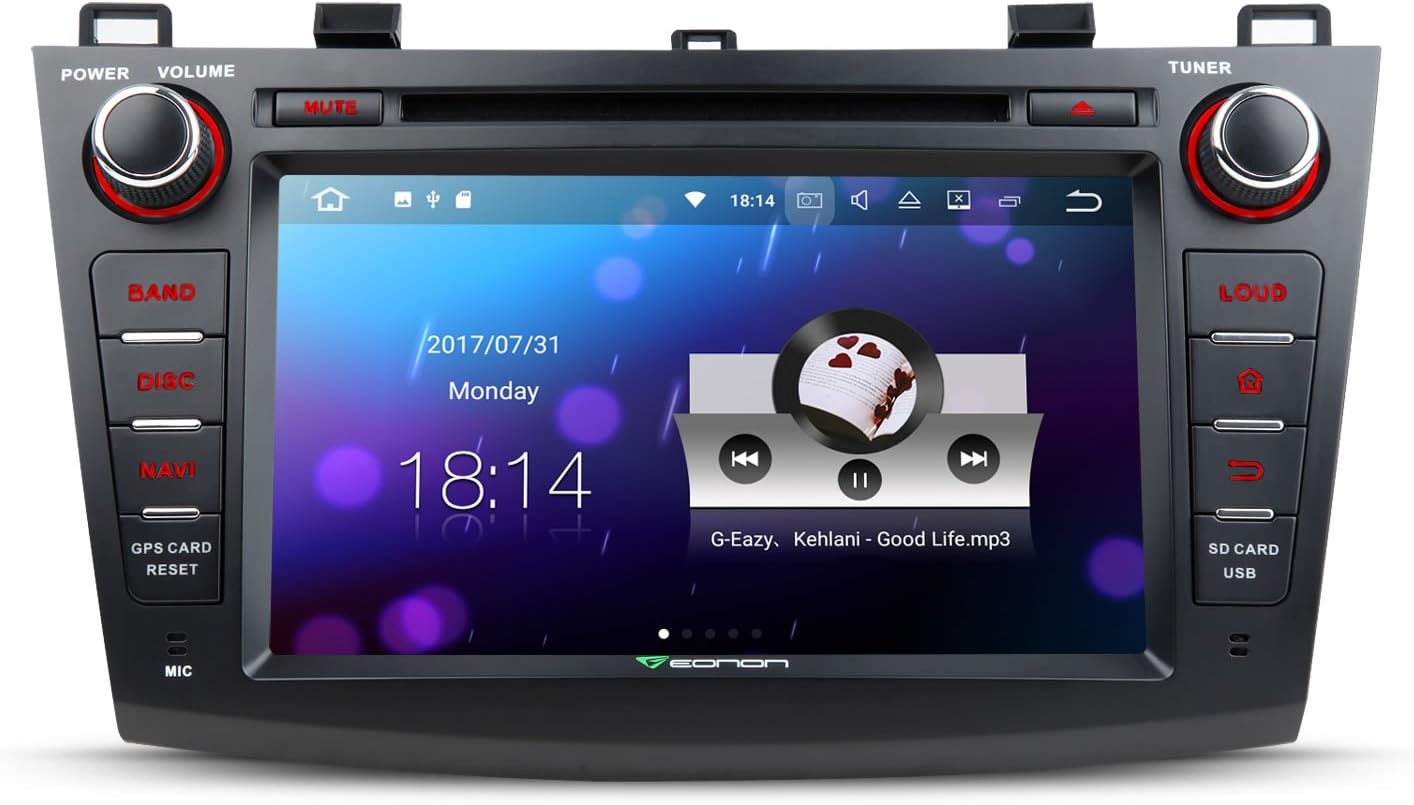
Figure 5: The main user interface of the Eonon GA8163, showing media playback and time display.
Бөлүнгөн экран көп тапшырма
Utilize the split-screen feature to run two applications simultaneously, enhancing convenience and productivity.

6-сүрөт: Мисample of split-screen multitasking, showing navigation and music playback simultaneously.
- To activate split screen, open one app, then long-press the recent apps button (usually a square icon) or drag another compatible app from the recent apps list to one side of the screen.
- Adjust the size of each app window by dragging the divider bar.
Media Playback (DVD, USB, SD)
Insert a DVD into the disc slot or connect a USB drive/SD card to the designated ports. The system will automatically detect and allow you to browse media files.
- DVD: Insert disc into the slot. Select 'Disc' from the main menu.
- USB/SD: Connect your storage device. Select 'USB' or 'SD' from the main menu to access files.
Bluetooth байланышы
Pair your mobile device via Bluetooth for hands-free calling and music streaming.
- Go to the 'Bluetooth' application on the head unit.
- Мобилдик түзмөгүңүздө Bluetooth'ду иштетиңиз жана жеткиликтүү түзмөктөрдү издеңиз.
- Select 'Eonon GA8163' (or similar name) from the list on your phone.
- Жупташтыруу кодун эки түзмөктө тең ырастаңыз.
- Жупташтырылгандан кийин, сиз унаанын динамиктери аркылуу чалууларды жасай/кабыл ала жана музыка ойной аласыз.
Техникалык тейлөө
To ensure the longevity and optimal performance of your Eonon GA8163, follow these maintenance guidelines:
- Тазалоо: Сенсордук экранды жана сыртын тазалоо үчүн жумшак, кургак чүпүрөктү колдонуңуз. Өтө катуу тактар үчүн, бир азampчүпүрөккө суу же экранды тазалоочу каражат. Абразивдүү материалдардан же катуу химиялык заттардан алыс болуңуз.
- Температура: Аппаратты экстремалдык температурага, түз күндүн нуруна көпкө же ашыкча нымдуулукка дуушар кылуудан алыс болуңуз.
- Дискке кам көрүү: Handle DVDs and CDs by their edges. Keep them clean and free of scratches to prevent playback issues.
- Программалык камсыздоо жаңыртуулары: Periodically check the Eonon official website for any available software or firmware updates to ensure the system runs efficiently and securely.
Проблемаларды чечүү
If you encounter issues with your Eonon GA8163, refer to the following common troubleshooting steps:
- Кубат жок:
- Бардык электр туташууларынын бекем сайылганын текшерүү үчүн текшериңиз.
- Verify the car's fuse box and the unit's inline fuse (15A) are intact. Replace if blown.
- Үн жок:
- Үндүн үнү өчүп же минималдуу деп коюлбагандыгын текшериңиз.
- Динамиктин зым байланыштарын текшериңиз.
- Системанын менюсунда аудио чыгаруу орнотууларын текшериңиз.
- Сенсордук экран жооп бербейт:
- Perform a soft reset by pressing the 'RESET' button (usually a small pinhole, refer to unit diagram).
- Экран таза жана таштандылардан таза экенин текшериңиз.
- Bluetooth туташуу маселелери:
- Башкы блокто да, мобилдик түзмөгүңүздө да Bluetooth иштетилгенин текшериңиз.
- Эки түзмөктөн мурунку жупташтырууларды өчүрүп, кайра жупташтырууга аракет кылыңыз.
- Мобилдик түзмөгүңүздү башкы блокко жакындатыңыз.
- Дискти ойнотуудагы каталар:
- Диск таза жана чийиксиз экенин текшериңиз.
- Verify the disc format is supported by the unit (refer to Specifications).
If the issue persists after attempting these steps, please contact Eonon customer support for further assistance.
Кепилдик жана колдоо
For warranty information, please refer to the warranty card included with your product packaging or visit the official Eonon webсайт. Кепилдиктин шарттары жана шарттары аймакка жана сатып алуу күнүнө жараша өзгөрүшү мүмкүн.
Кардарларды колдоо:
If you require technical assistance, have questions about your product, or need to report a defect, please contact Eonon customer support through their official website or the contact information provided in your product documentation. When contacting support, please have your product model (GA8163) and purchase details ready.
You can visit the Eonon store on Amazon for more information: Eonon Amazon Store


