Introduction
The beyerdynamic Amiron Wireless headphones are designed to provide a high-end audio experience with the freedom of wireless connectivity. These headphones integrate innovative sound personalization and Tesla technology for optimal sound quality. They are crafted with high-quality materials in Germany, ensuring durability and a comfortable fit for extended listening sessions.
Кутуда эмне бар
Your beyerdynamic Amiron Wireless headphones package includes the following items:
- Amiron Wireless headphones
- Optional wired connection cable with remote control (Mini Jack 3.5 mm, 1.2 m long, detachable, 4-pole)
- Заряддоо кабели USB-A - USB-C
- Катуу иш
- Кепилдик китепчеси
- Тез баштоо колдонмосу

Image: The Amiron Wireless headphones, charging cable, audio cable, and hard case.
Продукт бүттүview
The Amiron Wireless headphones are designed for an immersive audio experience, combining advanced technology with user comfort.
Негизги өзгөчөлүктөрү:
- High-end Bluetooth Connectivity: Features optimum sound quality thanks to Tesla technology and top-class Bluetooth transmission (Qualcomm aptX HD and AAC). Operating range up to 10 meters.
- Sound Personalization: Adapts acoustically to the user's hearing through an integrated sound personalization feature, ensuring a tailored audio experience.
- Комфорт: Unique wearing comfort achieved through masterfully balanced contact pressure and a perfect fit, ideal for long listening sessions.
- Premium Build: Made in Germany with high-quality materials, offering durability and flawless workmanship.
- Сенсордук башкаруу: Intuitive touch controls on the earcup for easy management of playback and calls.
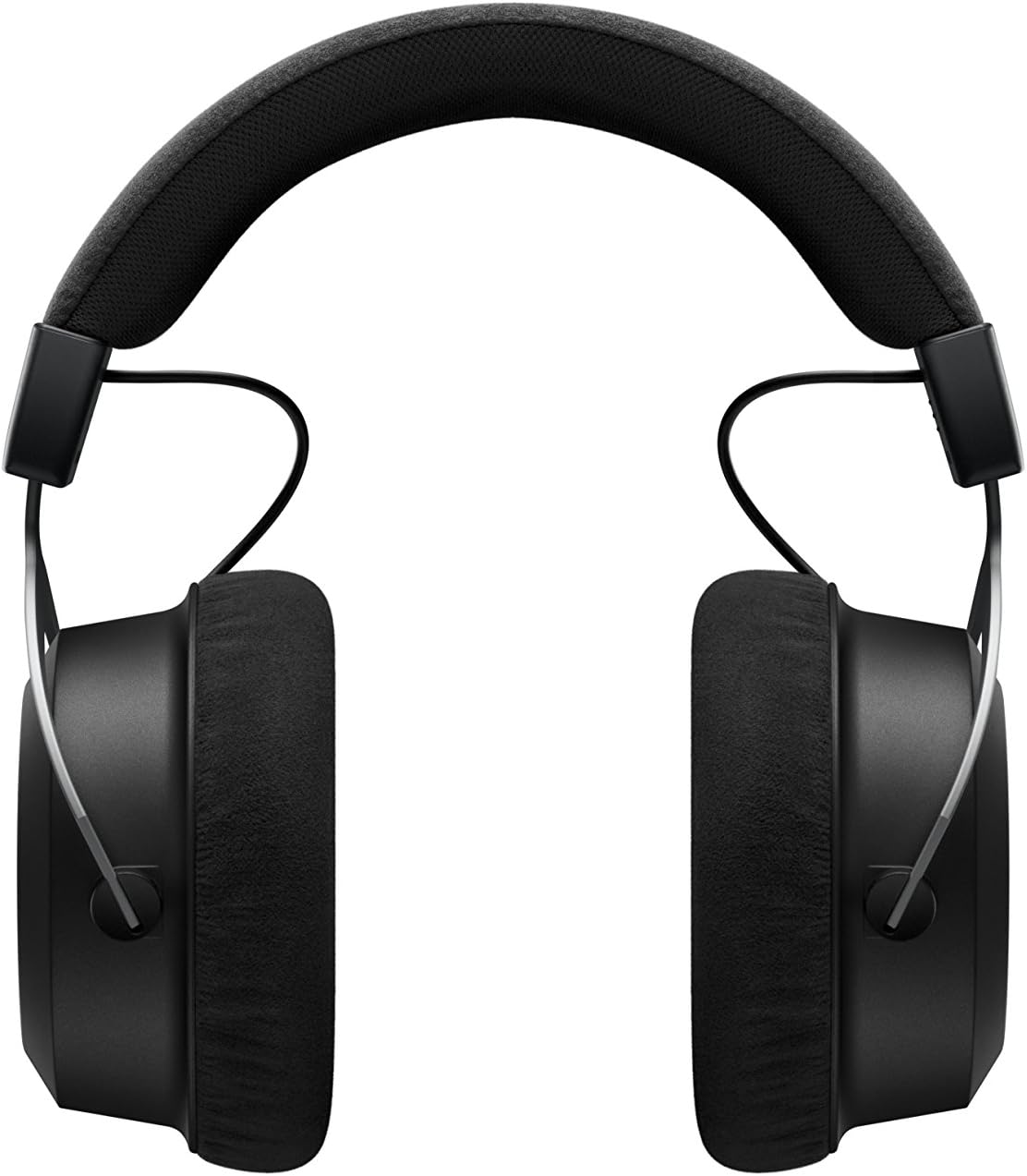
Сүрөт: каптал view of the Amiron Wireless headphones, highlighting the earcup design and headband.
Жайгашуу
1. Наушниктерди заряддоо
Before first use, ensure your Amiron Wireless headphones are fully charged. Connect the provided USB-A to USB-C charging cable to the USB-C port on the headphone and a suitable USB power source. A full charge takes approximately 2 hours and provides over 30 hours of battery life.
2. Bluetooth Жупташтыруу
Гарнитураңызды Bluetooth иштетилген түзмөк менен жупташтыруу үчүн:
- Наушниктердин заряддалганын жана өчүрүлгөнүн текшериңиз.
- Press and hold the power button on the headphone until the LED indicator flashes blue and red, indicating pairing mode.
- On your device (smartphone, tablet, etc.), go to Bluetooth settings and select "Amiron Wireless" from the list of available devices.
- Туташтырылгандан кийин, LED индикатору туруктуу көк жарыкты көрсөтөт.
3. Sound Personalization (MIY App)
For an optimized listening experience, download the beyerdynamic MIY app from the Google Play Store or Apple App Store. The app allows you to perform a hearing test and create a personalized sound profile that adapts the audio output to your individual hearing. This profile is then stored directly on the headphones.
Видео: Бүттүview of the beyerdynamic Amiron Wireless headphones, including unboxing and features like sound personalization and touch controls.
Иштөө нускамалары
Сенсордук панелдин башкаруу элементтери
The right earcup features an integrated touchpad for intuitive control of various functions:
- Үндү көзөмөлдөө: Swipe up or down on the touchpad.
- Трек навигациясы: Swipe forward for the next track, backward for the previous track.
- Ойнотуу/тындыруу: Tap the center of the touchpad.
- Чалууларды башкаруу: Tap to answer/end calls, push and hold for voice commands (Siri, Google Assistant).
The sensitivity of these touch controls can be customized via the MIY app.
Зымдуу операция
For a wired connection, plug the provided 3.5 mm audio cable into the headphone's audio jack and your audio source. This allows for passive use even if the battery is depleted or while charging. The inline remote on the cable provides basic playback and call controls.

Image: A user enjoying music with the Amiron Wireless headphones, demonstrating the touch controls on the earcup.
Үн сапаты
The Amiron Wireless headphones deliver a dynamic and detailed sound profile, characterized by:
- Бас: Powerful and precise low-end with good impact, without overpowering other frequencies.
- Орто диапазон: Natural and clear, providing excellent reproduction of vocals and instruments.
- Үч кабат: Detailed and smooth high-end, avoiding harshness even at higher frequencies, contributing to an airy sound.
- Үндөрtage: Offers impressive depth and precise instrument placement, creating a spacious and immersive listening experience.
The sound personalization feature via the MIY app further enhances the audio quality by tailoring it to your unique hearing profile.
Комфорт жана дизайн
The Amiron Wireless headphones prioritize comfort and a robust build:
- Кулакчалар: Equipped with soft, velour earpads that provide a comfortable fit and contribute to sound isolation.
- Баш боосу: Features a leatherette headband with ample padding for reduced pressure during prolonged use.
- Материалдар: Constructed with high-quality materials, including metal components, ensuring durability and a premium feel.
- Туура: Designed for a balanced contact pressure and secure fit, making them suitable for home listening.

Image: A user enjoying music with the Amiron Wireless headphones in a relaxed setting, showcasing their comfortable design.
Техникалык шарттар
| Өзгөчөлүк | Деталь |
|---|---|
| Модель аты | Amiron Wireless |
| Байланыш технологиясы | Wireless Version (Bluetooth 4.0) |
| Зымсыз байланыш технологиясы | Bluetooth |
| Frequency Response | 5 - 40,000 Гц |
| Импеданс | 32 Ом |
| Сезимталдуулук | 100 дБ |
| Батареянын иштөө мөөнөтү | 30 саат |
| Заряддоо убактысы | 2 Hours (for 30 hours playback) |
| Bluetooth диапазону | 10 метр |
| Башкаруу ыкмасы | Тийүү (Медианы башкаруу) |
| Noise Control | Үн изоляциясы |
| Элемент Салмагы | 13.4 унция |
| Продукциянын өлчөмдөрү | 8.07 x 4.13 x 5.9 дюйм |
| Өндүрүүчү | Бейердинамик, Инк. |
Техникалык тейлөө
To ensure the longevity and optimal performance of your beyerdynamic Amiron Wireless headphones, follow these maintenance guidelines:
- Тазалоо: Наушниктерди жана баш орогучту тазалоо үчүн жумшак, кургак чүпүрөктү колдонуңуз. Катуу химиялык заттарды же абразивдүү материалдарды колдонуудан алыс болуңуз.
- Сактагыч: When not in use, store the headphones in their provided hard case to protect them from dust, scratches, and impacts.
- Батареяга кам көрүү: Батареяны тез-тез толук зарядсыздандырбаңыз. Узак мөөнөткө сактоо үчүн, анын иштөө мөөнөтүн узартуу үчүн аны болжол менен 50% га чейин заряддаңыз.
- Нымдуулук: Кулакчындарды нымдуулуктан жана өтө жогорку температурадан алыс кармаңыз.
Проблемаларды чечүү
If you encounter issues with your Amiron Wireless headphones, try the following solutions:
- Кубат жок: Берилген USB-C кабелин колдонуп, кулакчындар толук кубатталганын текшериңиз.
- Bluetooth аркылуу жупташтыруу мүмкүн эмес:
- Наушниктердин жупташтыруу режиминде экенин текшериңиз (LED көк жана кызыл күйүп турат).
- Түзмөгүңүздө Bluetooth иштетилгенин текшериңиз.
- Наушниктерди түзмөгүңүзгө жакыныраак жылдырыңыз (10 метр аралыкта).
- Try unpairing and re-pairing the headphones from your device's Bluetooth settings.
- Үн жок/Төмөн үнү:
- Check the volume levels on both the headphones (via touchpad) and your connected device.
- Кулакчындар туура жупташтырылганын текшериңиз.
- If using the wired connection, ensure the cable is securely plugged into both the headphones and the audio source.
- Үн бурмалоо:
- Reduce the volume on your device and/or headphones.
- Кулакчындар менен Bluetooth түзмөгүңүздүн ортосунда эч кандай тоскоолдуктар жок экенин текшериңиз.
Кепилдик жана колдоо
The beyerdynamic Amiron Wireless headphones are manufactured in Germany using high-quality materials, offering durability and flawless workmanship. Please refer to the included warranty booklet for detailed information regarding your product's warranty coverage.
For further assistance, technical support, or service inquiries, please visit the official beyerdynamic webсайтка же кардарларды тейлөө бөлүмүнө кайрылыңыз.
Сиз да зыярат кылсаңыз болот Amazon'догу beyerdynamic дүкөнү кошумча продукт маалымат жана колдоо ресурстар үчүн.


