1. Киришүү
This manual provides instructions for the installation, operation, and maintenance of your VTech DS6151 DECT 6.0 2-Line Cordless Phone System. This system includes a main base unit and one DS6101 cordless handset. Please read this manual thoroughly before using your new telephone system.

Image 1.1: The VTech DS6151 DECT 6.0 2-Line Cordless Phone System, showing the main base unit and the cordless handset in its charging cradle.
2. Орнотуу
2.1 Пакеттин мазмуну
Пакетиңизде төмөнкү заттар камтылганын текшериңиз:
- VTech DS6151 Base Unit
- DS6101 Cordless Handset
- Телефон заряддагыч
- Негизги блок үчүн кубат адаптери
- Power Adapter for Handset Charger
- Телефон линиясы (2)
- Rechargeable Battery Pack for Handset
- Колдонуучунун колдонмосу (бул документ)
2.2 Батареяны орнотуу
The cordless handset requires one AA rechargeable battery. Follow these steps to install the battery:
- Зымсыз телефондун артындагы батарея бөлүкчөсүнүн капкагын табыңыз.
- Капкактын үстүн ылдый жылдырып, көтөрүп алыңыз.
- Connect the battery pack connector securely into the jack inside the compartment, ensuring correct polarity.
- Батарея пакетин бөлүмгө салыңыз.
- Батарея бөлүмүнүн капкагын чыкылдаган үн чыкканга чейин кайра ордуна жылдырыңыз.

Image 2.1: The VTech DS6101 cordless handset, showing its front display and keypad.
2.3 Негизги блокту туташтыруу
Connect the base unit as follows:
- Plug one end of the power adapter into the power jack on the back of the base unit.
- Кубат адаптеринин экинчи учун стандарттуу электр розеткасына сайыңыз.
- Телефон линиясынын шнурунун бир учун негизги блоктун арткы жагындагы TEL LINE уячасына сайыңыз.
- Plug the other end of the telephone line cord into a telephone wall jack. If you have two phone lines, connect the second line cord to the LINE 2 jack and the second telephone wall jack.
2.4 Handset Charger Connection
Connect the handset charger as follows:
- Plug one end of the power adapter into the power jack on the back of the handset charger.
- Кубат адаптеринин экинчи учун стандарттуу электр розеткасына сайыңыз.

Image 2.2: The VTech DS6101 cordless handset placed in its charging cradle.
2.5 Алгачкы заряддоо
Place the cordless handset in the base unit or handset charger. The handset will begin charging. Allow the handset to charge for at least 16 hours before initial use. The CHARGE indicator on the handset will illuminate during charging.
3. Иштөө нускамалары
3.1 Чалууларды кабыл алуу жана кабыл алуу
Чакыруу:
- From the handset, press TALK / FLASH or СПИКЕР. From the base, press 1-САП or 2-САП.
- Телефон номерин териңиз.
Чалуу кабыл алуу:
- Телефон шыңгыраганда, басыңыз TALK / FLASH or СПИКЕР on the handset. From the base, press the flashing 1-САП or 2-САП баскычы.
Чалууну аяктоо:
- Басыңыз ӨЧҮРҮҮ on the handset or place the handset in the charger. From the base, press the active LINE баскычы.
3.2 2-Line Operation
The DS6151 system supports two separate telephone lines. You can make or receive calls on either line independently. When a line is in use, its corresponding button (1-САП or 2-САП) on the base will be lit. If a call comes in on an idle line, its button will flash.
3.3 Чалуучуну аныктоо / Чакырууну күтүү
If you subscribe to Caller ID service, the caller's name and number will appear on the handset and base display. If you subscribe to Call Waiting Caller ID, the incoming call information will display during an active call.
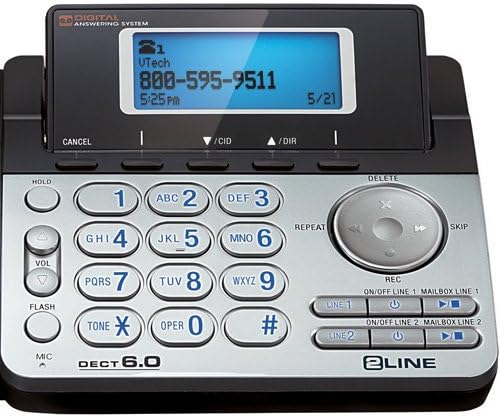
Image 3.1: Close-up of the VTech DS6151 base unit, highlighting the display and keypad for two-line operation.
3.4 Санариптик жооп берүү системасы
The base unit features a digital answering system with a 13-minute recording capacity and a dedicated mailbox for each line. You can access messages from the base unit or the cordless handset.
Ойнотулган билдирүүлөр:
- On the base, press ОЙНОО/ТОКТОТУУ.
- From the handset, press МЕНЮ/ТАНДОО, scroll to 'Answering System', then 'Play Messages'.
Turning Answering System On/Off:
- On the base, use the КҮЙГҮЗҮҮ/ӨЧҮРҮҮ 1 жана КҮЙГҮЗҮҮ/ӨЧҮРҮҮ 2 баскычтар.
3.5 Телефон китеби
The system can store up to 50 names and numbers in its phonebook directory. You can easily store frequently called numbers for quick dialing.
Adding a Phonebook Entry:
- Басыңыз МЕНЮ/ТАНДОО телефондо.
- Scroll to 'Phonebook' and press МЕНЮ/ТАНДОО.
- Select 'Add New Entry' and follow the on-screen prompts to enter the name and number.
3.6 Динамик
Both the base unit and the cordless handset feature a dual speakerphone function, allowing hands-free communication. Press the СПИКЕР button on the handset or the speakerphone button on the base during a call to activate.
3.7 Кайра терүү
The system stores the last few numbers dialed. Press РЕДИАЛ on the handset to access the redial list.
3.8 Handset Locator / Paging
Эгерде сиз телефонуңузду туура эмес жайгаштырсаңыз, баскычын басыңыз БЕТ негизги блоктогу баскычты басыңыз. Бардык катталган телефондор шыңгырап, аларды табууга жардам берет.
4. Техникалык тейлөө
4.1 Cleaning Your Telephone
Clean the telephone and handset with a soft, slightly damp cloth. Do not use cleaning agents or abrasive materials, as these can damage the finish. Avoid getting moisture into any openings.
4.2 Батареяга кам көрүү
Батареянын оптималдуу иштешин камсыз кылуу үчүн:
- Charge the handset for 16 hours before first use.
- Avoid overcharging by not leaving the handset on the charger for extended periods after it is fully charged.
- Replace the battery pack when the handset indicates low battery or when talk time significantly decreases. Use only the specified rechargeable battery pack.
5. Кыйынчылыктарды
If you experience issues with your VTech DS6151 system, try the following common troubleshooting steps:
- Терүү үнү жок:
Ensure all power adapters and telephone line cords are securely plugged in. Check if your telephone service is active. Try plugging a different phone into the wall jack to confirm the line is working. - Телефон заряддалбай жатат:
Verify the handset is correctly seated in the charger. Ensure the charger's power adapter is plugged into a working electrical outlet. Clean the charging contacts on both the handset and charger with a dry cloth. - Poor Call Quality / Static:
Move the handset closer to the base unit. Avoid placing the base unit near other electronic devices (e.g., microwaves, Wi-Fi routers) that may cause interference. Check for loose telephone line cord connections. - Телефондун дисплейи бош:
Ensure the battery pack is correctly installed and fully charged. Place the handset on the charger for at least 30 minutes. - Автожооп берүүчү система жаздырбай жатат:
Ensure the answering system for the respective line is turned ON. Check if the memory is full; delete old messages if necessary.
If problems persist, refer to the full troubleshooting section in the comprehensive user manual available on the VTech support website or contact VTech customer support.
6. Техникалык шарттар
The following are key specifications for the VTech DS6151 DECT 6.0 2-Line Cordless Phone System:
| Өзгөчөлүк | Description |
|---|---|
| Технология | DECT 6.0 (1.9GHz) |
| Колдоого алынган саптар | 2 сызыктуу операция |
| Кеңейтүү | 12 телефонго чейин |
| Жооп берүү системасы | 13 Minute Digital Answering System with dedicated mailbox per line |
| Дисплей | Large Backlit LCD Display (Handset & Base) |
| Динамик | Dual Speakerphone (Base & Handset) |
| Баскычтоп | Арткы жарык баскычтоп |
| Чалуучунун ID эстутуму | 50 Station Name / Number |
| Телефон каталогу | 50 Station Name / Number |
| Батареялар | 1 AA rechargeable battery required per handset |
| Материал | Пластик |
| Элемент Салмагы | 4.13 фунт (жалпы система) |
| Пакеттин өлчөмдөрү | 12.09 x 9.84 x 6.73 дюйм |
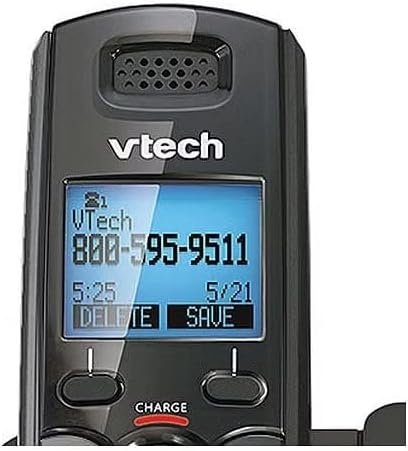
Image 6.1: Close-up of the VTech DS6101 cordless handset display, showing caller ID information.
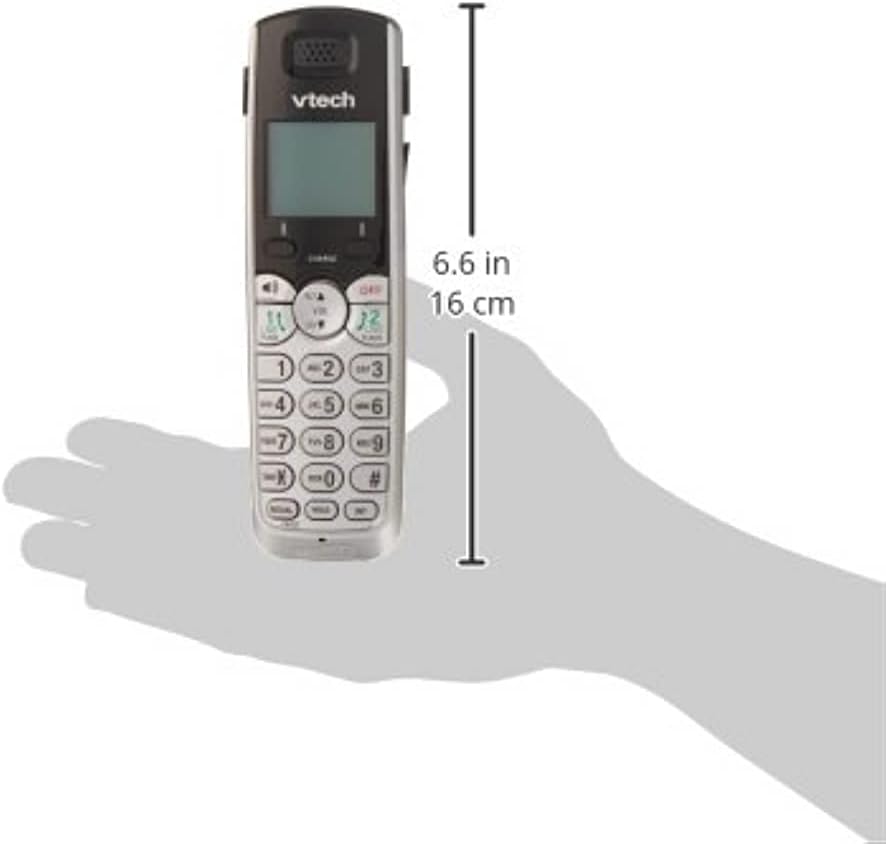
Image 6.2: The VTech DS6101 cordless handset with approximate dimensions indicated, showing its compact size.
7. Кепилдик жана колдоо
For warranty information, please refer to the warranty card included with your product or visit the official VTech website. VTech provides customer support for product assistance, troubleshooting, and service inquiries.
Кошумча жардам алуу үчүн, сураныч, баш багыңыз Amazon'догу VTech дүкөнү or the official VTech support webсайт.


