Introduction
Welcome to the VTech KidiZoom Touch 5.0 Pink digital camera user manual. This guide provides comprehensive instructions for setting up, operating, and maintaining your new camera. Designed for children aged 5-12 years, the KidiZoom Touch 5.0 offers a robust and interactive experience with its touch display, dual cameras, and a variety of creative features.
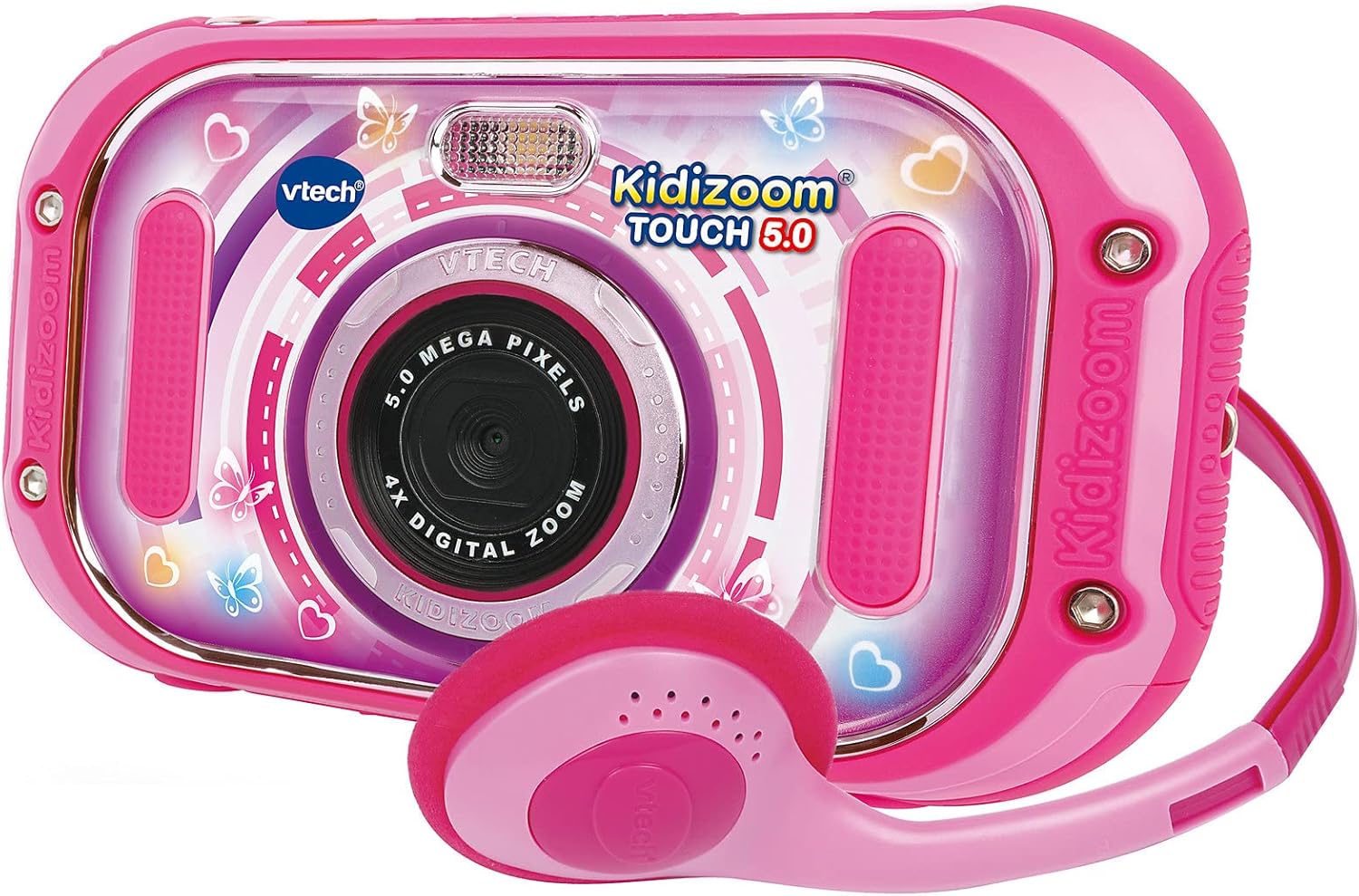
Figure 1: The VTech KidiZoom Touch 5.0 Pink camera shown with its accompanying pink headphones.
Пакеттин мазмуну
Төмөндө тизмеленген нерселердин баары пакетиңизде бар экенин текшериңиз:
- 1 x VTech KidiZoom Touch 5.0 Pink Digital Camera
- 1 x USB кабели
- 1 х Кулакчын
- 4 x AA Demo Batteries (pre-installed)
- 1 Билек боонун х

Figure 2: The included headphones and wrist strap, essential accessories for the KidiZoom Touch 5.0.
Жайгашуу
Батарея орнотуу
The camera comes with 4 AA demo batteries pre-installed. For optimal performance and extended use, it is recommended to replace these with new, high-quality alkaline batteries or rechargeable AA batteries. Ensure correct polarity when inserting batteries.
- Батарея бөлүмүн камеранын арткы бетинен табыңыз.
- Батарея бөлүкчөсүнүн капкагын ачуу үчүн кичинекей бурагычты колдонуңуз.
- Remove the old batteries (if any) and insert 4 new AA batteries, matching the +/- indicators.
- Капкакты ордуна коюп, бураманы бекемдеңиз.
Memory Card (Optional)
The KidiZoom Touch 5.0 has an internal memory for approximately 100 photos (5.0 MP) or 10 minutes of video (640x480 px). To expand storage for more photos, videos, or MP3 files, an external microSD card (not included) is required.
- Locate the microSD card slot on the side of the camera.
- Insert a microSD card (up to 32GB, Class 10 recommended) into the slot until it clicks into place.
- Чыгаруу үчүн картаны сыртка чыкканга чейин акырын түртүңүз.
Product Features and Controls
Familiarize yourself with the camera's interface and controls for a seamless experience.

Figure 3: The camera's 3.5-inch LCD color touch display showing the main menu with icons for photos, video recorder, music player, games, playback, panorama, 'You and Me' mode, and animation studio.
- 3.5" LCD Colour Touch Display: Capacitive touch panel for easy navigation and personalized backgrounds.
- Алдыңкы камера: 5.0 Megapixels for high-resolution photos and videos.
- Арткы камера: 2.0 Megapixels for selfies and dual-camera mode.
- 4x Digital Zoom: Magnify your subjects.
- Automatic Flash: For improved lighting in low-light conditions.
- USB порт: For connecting to a PC to transfer files.
- Гарнитура уячасы: For private listening of music or audio.
Иштөө нускамалары
Сүрөт тартуу
To capture still images:
- Кубат баскычын колдонуп камераны күйгүзүңүз.
- Tap the "Photos" icon on the touch screen.
- Aim the camera at your subject. Use the front camera for regular photos or the rear camera for selfies.
- Press the shutter button or tap the screen to take a picture.
- Explore various photo effects and filters available before or after taking a photo.

Figure 4: Children demonstrating the ease of taking a selfie with the KidiZoom Touch 5.0's rear camera.
Видеолорду жаздыруу
To record moving footage:
- From the main menu, tap the "Video Recorder" icon.
- Press the record button on the screen to start recording.
- Жазууну токтотуу үчүн баскычты кайра басыңыз.
- Utilize the dual camera mode to record simultaneously with both front and rear cameras.
Оюндарды ойноо
The camera includes 6 interactive touchscreen games for entertainment.
- Tap the "Games" icon on the main menu.
- Select your desired game from the list.
- Follow the on-screen instructions to play.
Музыка ойноткуч
Listen to your favorite MP3s on the go. An external microSD card is required to store MP3 files.
- Ensure an external microSD card with MP3 files киргизилет.
- Tap the "Music Player" icon.
- Browse and select songs to play.
- Connect the included headphones for private listening.
Editing Photos and Videos
Unleash your creativity with the built-in editing tools.
- Сүрөт эффекттери: Apply over 60 different effects, filters, and stamps to your photos.
- Crazy Painting Studio: Draw and paint on your images.
- Анимация студиясы: Create stop-motion videos from individual pictures with music and voice.
- Voice Distortion: Record your voice and apply fun effects.
Техникалык тейлөө
Proper care will extend the life of your KidiZoom Touch 5.0.
- Тазалоо: Wipe the camera and screen with a soft, slightly damp кездеме. Катуу химиялык заттарды же абразивдүү тазалагычтарды колдонбоңуз.
- Сактагыч: Store the camera in a cool, dry place away from direct sunlight and extreme temperatures. If storing for an extended period, remove the batteries.
- Суу таасири: The camera is not waterproof. Avoid contact with water or other liquids.
- Таасири: While robust, avoid dropping the camera or subjecting it to strong impacts.
Проблемаларды чечүү
Эгерде сиз көйгөйлөргө туш болсоңуз, кеңири таралган көйгөйлөр жана аларды чечүү жолдору үчүн төмөнкү таблицаны караңыз.
| Көйгөй | Чечим |
|---|---|
| Камера күйбөйт. | Check battery installation and replace with new batteries if necessary. Ensure the power button is pressed firmly. |
| Экран жооп бербей жатат. | Restart the camera. If the issue persists, ensure the screen is clean and free of debris. |
| Сүрөттөрдү/видеолорду сактоо мүмкүн эмес. | Check if the internal memory or inserted microSD card is full. Delete unnecessary files or insert a new microSD card. Ensure the microSD card is properly inserted. |
| Сүрөттүн сапаты начар. | Ensure the camera lens is clean. Check lighting conditions; use flash if needed. |
| Camera freezes or crashes. | Remove and reinsert batteries to perform a hard reset. If using a microSD card, try removing it and see if the issue resolves. |
Техникалык шарттар
| Өзгөчөлүк | Деталь |
|---|---|
| Модель номери | 80-163554 |
| Дисплей | 3.5" LCD Colour Touch Display (Capacitive) |
| Алдыңкы камеранын чечилиши | 5.0 мегапиксел |
| Арткы камеранын чечилиши | 2.0 мегапиксел |
| Ички эс тутум | Approx. 100 photos (5.0 MB) or 10 min video (640x480 px) |
| Тышкы эс | microSD карта слоту (карта камтылган эмес) |
| Digital Zoom | 4x |
| Power Source | 4 x AA Batteries (included for demo) |
| Байланыш | USB port, Headphone jack |
| Өлчөмдөр | 3.1 x 15 x 8.6 см |
| Салмагы | 100 г |
Кепилдик жана колдоо
Кепилдик жөнүндө маалымат жана техникалык колдоо алуу үчүн, расмий VTech компаниясына кайрылыңыз webсайтына кириңиз же VTech кардарларды тейлөө кызматына түз кайрылыңыз. Сатып алуунун далили катары сатып алуу дүмүрчөгүңүздү сактап коюңуз.
VTech кардарларды колдоо кызматы: www.vtechkids.com/support


