
Introduction
The j5create JCC153G is a 6-foot USB Type-C to HDMI cable designed to connect your USB Type-C enabled device to an HDMI display. This cable supports 4K video resolution at 60Hz, providing a high-quality visual experience. It is compatible with devices supporting DisplayPort Alternate Mode over USB-C, including Thunderbolt 3/4, MacBook Pro/Air, iPad Pro/Air 4, and Chromebooks.
This manual provides detailed instructions for setting up, operating, maintaining, and troubleshooting your JCC153G cable.

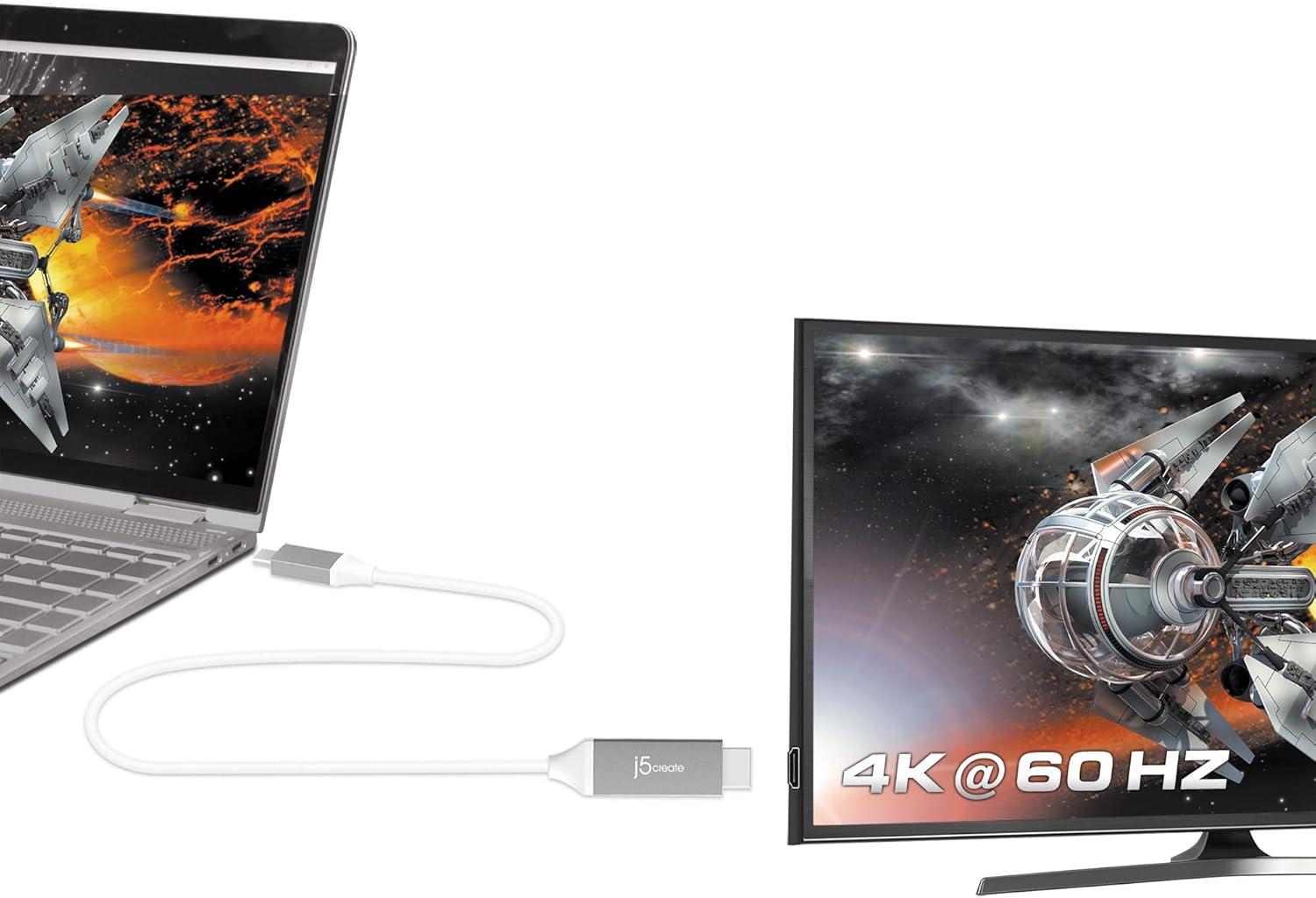
Image: The j5create USB Type-C to HDMI cable connecting a laptop to a 4K monitor, displaying a high-resolution image.
Орнотуу нускамалары
Follow these steps to connect your j5create JCC153G cable:
- Портторду аныктоо: Ensure your source device (laptop, tablet) has a USB Type-C port that supports DisplayPort Alternate Mode (Alt Mode). Ensure your display device (monitor, TV, projector) has an HDMI input port.
- Connect USB Type-C: Plug the USB Type-C connector of the JCC153G cable into the USB Type-C port on your source device.
- HDMI туташтыруу: Plug the HDMI connector of the JCC153G cable into an available HDMI input port on your display device.
- Түзмөктөрдү күйгүзүү: Булак түзмөгүңүздү жана дисплей түзмөгүңүздү күйгүзүңүз.
- Киргизүүнү тандоо: On your display device, use the input/source selection button to choose the HDMI input port to which the cable is connected.
Сүрөт: жакын план view of the j5create USB Type-C and HDMI connectors, highlighting the cable's design.
Иштөө нускамалары
Once connected, your display should automatically detect the signal from your source device. If not, you may need to adjust display settings on your computer or device.
- Көрсөтүү режимдери: Most operating systems allow you to choose how your external display functions:
- Duplicate/Mirror: Shows the same content on both your source device and the external display.
- Узартуу: Иш тактаңызды эки дисплейде кеңейтип, көбүрөөк иштөө аймагына мүмкүнчүлүк берет.
- Экинчи экран гана: Displays content only on the external display, turning off your source device's screen.
- Резолюция орнотуулары: To achieve 4K@60Hz, ensure your source device and display both support this resolution and refresh rate. You can adjust display resolution settings in your operating system's display preferences.
- Аудио чыгаруу: Audio is typically transmitted through the HDMI cable. You may need to select the HDMI display as your audio output device in your operating system's sound settings.

Image: A laptop connected to an external monitor, clearly showing "4K @ 60 Hz" on the monitor, indicating high-resolution output.
Техникалык тейлөө
Proper care will extend the life of your j5create JCC153G cable:
- Сактагыч: Store the cable in a cool, dry place away from direct sunlight and extreme temperatures. Avoid tightly coiling or bending the cable sharply, as this can damage internal wires.
- Тазалоо: Use a soft, dry cloth to clean the cable and connectors. Do not use liquid cleaners or solvents.
- Колдонуу: Кабелди сайганда же сууруп алганда, ар дайым туташтыргычтын башын кармаңыз, кабелдин өзүн тартпаңыз.
- Коргоо: Avoid placing heavy objects on the cable or exposing it to pets that might chew on it.
Проблемаларды чечүү
Эгер көйгөйлөргө туш болсоңуз, төмөнкү чечимдерди колдонуп көрүңүз:
| Көйгөй | Чечим |
|---|---|
| Тышкы монитордо дисплей жок. |
|
| Low resolution or incorrect refresh rate. |
|
| No audio from external monitor. |
|
| Үзүлгүс сигнал же бүлбүлдөп. |
|
Техникалык шарттар
- Модел: JCC153G
- Бренд: j5create
- Туташтыргыч түрү: USB Type-C (Male) to HDMI (Male)
- Кабелдин узундугу: 6 фут (болжол менен 1.8 метр)
- Видеонун чечилиши: Up to 4K (3840 x 2160) at 60Hz
- Маалыматтарды өткөрүү ылдамдыгы: Секундасына 6 Гигабит
- Шайкеш түзмөктөр: Laptops, Monitors, PCs, Projectors, Tablets, Televisions with USB Type-C ports supporting DisplayPort Alt Mode (e.g., Thunderbolt 3/4, MacBook Pro/Air, iPad Pro/Air 4, Chromebooks)
- Өзгөчө өзгөчөлүгү: Universal compatibility with DisplayPort Alt Mode over USB-C
- Түсү: Боз/Күмүш
- Материал: Polyvinyl Chloride (Outer Material)
- Сертификаттар: HDMI™ Certification (ATC Certified)
- UPC: 847626002397

Image: The j5create USB Type-C to HDMI cable, featuring the HDMI ATC Certificate logo, indicating compliance with HDMI standards.
Кепилдик маалымат
The j5create JCC153G USB Type-C to 4K@60Hz HDMI Cable comes with a 1 жылдык Чектелген Кепилдик from the date of purchase. This warranty covers defects in materials and workmanship under normal use. It does not cover damage caused by accident, misuse, abuse, unauthorized modification, or external causes.
For warranty claims or further details, please contact j5create customer support.
Кардарларды колдоо
For technical assistance, product inquiries, or warranty support, please visit the official j5create webсайтка же кардарларды тейлөө бөлүмүнө кайрылыңыз.
Официалдуу Webсайт: www.j5create.com
Please have your product model (JCC153G) and purchase information ready when contacting support.