Introduction
The Seek Thermal RevealPRO RQ-AAA is a high-resolution infrared camera designed for thermal imaging professionals. This rugged and easy-to-use device combines a high-performance 320 x 240 thermal sensor with intuitive software to facilitate faster job completion and reduce callbacks. It features a powerful 300-lumen LED light, adjustable thermal level, span, and emissivity settings, a long-lasting rechargeable battery, and a large color display, all housed within a durable, rubberized casing.
Негизги өзгөчөлүктөрү
- Күчтүү дизайн: Built for durability on job sites and for home use.
- High-Resolution Thermal Sensor: Features a 320 x 240 thermal sensor for clear and detailed thermal images.
- Problem Identification: Helps identify issues invisible to the naked eye, such as energy loss, electrical and mechanical failures, and water damage.
- Интеграцияланган LED фонарь: A powerful 300-lumen LED light is available at the touch of a button.
- Жөнгө салынуучу Орнотуулар: Offers adjustable thermal level, span, and emissivity settings for precise measurements.
- Узак мөөнөттүү батарея: Узак убакыт колдонуу үчүн кайра заряддалуучу батарея менен жабдылган.
- Чоң түстүү дисплей: Provides a clear and intuitive interface for viewжылуулук маалымат.
Жайгашуу
- Аппаратты заряддоо: Connect the provided USB cable to the device's USB-C port and to a compatible USB power adapter. Allow the device to fully charge before first use.
- Күйгүзүү/өчүрүү: Аны күйгүзүү же өчүрүү үчүн түзмөктө жайгашкан кубат баскычын басып, кармап туруңуз.
- Баштапкы калибрлөө: The device will perform an initial calibration upon startup. Ensure it is held steady during this process.
Иштөө нускамалары
- Viewing Thermal Images: Point the camera towards the area of interest. The thermal image will be displayed on the large color screen.
- Adjusting Palettes: Use the navigation buttons to cycle through the 9 available color palettes to best visualize temperature differences.
- Adjusting Thermal Level & Span: Access the settings menu to fine-tune the thermal level and span for specific measurement requirements.
- Эмиссиянын жөндөөлөрү: Select from 4 emissivity presets or manually adjust the emissivity based on the material being inspected for accurate temperature readings.
- Сүрөт тартуу: Press the designated capture button to save thermal images to the device's internal storage.
- LED кол чырагын колдонуу: Activate the 300-lumen LED flashlight by pressing its dedicated button for illumination in dark environments.
Техникалык тейлөө
- Линзаны тазалоо: Use a soft, lint-free cloth to gently clean the thermal lens. Avoid abrasive materials or harsh chemicals.
- Батареяга кам көрүү: Recharge the device regularly. Avoid fully depleting the battery for prolonged periods to maintain battery health.
- Сактагыч: Аппаратты түз күн нурунан жана экстремалдык температурадан алыс салкын, кургак жерде сактаңыз.
- Программалык камсыздоо жаңыртуулары: Өндүрүүчүнү текшериңиз website for any available firmware updates to ensure optimal performance.
Проблемаларды чечүү
- Түзмөк күйбөй жатат: Ensure the battery is sufficiently charged. Connect to a power source and attempt to power on again.
- Так эмес жылуулук сүрөттөрү: Verify the lens is clean. Adjust thermal level, span, and emissivity settings to suit the environment and target.
- Температуранын так эмес көрсөткүчтөрү: Confirm the correct emissivity setting is applied for the material being measured. Ensure the device is within its specified operating temperature range.
- Түзмөктүн тоңуп калышы: Perform a soft reset by holding down the power button until the device restarts. If the issue persists, contact customer support.
Техникалык шарттар
| Өндүрүүчү | Термалды издөө |
| Бөлүмдүн номери | RQ-AAA |
| Элемент Салмагы | 0.176 унция |
| Продукциянын өлчөмдөрү | 1.5 x 2 x 2 дюйм |
| Элемент моделинин номери | RQ-AAA |
| Батареялар | 1 литий-иондук батарейкалар талап кылынат (кошулган) |
| Стиль | RevealPRO |
| жылуулук сенсор | 320 x 240 |
| талаасы View | 32° |
| Frame Rate | 9 Гц |
| Тактоо диапазону | -40°F жана 626°F |
| LED фонарик | 300 Lumen |
Кепилдик жана колдоо
Specific warranty and support details are not provided in the product information. Please refer to the official Seek Thermal website or contact their customer service for comprehensive warranty information and support options.
Продукт медиасы

Seek Thermal RevealPRO held in hand, displaying a thermal image of an electrical circuit with hot spots.

Seek Thermal RevealPRO showing a thermal image of a pipe with a hot spot.

Seek Thermal RevealPRO displaying a thermal image of mechanical components with heat signatures.
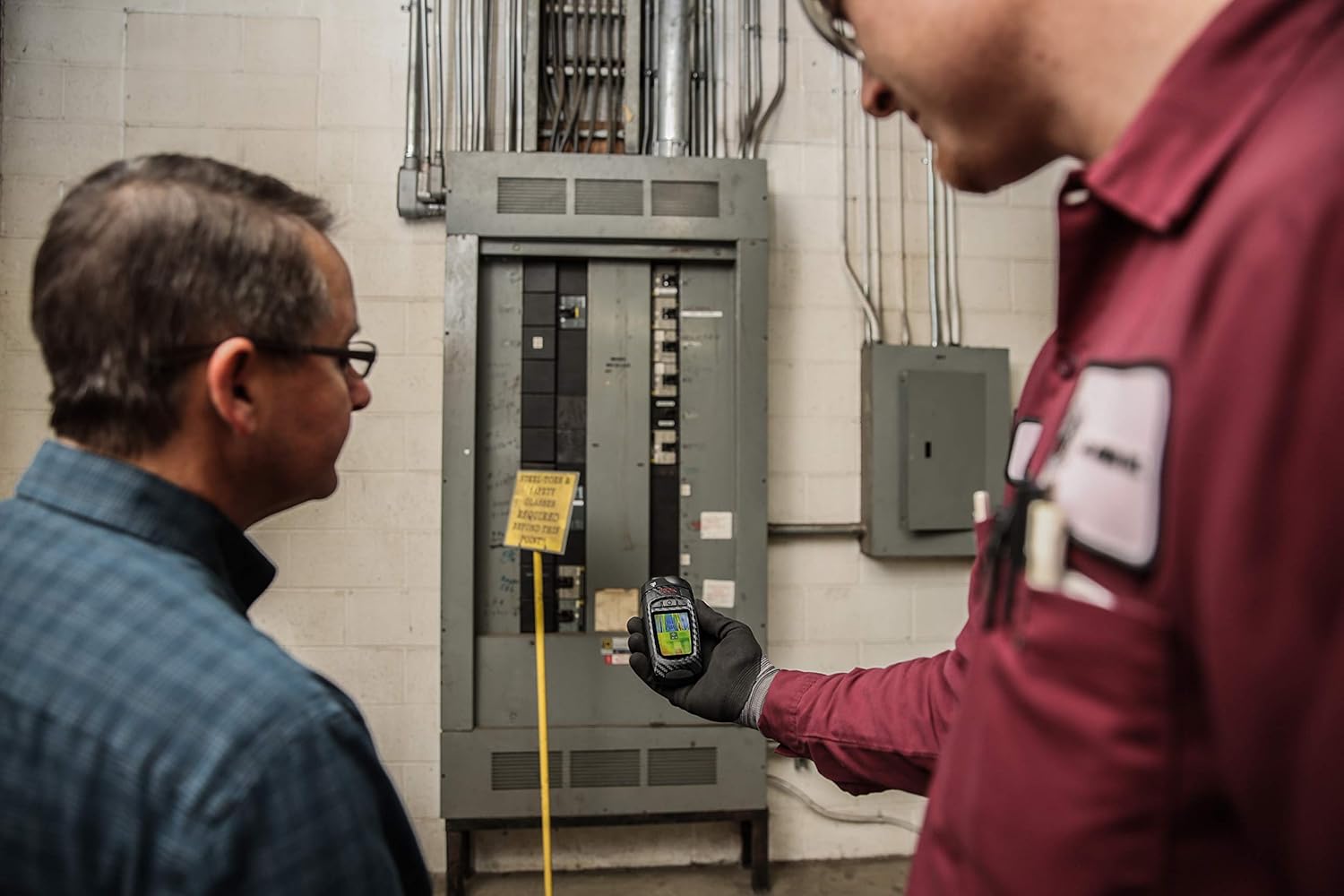
Two technicians inspecting an electrical panel using the Seek Thermal RevealPRO camera.

Seek Thermal RevealPRO on a workbench with tools, showing a thermal image of a structure.
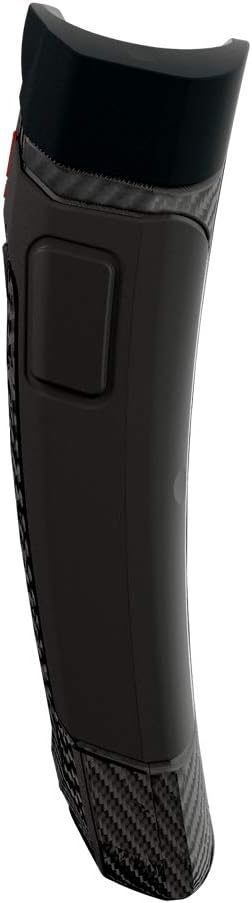
Side profile of the Seek Thermal RevealPRO camera, highlighting its ergonomic design.
Official product video demonstrating the Thermal Master Expert Thermal Imager in various professional inspection scenarios.


