Introduction
Thank you for choosing the Oregon Scientific CIR600 Alarm Clock and Audio Speaker. This device combines a precise digital clock with calendar and day display, a powerful Bluetooth speaker, and an adjustable LED display, all designed to enhance your daily routine. This manual provides detailed instructions for setting up, operating, maintaining, and troubleshooting your new device to ensure optimal performance.

Сүрөт 1: Алдыңкы view of the Oregon Scientific CIR600, displaying the time and featuring the fabric speaker grille.
Жайгашуу
1. Пакеттен чыгаруу жана компоненттер
Таңгактан кылдаттык менен бардык нерселерди алып салыңыз. Бардык компоненттердин бар экенин текшериңиз:
- CIR600 Alarm Clock with built-in audio speaker
- AC/DC 12V, 2.0 Adapter
- Колдонуучунун Колдонмосу (бул документ)
- 1 x CR2025 battery (pre-installed for backup)
2. Power Connection
The CIR600 operates primarily via the included AC/DC adapter. The CR2025 battery serves as a backup for time and alarm settings during power outages.
- Locate the DC 12V input port on the back of the unit.
- Connect the AC/DC 12V, 2.0 adapter to this port.
- Plug the adapter into a standard wall outlet. The display should illuminate.

Figure 2: Rear panel of the CIR600, highlighting connection ports and the battery compartment.
3. Battery Backup Installation (if not pre-installed)
The CR2025 battery ensures that your time and alarm settings are retained in case of a power interruption.
- Locate the battery compartment on the back of the unit (next to the power input).
- Батарея уясынын капкагын ачыңыз.
- Туура полярдуулукту (+/-) текшерип, бир CR2025 батарейкасын салыңыз.
- Батарея уясынын капкагын бекем жабыңыз.
Иштөө нускамалары
1. Controls Overview
The CIR600 features intuitive controls located on the top panel. Familiarize yourself with these buttons for easy operation.

Figure 3: Top panel controls of the CIR600.
- + / - баскычтары: Adjust volume, navigate menus, or set time/alarm values.
- Ойготкуч баскычы: Set or activate/deactivate alarms.
- Bluetooth баскычы: Bluetooth жупташтыруу режимин ишке киргизиңиз.
- M (режим) баскычы: Switch between different modes (e.g., time display, Bluetooth).
- SOZE баскычы: Snooze an active alarm or adjust display brightness.
2. Убакыт жана дата орнотуу
- басып, кармап туруңуз M (режим) убакыт дисплейи күйүп-өчө баштаганга чейин баскычын басыңыз.
- колдонуу + or - саатты тууралоо үчүн баскычтар. Басыңыз M ырастоо үчүн.
- колдонуу + or - мүнөттү тууралоо үчүн баскычтар. Басыңыз M ырастоо үчүн.
- Колдонууну улантуу + or - жана M to set the year, month, and day.
- Once all settings are confirmed, the display will return to normal time display.
3. Ойготкучту орнотуу
- басып, кармап туруңуз Ойготкуч button until the alarm time display starts flashing.
- колдонуу + or - ойготкуч саатын тууралоо үчүн баскычтарды басыңыз. Ойготкуч ырастоо үчүн.
- колдонуу + or - buttons to adjust the alarm minute. Press Ойготкуч ырастоо үчүн.
- басыңыз Ойготкуч button again to activate or deactivate the alarm. An alarm icon will appear on the display when active.
- Ойготкуч басылганда, басыңыз СОЮЗ button to temporarily silence it for a few minutes. To turn off the alarm completely, press any other button.
4. Bluetooth туташуусу
The CIR600 features a 2 x 10 Watt speaker with Bluetooth connectivity for wireless audio streaming.
- басыңыз Bluetooth button on the top panel. The Bluetooth indicator on the display will flash, indicating pairing mode.
- Мобилдик түзмөгүңүздө (смартфон, планшет ж.б.) Bluetooth иштетип, жеткиликтүү түзмөктөрдү издеңиз.
- Select "CIR600" from the list of devices.
- Once successfully paired, the Bluetooth indicator on the CIR600 display will stop flashing and remain solid. You can now play audio through the speaker.
- колдонуу + or - buttons on the CIR600 to adjust the volume.
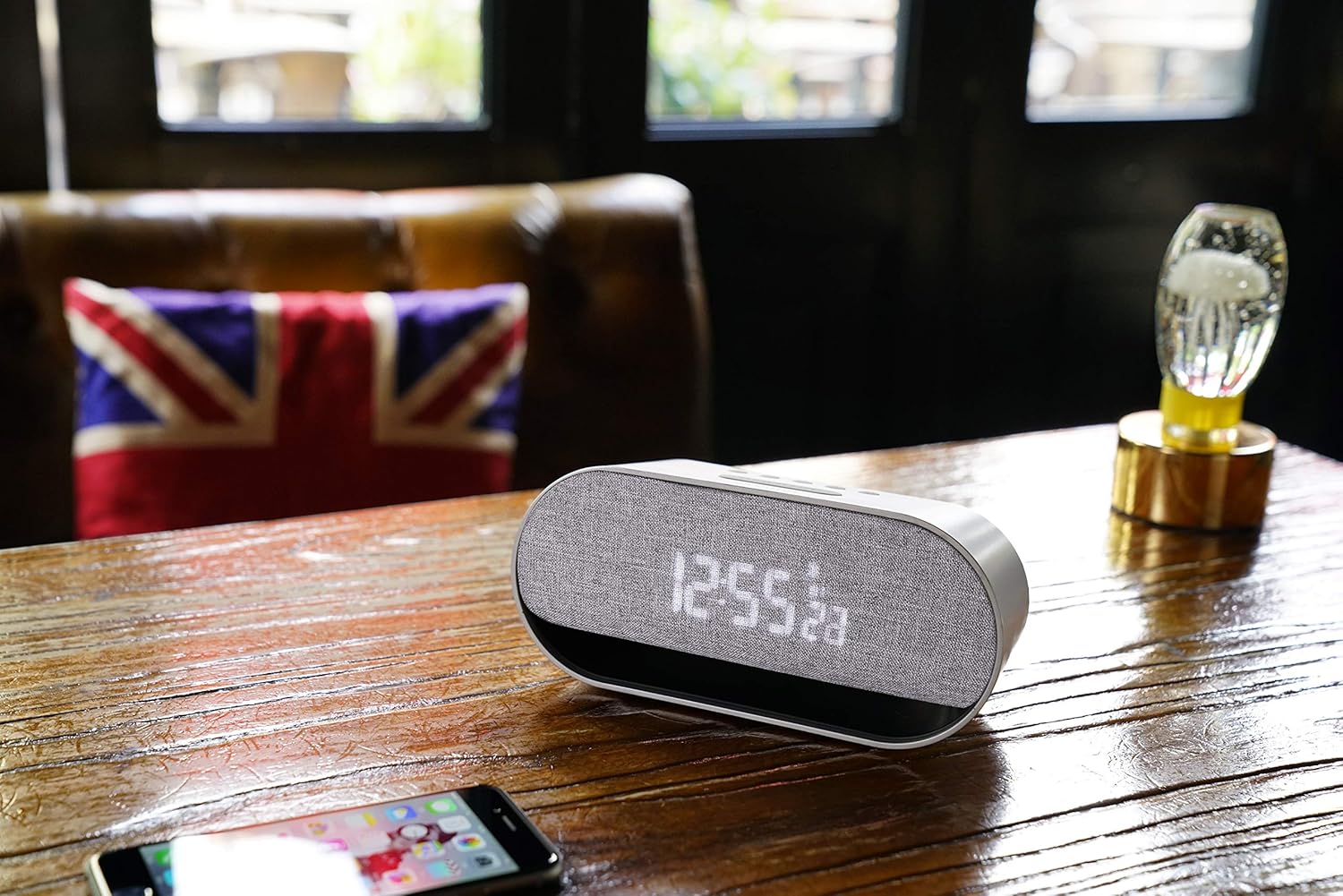
Figure 4: The CIR600 connected via Bluetooth to a mobile device.
5. Adjusting Display Brightness
The CIR600 features a white LED display with 3 adjustable intensity levels.
- басыңыз СОЮЗ button repeatedly to cycle through the brightness levels (High, Medium, Low, Off).
- Select the desired brightness level for comfortable viewing.
Техникалык тейлөө
Тазалоо
To maintain the appearance and functionality of your CIR600:
- Тазалоодон мурун кубат адаптерин ажыратыңыз.
- Сырткы беттерди сүртүү үчүн жумшак, кургак чүпүрөктү колдонуңуз.
- Абразивдүү тазалагычтарды, момдорду же эриткичтерди колдонбоңуз, анткени алар финишке зыян келтириши мүмкүн.
- Ар кандай тешиктерге ным кирүүдөн сактаңыз.
Сактагыч
If storing the unit for an extended period, disconnect it from power and remove the CR2025 backup battery to prevent leakage.
Проблемаларды чечүү
If you encounter issues with your CIR600, refer to the following common problems and solutions:
| Көйгөй | Мүмкүн себеп | Чечим |
|---|---|---|
| No power/Display is off. | Кубат адаптери туташкан эмес же туура эмес розетка. | Кубат адаптери түзмөккө жана иштеп жаткан розеткага бекем сайылганын текшериңиз. Башка розетканы колдонуп көрүңүз. |
| Bluetooth түзмөгү туташа албайт. | CIR600 not in pairing mode; device too far; previously paired device connected. | басыңыз Bluetooth button to enter pairing mode. Ensure your device is within range. Disconnect from any other Bluetooth devices. |
| Ойготкуч угулбайт. | Ойготкуч коюлган эмес же өчүрүлгөн; үн деңгээли өтө төмөн. | Verify the alarm is set and activated (alarm icon visible). Increase the volume using the + баскычы. |
| Дисплей өтө күңүрт же өтө жарык. | Жарыктык деңгээлин тууралоо керек. | басыңыз СОЮЗ button repeatedly to cycle through the 3 brightness levels. |
| Time/Date is incorrect after power loss. | Backup battery is dead or missing. | Replace the CR2025 backup battery. Reset the time and date. |
Техникалык шарттар
| Өзгөчөлүк | Деталь |
|---|---|
| Продукциянын өлчөмдөрү | 20 x 8.9 x 7.2 см |
| Продукт Салмагы | 300 грамм |
| Power Source | AC/DC Adapter (12V, 2.0A) |
| Камдык батарея | 1 x CR2025 (кошулган) |
| Speaker Output | 2 х 10 Ватт |
| Байланыш | Bluetooth |
| Дисплей түрү | White LED Digital Display |
| Дисплей жарыктыгы | 3 жөнгө салынуучу деңгээл |
| Түс | Silver |
| Материал | Пластик |
| Модель номери | OSCIR600 |
Кепилдик маалымат
The Oregon Scientific CIR600 Alarm Clock and Audio Speaker comes with a 2 жылдык кепилдик from the date of purchase. This warranty covers manufacturing defects and workmanship under normal use. Please retain your proof of purchase for warranty claims. For detailed warranty terms and conditions, refer to the official Oregon Scientific webсайтка же кардарларды колдоо менен байланышыңыз.
Кардарларды колдоо
For further assistance, technical support, or inquiries regarding your Oregon Scientific CIR600, please visit the official Oregon Scientific website or contact their customer service department. You may find FAQs, additional resources, and contact information on their support pages.
Note: Always refer to the latest information available on the manufacturer's official support channels for the most up-to-date assistance.


