1. Киришүү
This manual provides detailed instructions for the installation, operation, and maintenance of your Bazooka 24 Inch G2 Bluetooth Party Bar Speaker System. Designed for rugged outdoor environments, this system delivers powerful audio and vibrant LED illumination for off-road vehicles, golf carts, marine applications, and other outdoor settings. Please read this manual thoroughly before use to ensure proper functionality and safety.
2. Коопсуздук маалыматы
Маанилүү коопсуздук эскертүүсү:
Party Bar 12V кубаттуулуктагы туташуу үчүн иштелип чыккан. Party Bar түз эле жогорку вольттогу электр тармагына туташтырылат.tage (24V, 36V, or 48V) vehicles will cause damage to the unit. If your vehicle’s battery power and charging system is 24V, 36V, or 48V, you will need a voltage converter with 12V output (e.g., a 48V-to-12V converter) to prevent damage and ensure proper operation.
Always ensure proper wiring and secure mounting to prevent accidents or damage during vehicle operation.
3. Пакеттин мазмуну
- Bazooka 24 Inch G2 Party Bar Speaker System
- Integrated LED Illumination System
- 6ft Fused Power Cord
- Mounting Legs (2)
- Mounting Hardware (bolts, washers, nuts, Allen key)
- Anti-Vibration Pads (2)
- Алыстан башкаруу
4. Продукциянын өзгөчөлүктөрү жана андан көпview
The Bazooka G2 Party Bar is an all-in-one audio solution featuring marine-grade components and versatile control options.
Аудио компоненттери:
- 8 true marine-grade speakers with end-loaded woofers and front-firing tweeters.
- 450 ватт жогорку кубаттуулуктагы D классындагы интеграцияланган ampөмүрлүү.
Байланыш:
- Easy-pair integrated Bluetooth with auto-connect.
- Audio Sync feature to connect two Party Bars to one mobile device.
- Waterproof 3.5mm auxiliary inputs for connecting smart devices or MP3 players.
- USB input for device charging and audio playback from a thumb drive.
Жарыктандыруу:
- Integrated RGB LED illumination system with backlit tweeters, LED rings in the ends, and a dual LED party strip running the full length of the bar.
Башкаруу параметрлери:
- On-board manual buttons for direct control.
- Included remote control for audio and LED functions.
- Mobile app for comprehensive control (available for iOS and Android).
- Optional dashboard controller (sold separately).
Монтаждоо:
- Patented, cast aluminum integrated grill mounting system allows for end-mounted woofers and complete 360-degree rotation.
- Two durable cast aluminum legs for securing to roll bars.
- Integrated rail mounting system provides alternative mounting options.
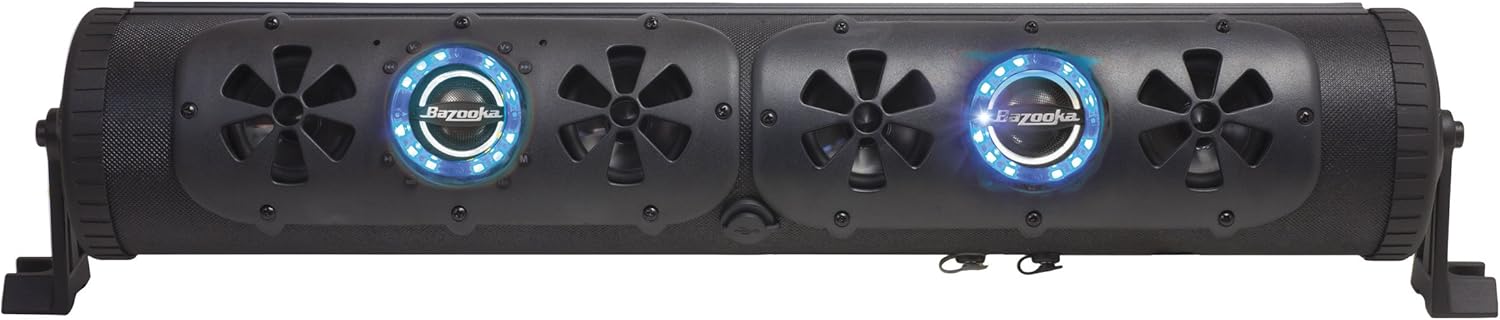
Сүрөт 4.1: Алдыңкы view of the Bazooka G2 Party Bar with illuminated speakers.
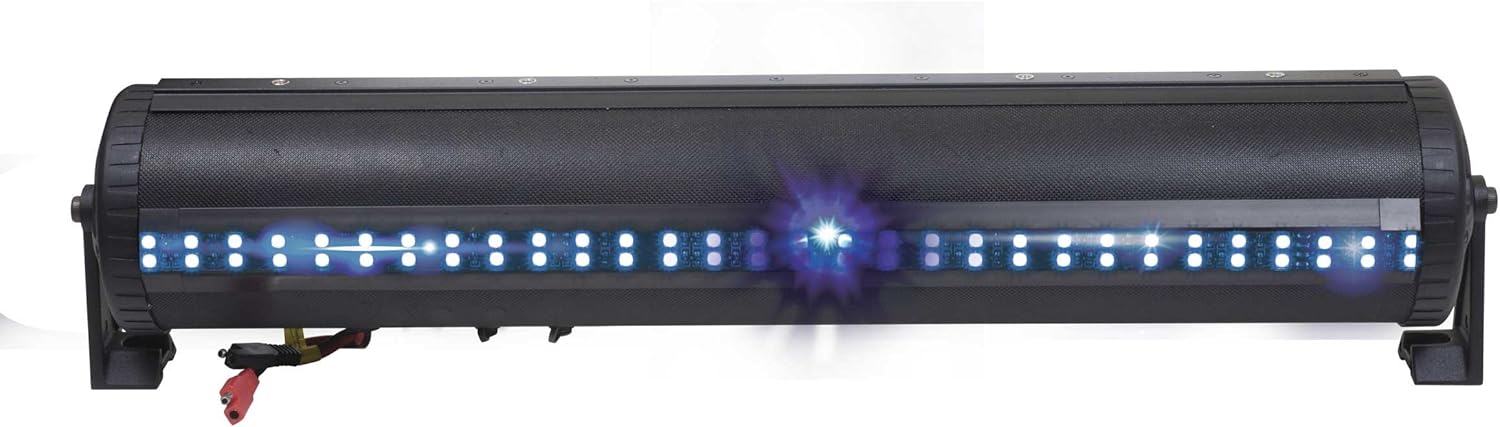
4.2-сүрөт: Арткы view of the Party Bar highlighting the integrated LED strip.

4.3-сүрөт: Детальдуу view of the control panel and speaker with LED ring.
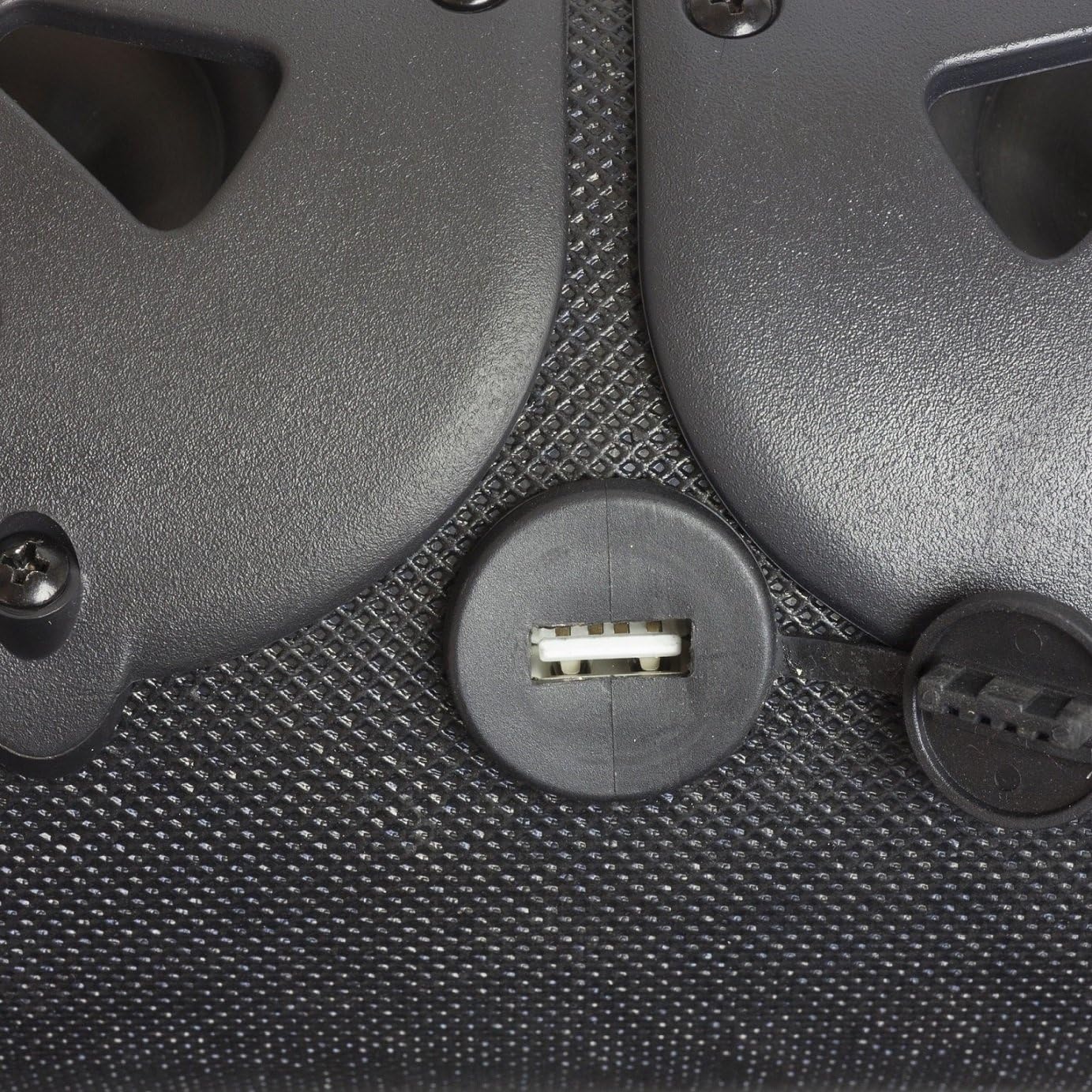
Figure 4.4: Waterproof USB input for charging and audio.
Видео 4.1: Бүттүview of the Bazooka G2 Party Bar's features, including end-loaded subwoofers, marine-grade speakers, waterproof inputs, and patented mounting options. This video showcases the product's versatility for various outdoor applications.
Video 4.2: A brief demonstration of the G2 Party Bar's capabilities as an ultimate off-road entertainment system, highlighting its robust design and vibrant LED lights.
5. Орнотуу боюнча колдонмо
Монтаждоо параметрлери:
The Party Bar offers flexible mounting solutions to suit your vehicle or application. The included cast aluminum legs can be used to secure the unit to roll bars, or the integrated rail mounting system provides alternative attachment points.

Figure 5.1: Party Bar with mounting legs attached, ready for installation.

Сүрөт 5.2: орнотуу пландаштыруу үчүн продукт өлчөмдөрү.
Кубат туташуу:
- Ensure your vehicle's power system is 12V. If not, use a compatible voltage конвертер.
- Connect the 6ft fused power cord to your vehicle's 12V battery, ensuring correct polarity (red to positive, black to negative).
- Бардык зымдарды тоскоолдуктарды же бузулууларды болтурбоо үчүн бекитиңиз.
6. Операция
Bluetooth жупташууда:
- Power on the Party Bar.
- Мобилдик түзмөгүңүздө Bluetooth'ду иштетиңиз.
- Издөө available devices and select "Bazooka G2" to pair.
- The system will auto-connect to previously paired devices when in range.
Audio Sync (for multiple Party Bars):
To connect two Party Bars to a single mobile device for synchronized audio, refer to the detailed instructions in the mobile app or the full product manual for specific pairing steps.
Controlling Audio & LEDs:
Use the on-board buttons, the included remote control, or the Bazooka mobile app to manage audio playback (volume, track skip, mode selection) and customize the RGB LED illumination (color, brightness, patterns).
7. Техникалык тейлөө
The Bazooka G2 Party Bar features a water-resistant design suitable for outdoor use. To ensure longevity and optimal performance:
- Сыртын жумшак, d менен үзгүлтүксүз тазалаңызamp кездеме. Абразивдүү тазалагычтардан же эриткичтерден качыңыз.
- Ensure all port covers (e.g., USB, auxiliary inputs) are securely closed when not in use to maintain water resistance.
- Inspect wiring and connections periodically for any signs of wear or damage.
8. Кыйынчылыктарды
| Көйгөй | Мүмкүн себеп | Чечим |
|---|---|---|
| Күч жок | Loose power connection; Blown fuse; Incorrect voltage. | Check power connections; Replace fuse (15A); Verify 12V power supply or use voltage конвертер. |
| Bluetooth байланышы жок | Bluetooth not enabled on device; Party Bar not in pairing mode; Device too far. | Ensure Bluetooth is on; Put Party Bar in pairing mode; Move device closer. |
| Үн сапаты начар | Volume too low/high; Source device issue; Damaged speaker. | Adjust volume on both Party Bar and source; Test with different source; Contact support if speaker is damaged. |
| LED иштебейт | LED function off; Remote battery low. | Check LED settings on unit/remote/app; Replace remote battery. |
9. Техникалык шарттар
- Модель аты: G2 Party Bar
- Динамик түрү: Сыртта
- Динамик өлчөмү: 24 дюйм
- Динамиктин максималдуу чыгаруу күчү: 450 Ватт
- Киргизүү көлөмүtage: 12 вольт
- Жыштык жообу: 40 Гц
- Байланыш технологиясы: Bluetooth, көмөкчү
- Зымсыз байланыш технологиясы: Bluetooth
- Bluetooth диапазону: 10 метр
- Сууга туруктуулук деңгээли: Суу өткөрбөйт
- Продукциянын өлчөмдөрү: 25.13"D x 4.81"W x 5.19"H
- Элемент Салмагы: 0.847 унция
- Түсү: Кара
- Камтылган компоненттер: Party bar, LED illumination system, 6ft fused power cord
10. Кепилдик жана колдоо
For any issues with your Bazooka G2 Party Bar Speaker System or for further assistance, please contact Bazooka directly at info@bazooka.com. Bazooka is committed to ensuring your satisfaction with their products.
The product comes with a Limited Warranty. Please refer to the full warranty documentation provided with your purchase for complete terms and conditions.


