1. Киришүү
1.1 Продукт бүттүview
The ELRO AS8000 Surveillance Camera System offers advanced security features for your home or business. This kit includes two high-definition cameras designed to integrate seamlessly with your existing ELRO AS8000 alarm system. When your alarm system is triggered, you receive instant notifications on your smartphone, allowing you to access live camera feeds via the ELRO Smart Alarm application.
Негизги өзгөчөлүктөр төмөнкүлөрдү камтыйт:
- 1080p HD токтому: Так жана деталдуу видео foo камсыз кылатtage.
- 100° Viewбурч: Captures a wide area, ideal for corner mounting.
- Эки тараптуу аудио: Built-in microphone and speaker for communication via the ELRO Smart Alarm app.
- Түнкү көрүнүш: Infrared LEDs ensure visibility even in complete darkness.
- Смартфон интеграциясы: Remote access and control through the ELRO Smart Alarm app.
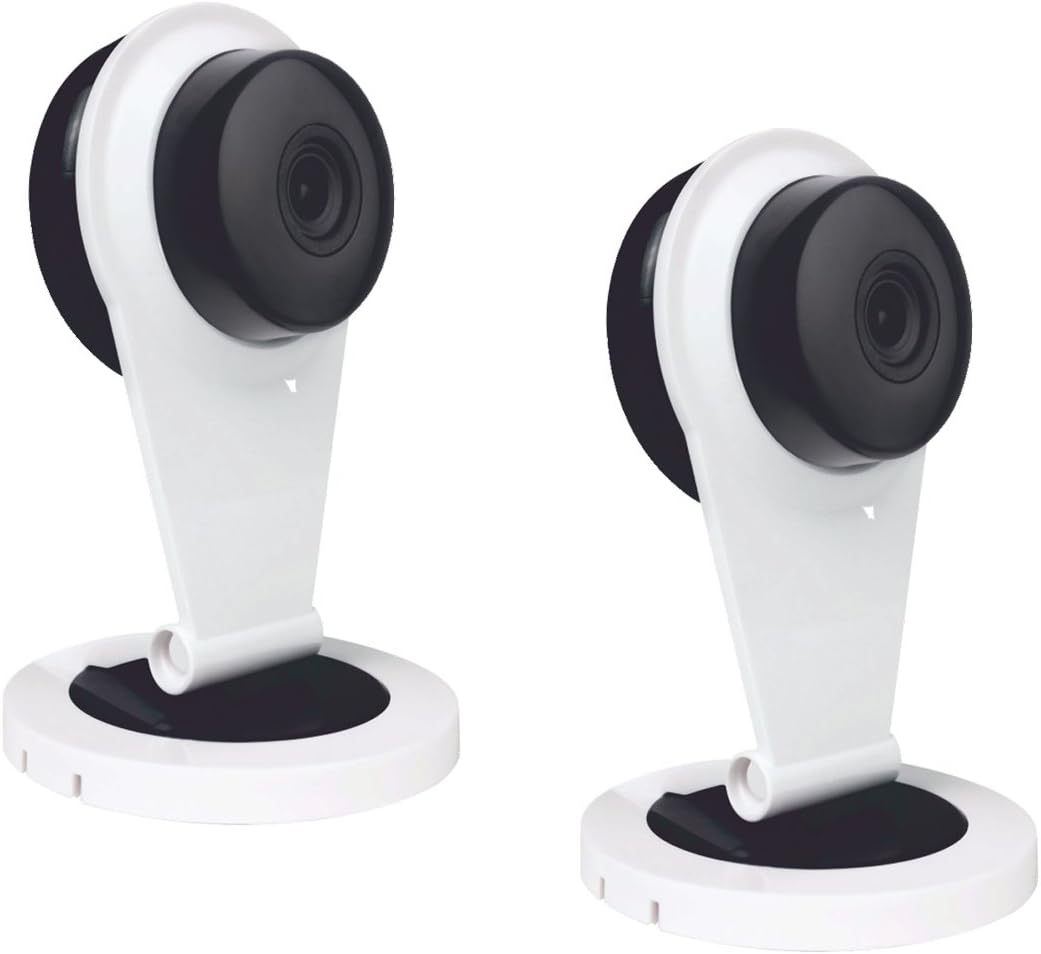
Figure 1: Two ELRO AS8000 Surveillance Cameras. These cameras provide high-definition video and are designed for indoor use.
1.2 Пакеттин мазмуну
Сураныч, бардык буюмдар бар экенин жана жакшы абалда экендигин текшериңиз:
- 2 x ELRO AS8000 Surveillance Cameras
- 2 х Power адаптерлери
- Колдонуучунун Колдонмосу (бул документ)
2. Коопсуздук маалыматы
Read all safety instructions before using the product. Failure to follow these instructions may result in electric shock, fire, or other hazards.
- Use only the power adapters supplied with the cameras.
- Do not expose the cameras to water or moisture. This product is designed for indoor use only.
- Avoid placing cameras near heat sources or in direct sunlight.
- Do not attempt to open or repair the camera yourself. Refer all servicing to qualified personnel.
- Балдар жетпеген жерде сактаңыз.
3. Орнотуу
3.1 Пакеттен чыгаруу
Бардык компоненттерди таңгактан кылдаттык менен алып салыңыз. Таңгакты келечекте сактоо же ташуу үчүн сактаңыз.
3.2 Орнотуу
The ELRO AS8000 cameras are designed for easy installation. They are suitable for indoor use and can be mounted on a ceiling or placed on a flat surface.
- Ылайыктуу жерди тандаңыз: Каалаган нерсени камсыз кылган имараттын ичиндеги жерди тандаңыз viewing angle and is within reach of a power outlet. For optimal coverage, consider corner mounting to utilize the 100° viewбурч.
- Кубатты туташтыруу: Plug the supplied power adapter into the camera and then into a wall outlet. The camera will power on.
3.3 Connecting to the ELRO AS8000 System
To integrate the cameras with your ELRO AS8000 alarm system, follow these steps:
- Download the ELRO Smart Alarm App: If you haven't already, download the ELRO Smart Alarm application from your smartphone's app store (available for iOS and Android).
- Open the App and Log In: Launch the ELRO Smart Alarm app and log in to your account associated with your ELRO AS8000 alarm system.
- Жаңы түзмөк кошуу: Navigate to the device management section within the app. Select the option to "Add New Device" or "Add Camera."
- Экрандагы көрсөтмөлөрдү аткарыңыз: The app will guide you through the process of pairing the camera with your alarm system. This typically involves scanning a QR code on the camera or entering a device ID.
- Камера орнотууларын конфигурациялоо: Once connected, you can configure settings such as motion detection zones, recording preferences, and notification alerts within the app.
4. Иштөө нускамалары
4.1 Using the ELRO Smart Alarm App
The ELRO Smart Alarm app is your primary interface for managing and monitoring your surveillance cameras. Ensure your smartphone has an active internet connection.
- Live мүмкүндүк алуу View: From the app's main dashboard, select the desired camera to view анын жандуу тоюту.
- Эскертмелерди алуу: When your ELRO AS8000 alarm system is triggered, or if motion is detected (if configured), you will receive push notifications on your smartphone. Tap the notification to quickly access the camera feed.

Figure 2: ELRO AS8000 Cameras highlighting key features: Camera function, Night Vision, and Live View App аркылуу.
4.2 Эки тараптуу аудио
The cameras are equipped with a microphone and speaker, enabling two-way communication:
- Ал эми viewing the live feed in the ELRO Smart Alarm app, locate the microphone icon.
- Press and hold the microphone icon to speak. Your voice will be transmitted through the camera's speaker.
- Release the icon to listen through the camera's microphone.
4.3 Түнкү көрүнүш
The integrated infrared LEDs automatically activate in low-light conditions, providing clear black-and-white video footage up to a certain range. This ensures continuous surveillance 24/7.
5. Техникалык тейлөө
Regular maintenance helps ensure optimal performance and longevity of your cameras.
- Тазалоо: Камера линзасын жана корпусун жумшак, кургак чүпүрөк менен акырын сүртүңүз. Катуу химиялык заттарды же абразивдүү тазалоочу каражаттарды колдонбоңуз.
- Программалык камсыздоонун жаңыртуулары: Periodically check the ELRO Smart Alarm app for available firmware updates for your cameras. Keeping the firmware updated ensures you have the latest features and security enhancements.
- Power Cycle: If a camera becomes unresponsive, try unplugging its power adapter for 10 seconds and then plugging it back in.
6. Кыйынчылыктарды
If you encounter issues with your ELRO AS8000 cameras, refer to the following common solutions:
| Көйгөй | Мүмкүн себеп | Чечим |
|---|---|---|
| Camera not connecting to app | Incorrect Wi-Fi password, camera too far from router, app not updated, camera not powered on. | Verify Wi-Fi credentials. Move camera closer to router. Update ELRO Smart Alarm app. Ensure camera is powered and indicator light is on. Try resetting the camera (refer to app for specific reset instructions). |
| Жандуу эмес view | Internet connection issues (phone or camera), camera offline. | Check your phone's internet connection. Verify the camera's status in the app. Power cycle the camera. Check your home internet connection. |
| Видеонун сапаты начар | Кир линза, начар өткөрүү жөндөмдүүлүгү, начар жарык. | Clean the camera lens. Ensure stable and sufficient internet bandwidth. Adjust lighting conditions or rely on night vision. |
| Эки тараптуу аудио иштебейт | Microphone/speaker muted in app, app permissions, internet delay. | Check audio settings in the ELRO Smart Alarm app. Ensure the app has microphone permissions on your phone. Verify stable internet connection. |
If the problem persists, please contact ELRO customer support.
7. Техникалык шарттар
| Өзгөчөлүк | Деталь |
|---|---|
| Модель номери | SAS80CA11A |
| Video Resolution | 1080p HD |
| Viewбурч | 100 градус |
| Байланыш технологиясы | Зымсыз |
| Өзгөчөлүктөр | HD Resolution, Night Vision, Two-Way Audio |
| Шайкеш түзмөктөр | Smartphone (via ELRO Smart Alarm App) |
| Power Source | Электр зымдары |
| Монтаж түрү | Ceiling Mount (also suitable for flat surface placement) |
| Материал | Металл |
| Сунушталган Колдонуулар | Home Security, Night Vision Surveillance |
| Форма фактору | Купол |
8. Кепилдик жана колдоо
8.1 Кепилдик маалыматы
ELRO products are designed and manufactured to the highest quality standards. For specific warranty details, please refer to the warranty card included with your product or visit the official ELRO webсайт. Кепилдик дооматтар үчүн сатып алганыңыздын далилин сактаңыз.
8.2 Кардарларды колдоо
If you require further assistance or have questions not covered in this manual, please contact ELRO customer support. Contact information can typically be found on the ELRO website or within the ELRO Smart Alarm application.
Онлайн ресурстар: For FAQs, additional guides, and software downloads, visit the official ELRO support page.


